
Perplexity AI for Students: How to Research Smarter in 2026
Students today have more information than ever before. Google gives thousands of links. YouTube gives hours of tutorials. Chatbots give instant answers. PDFs, websites, research papers, class notes, and online courses are everywhere.
But that creates a new problem.
Students do not just need more information. They need the right information, from reliable sources, explained in simple language, organized in a way they can actually use for homework, essays, research papers, presentations, and exams.
That is where Perplexity AI can help.
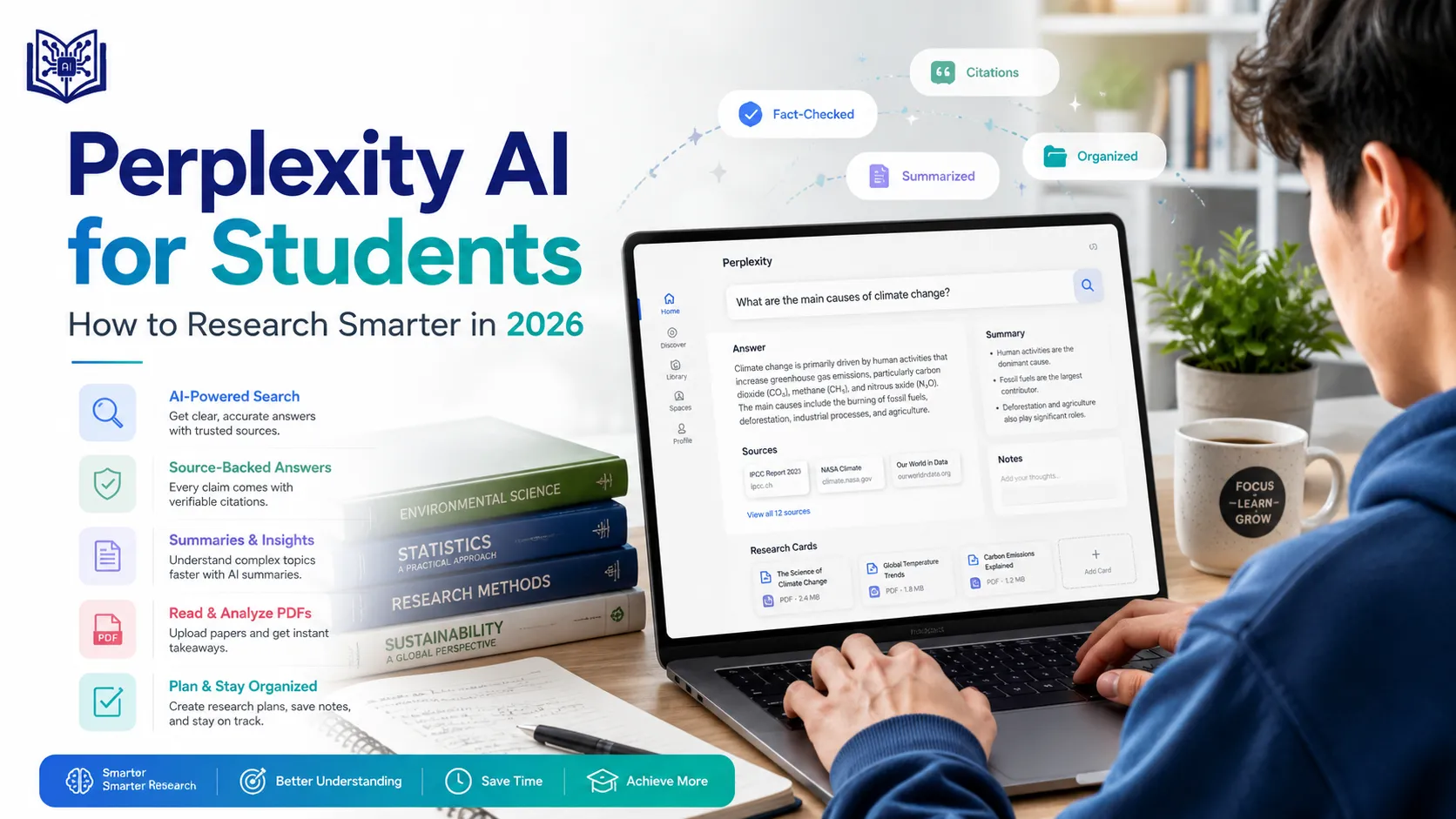
Perplexity describes itself as a free AI-powered answer engine that provides accurate, trusted, and real-time answers to questions. Unlike a normal search engine that only gives you links, Perplexity gives you a direct answer with sources you can open and verify.
For students, this makes Perplexity useful for research, homework help, academic writing, source discovery, summaries, fact-checking, essay planning, literature reviews, and exam preparation.
But most students use Perplexity the wrong way.
They type something like:
Tell me about climate change.
Or:
Write my assignment.
That is not enough.
If you want better results, you need to use Perplexity like a research assistant, not like a copy-paste machine. You need to ask better questions, choose better sources, check citations, compare information, summarize useful material, and turn research into your own understanding.
In this guide, you will learn exactly how to use Perplexity AI for students in 2026 with practical workflows, prompts, tables, examples, and safe study tips.
What Is Perplexity AI?
Perplexity AI is an AI answer engine that searches the web, summarizes information, and gives source links with answers. It is useful when you want a quick but sourced answer instead of scrolling through many search results.
For students, Perplexity can work like:
- A research assistant
- A homework explainer
- A study planner
- A source finder
- A fact-checking tool
- A literature review helper
- A summary generator
- A presentation planner
- A citation discovery tool
- A current-information search tool
Perplexity’s help center explains that it can answer questions with up-to-date web search, provide sourced links, and summarize articles, documents, or webpages.
The transcript you shared also highlights important Perplexity features such as search, Deep Research, Spaces, file uploads, source selection, academic papers, social discussions, different AI models, Pages, and voice input.
That makes it especially useful for students who want to research faster but still need sources.
Why Students Should Use Perplexity AI
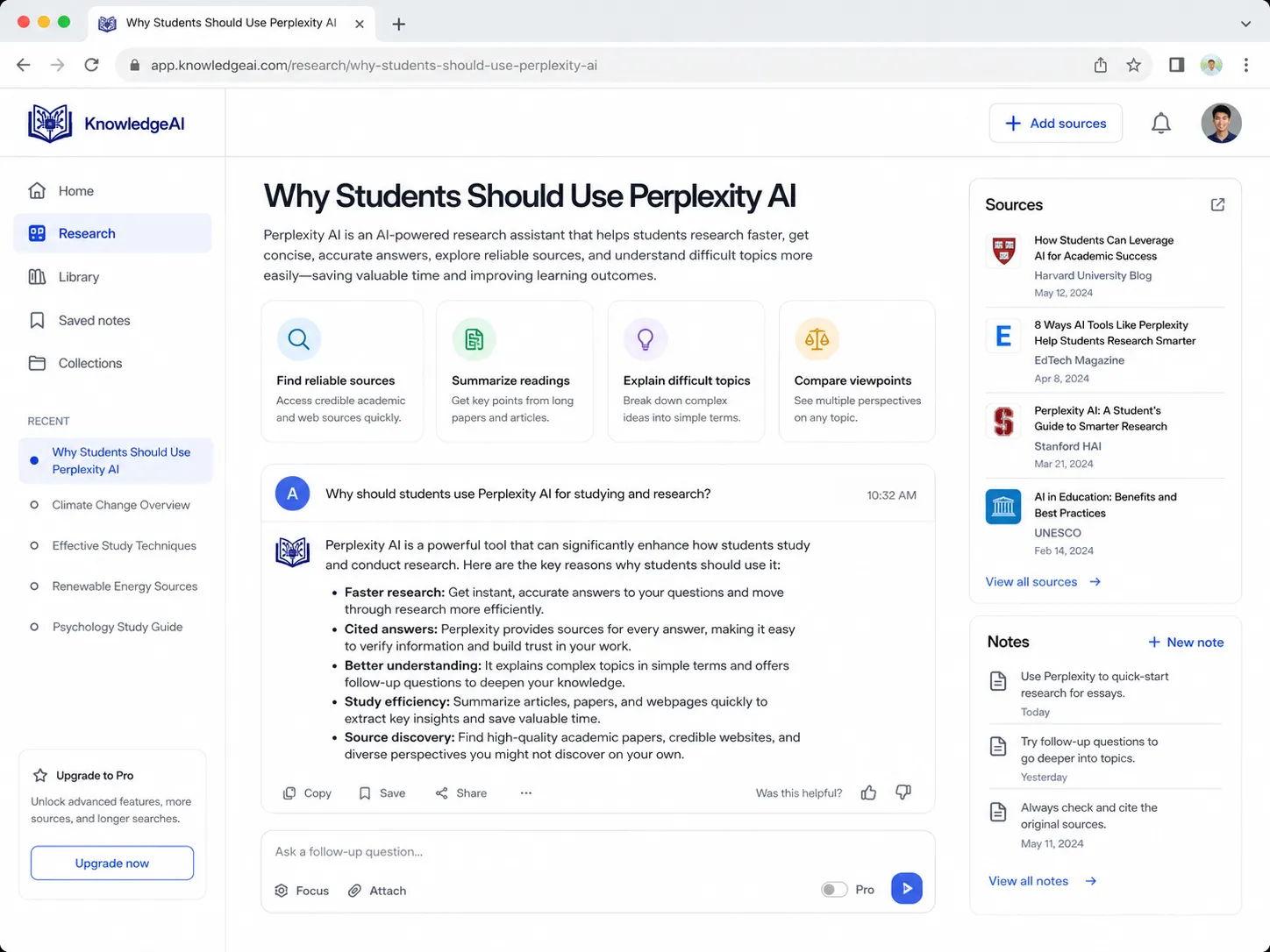
Most students already use Google and AI tools, but they often waste time jumping between tabs.
A typical student research workflow looks like this:
- Search Google.
- Open 10 tabs.
- Read half of them.
- Get confused.
- Ask ChatGPT.
- Still need sources.
- Go back to Google.
- Copy random points.
- Struggle to organize the assignment.
Perplexity can make this process cleaner.
Instead of starting with 10 random links, you can ask a focused question and get a summarized answer with sources. Then you can open those sources, ask follow-up questions, compare viewpoints, and create notes.
This is why Perplexity AI for students is a strong topic. It solves a real problem: students need fast research, but they also need source-backed information.
Quick Overview: What Students Can Do with Perplexity AI
| Student Task | How Perplexity Helps |
|---|---|
| Homework help | Explains concepts with sources |
| Research papers | Finds sources, summaries, and research angles |
| Essay writing | Helps create outlines and arguments |
| Literature review | Compares studies, themes, and findings |
| Presentations | Finds facts, examples, and slide structure |
| Exam prep | Creates summaries, quizzes, and revision plans |
| Fact-checking | Verifies claims with sources |
| Academic research | Helps find papers and reliable references |
| Group projects | Organizes topics and tasks |
| Study planning | Builds weekly revision plans |
Perplexity AI vs Google for Students
Google is still useful, but it gives you a list of links. Perplexity gives you an answer with links.
| Feature | Perplexity AI | |
|---|---|---|
| Search results | List of websites | Direct answer with sources |
| Speed | Requires manual reading | Faster summary |
| Source links | Yes | Yes |
| Follow-up questions | Manual search again | Conversational |
| Academic research | Good with Google Scholar | Useful for quick research discovery |
| Best for | Broad searching | Sourced answers and summaries |
| Weakness | Too many results | Still needs verification |
For students, the best method is not “Google or Perplexity.” The best method is to use both.
Use Perplexity to understand the topic and find sources quickly. Use Google Scholar, university databases, or official websites to verify and cite academic sources properly.
Perplexity AI vs ChatGPT for Students
A lot of students ask whether Perplexity is better than ChatGPT.
The answer depends on the task.
| Task | Better Tool |
|---|---|
| Finding current sources | Perplexity |
| Getting cited answers | Perplexity |
| Fact-checking claims | Perplexity |
| Brainstorming essay ideas | ChatGPT |
| Explaining difficult topics step by step | ChatGPT or Perplexity |
| Research paper source discovery | Perplexity |
| Creative writing help | ChatGPT |
| Current statistics | Perplexity |
| Study planning | Both |
| Summarizing pasted notes | Both |
Simple rule:
Use Perplexity when you need sources. Use ChatGPT when you need deeper tutoring, brainstorming, or writing help.
Internal link suggestion:
If you want more AI study tools, read our guide on AI tools like ChatGPT for students.
Is Perplexity AI Free for Students?
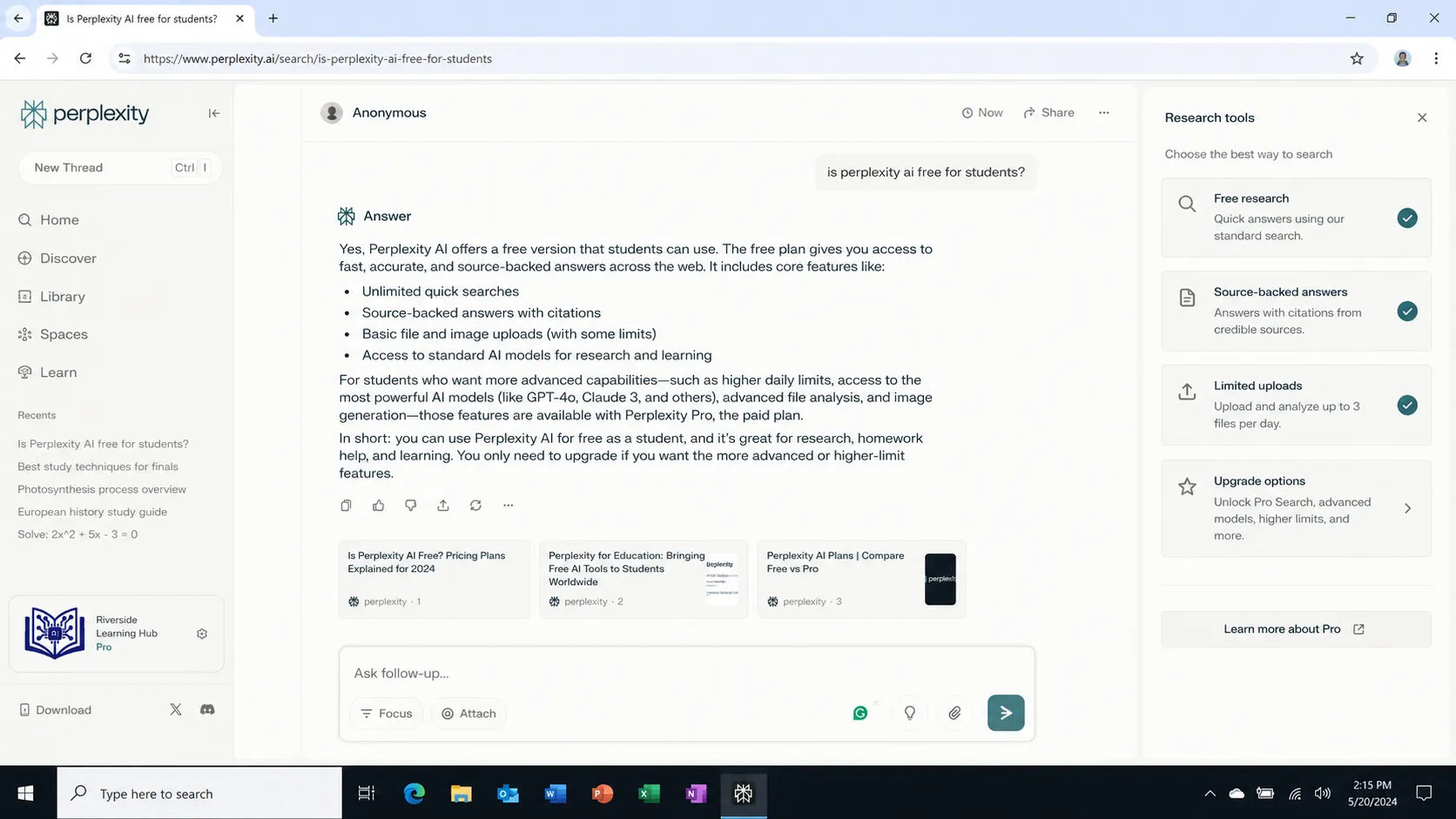
Perplexity has a free version and paid plans with more advanced features. The exact limits can change, so students should always check Perplexity’s official pricing and help pages before relying on plan details.
For many students, the free version is enough for:
- Basic research
- Topic explanations
- Source discovery
- Homework understanding
- Quick summaries
- Study questions
- Essay outlines
Paid features may be more useful for:
- Heavy research
- More file uploads
- Longer answers
- Advanced models
- More Pro searches
- Deeper academic workflows
Perplexity’s Help Center says Pro Search performs a more in-depth internet search and can use more sources than a standard search.
How to Use Perplexity AI for Students
1. Start with a Clear Question
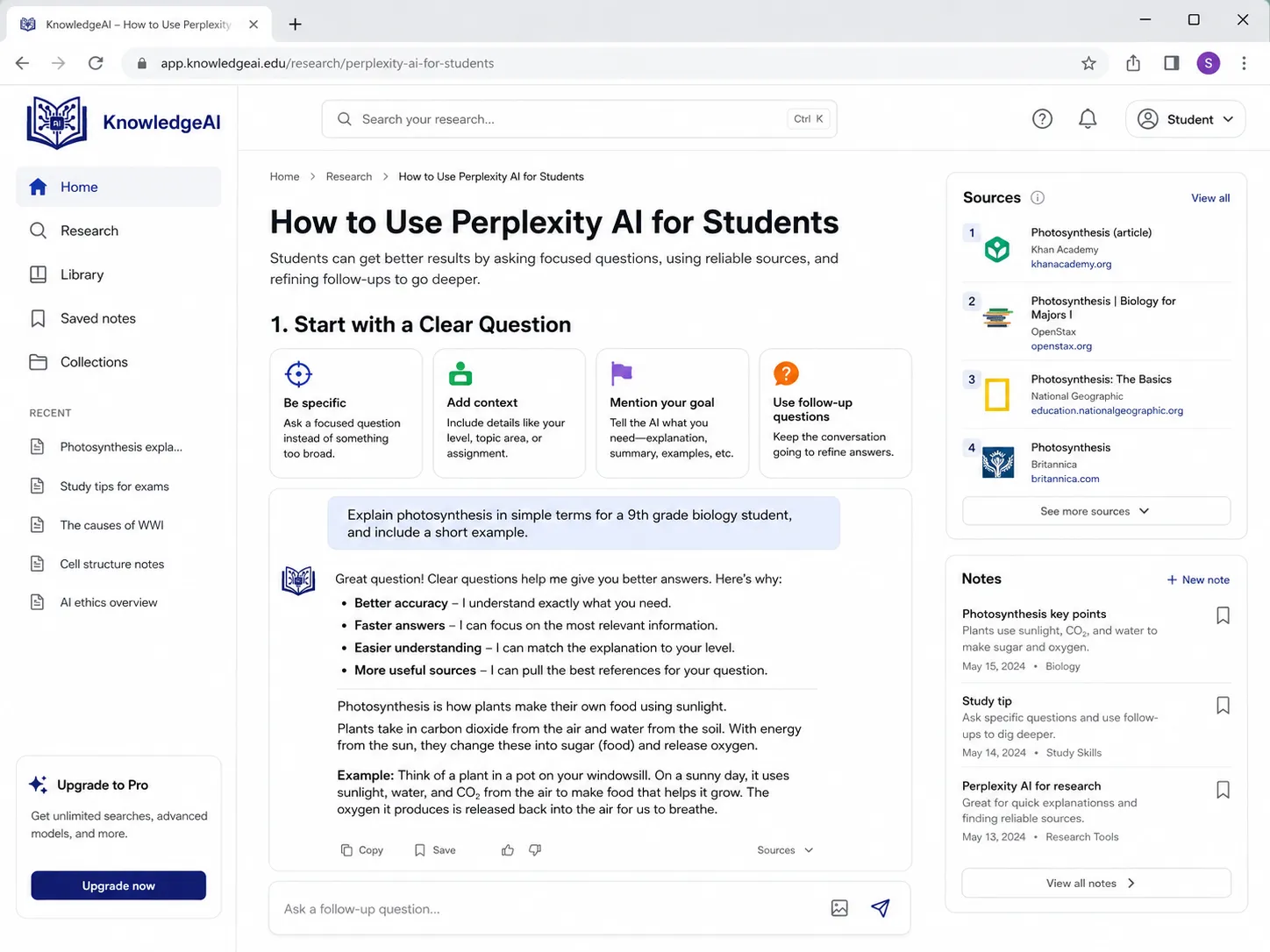
The quality of your answer depends on the quality of your question.
Bad prompt:
Tell me about AI.
Better prompt:
I am a college student writing an assignment on AI in education. Explain the topic in simple language, include benefits, risks, examples, and recent reliable sources.
Why is the second prompt better?
Because it tells Perplexity:
- Who you are
- What you are doing
- What topic you need
- What format you want
- What type of sources matter
Student Prompt Template
I am a [school/college/university] student working on [assignment/exam/presentation] about [topic]. Explain it in simple language, include key points, examples, reliable sources, and 5 follow-up questions I should research.
Example
I am a university student writing a research paper about AI in education. Explain the topic in simple language, include benefits, risks, recent examples, reliable sources, and 5 research questions I can explore.
2. Use Perplexity for Research Papers
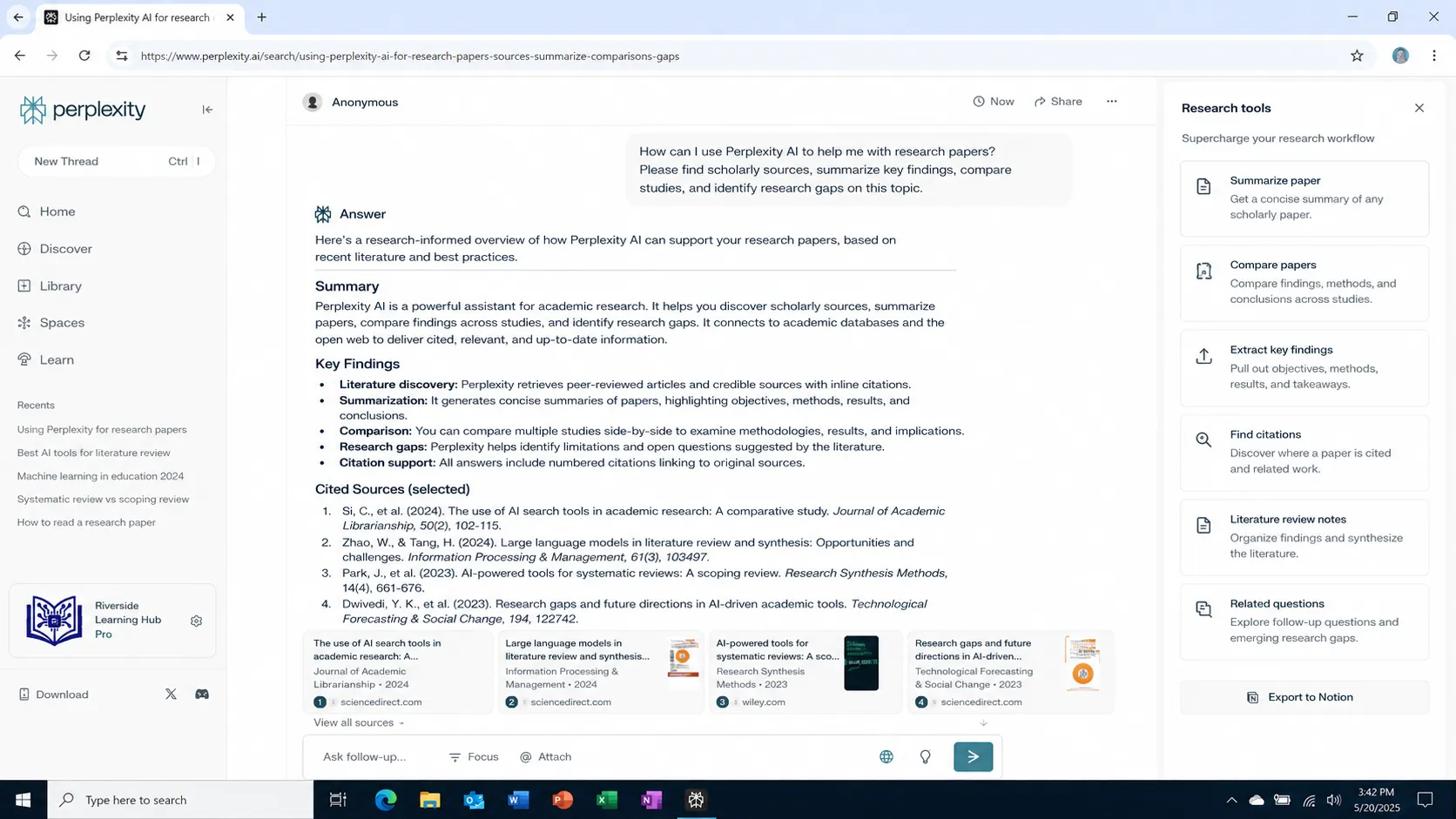
Research papers are hard because students need more than basic information. You need a research question, sources, arguments, evidence, and sometimes a literature review.
Perplexity can help you start.
Research Paper Prompt
I am writing a research paper on [topic]. Give me an overview, key themes, recent studies, possible research gaps, and 5 research questions. Prioritize academic, government, university, and credible organization sources.
Example
I am writing a research paper on the impact of AI tools on student learning. Give me an overview, key themes, recent studies, possible research gaps, and 5 research questions. Prioritize academic, government, university, and credible organization sources.
What to Ask Next
After you get the first answer, ask follow-up questions:
Which of these research questions is easiest for a 1500-word student paper?
Which sources are strongest for academic citation?
Create an outline for this research question.
Create a literature review table from these sources.
This is where Perplexity becomes powerful. Do not stop at the first answer. Use follow-up questions.
3. Use Academic Sources Instead of Random Blogs
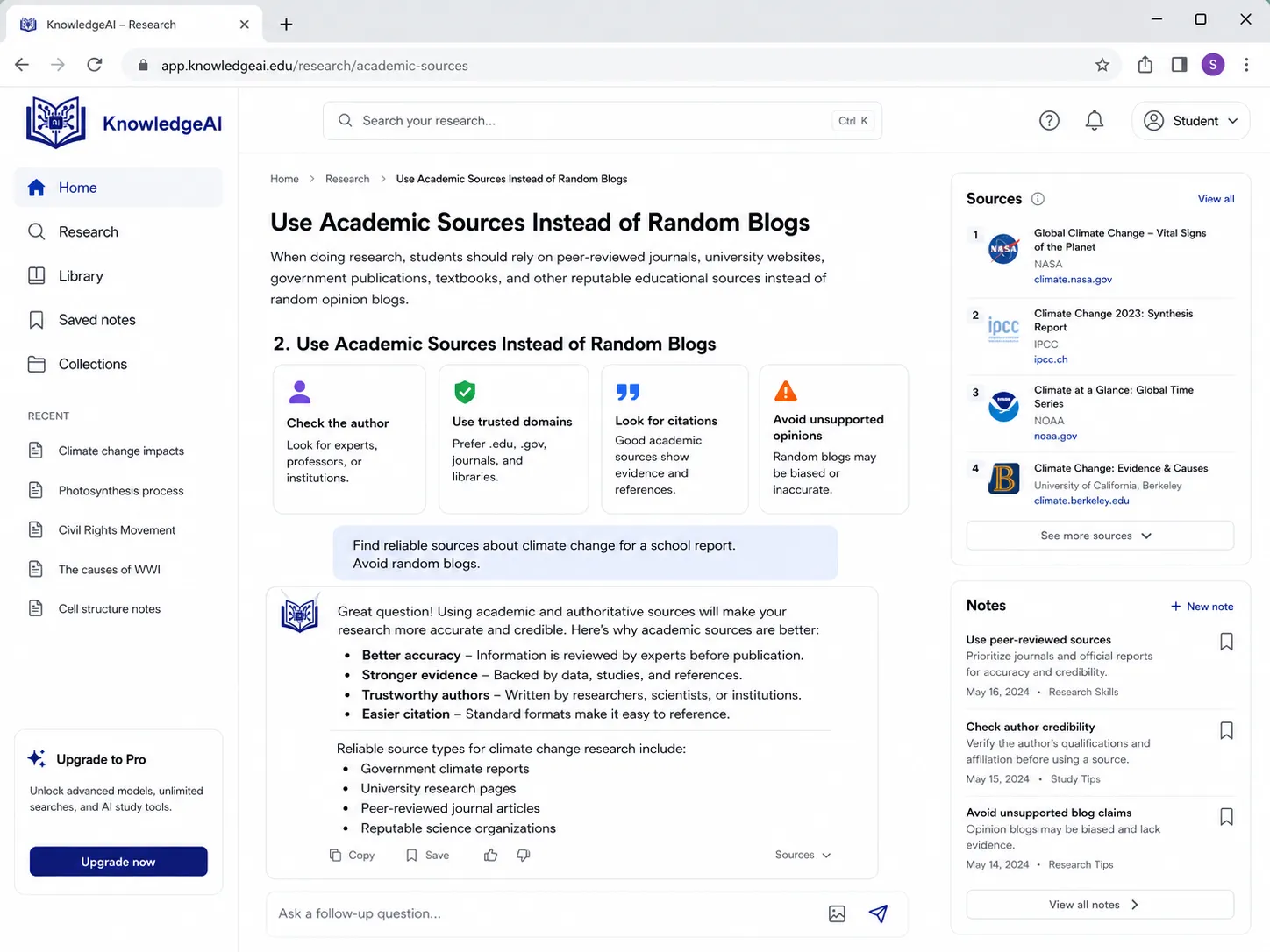
For school or university work, not all sources are equal.
A random blog post is not the same as:
- A university page
- A government report
- A peer-reviewed paper
- A research organization
- A recognized news source
- A textbook
- An official company report
The transcript shows that Perplexity lets users choose different source types, including web, academic papers, and social discussions.
For student assignments, use academic and reliable sources when possible.
Academic Source Prompt
Search academic and reliable sources about [topic]. Avoid random blogs. Prioritize university websites, government reports, peer-reviewed papers, and trusted research organizations.
Example
Search academic and reliable sources about social media effects on student mental health. Avoid random blogs. Prioritize university websites, government reports, peer-reviewed papers, and trusted research organizations.
4. Use Perplexity to Summarize Articles
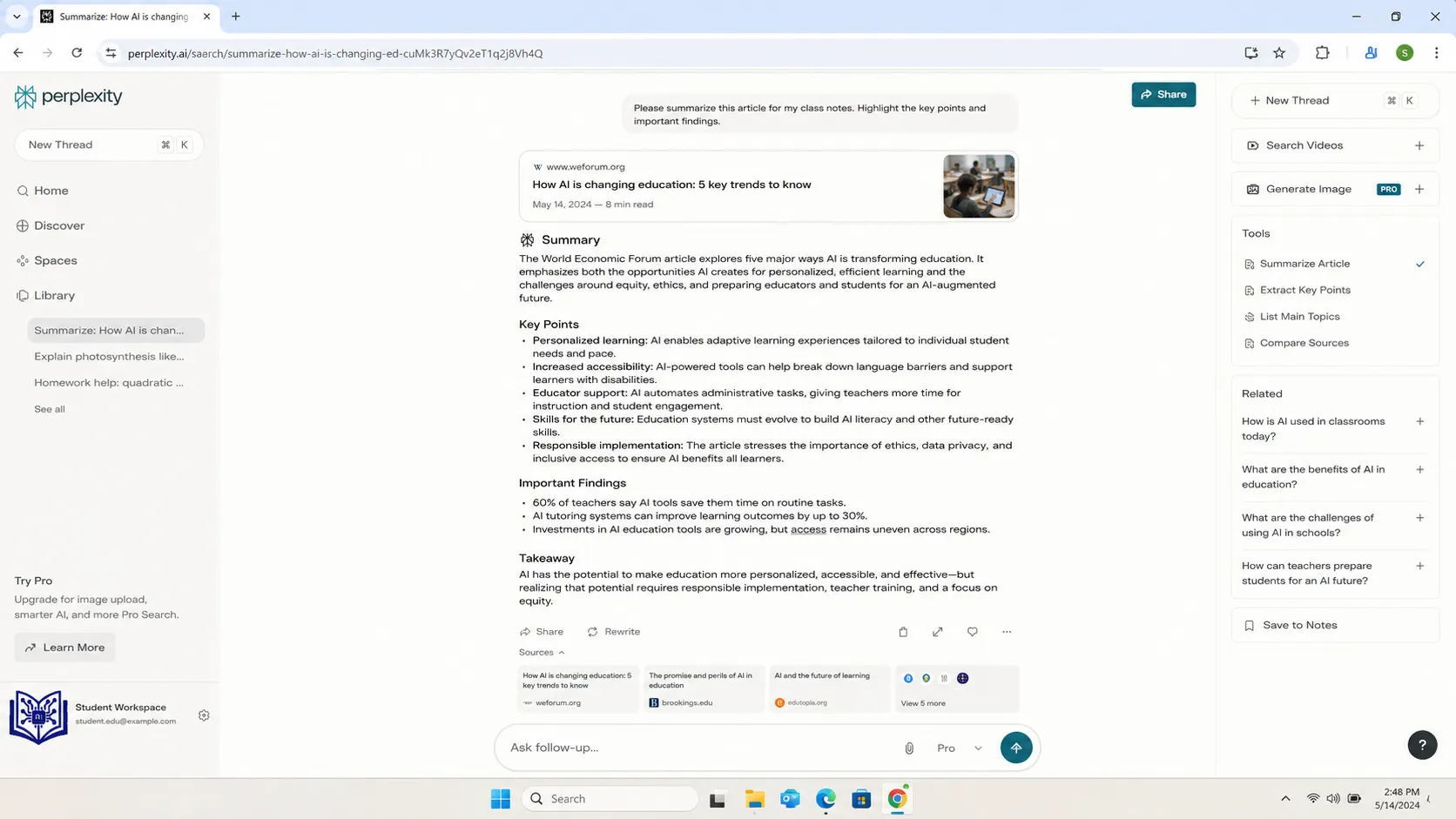
Students often have to read long articles, reports, PDFs, or webpages. Perplexity can summarize them quickly.
Article Summary Prompt
Summarize this article for a student. Include the main argument, key evidence, examples, limitations, and 5 points I should remember.
Research Paper Summary Prompt
Summarize this research paper in simple language. Include the research problem, method, findings, limitations, conclusion, and how I can use it in my assignment.
Exam Notes Prompt
Turn this article into exam revision notes with headings, bullet points, key terms, possible test questions, and a short final summary.
This is useful when you are preparing for exams or trying to understand long reading material.
5. Use Perplexity for Homework Help Without Cheating
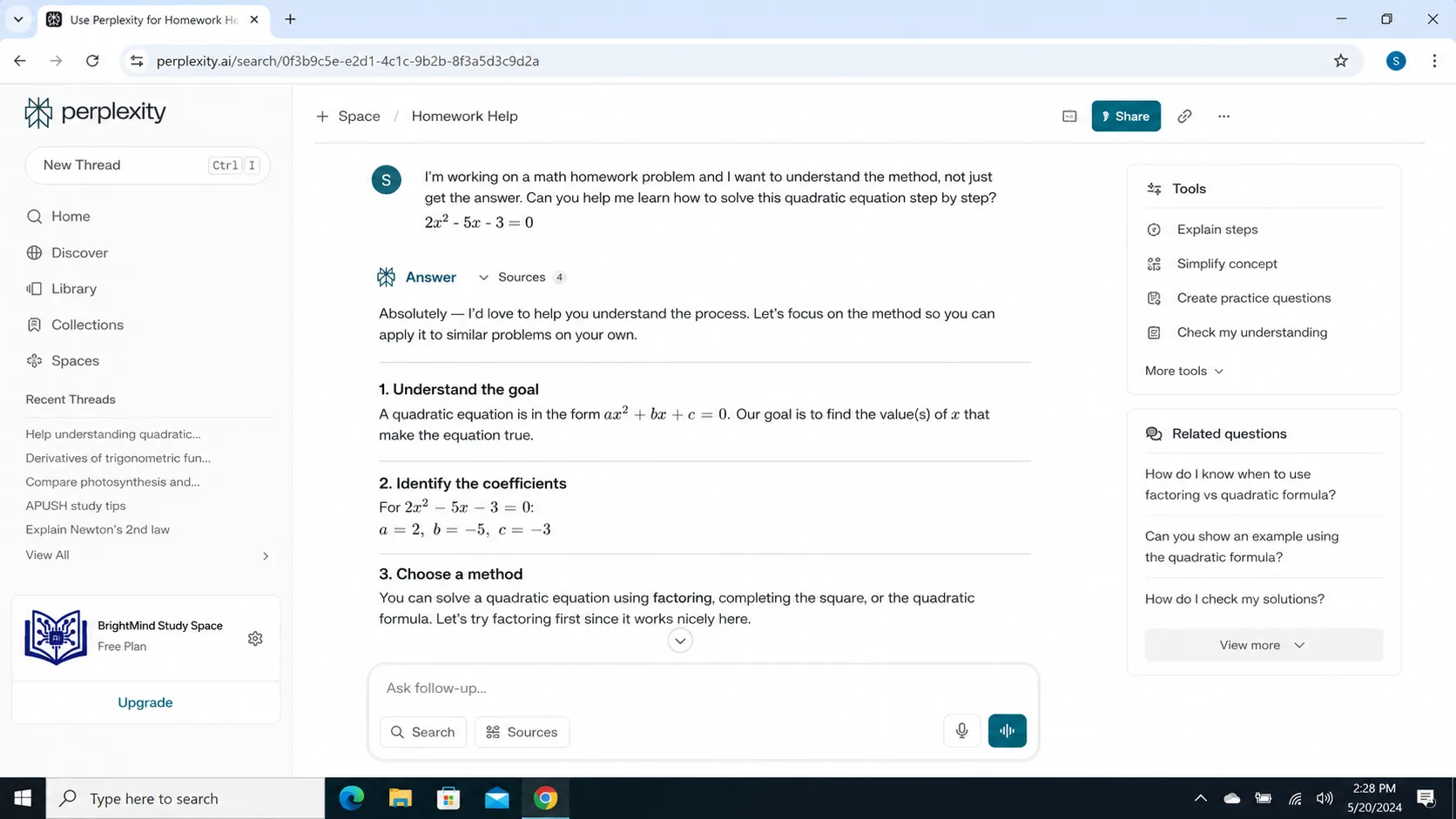
Perplexity can help you understand homework, but you should not use it to copy answers.
Bad prompt:
Do my homework.
Better prompt:
Help me understand this homework question. Explain the concept, show the steps, and give me a similar practice question.
Homework Prompt
I have this homework question: [paste question]. Do not just give the final answer. Explain the method step by step, tell me why each step matters, and give me one similar practice question.
This makes Perplexity act like a tutor, not a cheating tool.
Use this for:
- Science questions
- History explanations
- English essays
- Business case studies
- IT concepts
- Economics questions
- Psychology topics
- Research assignments
6. Use Perplexity to Build Essay Outlines
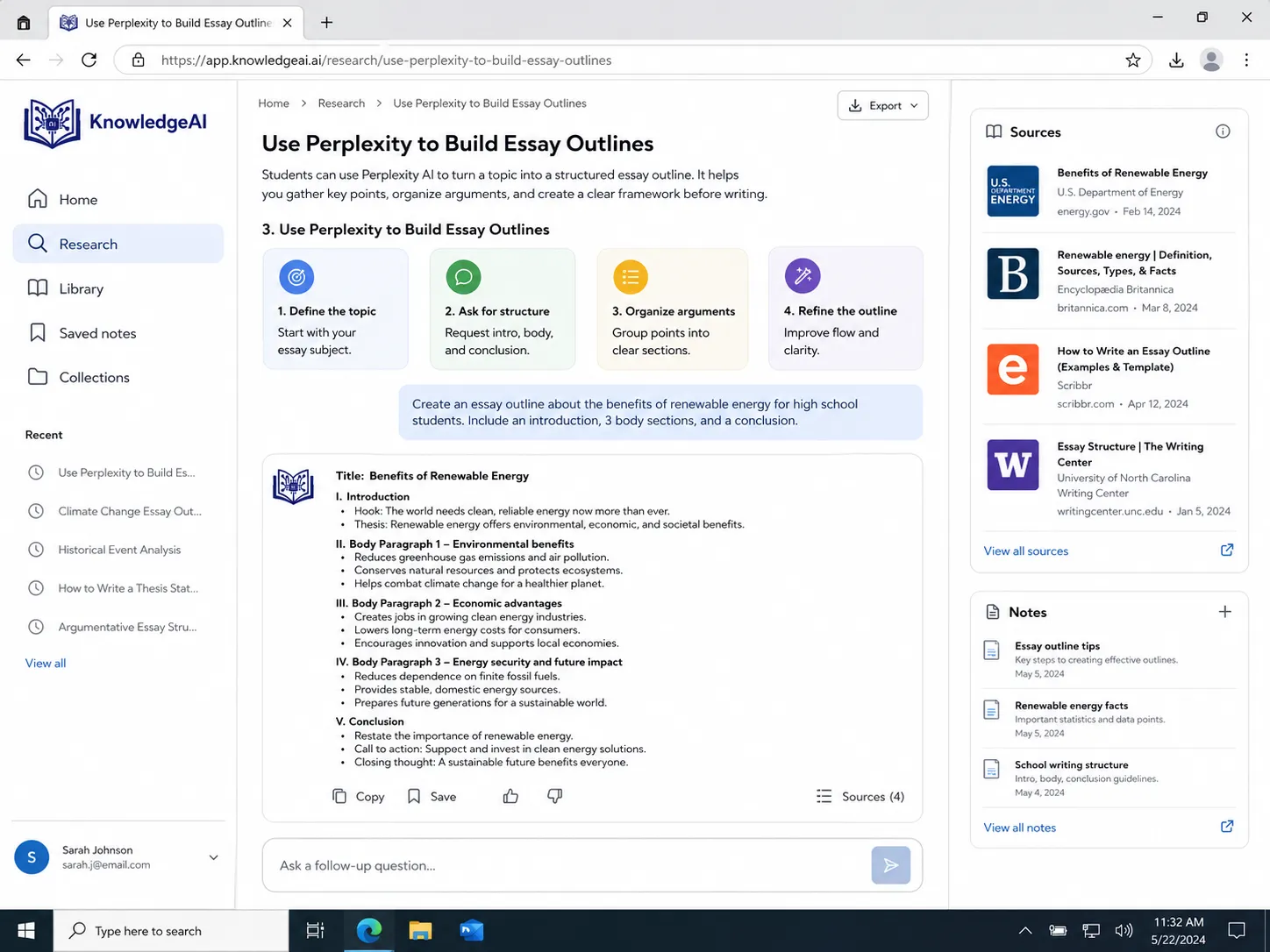
Perplexity can help you turn a broad topic into a clear essay structure.
Essay Outline Prompt
Create a detailed essay outline on [topic] for a student. Include introduction, thesis statement, 3 main arguments, supporting evidence ideas, counterargument, and conclusion.
1200-Word Essay Prompt
I am writing a 1200-word essay on [topic]. Create a detailed outline with H2 headings, key arguments, examples, source suggestions, and a simple conclusion.
Example
I am writing a 1200-word essay on whether AI improves student learning. Create a detailed outline with H2 headings, key arguments, examples, counterarguments, source suggestions, and a simple conclusion.
Do not copy the outline exactly. Use it as a structure, then write in your own words.
7. Use Perplexity for Literature Reviews
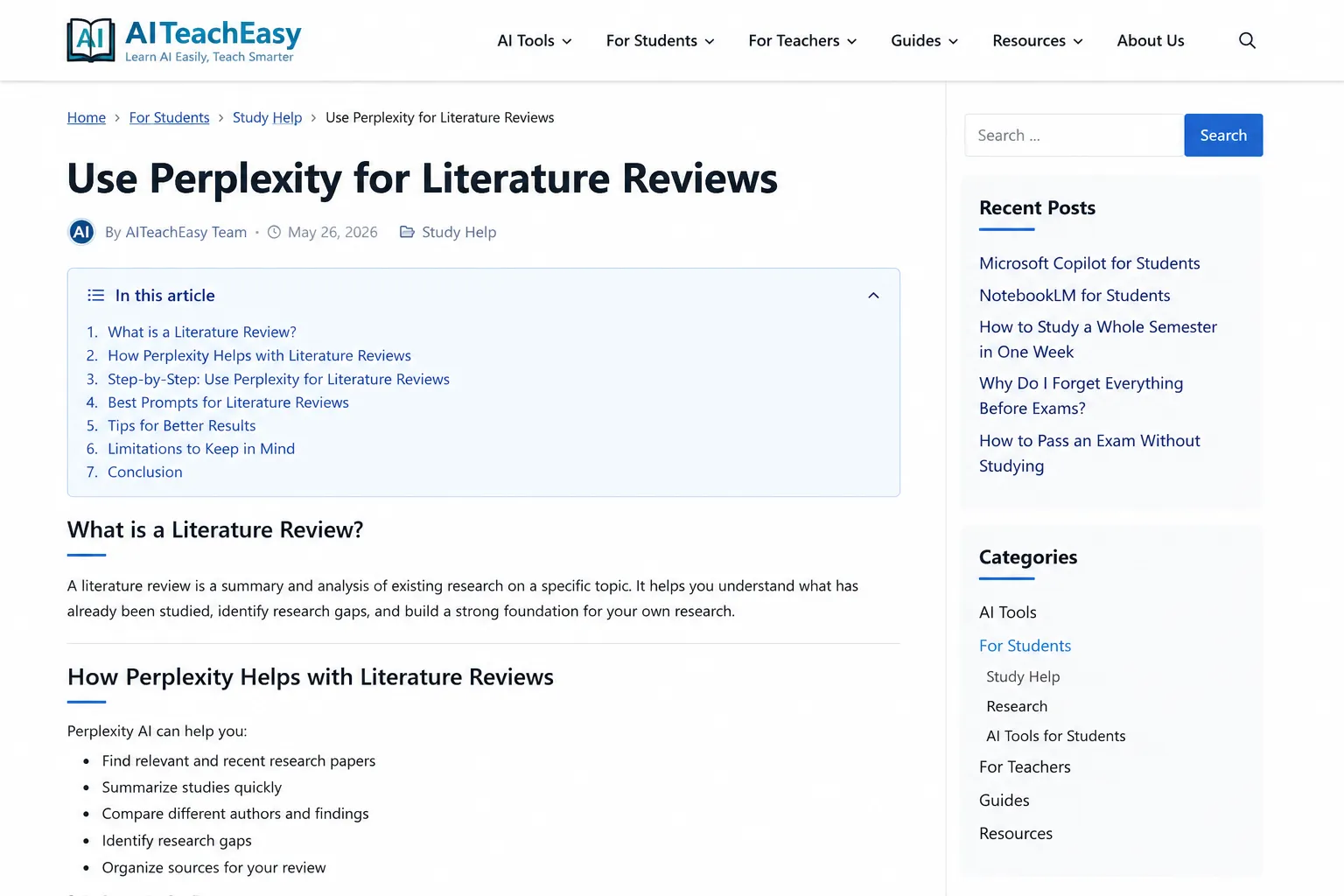
A literature review is not just a summary. It compares what different sources say about a topic.
Perplexity can help create a first literature review table.
Literature Review Prompt
Create a literature review table for [topic]. Include source title, author or organization, year, main finding, method, limitation, and how it relates to my research question.
Table Format
| Source | Year | Main Finding | Method | Limitation | Useful For |
|---|---|---|---|---|---|
| Source 1 | Year | Finding | Method | Limitation | Background |
| Source 2 | Year | Finding | Method | Limitation | Argument |
| Source 3 | Year | Finding | Method | Limitation | Counterargument |
Follow-Up Prompt
Based on this literature review table, what research gap can I use for a student research paper?
This is useful for university students, final-year projects, and academic assignments.
8. Use Perplexity to Compare Sources
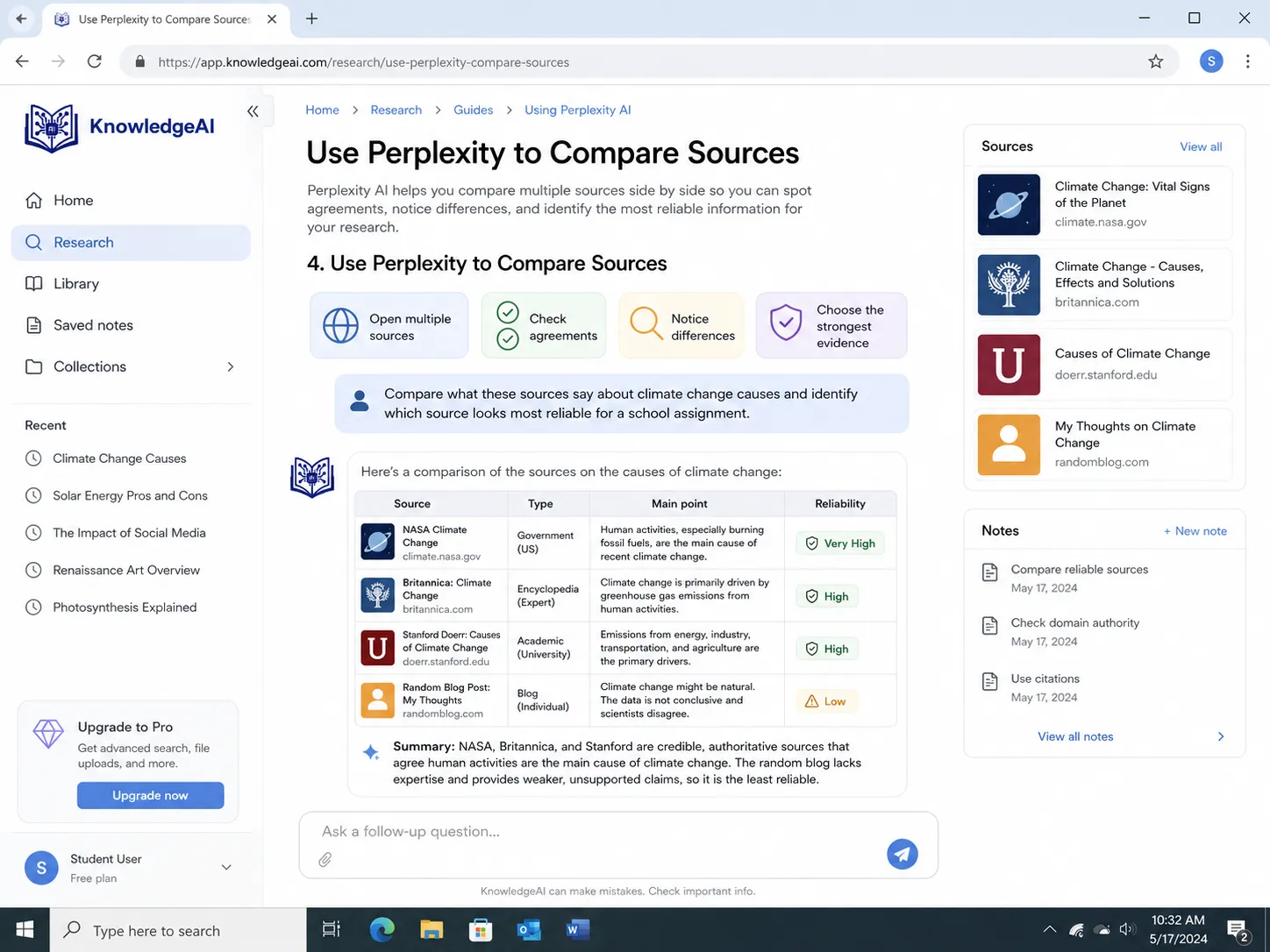
Sometimes two sources say different things. Perplexity can help compare them.
Source Comparison Prompt
Compare these two sources on [topic]. Show where they agree, where they disagree, which source is more reliable, and what evidence each source uses.
Better Table Prompt
Compare these sources in a table. Include source, claim, evidence, bias or limitation, reliability, and usefulness for my assignment.
| Source | Main Claim | Evidence | Limitation | Reliability | Usefulness |
|---|---|---|---|---|---|
| Source A | Claim | Evidence | Limitation | High/Medium/Low | Good for intro |
| Source B | Claim | Evidence | Limitation | High/Medium/Low | Good for argument |
| Source C | Claim | Evidence | Limitation | High/Medium/Low | Good for counterargument |
This helps you avoid weak research.
9. Use Perplexity Spaces for Student Projects
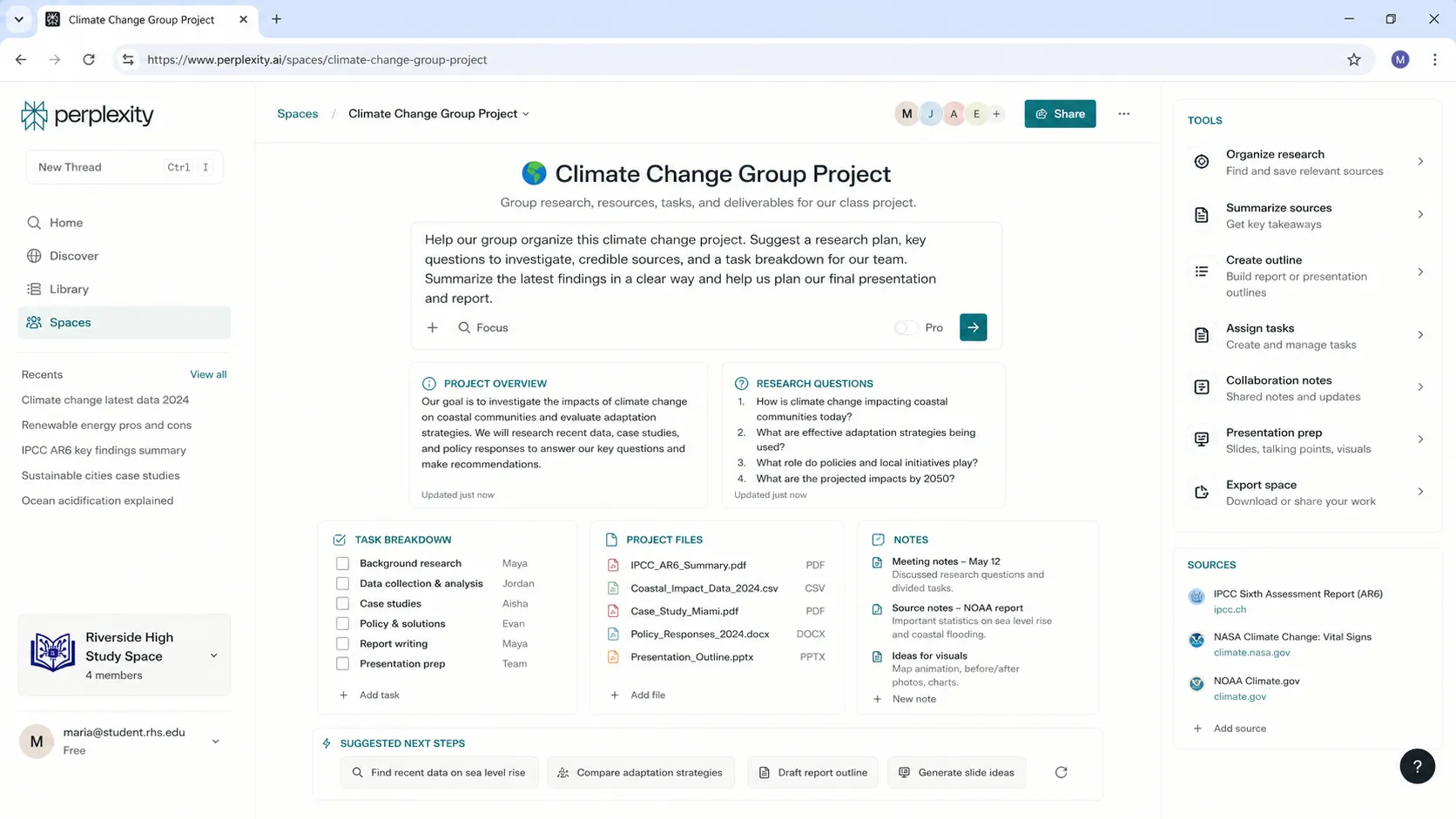
Perplexity Spaces are useful when you want to organize research around one topic.
Perplexity says Spaces are dedicated workspaces where individual users and teams can organize, collaborate, and manage research and tasks more effectively.
For students, Spaces can be used for:
- One subject
- One research paper
- One group project
- One thesis chapter
- One exam topic
- One presentation
- One reading list
The transcript also explains Spaces as a place where you can collect resources for a topic, add links, files, resources, and instructions.
Student Space Examples
| Space Name | What to Add |
|---|---|
| Biology Exam Revision | Notes, articles, diagrams, quiz prompts |
| Research Paper Sources | Papers, summaries, research questions |
| Group Presentation | Links, task list, slide outline |
| Thesis Ideas | Research gaps, papers, topic notes |
| Internship Prep | Company research, resume notes, interview questions |
| AI Tools Assignment | Sources, examples, comparison tables |
Space Instruction Template
Use this instruction inside a student Space:
Act as my student research assistant. Keep answers clear, source-based, and easy to understand. Prioritize academic and reliable sources. Explain difficult terms simply. Suggest follow-up questions and organize answers in tables when useful.
10. Use Perplexity with PDFs and Files
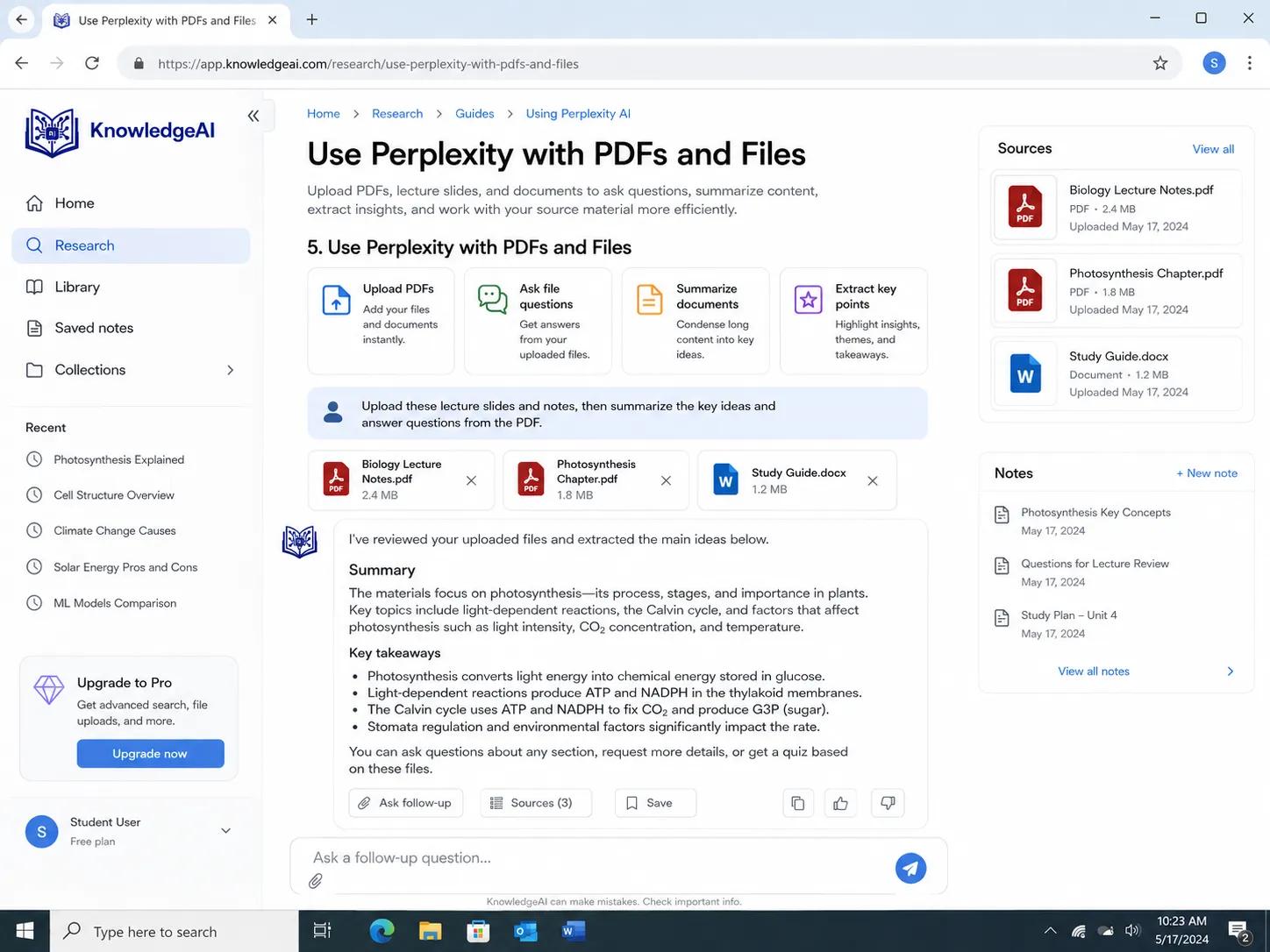
Perplexity supports file uploads. Its Help Center says users can upload files when starting a new thread using the “+ Attach” button or drag and drop files and folders; uploaded files help Perplexity keep contextual awareness for follow-up questions within that thread.
The transcript also mentions adding PDF files or documents as references.
This is useful for:
- Lecture PDFs
- Assignment briefs
- Research papers
- Course outlines
- Study notes
- Reports
- Slides
- Reading material
PDF Summary Prompt
Read this PDF and create student-friendly notes. Include summary, key terms, important arguments, examples, limitations, and 10 quiz questions.
Assignment Brief Prompt
Read this assignment brief and explain exactly what I need to do. Break it into tasks, marking criteria, deadline steps, and a final checklist.
Research Paper Prompt
Read this research paper and explain the abstract, method, results, limitations, and conclusion in simple language.
11. Use Perplexity for Presentations
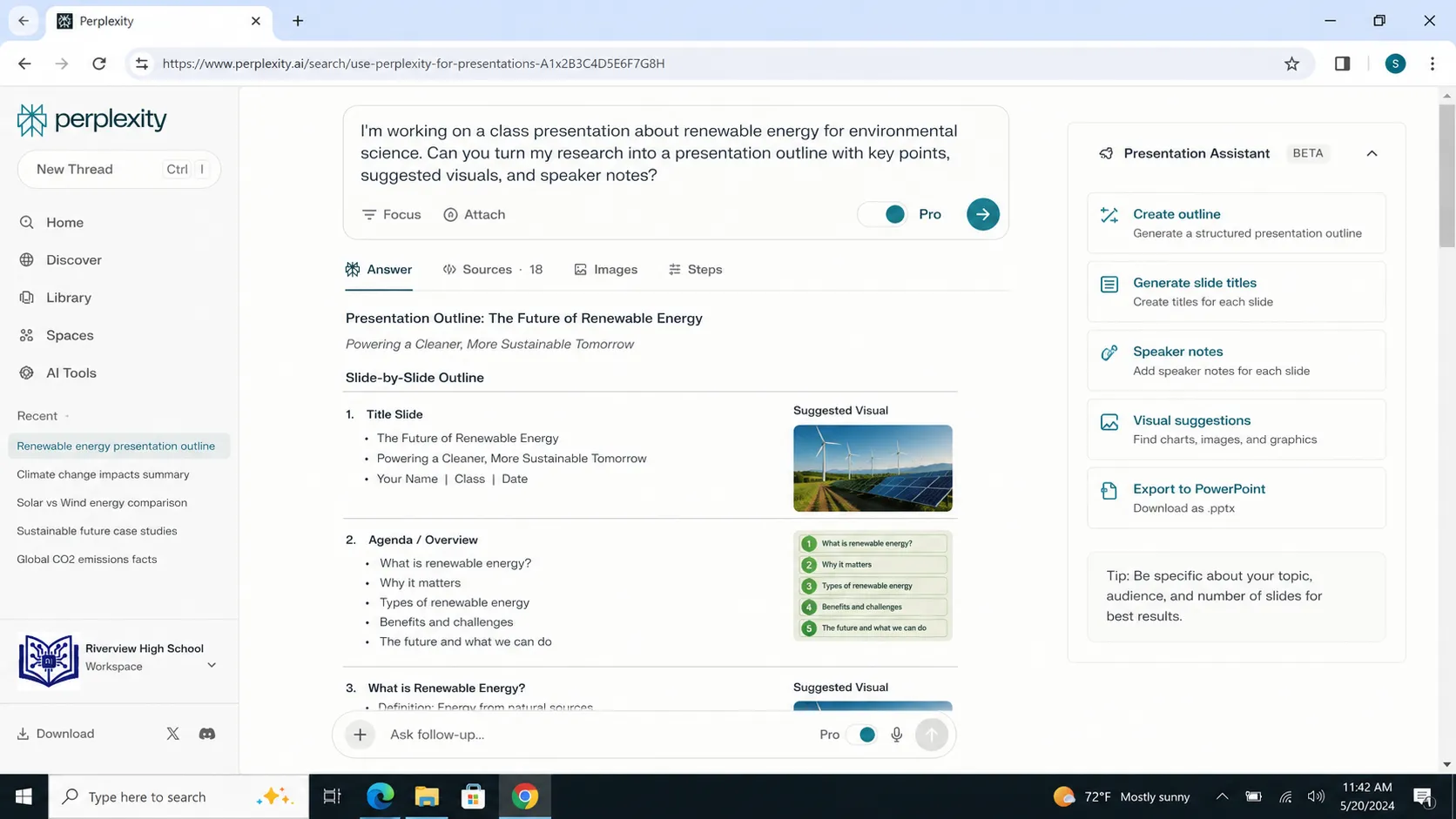
If you need to make a class presentation, Perplexity can help you research and organize it.
Presentation Prompt
Create a 10-slide presentation outline on [topic]. Include slide titles, bullet points, speaker notes, and reliable source suggestions.
5-Minute Presentation Prompt
I need to present [topic] in 5 minutes. Create a simple structure with introduction, 3 main points, examples, and conclusion.
Group Presentation Prompt
Divide this presentation topic into 4 parts for a group project. Give each student a section, key points, source suggestions, and speaking time.
Example
Divide the topic “AI in Education” into 4 parts for a group presentation. Give each student a section, key points, source suggestions, and speaking time.
12. Use Perplexity for Exam Preparation
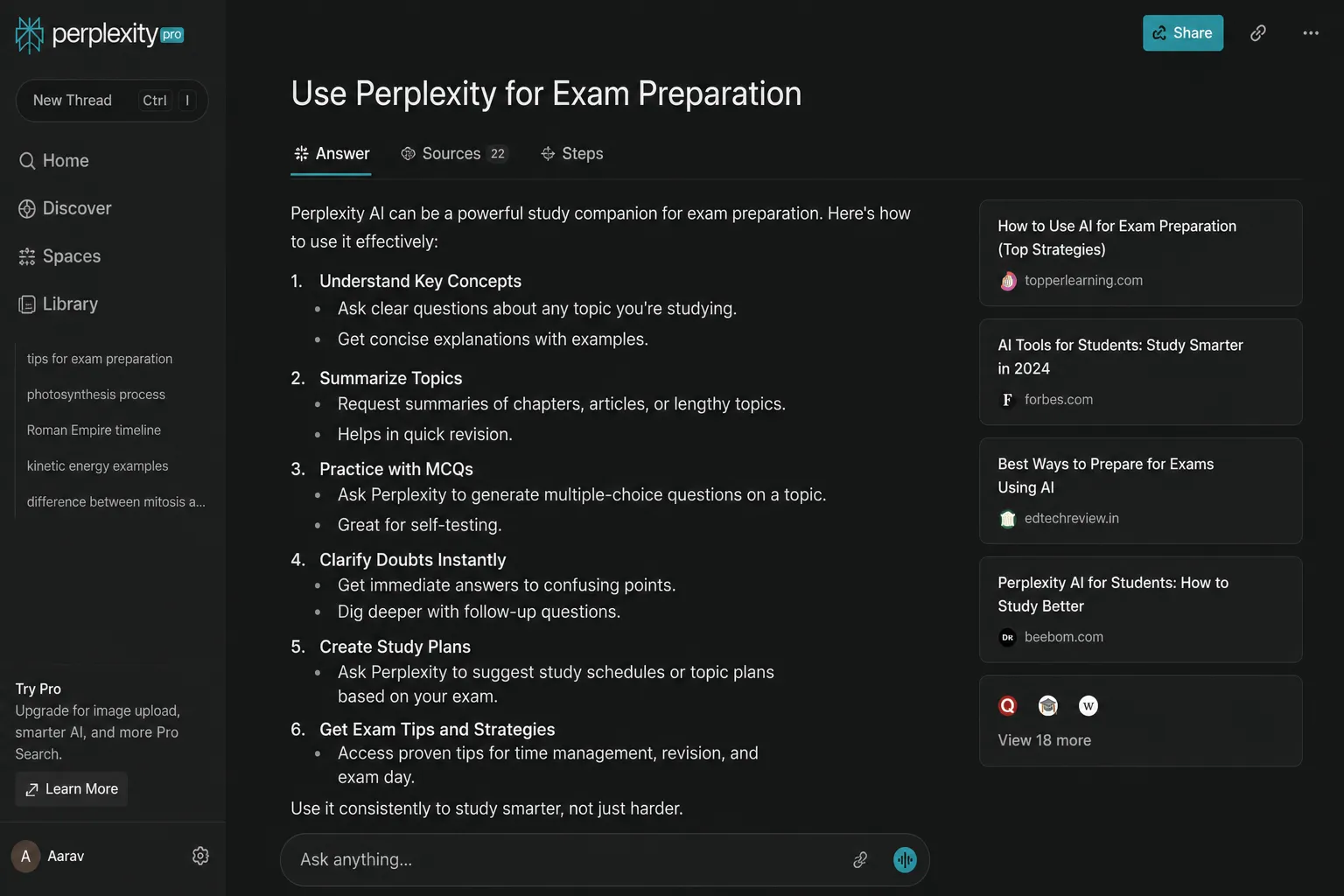
Perplexity can help you revise faster.
7-Day Study Plan Prompt
I have an exam on [subject] in 7 days. Create a study plan with daily topics, revision tasks, practice questions, and final review.
Quiz Prompt
Create 20 multiple-choice questions on [topic]. Include answers and short explanations at the end.
Weak Area Prompt
Ask me 10 questions about [topic]. After I answer, identify my weak areas and create a focused revision plan.
Flashcard Prompt
Create flashcards for the most important terms in [topic]. Use question-answer format.
13. Use Perplexity to Fact-Check Claims
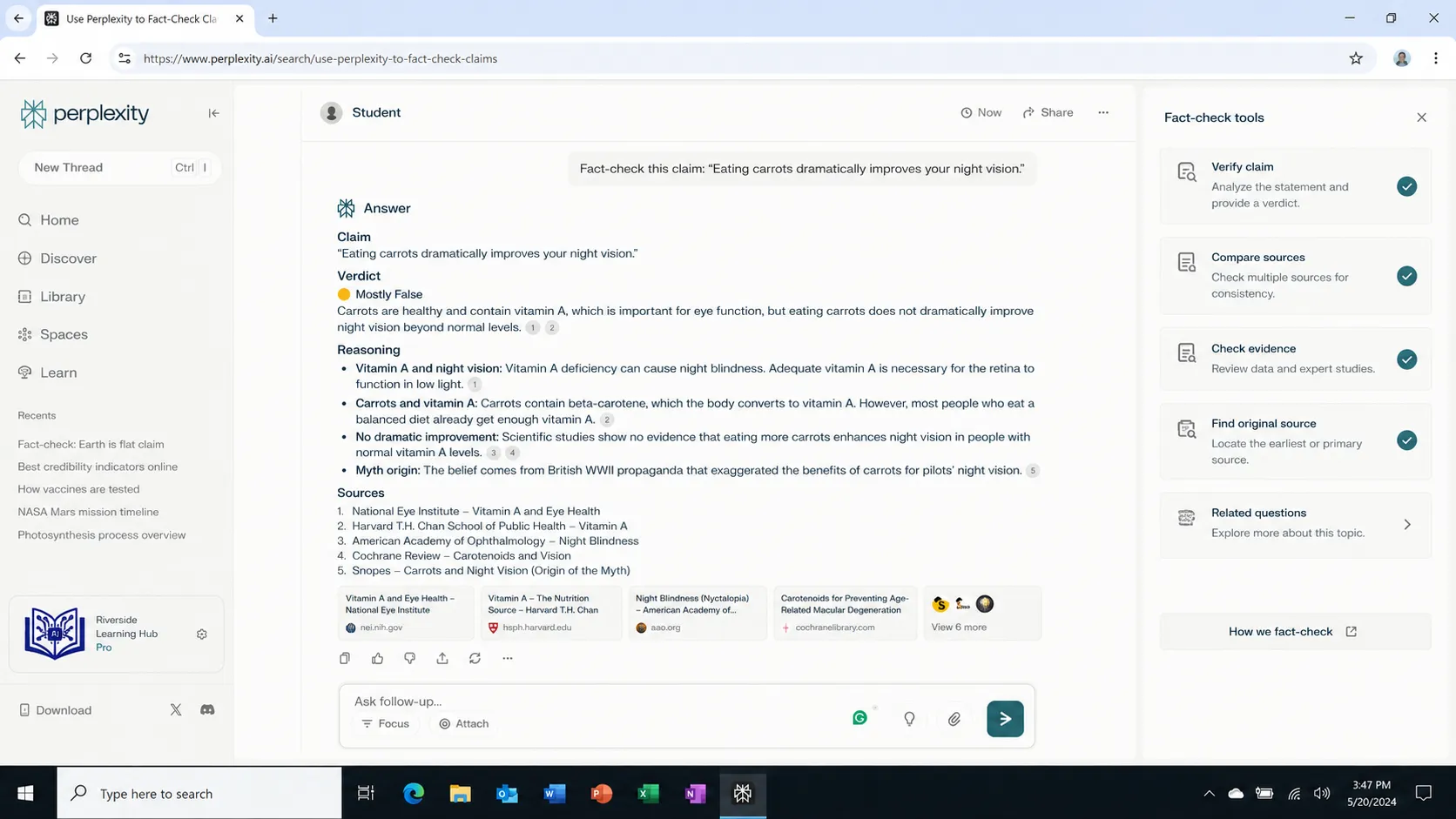
This is one of the strongest student use cases.
If you find a claim in a TikTok, YouTube video, blog post, or AI answer, ask Perplexity to verify it.
Fact-Check Prompt
Fact-check this claim: “[paste claim].” Find reliable sources, explain whether it is accurate, and mention any missing context.
Statistic Prompt
Find the latest reliable statistics on [topic]. Prioritize government data, official reports, university research, and trusted organizations.
Example
Find the latest reliable statistics on how many students use AI tools for studying. Prioritize official reports, university research, and trusted organizations.
This helps you avoid using fake or outdated information.
14. Use Perplexity’s Follow-Up Questions
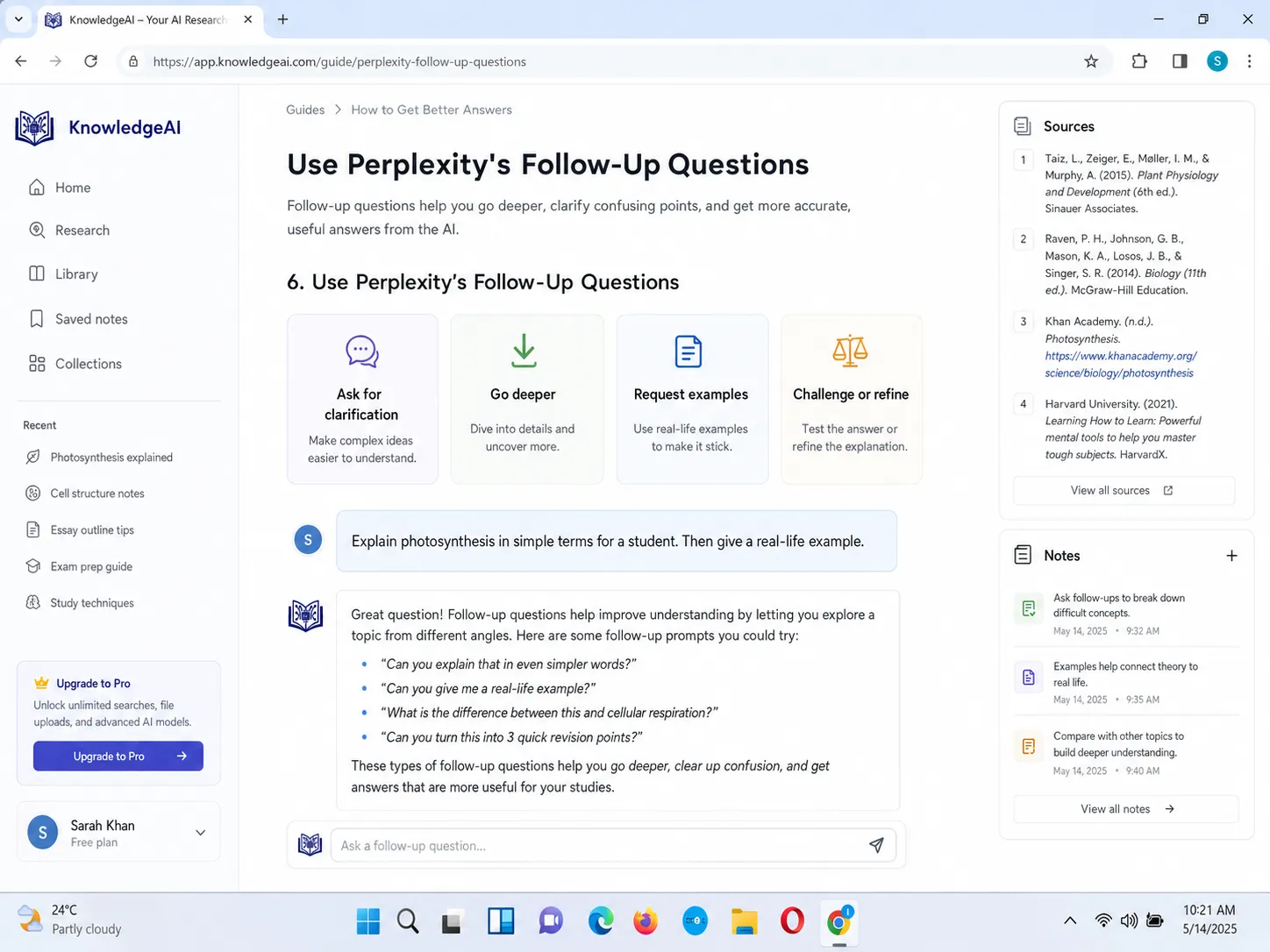
One useful feature of Perplexity is that you can keep asking follow-up questions in the same thread.
For example:
First prompt:
Explain AI in education with sources.
Follow-up:
What are the biggest risks for students?
Next follow-up:
Which sources support those risks?
Next follow-up:
Create a 1000-word essay outline using only the strongest sources.
Next follow-up:
Make a table of arguments and counterarguments.
This is better than asking one broad question and copying the first answer.
15. Use Perplexity’s Different Models
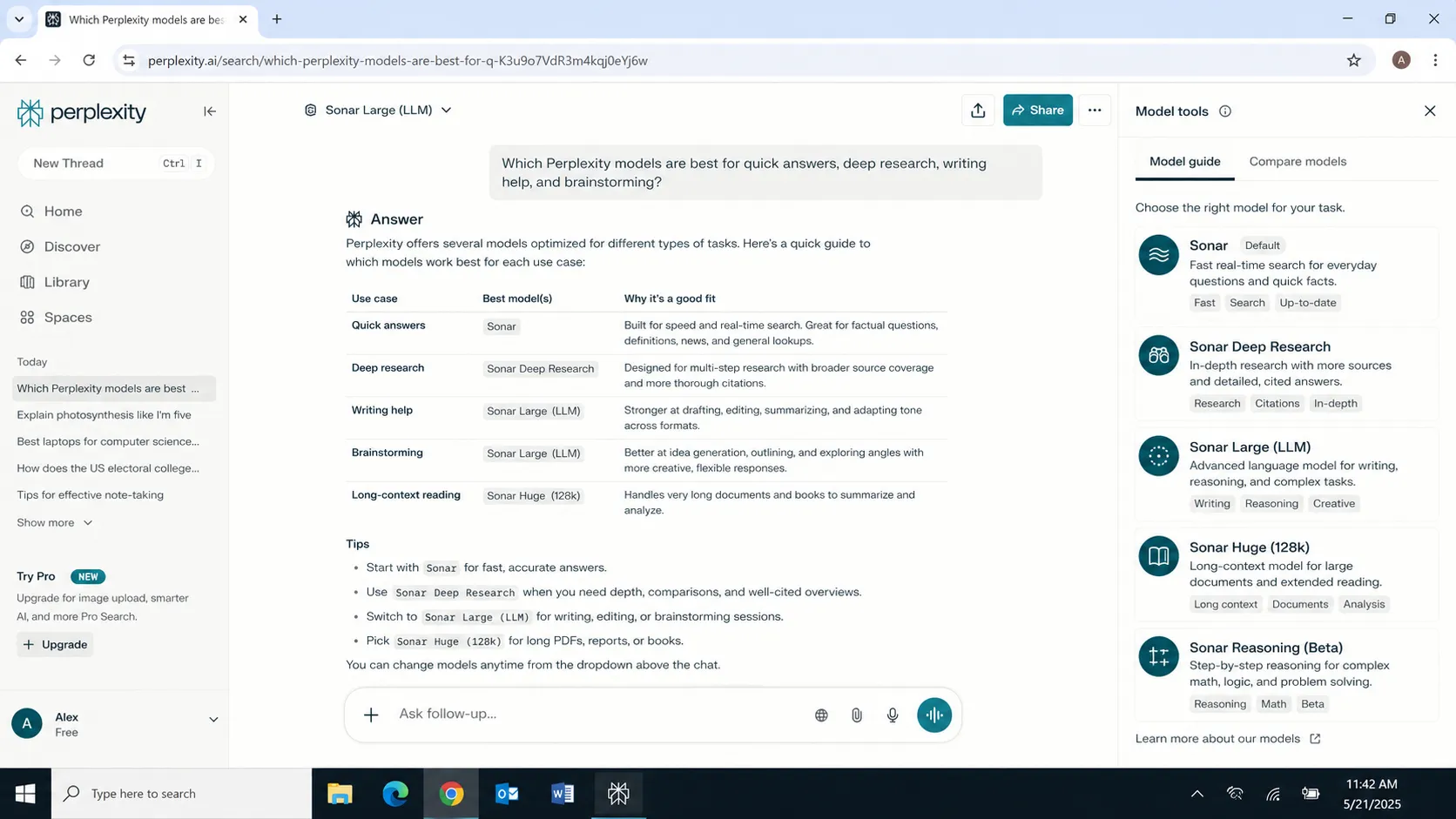
The transcript explains that Perplexity can let users access different models under one roof, including Perplexity’s own model and other advanced models depending on plan and availability.
For students, the exact model matters less than the workflow. But advanced models can help with:
- Complex research
- Long explanations
- Comparing sources
- Summarizing documents
- Building outlines
- Creating study plans
Simple rule:
Use normal search for quick answers. Use deeper research or advanced models when the topic is complex or important.
Best Perplexity AI Prompts for Students
| Goal | Prompt |
|---|---|
| Understand a topic | Explain [topic] in simple language with examples and sources. |
| Research paper | Find key themes, recent studies, research gaps, and source links for [topic]. |
| Literature review | Create a literature review table for [topic]. |
| Essay outline | Create a 1200-word essay outline on [topic] with thesis and arguments. |
| Homework help | Explain this homework question step by step without only giving the final answer. |
| Presentation | Create a 10-slide presentation outline with speaker notes and sources. |
| Exam prep | Create a 7-day study plan for [subject]. |
| Quiz | Make 20 MCQs with answers and explanations. |
| Source comparison | Compare these sources and show agreements, disagreements, and reliability. |
| Fact-checking | Fact-check this claim using reliable sources. |
| PDF summary | Summarize this PDF with key points, terms, examples, and quiz questions. |
| Research gap | Identify research gaps in [topic] using recent sources. |
Perplexity AI Student Workflow for Assignments
Use this workflow when writing an assignment:
- Search the topic in Perplexity.
- Ask for a beginner-friendly explanation.
- Ask for reliable sources.
- Open the sources and check them.
- Ask Perplexity to summarize each source.
- Compare sources in a table.
- Identify main arguments.
- Ask for possible research questions.
- Choose the easiest research question.
- Create an outline.
- Write the assignment in your own words.
- Use Perplexity to fact-check claims.
- Cite the original sources, not Perplexity itself.
- Review your work according to your teacher’s instructions.
This workflow is much stronger than simply asking:
Write my assignment.
Perplexity AI for Academic Research: Best Workflow
For research papers, use this:
Step 1: Topic Discovery
Suggest 10 research paper topics about [subject]. Make them suitable for a student paper and include why each topic matters.
Step 2: Research Question
Turn this topic into 5 clear research questions. Make them specific, researchable, and suitable for a 1500-word paper.
Step 3: Source Finding
Find reliable academic and official sources for this research question. Prioritize peer-reviewed papers, university pages, government reports, and research organizations.
Step 4: Source Summary
Summarize each source in 5 bullet points. Include the main claim, evidence, limitation, and how it helps my paper.
Step 5: Literature Review
Create a literature review table from these sources.
Step 6: Outline
Create a detailed essay outline with introduction, thesis, arguments, counterarguments, and conclusion.
Step 7: Fact Check
Fact-check the main claims in this outline and tell me which need stronger sources.
This is how students should use Perplexity for serious academic work.
Perplexity AI for Students: Best Use Cases
| Use Case | Example Prompt |
|---|---|
| Research paper topic | Suggest 10 research paper topics about AI in education. |
| Research gap | Identify research gaps in online learning after 2023. |
| Essay argument | Give arguments for and against using AI in schools. |
| Source summary | Summarize this article in 5 bullet points. |
| Citation help | Find original sources for this claim. |
| Presentation | Create a 5-minute presentation on climate change. |
| Exam prep | Create a quiz on this topic with answers. |
| Academic writing | Improve this paragraph for clarity and structure. |
| Group project | Divide this topic into 4 student roles. |
| Fact-checking | Verify whether this statistic is accurate. |
| PDF analysis | Summarize this PDF and create revision notes. |
| Literature review | Compare these studies in a table. |
Common Mistakes Students Make When Using Perplexity AI
Perplexity AI is a powerful research tool, but students should use it carefully, responsibly, and academically.
Copying Answers Directly
Perplexity should help you research and understand. Do not copy answers directly into your assignment.
Not Opening Sources
Just because Perplexity gives sources does not mean you should blindly trust the answer. Open the sources and check them yourself.
Using Weak Sources
Avoid relying only on random blogs for academic work. Use university, government, research, and official sources where possible.
Asking Vague Questions
Clear questions give better research results. Avoid broad prompts and ask specific, detailed questions.
Bad:
Tell me about education.
Better:
Explain how AI tools affect university student learning. Include benefits, risks, examples, and recent academic sources.
Not Checking Dates
For fast-changing topics, always ask for recent sources and check publication dates before using the information.
Example:
Use sources from 2024, 2025, or 2026 where possible.
Citing Perplexity Instead of Original Sources
Usually, students should cite the original sources Perplexity finds, not Perplexity itself. Always follow your teacher’s citation rules.
Is Perplexity AI Safe for Students?
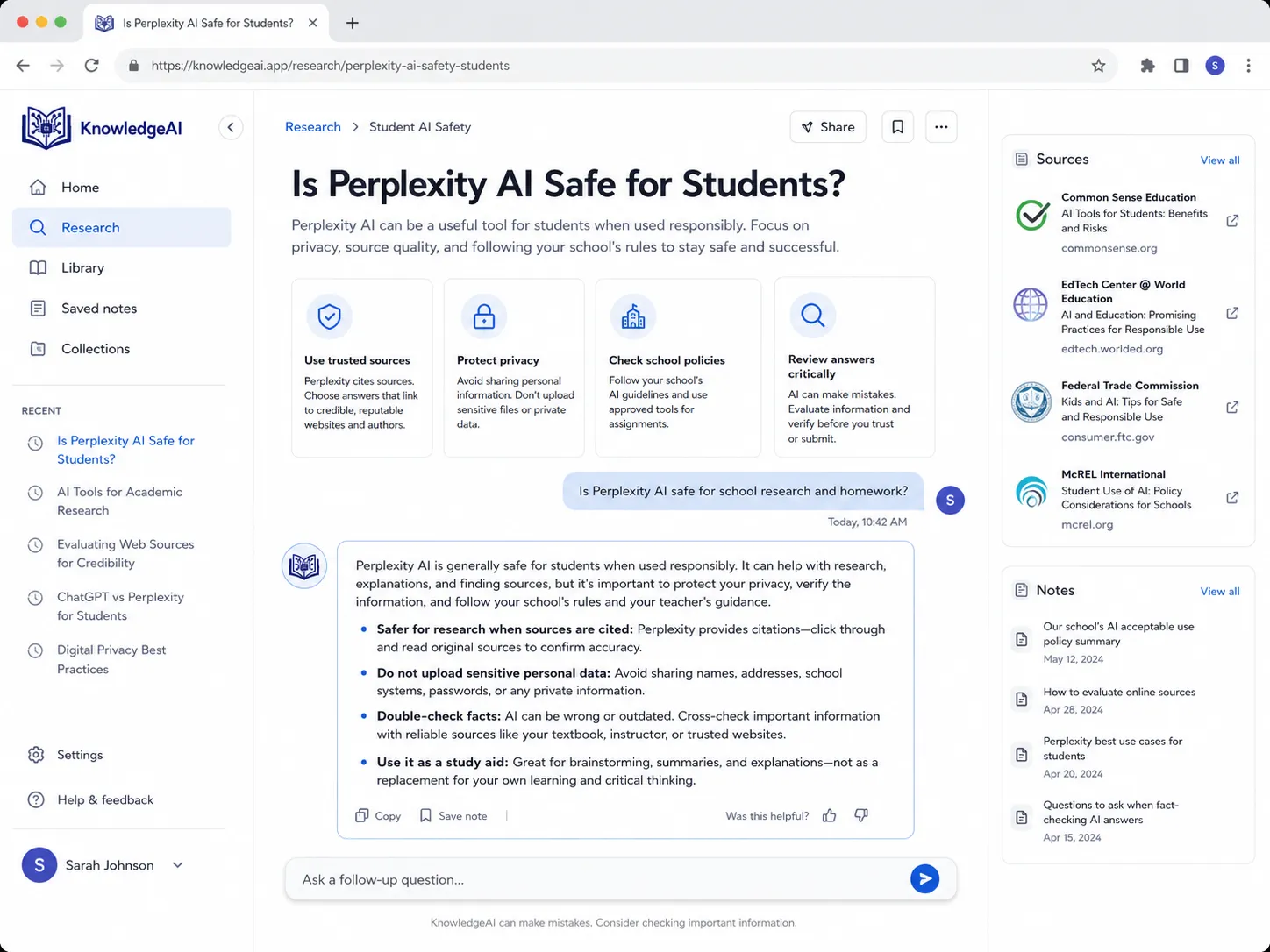
Perplexity says uploaded files stay private and are used to customize responses to user questions and tasks, unless the user shares a thread.
Still, students should be careful with any AI tool.
Do not upload or paste:
- Passwords
- Private student ID numbers
- Medical information
- Bank details
- Someone else’s personal data
- Confidential school documents
- Private exam material
- Anything your teacher or institution does not allow
Use Perplexity for learning, research, and organization — not for academic dishonesty.
Perplexity AI vs NotebookLM for Students
| Feature | Perplexity AI | NotebookLM |
|---|---|---|
| Best for | Web research and sourced answers | Studying your own uploaded sources |
| Source discovery | Strong | Limited to sources you add |
| Research papers | Good for finding sources | Good for understanding uploaded papers |
| Notes from PDFs | Good | Very strong |
| Audio study tools | Not the main focus | Strong |
| Best student use | Research and fact-checking | Study from class notes/PDFs |
Simple recommendation:
Use Perplexity to find sources and research the web.
Use NotebookLM to study your own PDFs, notes, and class materials.
Perplexity AI vs Microsoft Copilot for Students
| Feature | Perplexity AI | Microsoft Copilot |
|---|---|---|
| Best for | Research and web answers | Microsoft 365 workflow |
| Word support | No direct Word workflow | Strong with Microsoft 365 |
| Excel help | Basic research/help | Strong inside Excel |
| PowerPoint | Outline and research | Strong slide creation |
| Sources | Strong | Strong depending on mode |
| Best use | Research papers and fact-checking | Word, Excel, PowerPoint, school productivity |
Use Perplexity when you need reliable research and sources.
Use Microsoft Copilot when you are working inside Word, Excel, PowerPoint, Outlook, or Teams.
FAQ: Perplexity AI for Students
What is Perplexity AI for students?
Perplexity AI for students is an AI answer engine that helps students research topics, summarize sources, understand difficult concepts, fact-check claims, create outlines, and find cited information for assignments.
Is Perplexity AI good for students?
Yes. Perplexity is useful for students because it gives source-backed answers, summarizes webpages, supports research workflows, and helps students find reliable information faster.
Can Perplexity AI help with homework?
Yes. Perplexity can help explain homework questions, summarize concepts, and show sources. Students should use it to learn the method, not to copy final answers.
Can Perplexity AI be used for academic research?
Yes. Perplexity can help with academic research by finding sources, summarizing papers, comparing arguments, and identifying research gaps. Students should still verify original sources before citing them.
Does Perplexity AI provide citations?
Yes. Perplexity is designed to provide sourced answers with links so users can verify information and explore topics further.
Is Perplexity better than ChatGPT for students?
Perplexity is often better for source-backed research and current information. ChatGPT is often better for tutoring, brainstorming, and writing support. Many students can use both.
Can Perplexity summarize PDFs?
Yes, Perplexity supports file uploads depending on feature access. Students can upload PDFs or documents and ask Perplexity to summarize, explain, or extract key points from them.
What are Perplexity Spaces?
Perplexity Spaces are dedicated workspaces for organizing research, tasks, threads, files, and collaboration around a topic or project.
What is the best Perplexity prompt for students?
A strong prompt is: “I am a student researching [topic]. Give me a clear explanation, recent reliable sources, key arguments, research gaps, and possible assignment questions.”
Should students cite Perplexity in assignments?
Usually, students should cite the original sources found through Perplexity, not Perplexity itself. Always follow your teacher’s citation rules.
Final Verdict
Perplexity AI for students is one of the best AI research tools in 2026 because it helps students find source-backed answers quickly. It can help with research papers, homework, essays, presentations, literature reviews, summaries, citations, fact-checking, and exam preparation.
But the best way to use Perplexity is not to copy answers.
Use it to:
- Understand topics faster
- Find reliable sources
- Compare arguments
- Summarize long content
- Create outlines
- Build study notes
- Check facts
- Prepare better assignments
If you use Perplexity properly, it can save hours of research time and help you produce better academic work.
Use it as a research assistant, not as a shortcut to avoid learning.
Commonly Asked Questions
Q: What is Perplexity AI for students?
Perplexity AI for students is an AI answer engine that helps learners research topics, summarize sources, understand difficult concepts, fact-check information, and create study material.
Q: Is Perplexity AI good for students?
Yes, Perplexity is useful for students because it gives source-backed answers, summarizes webpages, and helps with academic research, homework, essays, and exam preparation.
Q: Can Perplexity AI help with research papers?
Yes, Perplexity can help students find sources, summarize research papers, identify research gaps, compare arguments, and create literature review tables.
Q: Is Perplexity better than ChatGPT for research?
Perplexity is often better for source-backed research and current information, while ChatGPT is often better for tutoring, writing help, and brainstorming.
Q: Can Perplexity summarize articles?
Yes, Perplexity can summarize articles, documents, and webpages, helping students understand long content faster.
Q: What are the best Perplexity prompts for students?
Good prompts include the student’s topic, goal, source preference, and output format. Example: “I am writing an assignment on [topic]. Give me reliable sources, key arguments, and a clear essay outline.”
Q: Can students use Perplexity for homework?
Yes, students can use Perplexity to understand homework questions, get explanations, and find sources, but they should not copy answers directly.
Q: What are Perplexity Spaces used for?
Perplexity Spaces help students organize research, files, threads, and project notes in one workspace.