
Best AI Tools to Solve Math Word Problems 2026
Every student has faced that one math word problem that feels more like a riddle than a question.
You read it once. Then again. You start underlining numbers, guessing which formula to use, and hoping the answer somehow makes sense. The strange thing is, many students actually understand the math. What confuses them is turning the story into an equation.
That is exactly where an AI math solver can help.
A good AI homework solver does more than calculate the final answer. It helps you understand what the question is asking, which numbers matter, which formula applies, and why each step works.
But here is the honest truth: not every AI math tool is good for word problems.
Some tools are great for step-by-step explanations. Some are better for exact calculations. Some work best when you scan a worksheet with your phone. And some look impressive but can still give wrong answers when the problem is complex.
So instead of just listing random tools, this guide explains which AI tools to solve math word problems are actually useful, where they are strong, where they fall short, and how students can use them to learn instead of simply copying answers.
Why Students Struggle with Math Word Problems
Math word problems are difficult because they test two skills at the same time: reading comprehension and mathematical thinking.
For example, look at this simple question:
A jacket costs $80 after a 20% discount. What was the original price?
A student may know percentages perfectly, but still get stuck because $80 is not the original price. It is the price after the discount. That small detail changes everything.
This is why AI math solver tools are becoming popular. They can slow the problem down, explain the wording, and help students understand the logic before solving.
OpenAI’s Study Mode in ChatGPT is built around this idea. Instead of only giving quick answers, it guides students step by step through a problem so they can learn the process.
For students already using AI for study, these guides connect well with this topic:
How Students Can Use ChatGPT for Study
Best Free AI Homework Helper Tools for Students
How to Build an AI Study System
Best AI Tools to Solve Math Word Problems
1. ChatGPT — Best AI Homework Solver for Understanding the Problem
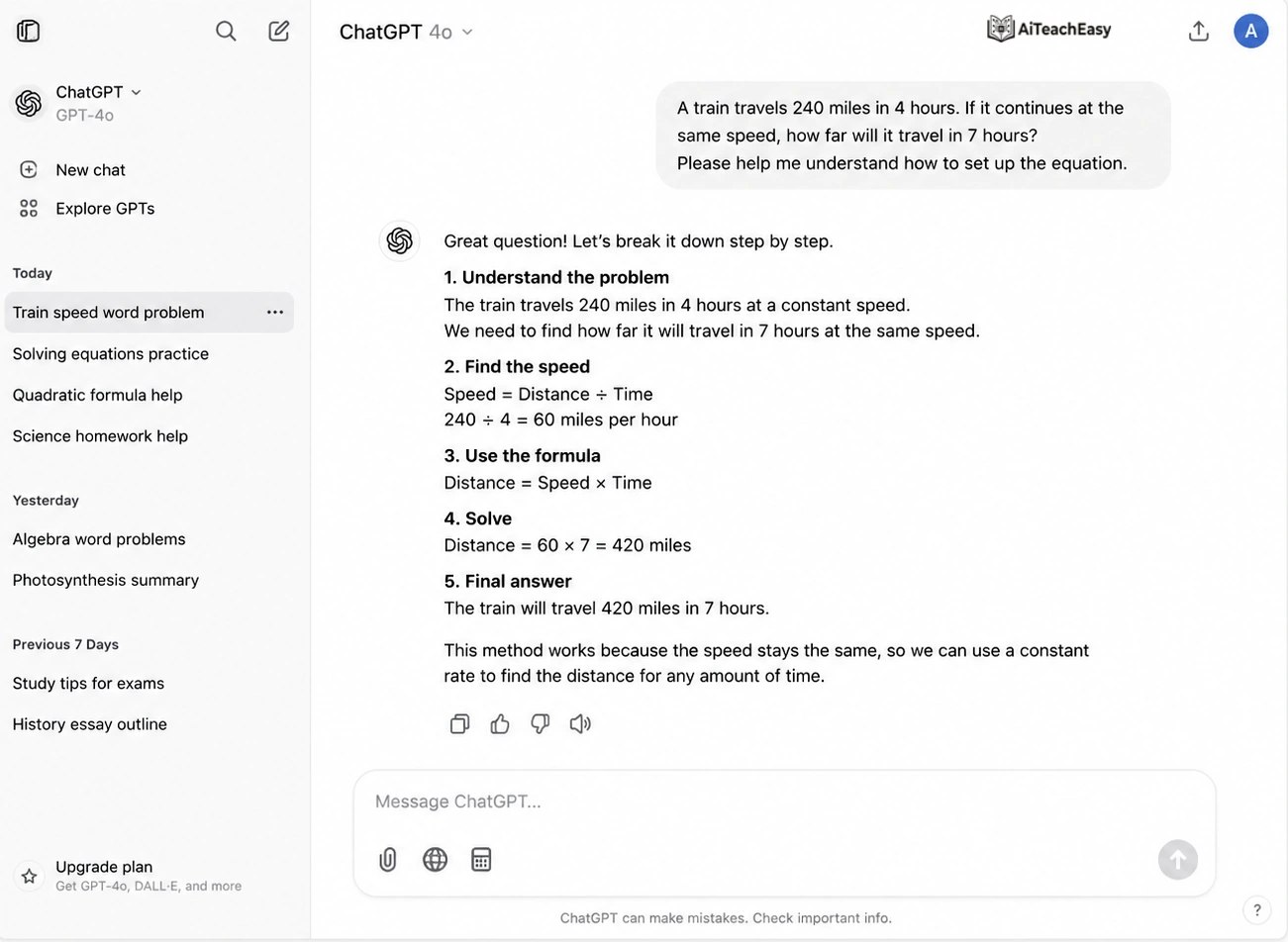
ChatGPT is the first tool I would suggest to a student who says, “I don’t even know where to start.”
That is where ChatGPT is strongest. It can read a word problem and explain the situation in normal language before solving anything. This makes it feel less like a calculator and more like a patient tutor.
For example, instead of jumping straight into an equation, ChatGPT can explain:
“This question is asking for the original price before the discount. Since $80 is the price after 20% was removed, $80 represents 80% of the original price.”
That kind of explanation is exactly what many students need.
ChatGPT Pros and Cons
✅ Pros
- Explains math word problems in simple steps.
- Helps students understand what the question is asking.
- Can explain the same answer in different ways.
- Useful for practice, formulas, and concept learning.
⚠️ Cons
- Can sometimes make calculation mistakes.
- Needs a clear prompt for best results.
- May not be perfect for advanced symbolic math.
- Final answers should be checked for complex problems.
Best for: Understanding word problems and learning step-by-step solutions.
Why ChatGPT Works Well for Math Word Problems
ChatGPT is useful because students can ask follow-up questions. If one step feels confusing, they can ask, “Why did you divide by 0.8?” or “Explain this like I’m in grade 7.”
That back-and-forth makes a big difference.
OpenAI has also introduced interactive visual explanations for math and science concepts in ChatGPT, designed to help students explore formulas and relationships more clearly.
My Honest Take on ChatGPT
I personally like ChatGPT more as a math tutor than a final-answer checker.
It explains word problems very well, but it can sometimes make small arithmetic mistakes. So if the problem is important, use ChatGPT to understand the method, then check the final answer with a calculator or Wolfram Alpha.
A good prompt to use is:
Solve this math word problem step by step. First explain what the question is asking, then write the equation, then solve it slowly.
Related guides:
ChatGPT Prompts for Answering Assignments
ChatGPT Alternatives for Students
2. Wolfram Alpha — Best AI Math Solver for Accuracy
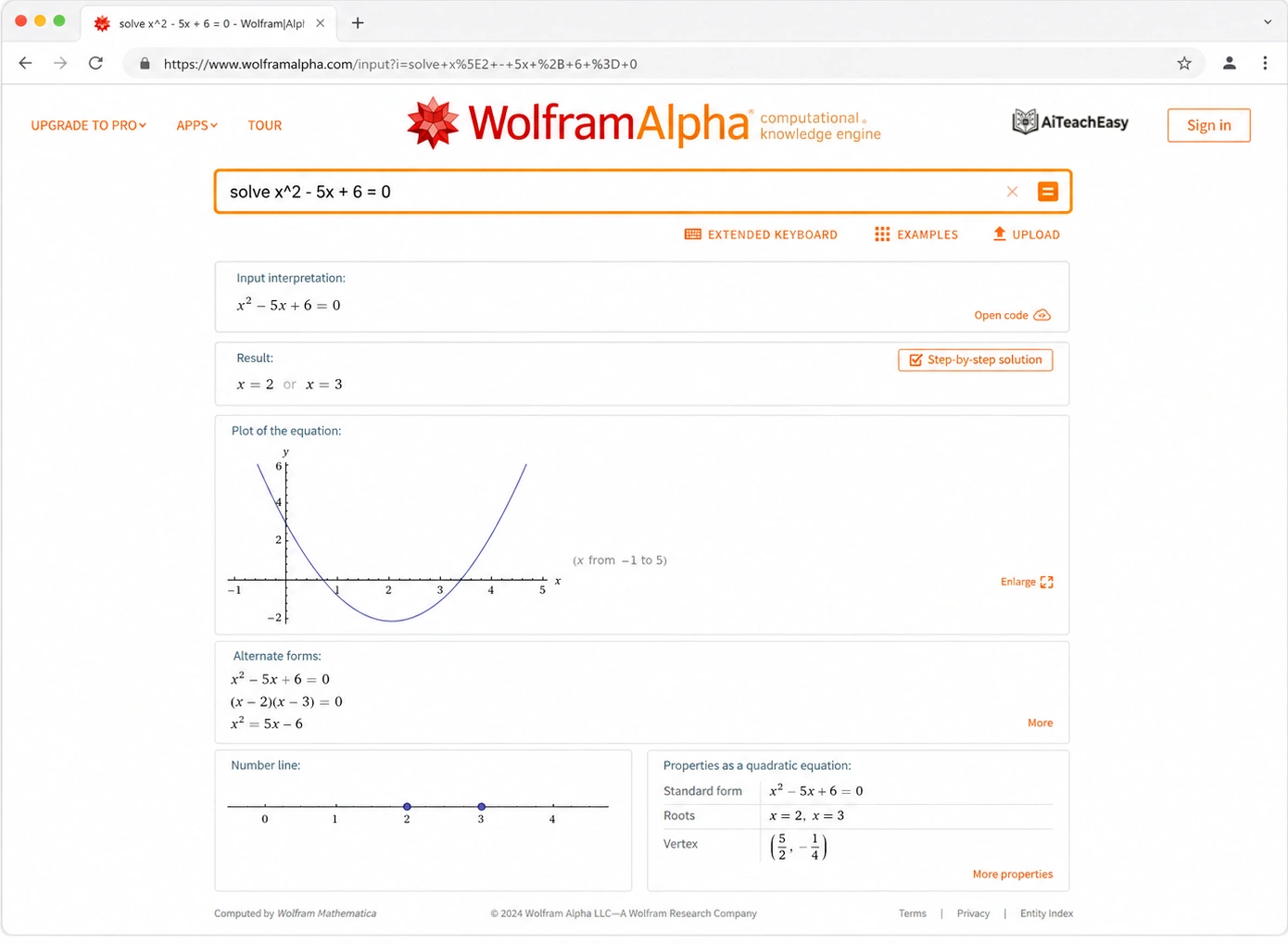
If ChatGPT feels like a tutor, Wolfram Alpha feels like a powerful math engine.
It is not trying to chat with you or make the answer sound friendly. It is built to compute. That makes it one of the best tools for students who need accurate answers, graphs, equations, and advanced calculations.
Wolfram Alpha supports step-by-step solutions for subjects like calculus, algebra, trigonometry, equation solving, basic math, chemistry, and physics.
Where Wolfram Alpha Helps Most
Wolfram Alpha is especially useful for advanced algebra, calculus, graphing, statistics, and technical math. If you are in college, engineering, economics, physics, or higher-level math, this tool is worth keeping bookmarked.
It is also excellent for checking work. If ChatGPT gives a solution and you are unsure about the final result, Wolfram Alpha is a strong second opinion.
External link: Wolfram Alpha
The Downside
The only problem is that Wolfram Alpha can feel a little cold for beginners. It gives powerful results, but younger students may not always understand the explanation immediately.
So my suggestion is simple: use ChatGPT to understand the question, then use Wolfram Alpha to confirm the calculation.
That combination works very well.
Wolfram Alpha Pros and Cons
✅ Pros
- Very strong for exact calculations and formulas.
- Great for algebra, calculus, equations, and graphs.
- Provides reliable mathematical results.
- Useful for checking final answers.
⚠️ Cons
- Explanations may feel difficult for beginners.
- Some step-by-step solutions may require a paid plan.
- Not always best for long story-based word problems.
- Students may need to simplify the question first.
Best for: Exact calculations, equations, graphs, and answer verification.
3. Photomath — Best Free AI Math Tool for Scanning Homework
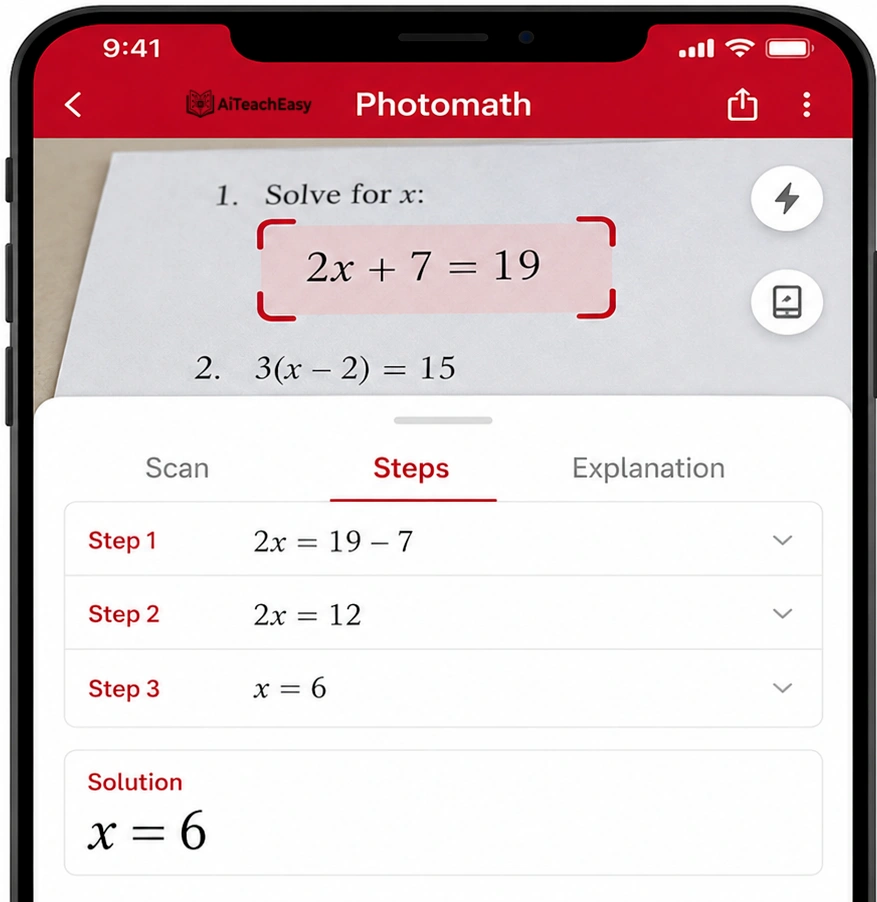
Photomath became popular for one very simple reason: students hate typing math problems.
If the question is in a textbook, notebook, or worksheet, typing the whole equation can be frustrating. Photomath solves that problem by letting students scan the question with a phone camera.
Photomath says its app scans math problems and gives step-by-step explanations, with additional visual aids and “how” and “why” tips available in its paid version.
When Photomath Feels Most Useful
Photomath is great when you are sitting with a worksheet and need help quickly. It works well for many school-level problems, especially algebra, fractions, basic geometry, and equation solving.
It is also helpful for parents. If a parent wants to check a child’s homework but does not remember the method, Photomath can make the steps easier to follow.
What I Don’t Like About Photomath
Photomath depends heavily on scan quality. If the handwriting is messy or the picture is unclear, it may read the problem wrong.
It is also better with equation-style problems than deep word problems. For longer word problems, I would use ChatGPT first to understand the story, then Photomath if there is an equation to check.
External link: Photomath
Photomath Pros and Cons
✅ Pros
- Best for scanning printed or handwritten math problems.
- Shows step-by-step solutions for many questions.
- Very easy to use on mobile phones.
- Helpful for checking homework quickly.
⚠️ Cons
- May struggle with blurry images or unclear handwriting.
- Some detailed explanations may require premium access.
- Not always ideal for long or complex word problems.
- Students may copy answers without understanding the steps.
Best for: Scanning worksheets and solving mobile-based homework questions.
4. Symbolab — Best Step-by-Step Math Solver for Practice
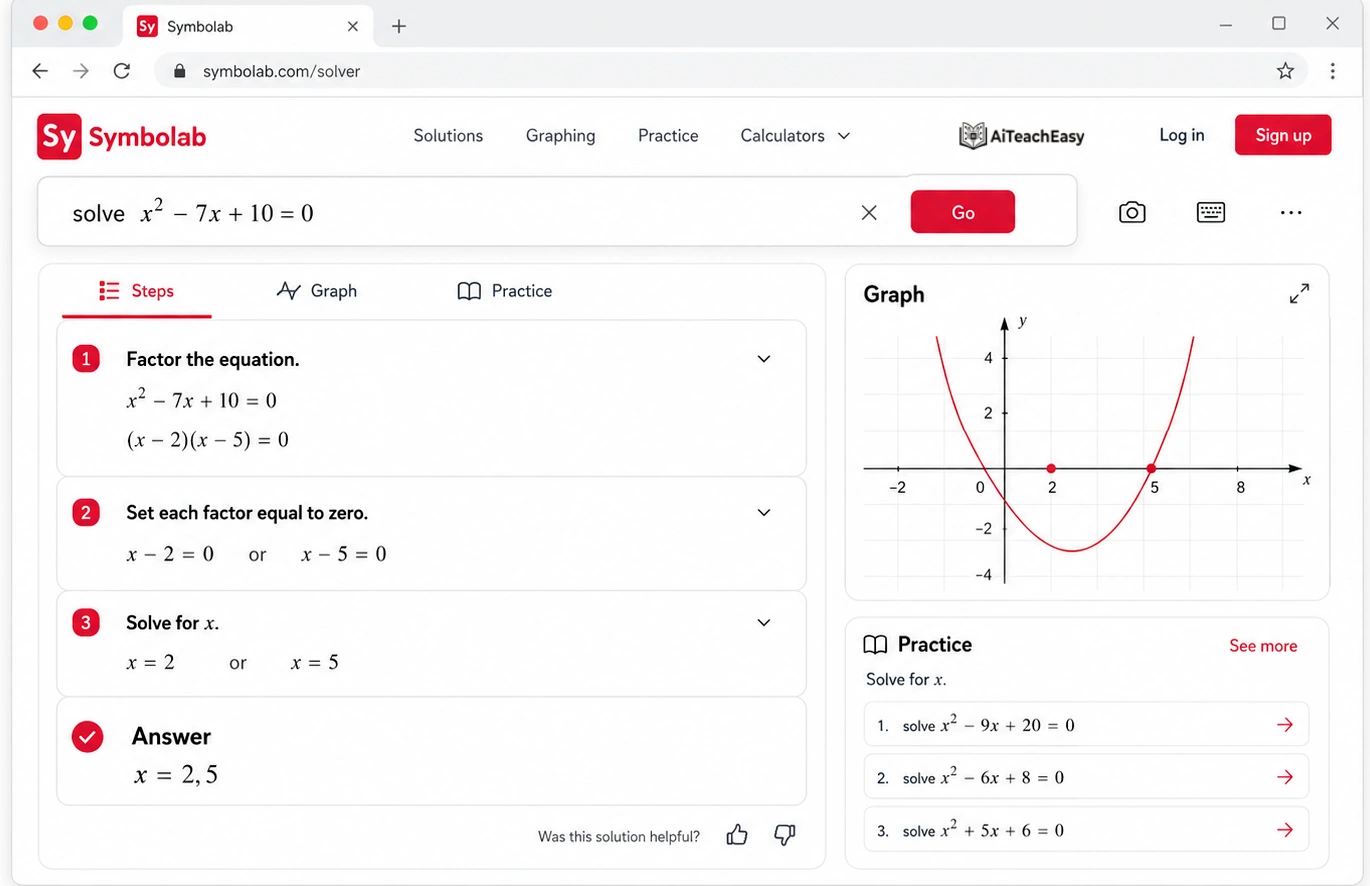
Symbolab is the kind of tool I would recommend when a student says, “I know the topic, but I keep messing up the steps.”
It is not as conversational as ChatGPT, and it is not as camera-focused as Photomath. But for step-by-step equation solving, it is very useful.
Symbolab covers problems from pre-algebra to calculus and linear algebra, and it provides steps, graphs, and explanations for many math problems.
Why Symbolab Is Good for Learning Patterns
Math becomes easier when you start recognizing patterns. Symbolab helps with that because it shows how one step leads to the next.
For example, if a student keeps making mistakes while solving quadratic equations, Symbolab can help them see the structure of the solution again and again until the method becomes familiar.
It works well for algebra, trigonometry, calculus, derivatives, integrals, and graphing.
The Weak Point
Symbolab is not always the easiest tool for reading long word problems. In many cases, the student first needs to identify the equation.
Also, some detailed features may require a paid plan. That does not make it bad, but it means students should know what they can access for free before depending on it completely.
External link: Symbolab
Symbolab Pros and Cons
✅ Pros
- Great for step-by-step algebra and equation solving.
- Useful for algebra, calculus, trigonometry, and practice.
- Shows formulas and solving methods clearly.
- Good for learning common math-solving patterns.
⚠️ Cons
- Some full step explanations may require a paid plan.
- Can be less natural for story-based word problems.
- Students may need to convert word problems into equations first.
- The interface can feel advanced for beginners.
Best for: Algebra, equations, calculus steps, and formula-based problems.
5. Mathway — Best for Quick Homework Checking
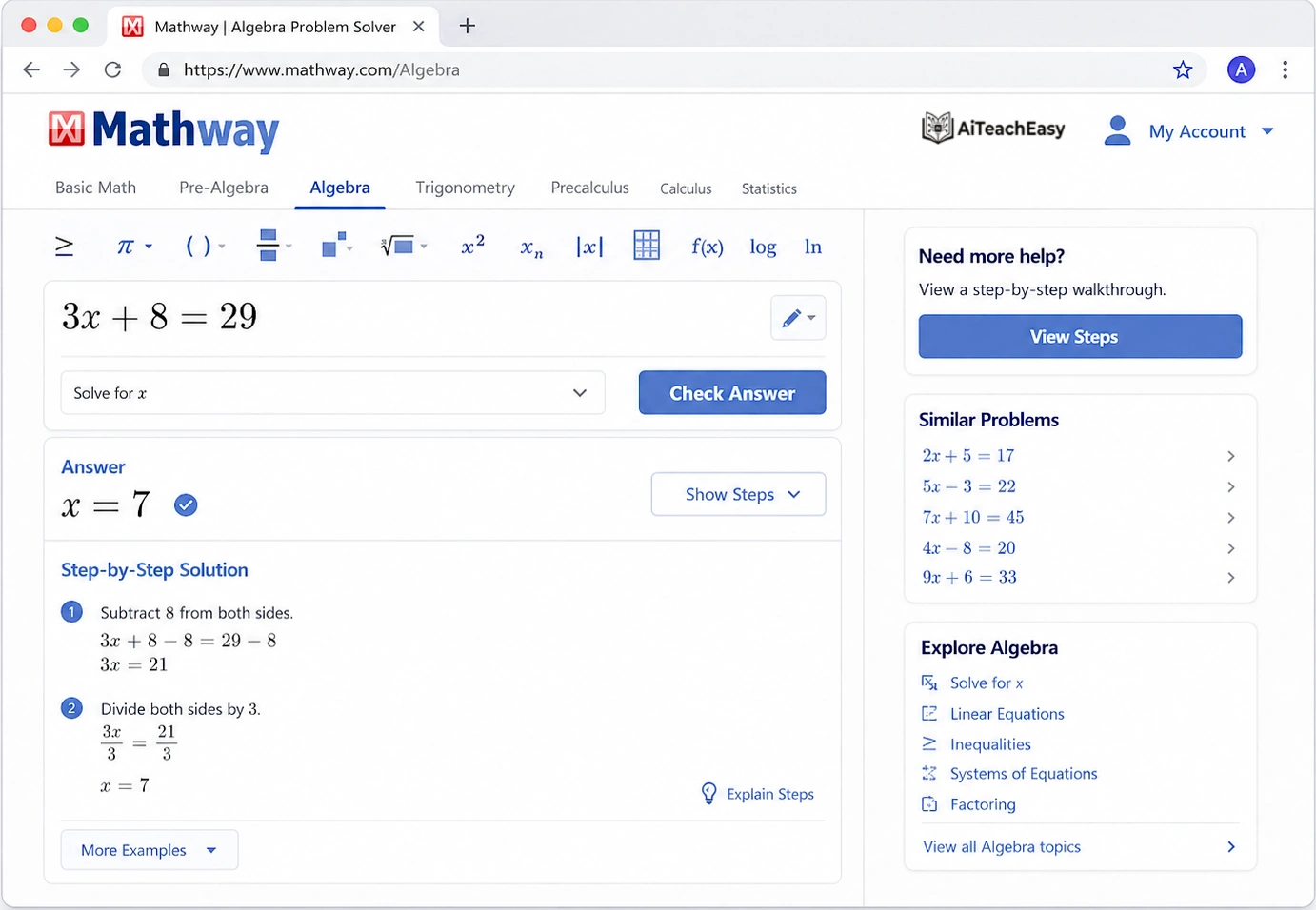
Mathway is simple. You put in a problem, and it gives you an answer quickly.
That is why students like it. It does not require much setup, and it can solve many common homework problems. If you already understand the topic and just want to check your answer, Mathway can save time.
But I would not use it as my main learning tool.
Where Mathway Fits Best
Mathway is useful for quick checks in algebra, fractions, graphing, statistics, and geometry. It is the kind of tool students may use after finishing homework to see if their answers are correct.
For last-minute homework checking, it can be helpful.
Why I Would Pair It with Another Tool
The weakness is that fast answers do not always mean deep learning. If a student is confused about the concept, Mathway may not explain it as clearly as ChatGPT.
So I see Mathway as a checking tool, not a full tutor.
Mathway Pros and Cons
✅ Pros
- Quickly solves many types of math problems.
- Covers basic math, algebra, calculus, statistics, and more.
- Easy for students who need fast answer checking.
- Helpful for confirming final results.
⚠️ Cons
- Detailed steps may require a paid subscription.
- Can encourage answer-copying if used incorrectly.
- Explanations may not be as deep as ChatGPT.
- May not fully explain the logic behind word problems.
Best for: Fast solving and checking answers across different math topics.
6. Google Gemini — Best for Visual Math, Diagrams, and Mixed Homework Questions
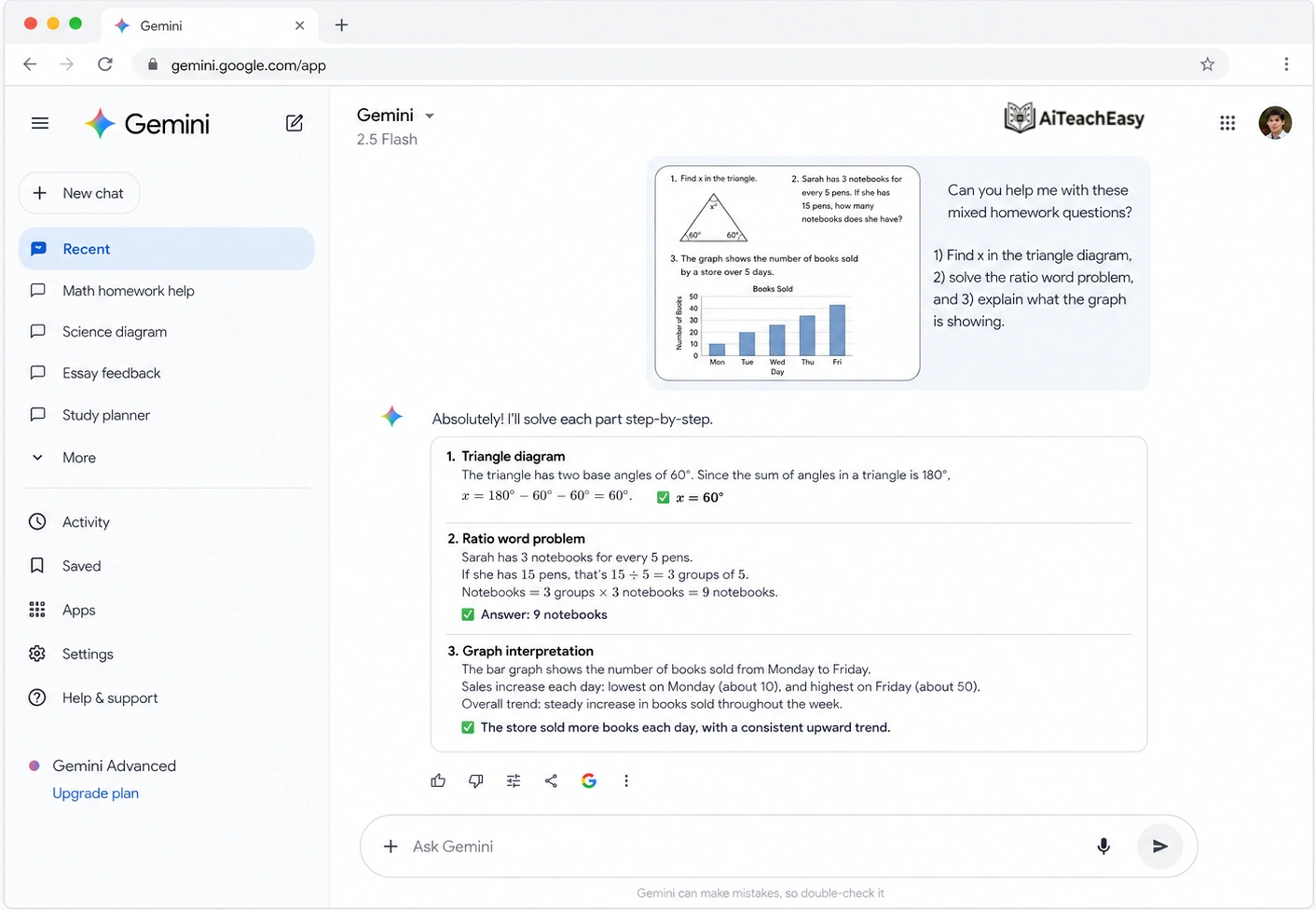
Gemini deserves a stronger mention because many students do not only deal with plain text math problems. Sometimes the question includes a graph, a triangle, a table, a chart, or a screenshot from a PDF.
That is where Gemini can be useful.
Gemini is good at working with visual information. If a student uploads a picture of a geometry problem or a graph-based question, Gemini can often explain what is happening in the image and help connect the diagram to the math.
This is especially helpful for visual learners. Some students understand better when they can see relationships instead of only reading equations.
A Real Example of When Gemini Helps
Imagine a geometry question showing a triangle with two angles labeled and one side missing. A normal calculator is useless here because the problem is visual. Gemini can look at the diagram, identify the given information, and explain which geometry rule may apply.
The same applies to graph questions. If a student sees a line graph and needs to calculate slope or interpret a trend, Gemini can help explain the visual part before solving.
Gemini vs ChatGPT for Math
I would use ChatGPT when the word problem is mostly text. I would try Gemini when the problem includes images, diagrams, screenshots, or charts.
Both can be useful, but they shine in slightly different situations.
The Honest Weakness
Gemini can still make mistakes, especially if the image is unclear or the diagram has small labels. Like any AI homework solver, it should not be trusted blindly.
For visual math, Gemini is helpful. For exact final calculations, I would still double-check with Wolfram Alpha or a normal calculator.
Gemini Pros and Cons
✅ Pros
- Good for explaining math concepts in simple language.
- Can break word problems into smaller, easier parts.
- Useful for brainstorming different solution methods.
- Helpful for conversational learning and quick explanations.
⚠️ Cons
- May sometimes give incorrect or incomplete answers.
- Final answers should be checked for accuracy.
- May not be as strong as dedicated math solvers for exact calculations.
- Needs a clear prompt to produce a strong step-by-step solution.
Best for: Simple explanations, study help, and breaking down word problems.
Best AI Math Solvers Compared
Each AI math tool is useful in a different way. Some are better for explanations, some are stronger for exact calculations, and some work best when students want to scan homework with a phone.
Quick tip: For best results, use ChatGPT or Gemini to understand the word problem, then use Wolfram Alpha, Symbolab, or Mathway to verify the final calculation.
More student resources:
Best AI Tools for Exam Preparation
Best AI Tools for Memorization
Best AI Tools for Online Exam Preparation
How to Use AI Math Solvers Without Cheating
This part is important.
AI math tools can help students learn, but they can also become a shortcut if used badly. If a student only copies the final answer, they are not really improving.
A better way is to ask AI to teach the method.
Instead of asking:
What is the answer?
Ask:
Explain this problem step by step and then give me a similar practice question.
That one change makes the tool much more useful.
A student should also close the AI tool afterward and try a similar question alone. If they can solve the next problem without help, then the AI actually helped them learn.
Helpful related posts:
How to Learn Anything 10x Faster
How to Convert Notes into Flashcards
How to Take Notes from YouTube Lectures Using AI
Best Prompts to Solve Math Word Problems with AI
A lot of students get weak answers because they write weak prompts. The better your prompt, the better your AI math solver becomes.
Prompt for Step-by-Step Solving
Solve this math word problem step by step. First explain what the question is asking, then list the given values, then write the equation, then solve it.
Prompt for Beginners
Explain this math problem in simple words like I am a beginner. Do not skip any steps.
Prompt for Checking Mistakes
Here is my solution. Please check where I made a mistake and explain how to fix it.
Prompt for Practice
After solving this problem, create two similar practice questions with answers.
These prompts work well with ChatGPT and Gemini because both tools can respond naturally and explain ideas in different ways.
My Honest Recommendation
If a student is struggling with word problems, I would start with ChatGPT.
Not because it is always the most accurate calculator, but because it explains the problem in plain language. That is what students usually need first.
Then I would use Wolfram Alpha to check the calculation. If the problem is on paper, I would use Photomath. If the problem is equation-heavy, Symbolab is useful. If there is a diagram or graph, Gemini is worth trying.
So the best setup looks like this:
ChatGPT for understanding.
Wolfram Alpha for accuracy.
Photomath for scanning.
Symbolab for step-by-step equation practice.
Gemini for diagrams and visual math.
That combination is much better than depending on one tool for everything.
Use AI to Learn, Not to Cheat
AI math solvers can be very helpful, but they should not replace your own thinking. The best way to use these tools is to understand the steps, check your mistakes, and improve your problem-solving skills.
✅ Smart Way to Use AI
- Ask AI to explain the problem step by step.
- Try solving the question yourself first.
- Use AI to check your answer and find mistakes.
- Rewrite the solution in your own words.
❌ Avoid This
- Do not copy answers without understanding them.
- Do not submit AI-generated work as your own.
- Do not skip the steps just to get the final answer.
- Do not trust every answer without checking it.
Student tip: If you can explain the solution without looking at the AI answer, then you are actually learning. If you only copy the final answer, you are just finishing homework, not improving your math.
Final Thoughts
AI math solver tools are not perfect, but they can make math less stressful.
For students who feel lost in word problems, these tools can explain the question, show the steps, and build confidence. For parents, they can make homework support easier. For teachers, they can help create examples, practice questions, and simpler explanations.
The key is to use AI as a learning partner, not a shortcut.
Ask why. Ask how. Ask for another example.
That is where real progress starts.
FAQs
What is the best AI tool to solve math word problems?
ChatGPT is one of the best AI tools to solve math word problems because it explains the reasoning in simple language. Wolfram Alpha is better for checking final calculations and advanced math.
Is there a free AI math solver?
Yes. ChatGPT, Photomath, Symbolab, Wolfram Alpha, and Mathway all offer free access in some form, though some advanced features may require paid plans.
Can AI solve math word problems from photos?
Yes. Photomath is one of the best tools for scanning math problems from photos. Gemini and ChatGPT can also help with image-based math questions when image input is available.
Which AI homework solver is best for students?
For most students, ChatGPT is best for explanations, Photomath is best for scanning homework, and Wolfram Alpha is best for accurate calculations.
Can AI math solvers make mistakes?
Yes. AI math solvers can make mistakes, especially with long or complex multi-step problems. Students should double-check important answers using a calculator, textbook, teacher, or Wolfram Alpha.
Are AI math tools good for exam preparation?
Yes, AI math tools can help with exam preparation by explaining concepts, creating practice questions, and showing step-by-step methods. Students should still practice manually to build confidence.
Is using an AI math solver cheating?
It depends on how the student uses it. Using AI to understand the method is helpful. Copying final answers without learning may be considered cheating by many schools.
About the Author
Prof. Irfan
Prof. Irfan writes about AI tools, student learning, classroom technology, and practical study systems. His goal is to help students and teachers use AI in a smarter way — not as a shortcut, but as a learning partner.
His writing focuses on simple, useful guides around homework support, exam preparation, note-taking, memorization, online learning, and educational AI tools.
You can explore more student and teacher AI guides on AI Teach Easy.