
How to Convert Notes into Flashcards Using AI (Free & Fast in 2026)
If you want to convert notes into flashcards using AI — whether from a PDF, a lecture recording, handwritten pages, or a Google Doc — you can do it in under 60 seconds with the right free tool. No more spending hours writing question-answer pairs by hand.
This guide covers exactly how to do it, which AI flashcard generators actually work in 2026, and the pro habits that separate students who memorize effectively from those who just feel like they’re studying.
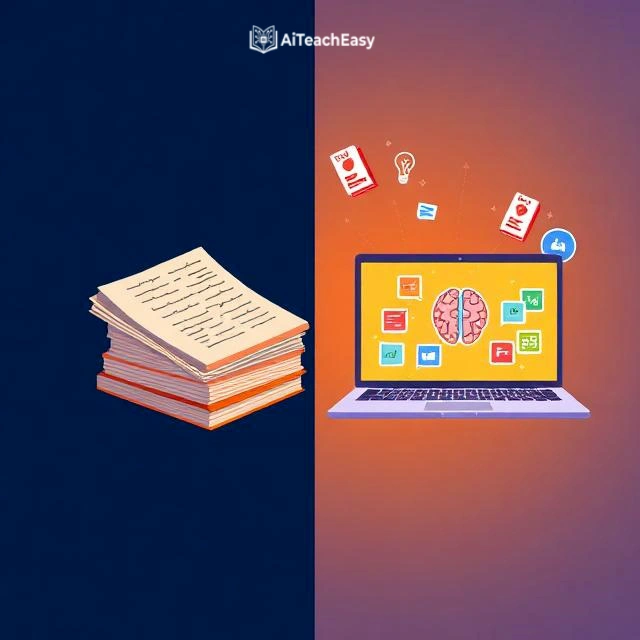
Why Flashcards Beat Re-Reading — and Why Timing Matters
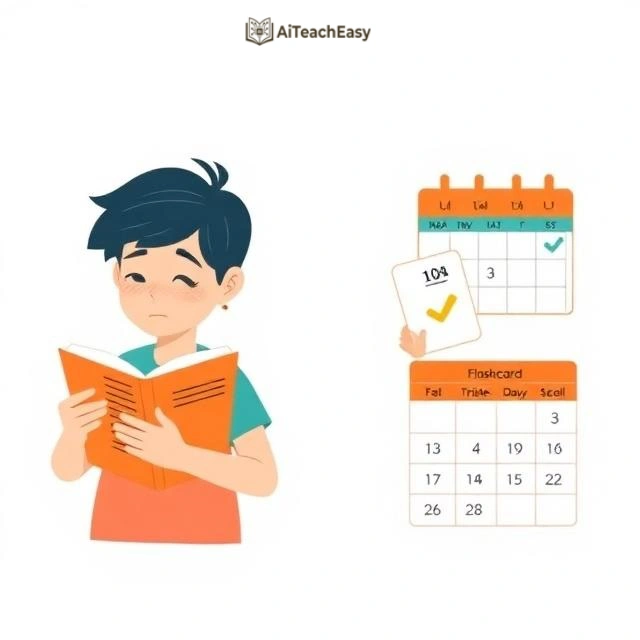
Most students re-read their notes and call it studying. Research has consistently shown this is one of the least effective methods available.
In a landmark 2006 study, Roediger and Karpicke found that students who tested themselves with retrieval practice (like flashcards) retained significantly more information after one week than students who re-read the same material — even when the re-readers had more total study time.
The reason comes down to what psychologists call the testing effect: the act of trying to retrieve information from memory actually strengthens the memory trace. Passive reading doesn’t do this. When you flip a flashcard and force yourself to recall the answer before seeing it, your brain is doing something re-reading never triggers.
Pair that with spaced repetition — reviewing cards at increasing intervals timed just before you’re likely to forget — and you have the most evidence-backed study system in existence. It’s the engine behind Anki, and it genuinely works.
The only friction? Making good flashcards from scratch takes 2–3 hours for a typical lecture’s worth of notes. AI collapses that to under a minute. That’s not hype — it’s the workflow we’re walking through here.
If you want the bigger picture on evidence-based studying, our guide on how to learn anything 10x faster covers the full system.
How AI Actually Converts Your Notes into Flashcards
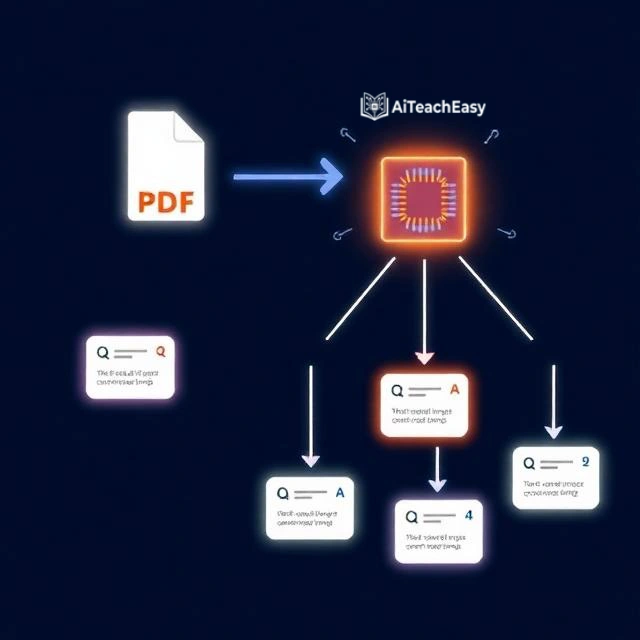
Understanding what the AI is doing helps you get better output from it.
When you upload notes or paste text into an AI flashcard generator, the model works through several steps:
- It reads and segments your content into topics or concepts
- It identifies what’s worth testing on: definitions, dates, processes, formulas, cause-effect relationships
- It converts declarative statements into question-answer pairs — “The mitochondria produces ATP” becomes Q: What does the mitochondria produce? A: ATP
- It calibrates difficulty and card count based on your settings
- It returns a formatted deck you can study in-app or export
The better tools go further — they avoid duplicate questions, keep answers concise, and adapt question style to the subject matter (definition-recall for science, scenario-based for law, formula-recall for math).
What separates a strong AI flashcard generator from a weak one is question quality plus flexibility. You want a tool that handles your specific file type, offers some control over output, and ideally has a built-in study mode with spaced repetition so you don’t need to switch apps.
Step-by-Step: How to Convert Notes into Flashcards Using AI
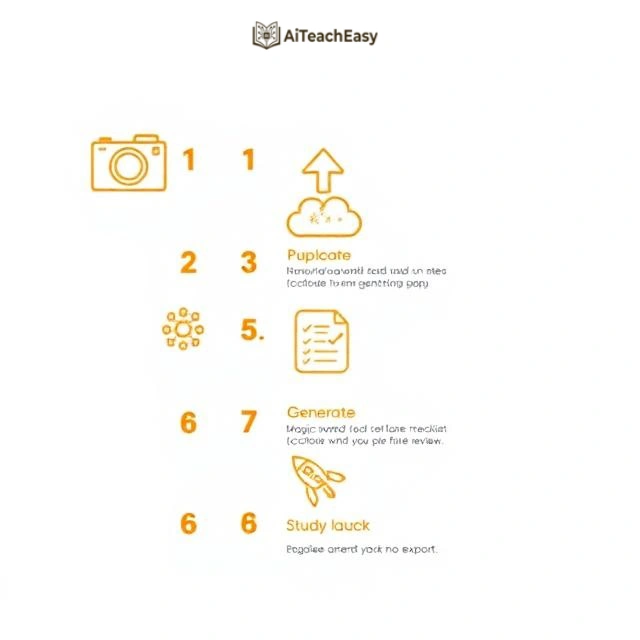
The general workflow is the same across every tool:
Step 1
Get your notes into a digital format
If handwritten: photograph them clearly. If in Notion or Google Docs: export as PDF or copy the text. Lecture slides stay as PPT or PDF.
Step 2
Choose the right tool for your format
For PDF, text, or images: any of the seven tools below work. For YouTube URLs: use NoteGPT or Wisdolia. For Anki export: Revisely (paid) or RemNote.
Step 3
Upload or paste your content
Most tools accept drag-and-drop for PDF/DOCX, a paste box for text, and a URL field for YouTube links or web articles.
Step 4
Configure settings
Set the number of cards (15–25 is ideal for one chapter), the difficulty level, and output language if needed. Defaults work fine when you’re in a hurry.
Step 5
Generate and review
Results arrive in 10–60 seconds. Spend 3 minutes scanning through — edit or delete any cards that feel off. Even a 90% hit rate is a huge time-saver over writing from scratch.
Step 6
Study in-app or export
Review using the built-in spaced repetition mode, or export to Anki (APKG), PDF for printing, or CSV for other platforms.
If your source material is lecture videos, read our guide on how to take notes from YouTube lectures using AI — it pairs directly with this workflow.
How to Convert Notes to Flashcards Using NoteGPT — Full Walkthrough
This section targets the featured snippet for tool-specific queries.
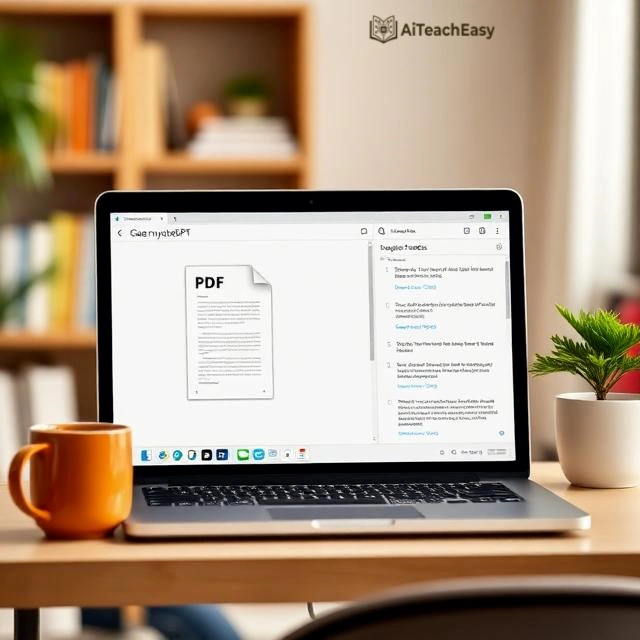
NoteGPT (https://notegpt.io/ai-flashcard-maker) is the strongest free AI flashcard generator in 2026, and it handles more input types than any competitor. Here’s the exact process:
- Go to notegpt.io/ai-flashcard-maker
- Choose your input type: File, Text, Article Link, or YouTube
- If uploading a file: drag in your PDF, DOCX, PPT, or image (up to 50MB for documents, 10MB for audio/video)
- If pasting text: enter up to 30,000 characters in the text box
- Set your preferences: number of cards (default 10, max varies by plan), difficulty level (Easy / Medium / Hard), and output language
- Click Generate Flashcard
- Review the generated set — edit any cards that need adjustment
- Study in the NoteGPT interface or export for use elsewhere
The whole process, from opening the site to having a reviewable flashcard set, takes under two minutes for a standard lecture’s worth of notes.
NoteGPT has over 80 million users and a 4.9 rating on the Chrome Web Store. The free plan is genuinely usable — you don’t need to pay to get started.
7 Best AI Flashcard Generators in 2026 (Free and Paid)
1. NoteGPT — Best Overall Free AI Flashcard Maker
Pricing: Freemium (https://notegpt.io/ai-flashcard-maker)
NoteGPT handles the widest range of input types: PDF, DOCX, PPT, images (including handwriting), YouTube links, article URLs, and plain text. The free plan generates up to 50 cards per session with adjustable difficulty and multi-language support. It’s used by over 80 million people globally and trusted by more than 12,000 schools.
Best for: Students who pull notes from multiple source types — videos, documents, web articles — all in one workflow.
Limitation: Free plan caps file size at 50MB. For long textbooks, upload chapter by chapter or consider a paid plan.
2. Revisely — Best AI Flashcard Generator for GCSE & A-Level
Pricing: Free (5 pages/upload) — Paid from $2.99/month (https://revisely.com/ai-flashcard-generator)
Revisely is built with exam students in mind. It accepts images of handwritten notes (not just typed text), PDFs, and PowerPoints. The free plan covers 5 pages per document. Paid plans unlock 200-page uploads, unlimited AI cards, Anki APKG export, and PDF flashcard printing (both single-sided and double-sided, auto-aligned for cutting). There’s also an Exam Mode with personalized AI feedback.
Best for: UK exam students and anyone who wants to print physical flashcards.
3. Wisdolia — Best for Active Recall + Built-In Spaced Repetition
Pricing: Free to start (https://wisdolia.com/)
Wisdolia (by JungleAI) generates both flashcards and multiple-choice questions from the same upload — PDF, Google Doc URL, or YouTube link. It then builds a daily review session using spaced repetition, targeting the cards you’re most likely to have forgotten. When you get a card wrong, it gives you personalized feedback explaining why.
Best for: Students who want a complete study loop — generate, review, and test — without switching between apps.
4. Quizlet AI — Best for Sharing Decks
Pricing: Freemium (free tier has become more restricted since 2024) (https://quizlet.com/)
Quizlet’s AI study guide upload feature lets you drop in a document and generates a study set. The real value here is the ecosystem — a massive library of community-created decks covering virtually every topic, and strong social features for sharing and studying with classmates.
Best for: Group study, finding pre-made decks when you don’t have your own notes, and students already inside the Quizlet ecosystem.
5. RemNote — Best for Long-Term Note-Taking + Flashcard Integration
Pricing: Free plan available (https://www.remnote.com/)
RemNote is different from the others — it’s a knowledge management system where notes and flashcards are the same thing. You write notes in RemNote’s format, mark specific lines as cards, and the app schedules them for spaced repetition automatically. The AI layer can also generate cards from uploaded documents. It’s more of a commitment to learn, but extremely powerful for subjects studied over months.
Best for: Students who want their notes and flashcards permanently linked, and anyone using a Zettelkasten-style note system.
6. StudyFetch — Best AI Flashcard Generator from PDFs and Textbooks
Pricing: Freemium (https://studyfetch.com/)
StudyFetch’s flashcard feature is purpose-built for heavy PDF workflows: textbook chapters, lecture slides, and long reading assignments. It generates cards alongside a full study guide from the same upload. Card quality is particularly strong for STEM subjects.
Best for: University students processing dense academic PDFs.
7. Anki (with AI-Generated Import) — Best for Serious Long-Term Retention
Pricing: Free (desktop), $24.99 one-time (iOS) (https://apps.ankiweb.net/)
Anki itself doesn’t generate flashcards — but it has the best spaced repetition algorithm in existence. The workflow: use any tool above to generate your cards, export as APKG format, and import into Anki. This gives you AI-generated content with Anki’s scheduling engine and your full review history over months and years. The anki-decks.com community also offers AI-assisted pre-made decks for popular subjects like medical licensing and language learning.
Best for: Medical students (USMLE/MCAT), language learners, and anyone retaining material across a semester or year.
For more retention tools, see our roundup of the best AI tools for memorization.
Side-by-Side Comparison: Best AI Flashcard Generators 2026
| Tool | Free Tier | YouTube | Anki Export | Spaced Rep | |
|---|---|---|---|---|---|
| NoteGPT | Generous | ✓ | ✓ | ✗ | ✗ |
| Revisely | 5 pages | ✓ | ✓ | ✓ (paid) | ✗ |
| Wisdolia | ✓ | ✓ | ✓ | ✗ | ✓ |
| Quizlet AI | Limited | ✓ | ✗ | ✗ | ✗ |
| RemNote | ✓ | ✓ | ✗ | ✓ | ✓ |
| StudyFetch | Limited | ✓ | ✗ | ✗ | ✗ |
| Anki | Free (import) | import | import | ✓ | ✓ best |
How to Convert Different Types of Notes into AI Flashcards
PDF to Flashcards Free — The Quickest Method
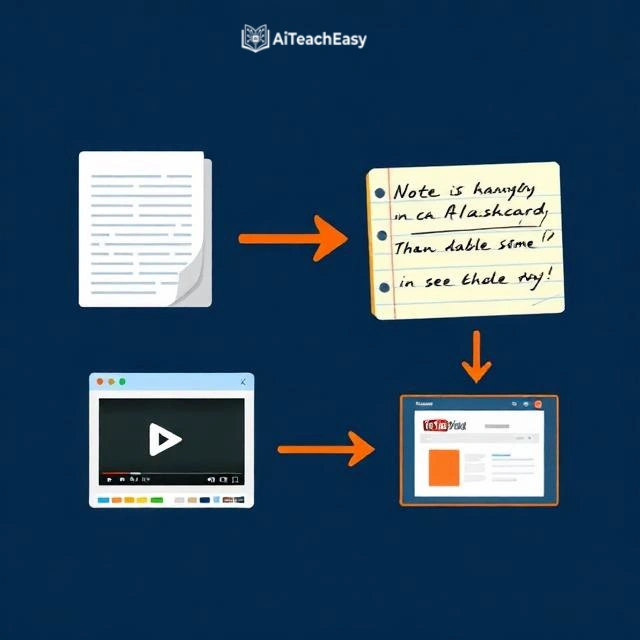
Upload your PDF to NoteGPT, Revisely, StudyFetch, or Wisdolia. For textbooks over 100 pages, upload one chapter at a time — you get better, more focused cards. Most free tiers support 5–50 pages per upload, which is enough for one lecture’s notes.
Handwritten Notes to AI Flashcards
Photograph your notes in clear, even lighting with the page flat. Upload the image to NoteGPT or Revisely — both use OCR to extract the text before generating cards. Clear handwriting works well; very messy or heavily stylized writing may introduce errors. If your notes are hard to photograph cleanly, type them up first — our guide on the best free AI note-takers covers tools that can even transcribe from audio or photos for you.
YouTube Lecture Notes to Flashcards — No Note-Taking Required
This is one of the most underused workflows. Paste a YouTube lecture URL directly into NoteGPT or Wisdolia — no notes needed. The tool pulls the transcript, identifies the key educational points, and generates a flashcard set from the video content automatically. If your professor posts recordings, or if you use YouTube to fill in gaps from class, this saves you significant time. Full walkthrough in our YouTube lecture notes guide.
Google Docs and Word Documents to Flashcards
Wisdolia accepts Google Doc URLs directly — paste the link and it reads the document. For Word docs, export as PDF or copy-paste the text. If you already take notes in Google Docs or Notion, this is the smoothest zero-friction path.
PowerPoint and Lecture Slides to Flashcards
Most tools accept PPT and PPTX directly. If yours doesn’t, export to PDF first. Slides tend to generate particularly clean flashcards because the bullet-point format already strips out noise — the AI has less filtering work to do.
Using ChatGPT to Create Flashcards from Notes
You don’t need a dedicated flashcard app. ChatGPT can generate flashcards from any notes you paste in. Use a prompt like: “Convert these notes into 20 question-answer flashcard pairs. Keep each answer under 20 words. Focus on definitions, key facts, and cause-effect relationships.” Then copy the output into Anki or Quizlet manually. It’s more steps than a dedicated tool, but you have full control over the output style. Our guide on how students can use ChatGPT for studying includes specific prompts for this.
For medical students specifically: uploading pharmacology or pathology slides to NoteGPT or StudyFetch generates strong fact-recall cards for exactly the format tested on licensing exams. See our best AI study tools for medical students guide for a subject-specific breakdown.
Pro Tips: How to Get Better AI Flashcards Every Time
1. Structure your notes before uploading
AI generates better cards from structured content. Adding headings and bullet points before uploading takes five minutes and meaningfully improves quality. Walls of unbroken text force the AI to guess what matters — structured notes make it obvious.
2. Match card count to content length
For a 10-page chapter, 15–25 well-targeted cards beat 60 mediocre ones. Too many cards leads to review fatigue; too few misses important concepts. Aim for roughly two strong cards per page of dense notes.
3. Always scan and edit the output
Set aside three minutes after generating. Delete redundant cards, rewrite any question that’s confusingly phrased, and flag anything where the answer is too long. Even at 90% quality, AI saves you enormous time — that 10% editing pass makes the difference between a usable deck and a great one.
4. Bump difficulty for exam week
Most tools have a difficulty setting. Switch to “Hard” in the week before an exam — the AI writes application-based questions rather than simple definition recall. This is closer to how actual exam questions work. More on this approach in our best AI tools for exam preparation guide.
5. Add your own cards for the hard stuff
AI doesn’t know what YOU find confusing. After reviewing the generated deck, add five to ten cards for concepts you personally tripped over. These manual cards often turn out to be the most valuable ones in the deck — they target your specific gaps, not generic gaps.
6. First review on the same day
The first repetition should happen the day you create the cards while the material is still fresh. This primes the spaced repetition system for effective long-term scheduling. Generating cards and leaving them for next week largely defeats the purpose.
7. Export to Anki for anything long-term
If you’re studying a subject over months — a language, a professional certification, a medical curriculum — export your AI-generated cards to Anki. It has the most sophisticated spaced repetition algorithm available and handles review scheduling across a full semester automatically. Learn how to build the full system in our guide on how to build an AI study system.
Related Guides Worth Reading
- Best AI tools for online exam preparation — practice tests, past papers, and timed mock exams
- Best free AI homework helper tools — understand concepts before making flashcards from them
- How students can use ChatGPT for study — custom prompts for generating and quizzing yourself on flashcards
- Best AI tools for online classes — full toolkit for remote and hybrid learners
- Hidden AI tools students are using — lesser-known tools with genuine value
- Best free AI note-takers — automate note-taking so flashcard generation is even easier
- How to use Claude AI for study and research — use Claude to generate flashcard prompts and study plans
─────────────────────────────────────────────────────────────────────
Frequently Asked Questions
Can I turn notes into flashcards for free?
Yes. NoteGPT generates up to 50 cards per session free. Revisely covers 5 pages per upload at no cost. Wisdolia has a working free plan. For most students, free tiers are enough for daily use without ever paying.
What is the best free AI flashcard generator in 2026?
NoteGPT is the strongest overall — it supports the most input types (PDF, YouTube, images, text, URLs) and has excellent card quality. For built-in spaced repetition, Wisdolia is the better free choice. For Anki export with short documents, Revisely’s free tier works well.
How do I convert a PDF to flashcards free?
Go to NoteGPT, Revisely, StudyFetch, or Wisdolia. Upload your PDF using the drag-and-drop field, set your preferred number of cards, and click Generate. Results appear in under 60 seconds — no account required to try most tools.
Are AI-generated flashcards good quality?
Yes, for factual, well-structured content — science definitions, historical facts, vocabulary, formulas. For nuanced analytical topics (literary criticism, ethics, open-ended theory), the AI may oversimplify and you’ll need to edit a few cards. Even at 85–90% quality, the time saving compared to manual creation is significant.
Can AI convert handwritten notes into flashcards?
Yes. NoteGPT and Revisely both accept image uploads of handwritten notes and use OCR to read the text before generating cards. Photograph the page in clear, flat, even lighting for best results. Very messy handwriting may produce errors — for difficult notes, type them up first.
Is there an AI flashcard generator that works with YouTube videos?
Yes. NoteGPT and Wisdolia both accept YouTube URLs as input. Paste the link, and the tool extracts the transcript, identifies key content, and generates a flashcard set from the video — no manual note-taking needed.
Can I export AI flashcards to Anki?
Yes. Revisely (paid plan) and RemNote both export directly to Anki’s APKG format. If your tool doesn’t support direct Anki export, export as CSV and use Anki’s built-in import function to load the cards manually.
How many flashcards should I make per session?
For sustainable long-term retention, introduce 10–20 new cards per day. For a single chapter or lecture, 15–30 well-made cards is the right range. More than that often leads to review fatigue and cards getting skipped.
What is the difference between an AI flashcard generator and Anki?
AI flashcard generators (NoteGPT, Revisely, Wisdolia) create the cards from your notes. Anki studies them using a sophisticated spaced repetition algorithm. They do different jobs. The best workflow: generate with AI, export to Anki, study in Anki long-term.
Can I use ChatGPT to make flashcards from my notes?
Yes. Paste your notes into ChatGPT and prompt it: “Convert these notes into 20 question-answer flashcard pairs. Keep answers under 20 words.” Copy the output into Anki or Quizlet. It’s more manual than a dedicated tool but gives you full control over the output format and style.
Final Thoughts
Converting notes into flashcards using AI is one of the highest-leverage study habits available in 2026. You remove the biggest friction point (making the cards) and free up your time for what actually builds memory: active recall and spaced repetition practice.
If you’re new to this, start with NoteGPT — free, no account needed, supports almost any format. Upload your next set of lecture notes, generate 20 cards, and do your first review that evening. Then build from there.
If you want to go further and turn this into a complete study system — from note-taking through to exam day — read our guide on how to build an AI study system. Flashcards are the foundation, but there’s a full architecture around them that consistently outperforms conventional studying.
Quick start: Open NoteGPT right now, upload your last set of notes, and have your first AI flashcard set in under two minutes.
AUTHOR BIO
Prof. Irfan
Educator & AI in Education Specialist | Founder, AI Teach Easy
Prof. Irfan has spent over a decade in education, working with students at secondary and university level across multiple subjects. He founded AI Teach Easy to give students and teachers practical, tested guidance on integrating AI into their learning workflows — not theoretical overviews, but specific tools and methods that work in real classrooms and study sessions. His writing is grounded in both classroom experience and ongoing research into AI-powered learning tools. When he isn’t writing, he’s testing new tools so his readers don’t have to.