
I Built an AI Study System That Replaced 6 Hours of Studying
By Prof. Irfan | AITeachEasy.com | Last Updated: April 2026
The Day I Stopped Studying Hard and Started Studying Smart
I want to tell you something that no teacher ever told me when I was a student.
Studying hard is not the same as studying smart. And in 2026, studying without an AI system is like navigating a new city without Google Maps — technically possible, but needlessly slow and full of wrong turns.
I spent years watching students grind through 6-hour sessions, re-reading the same chapters three times, highlighting entire textbooks in fluorescent yellow — only to forget 80% of it within a week. I’ve been that student too. The frustration is real. The exhaustion is real. And the worst part? Most of it is unnecessary.
When I finally built a complete, structured AI study system — not just using random AI tools, but building a real workflow — everything changed. Students I worked with went from struggling with retention to mastering full modules in a fraction of the time. Not because they’re geniuses. Because they had a system.
This guide is the complete version of that system. Not a surface-level overview. Not a list of “10 AI tools.” A real, step-by-step, phase-by-phase blueprint you can start implementing today — whether you’re a medical student, a university undergraduate, a high schooler, or a self-learner trying to master a new skill.
Let’s build it.

Table of Contents
Quick Start: If You Only Have 10 Minutes Right Now

I know some of you are reading this at midnight before an exam or between lectures. You don’t have time for the full system tonight. That’s fine. Here’s what you do right now:
Step 1 — Summarize your notes with AI (3 minutes) Copy-paste your raw lecture notes or textbook chapter into ChatGPT or Claude AI and use this prompt: “Summarize these notes into the 10 most important points I need to know for an exam. Use simple, clear language.”
Step 2 — Generate 10 flashcards instantly (2 minutes) Follow up with: “Now turn those 10 points into flashcard-style question-answer pairs.” Copy them into Quizlet or just study them directly from the screen.
Step 3 — Do a 5-minute active recall (5 minutes) Close the screen. Open a blank notebook or document. Write down everything you just learned from memory. Then check what you missed. That retrieval attempt — even imperfect — will do more for your memory than re-reading the notes three more times.
That’s your emergency 10-minute system. Now, when you have time, come back and build the complete version below.
What Is a Complete AI Study System?

Before we go deep, let me define what I actually mean — because this term gets thrown around loosely.
A complete AI study system is a structured, multi-phase workflow where AI tools work together to support every stage of learning: capturing information, organizing it, processing it deeply, retaining it long-term, testing your understanding, producing high-quality output, and continuously improving the system itself.
It is NOT:
- Opening ChatGPT and asking it to explain something once
- Using AI to write your essay
- Downloading 15 apps and opening none of them consistently
It IS:
- A deliberate sequence of phases where each one builds on the last
- A set of consistent habits using 3–5 tools you’ve chosen intentionally
- A feedback loop that gets smarter and more efficient the longer you use it
If you want to understand the science of why structured learning outperforms random studying so dramatically, read How to Learn Anything 10x Faster — it’s the conceptual foundation behind everything in this system.
The 7-Phase AI Study System: Visual Overview

Here is the complete framework at a glance. Every section below covers one of these phases in full depth.
📊 The Complete AI Study System — 7 Phases
PDFs
Videos
Tag
Connect
Socratic
Analogies
Flashcards
Retention
Practice
Gap Analysis
Reports
Projects
Iterate
Improve
Each arrow feeds into the next. Miss a phase and the system leaks. Run all seven and you have a compounding learning machine.
Best AI Tools for Each Phase: Quick Reference Table
Before we go phase by phase, here’s the full tool comparison so you can choose your stack upfront.
| Phase | Best Tool | Runner-Up | Why It Wins |
|---|---|---|---|
| Capture | Otter.ai | Fireflies.ai | Real-time transcription + timestamps |
| Capture (PDFs) | Claude AI | ChatPDF | Deeper reasoning, not just summaries |
| Organize | Notion AI | Obsidian | AI-native, linked databases |
| Understand | Claude AI | ChatGPT | Best for Socratic dialogue + logic |
| Memorize | Anki | Quizlet | Algorithm-driven spaced repetition |
| Test | ChatGPT | Khanmigo | Fast exam simulation at any level |
| Produce | Claude AI | Grammarly | Argument analysis + writing feedback |
| Review | Notion AI | ChatGPT | Weekly summaries + pattern detection |
You don’t need all of these at once. If you’re starting fresh, begin with Claude AI + Anki + Notion. That three-tool stack covers 80% of your needs. Add others as your system matures.
For a broader breakdown of what’s available at different price points, best AI tools for online classes is the most comprehensive comparison I’ve put together.
Phase 1: Capture — Building Your AI-Powered Input Layer

Stop Taking Notes the Hard Way
The first bottleneck in almost every student’s workflow is right at the beginning: capturing information efficiently. You’re sitting in a lecture, either writing furiously and missing half the content, or listening passively and retaining almost none of it.
AI removes this bottleneck entirely — but only if you set it up with intention.
Step 1.1 — Use AI Transcription for Live and Recorded Lectures
Otter.ai and Fireflies.ai transcribe your lectures in real time. You attend fully present and engaged — not scrambling to copy words — because the AI is handling raw capture. Otter timestamps every segment, so you can jump back to the exact moment a concept was explained.
For recorded video lectures, paste the auto-generated YouTube transcript into Claude or ChatGPT and ask for a structured summary. Most students don’t realize YouTube transcripts exist — they’re free, available on almost every educational video, and give you raw text to work with instantly.
For a full list of AI tools specifically built for lecture processing, my AI lecture summary tools guide covers options at every budget level.
Step 1.2 — Process Textbooks and PDFs Conversationally
ChatPDF and Claude AI both allow you to upload PDFs and have a conversation with the document. Instead of reading 40 dense pages linearly, you ask: “What are the three main arguments in Chapter 4?” or “Explain the mechanism on pages 67–72 in plain English.”
I’ve written a dedicated guide on how to use Claude AI for study and research — if you’re not yet using conversational document analysis, that guide will transform how you handle academic reading.
Step 1.3 — Build a Central Knowledge Hub
Everything captured — transcripts, summaries, PDF notes — goes into one central location within 24 hours. I use Notion. Obsidian is better if you prefer a local, privacy-first setup with knowledge graph visualization.
The rule: one system, one place. No stray notes in random apps, no forgotten voice memos, no screenshots you’ll never look at again.
Phase 2: Organize — Turning Raw Capture into Structured Knowledge

Raw notes are not useful until they’re organized. This is where most student AI workflows fall apart — they capture everything and organize nothing, creating a digital pile of information that’s just as hard to navigate as a physical one.
Step 2.1 — Use AI to Create Hierarchical Topic Maps
After capturing a lecture or chapter, paste the raw notes into ChatGPT or Claude with this prompt:
“Here are my raw notes from [topic]. Organize them into a clear hierarchical structure: main topics, subtopics, key definitions, and supporting details. Flag any gaps or areas that need clarification.”
This produces in seconds what would take 30–45 minutes to build manually.
Step 2.2 — Build a Subject-Specific Knowledge Database
For each subject, create a dedicated database in your hub. Each entry should contain:
- The core concept (1–2 sentences)
- An AI-generated simple explanation
- A real-world analogy or example
- Your own understanding note (non-negotiable — write this yourself)
- Related concepts with internal links
Step 2.3 — Tag Semantically, Not Just by Topic
Don’t tag a note on mitosis only with #biology. Also tag it: #cell-division, #DNA, #cancer-biology, #reproduction. When you search weeks later, semantic tags surface connections you’d never find through a single topic label.
Ask AI: “What are 8–10 semantic tags and related keywords I should associate with this note on [topic]?”
Phase 3: Understand — From Information to Real Knowledge

Understanding something once during a lecture is not learning. Real learning is when you can explain it, apply it, and connect it to other knowledge without looking at your notes. This phase is where that depth gets built.
The Feynman Technique, Turbocharged by AI
Write your own explanation of a concept in plain language — as if you’re teaching a curious 12-year-old. Then paste it into Claude with:
“I’m explaining [concept] in my own words. Identify any factual errors, logical gaps, or oversimplifications. Then ask me three follow-up questions that probe my understanding more deeply.”
This is not AI telling you the answer. It’s AI forcing you to think harder. That distinction is everything.
Step 3.1 — Socratic Dialogue Mode
Instead of asking AI to explain a topic, ask it to question you about it. Among the hidden AI tools students are using in 2026, Socratic mode is one of the most underrated.
Prompt: “I want to deeply understand [topic]. Don’t explain it to me — ask me a series of progressively harder questions. After each answer, tell me what I got right, what I missed, and give me the next question.”
Step 3.2 — Build Multiple Analogies
Prompt: “Give me five analogies for [complex concept] — from very simple (for a 10-year-old) to advanced (for a specialist). I’ll tell you which one clicks.”
Step 3.3 — Connect New Knowledge to Prior Knowledge
Prompt: “I understand [concept A] well. How does [new concept B] relate to it? What are the key similarities, differences, and points of connection?”
This is elaborative interrogation — one of the most evidence-backed retention strategies in cognitive science. AI can execute it on-demand for any topic in under a minute.
Phase 4: Memorize — AI-Powered Long-Term Retention

Understanding in the moment is not the same as remembering next month. Retention requires deliberate, spaced, and active practice — and this is where AI creates a dramatic efficiency advantage.
Step 4.1 — Generate AI-Powered Flashcards Automatically
Tools like Anki with AI plugins, Quizlet with AI features, and Mochi Cards let you auto-generate entire flashcard decks from your notes. Paste a chapter summary → get 50+ question-answer pairs → import into spaced repetition.
I tested the most effective options in best AI tools for memorization — some of the retention improvement numbers surprised even me.
Step 4.2 — Use Anki’s Spaced Repetition Algorithm Religiously
Anki’s algorithm schedules each card for review right before you’re about to forget it — maximizing long-term retention with minimum time input. 20–30 minutes of Anki reviews daily, consistently applied, will lock material into long-term memory that other students are cramming the night before the exam.
Step 4.3 — Generate Vivid Memory Stories with AI
For ordered lists, processes, and sequences, prompt: “Create a strange, vivid, memorable story that encodes these 7 steps in order: [list]. Make it unusual — bizarre stories are easier to remember.”
This leverages the bizarreness effect in memory psychology — unusual information encodes more strongly than mundane information.
Step 4.4 — Active Recall Without Notes
Every 48–72 hours, open a blank document and write everything you remember about a topic — no notes, no AI assistance. Then check. Ask AI: “Here’s what I recalled. What important points did I miss? Don’t explain them — just flag the gaps so I can look them up myself.”
The retrieval attempt itself strengthens memory far more than any review.
Phase 5: Test — Continuous Self-Assessment and Gap Detection

Testing is not just a pre-exam ritual. It’s one of the most powerful learning mechanisms available — what researchers call the “testing effect.” Build it into your weekly routine, not just your pre-exam panic.
Step 5.1 — Generate Practice Questions on Demand
Prompt: “Generate 15 practice questions on [topic] at [difficulty: beginner/intermediate/advanced/exam-level]. Include multiple choice, short answer, and application-based questions. After I answer each one, grade my response and explain the correct answer in detail.”
This is unlimited, customized practice — on demand, free, available at any hour.
For students preparing for standardized or professional exams, best AI tools for exam preparation and best AI tools for online exam preparation cover platforms designed specifically for high-stakes test prep.
Step 5.2 — Full Simulated Exams Weekly
Once a week: “Act as a strict examiner. Give me a complete 45-minute exam on [subject]. Provide all questions at once. After I submit, grade with detailed feedback explaining every mark deducted and why.”
This builds exam stamina, time management, and reveals knowledge gaps that don’t surface during relaxed studying.
Step 5.3 — AI Mistake Pattern Analysis
After each practice session: “Here are the questions I got wrong this week: [list]. Identify patterns. What underlying knowledge gaps do these mistakes reveal? Give me a prioritized study list.”
Random mistakes become a targeted improvement roadmap.
Phase 6: Produce — Turning Knowledge into High-Quality Output

Real mastery is demonstrated through output — essays, research papers, presentations, problem sets, projects. This phase is where AI becomes your thinking and editing partner.
I want to be direct about something: AI should sharpen your thinking, never replace it. Using AI to write your essay wholesale is academic fraud. Using it to brainstorm, outline, challenge your logic, and strengthen your arguments is exactly how professional researchers and academics use it. These are fundamentally different things.
Step 6.1 — Brainstorm and Outline with AI
Before writing anything, spend 10 minutes brainstorming with AI. Dump your initial thoughts and prompt: “Here are my rough ideas about [essay topic]. Identify the strongest arguments, point out logical weaknesses, and suggest a compelling outline structure.”
The ideas remain yours. The thinking gets sharper.
Step 6.2 — Use AI as a First-Pass Editor
After writing your own draft: “Review this draft for logical flow, unsupported claims, unclear sentences, and academic tone. Don’t rewrite it — give me specific, actionable feedback I can use to improve it myself.”
Step 6.3 — Steel-Man Your Own Arguments
Prompt: “I’m arguing that [thesis]. What are the strongest possible counterarguments? How would a well-prepared opponent challenge my position? How do I address each one?”
This makes your work significantly more rigorous than students who never question their own arguments.
Step 6.4 — Visual Summaries and Presentations
For subjects requiring presentations, AI teaching presentation tools offers excellent options for generating structured, visually compelling study presentations from your notes.
Phase 7: Review and Iterate — The Continuous Improvement Loop

Most students treat studying as a one-way pipeline. The best learners treat it as a feedback loop. This phase transforms your AI study system from a static routine into a living, improving machine.
Step 7.1 — Weekly System Review (Every Sunday, 20 Minutes)
Ask yourself:
- What did I study? What did I actually understand vs. what am I still confused about?
- Which study sessions were productive? Which were wasted time?
- What needs to be prioritized next week?
Then ask AI: “Here’s a summary of my study week: [notes]. Identify patterns, celebrate wins, and help me create a focused priority list for next week.”
Step 7.2 — Monthly Cold Recall Audit
Once a month, test yourself on material from 3–4 weeks ago — cold, no review beforehand. If it’s fading, it means either your spaced repetition schedule needs tightening or the material wasn’t understood deeply enough in Phase 3. This audit tells you exactly where to go back.
Step 7.3 — Upgrade Your Tools
Your system is not a finished product. Review it monthly. New tools emerge constantly, and what worked last semester may not be optimal now. The guide on best free AI homework helper tools for students is regularly updated with the best current options at every budget.
✅ vs ❌ — Common Setup Mistakes (And How to Fix Them)
Most students who tried AI for studying didn’t fail because of the tools — they failed because they didn’t build a system. Here’s the real breakdown:
Special Section: AI Study Systems for Specific Student Types
Medical and Science Students
Medical students face an almost uniquely demanding knowledge load — anatomy, pharmacology, pathophysiology, clinical reasoning — that requires both vast memorization and sophisticated application.
For medicine specifically, combine Anki (for volume memorization) with Claude’s clinical reasoning capabilities (for case-based learning). Ask Claude to give you patient case scenarios and quiz your diagnostic thinking out loud. It’s the closest thing to free, unlimited clinical tutoring available.
Best AI study tools for medical students covers this in detail with tools purpose-built for the medical curriculum.
Students on a Budget
You don’t need to spend money to build a powerful system. ChatGPT free tier, Claude free tier, Anki (completely free and open source), and Notion free tier together form a complete system at zero cost. ChatGPT alternatives for students covers additional free options, several of which outperform ChatGPT for specific study tasks.
Students Who Learn Better Visually
If you process information better visually, focus heavily on using AI to generate concept maps, diagrams, and structured visual summaries from your notes. Combine this with tools from the best free AI note takers list for visual capture formats.
Your Complete Weekly AI Study Schedule
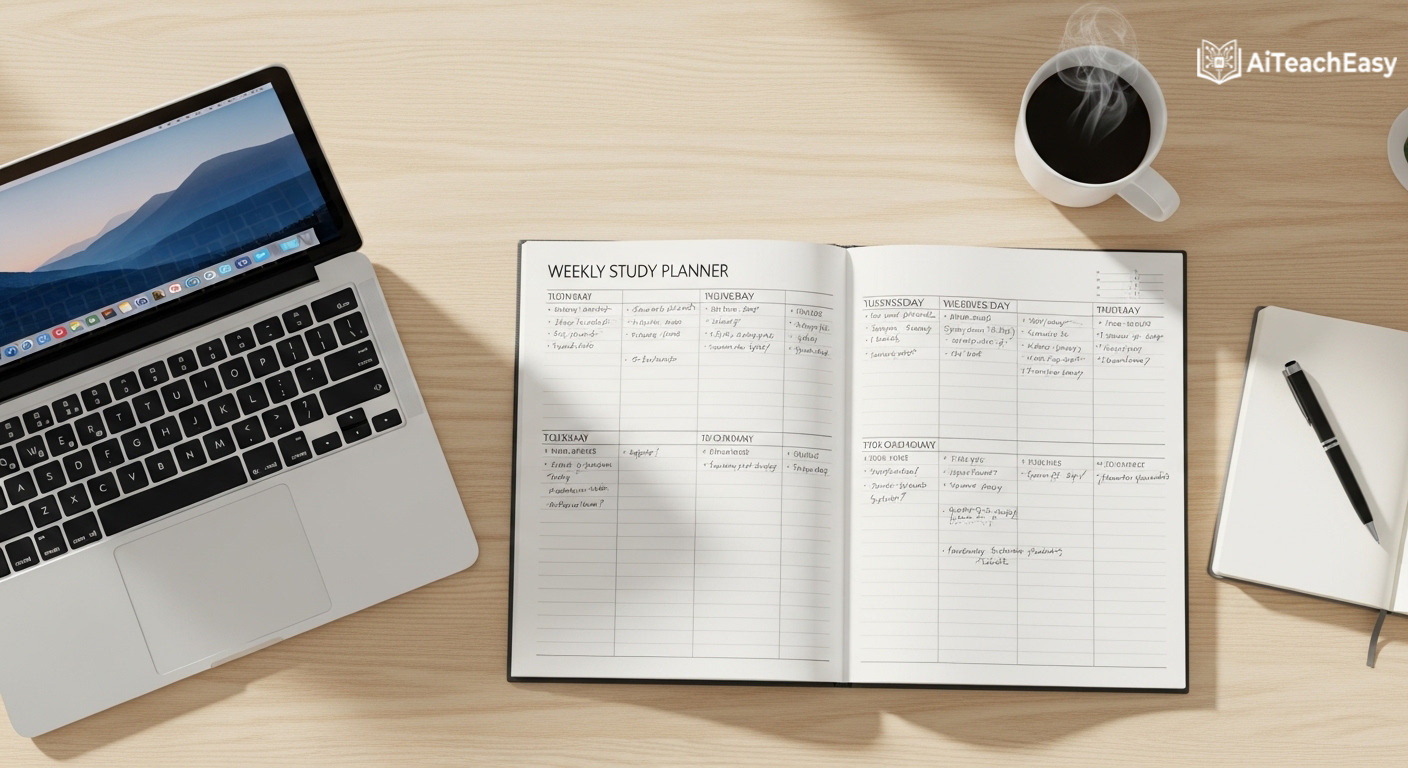
Here’s how all 7 phases integrate into a realistic, sustainable weekly routine:
Every day (30–45 minutes):
- Morning: 20 minutes of Anki spaced repetition reviews
- After each lecture: Upload notes to knowledge hub, run organization prompt (10 minutes)
- Evening: 10–15 minutes of active recall on the day’s material
Three times per week:
- One deep Feynman/Socratic session per major subject (30–40 minutes)
- One active recall session from memory, no notes (20 minutes)
Once per week:
- Full 45-minute simulated exam per major subject
- Mistake pattern analysis with AI
- Sunday system review (20 minutes)
Once per month:
- Cold recall audit on material from 3–4 weeks ago
- System refinement review — what’s working, what isn’t
- Knowledge hub cleanup and gap-filling
This schedule is not about maximizing hours. It’s about maximizing learning per hour. The students who follow this system consistently don’t study more than their peers — they just stop wasting study time on methods that don’t produce retention.
Frequently Asked Questions (FAQs)
Q1: Is it cheating to use AI for studying?
No — using AI as a learning tool is not academic dishonesty, and this distinction matters enormously. Using AI to generate essays or assignments you submit as your own work is academic fraud. Using AI to understand concepts more deeply, generate practice questions, check your own reasoning, and refine your thinking is simply using an advanced educational resource — no different in principle from a textbook, a private tutor, or a study group. Always check your institution’s specific AI policy for guidance on submitted work.
Q2: What is the single best AI tool to start with for studying?
Start with Claude AI or ChatGPT — both have free tiers that are genuinely powerful. These two tools alone cover the understand, test, and produce phases effectively. Add Anki for memorization and Notion for organization, and you have a complete system. My guide on how students can use ChatGPT for study covers the most effective patterns for getting started.
Q3: How long does it take to build a working AI study system?
You’ll have a basic version running within one week. The first two weeks feel slightly awkward as you learn which tools fit your workflow and build habits. By week 3–4, the system feels natural. By month 2–3, results become undeniable — you’ll notice you’re retaining more with less time investment.
Q4: Can this system work for mathematics, coding, or technical subjects?
Yes — and it’s particularly powerful for these. For mathematics, AI can walk through problems step by step, identify exactly where your reasoning failed, and generate unlimited practice problems at any difficulty level. For coding, Claude acts as a rubber-duck debugger, code reviewer, and concept explainer simultaneously. For any subject requiring application-level thinking rather than just recall, the test phase becomes especially valuable.
Q5: Is this system suitable for high school students, not just university?
Yes. The core principles apply at any learning level. Younger students might use Quizlet over Anki and simpler prompts, but the 7-phase framework works from middle school through postgraduate study. If you’re supporting a student with specific learning needs, AI tools for special needs students covers adaptive tools that work beautifully within this framework.
Q6: How do I avoid becoming too dependent on AI and losing my own thinking ability?
Build active recall sessions into your system deliberately — the sessions where you produce work from memory without any AI assistance. These are non-negotiable. AI is scaffolding for building knowledge. The cold recall tests and simulated exams (without AI assistance) verify that the knowledge is genuinely yours. If you can perform well without AI, you’ve learned. If you can’t, the system tells you exactly where to go back.
Q7: What if my internet is unreliable or I prefer offline studying?
Build local components in. Obsidian stores everything offline and has no monthly fee. Anki is fully offline and open source. Download PDFs for offline AI analysis when you have connection. For offline-friendly options, I’ve reviewed browser-based AI tools for students that work with minimal bandwidth requirements.
Q8: How do I know if my AI study system is actually working?
Track three things: performance on cold recall tests (from memory, no review), actual exam results over time, and your confidence when approaching genuinely new material. All three should improve within 4–6 weeks of consistent system use. If one lags, it points to a specific phase that needs attention — poor exam performance usually means the test phase needs strengthening; poor retention means spaced repetition needs more consistency.
Final Thoughts: Build the System That Builds You
Here’s what I know after years of teaching, testing, and refining AI-powered learning:
The students who will thrive in the next decade are not necessarily the most talented. They’re the ones who build the most intelligent systems — systems that multiply effort, focus attention on what actually matters, and compound knowledge over time rather than starting from scratch for every exam.
A complete AI study system does exactly that. It takes the time you’re already spending on studying and makes every hour count three to five times more. Not through shortcuts. Through smarter structure.
The 7-phase framework in this guide works. But it only works if you build it. And it only gets built if you start — even imperfectly, even with just one phase, even tonight.
Pick your weakest point right now. Maybe you’re capturing information badly. Maybe you’re skipping the test phase. Maybe you’ve never done a cold recall audit in your life. Start there. Build that one phase into a habit this week. Then add the next.
The system compounds. Every phase you add makes the others more powerful. Two months from now, you won’t recognize your own study results.
Start building.
About the Author
Prof. Irfan is an educator, AI integration specialist, and the founder of AITeachEasy.com — a platform dedicated to helping teachers and students use artificial intelligence to learn smarter, teach better, and achieve more.
With years of hands-on experience bridging cutting-edge AI technology and real classroom application, Prof. Irfan has helped thousands of educators and learners across Pakistan and internationally develop AI-powered workflows that produce measurable, lasting results. His approach is practical above all else — deeply informed by research but always tested against what actually works for real students in real learning situations.
His writing draws from both rigorous academic knowledge and frontline teaching experience, making it immediately actionable for anyone navigating the rapidly evolving landscape of AI in education.
Explore his full library of guides, tool reviews, and AI learning strategies at AITeachEasy.com.
Found this guide useful? Share it with a student, teacher, or parent who’s still studying the hard way. Every person who builds a smarter system makes the next one easier to reach.