
Best AI Tools for ADHD Students in 2026
AI tools for ADHD students are becoming one of the most useful education technology categories in 2026. Students with ADHD often face challenges with attention, task initiation, organization, time blindness, working memory, emotional regulation, and long assignments that feel too big to start. AI cannot “fix” ADHD, and it should not replace professional support, accommodations, therapy, coaching, or medical guidance. But when used carefully, AI can work like an external structure system: it can break work into smaller steps, create study schedules, simplify instructions, turn notes into quizzes, and reduce the mental load that often makes school feel overwhelming.
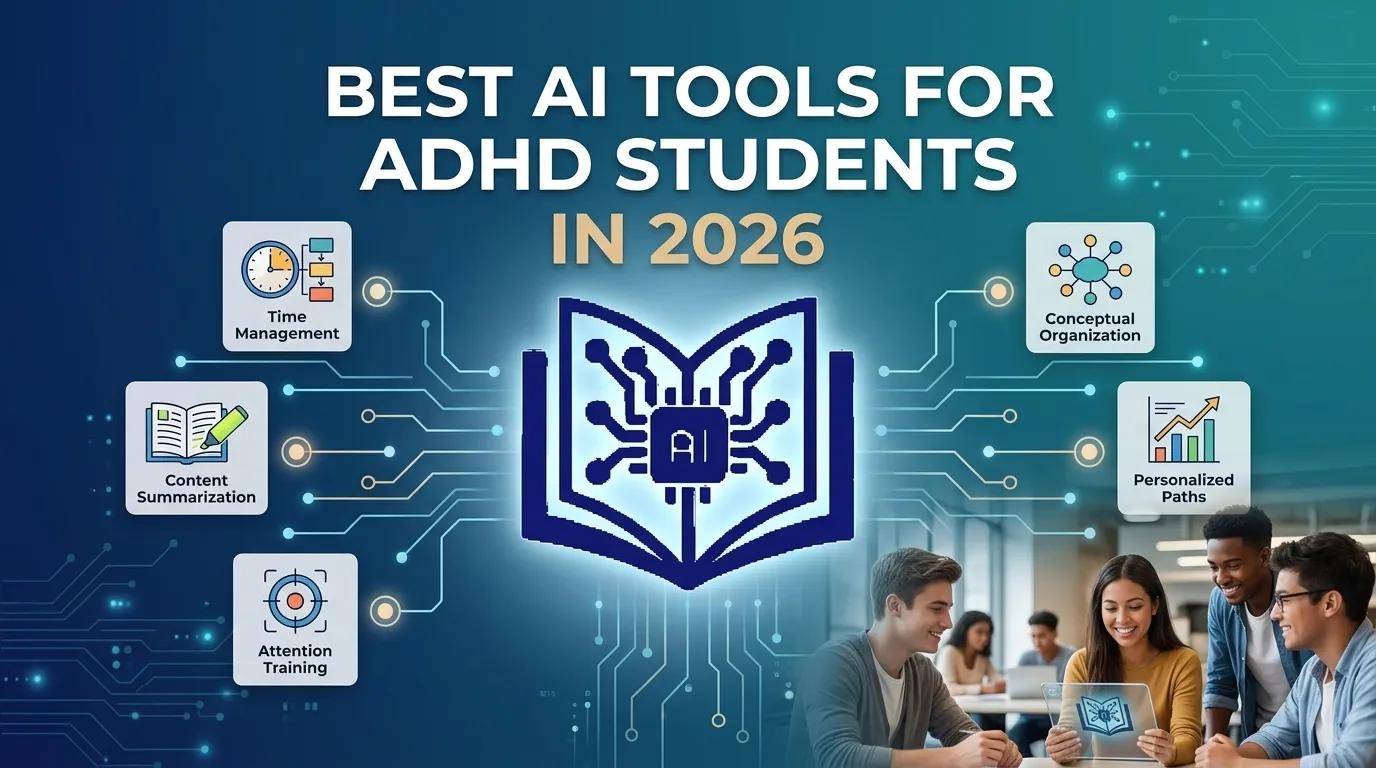
The strongest AI tools for ADHD students are not just generic chatbots. They are tools that support real ADHD needs: chunking assignments, creating routines, generating reminders, simplifying reading, making study plans, building flashcards, giving instant feedback, and helping students restart when they get stuck. Understood notes that AI can help with ADHD-related challenges such as time blindness, difficulty starting tasks, and feeling overwhelmed by big projects by helping users sort tasks, break them into smaller steps, and draft messages when stuck. (Understood)
Best AI Tools for ADHD Students in 2026
| AI Tool | Best For | ADHD Support Strength |
|---|---|---|
| SchoolAI | Classroom support and personalized learning | Breaks lessons into manageable chunks and supports teacher-guided personalization |
| ChatGPT | Task breakdown, writing help, planning, explanations | Flexible prompting for schedules, summaries, checklists, and concept review |
| Goblin Tools | Task initiation and executive function | Breaks tasks into tiny steps and reduces overwhelm |
| Studley AI | Study sets, quizzes, flashcards, tutor lessons | Turns study material into active recall practice |
| Understood Assistant | Parent, teacher, and student ADHD questions | Expert-informed answers about ADHD and learning differences |
| Notion AI | Organization, notes, routines, project planning | Combines AI writing with structured databases and checklists |
| Quizlet AI features | Flashcards and test prep | Supports repetition, recall, and short study sessions |
| Google Gemini / Microsoft Copilot | Everyday school productivity | Helps summarize, draft, plan, and organize schoolwork |
| Otter.ai / AI note takers | Lecture notes and meeting capture | Reduces working-memory pressure during class |
| Speechify / Text-to-Speech tools | Reading support | Helps students who struggle with long reading blocks |
How AI Supports ADHD Learning
Task Feels Too Big
AI breaks work into micro-steps
Time Blindness
AI creates timed study plan
Hard to Start
AI gives 5-minute starter task
Forgets Instructions
AI summarizes and repeats clearly
Long Reading Overwhelming
AI simplifies text or reads aloud
Study Feels Boring
AI creates quizzes, flashcards & games
1. SchoolAI: Best AI Tool for ADHD Students in Teacher-Guided Classrooms
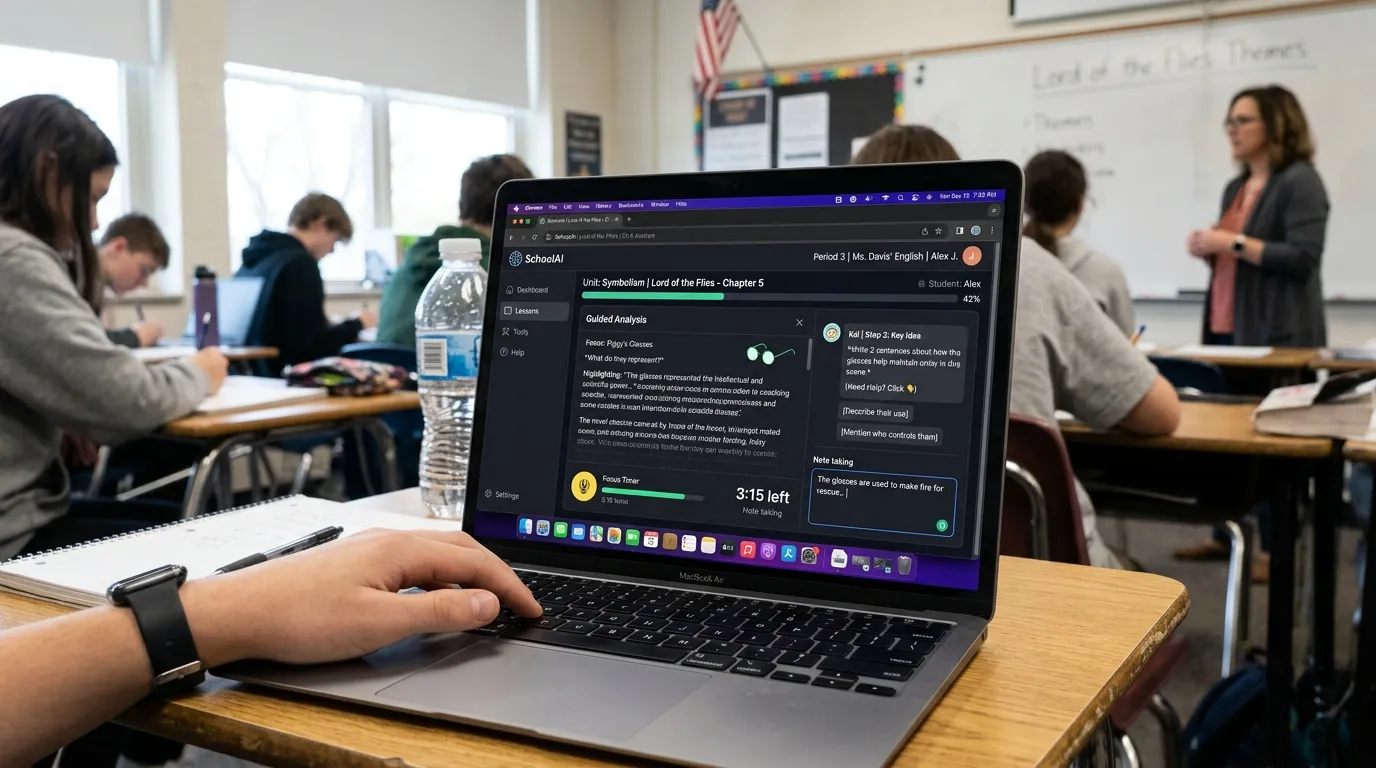
SchoolAI is one of the most relevant AI platforms for ADHD support because it is built around classroom learning rather than casual productivity. Its ADHD-focused article explains that AI tools can help break lessons into manageable chunks and adapt to different attention spans while keeping teachers in control of the learning experience. (SchoolAI) That teacher-guided structure matters because students with ADHD often benefit from support that is personalized but still supervised.
SchoolAI is especially useful when a teacher wants to create differentiated learning experiences without manually rewriting every lesson for every student. For ADHD students, a long lesson can feel like climbing a mountain with no trail. SchoolAI can help turn that mountain into smaller checkpoints. Instead of one large task, students can receive step-by-step prompts, guided practice, and personalized explanations. SchoolAI’s main site says it is used in over 1 million classrooms and helps personalize learning experiences to each student’s speed, style, and struggles. (SchoolAI)
We recommend SchoolAI for teachers, schools, and support teams that want a safer, classroom-focused AI experience. It is not simply a chatbot for students to use alone. Its strength is that it allows adults to guide, monitor, and adapt support for students who need more structure.
2. ChatGPT: Best Flexible AI Assistant for ADHD Study Planning and Task Breakdown
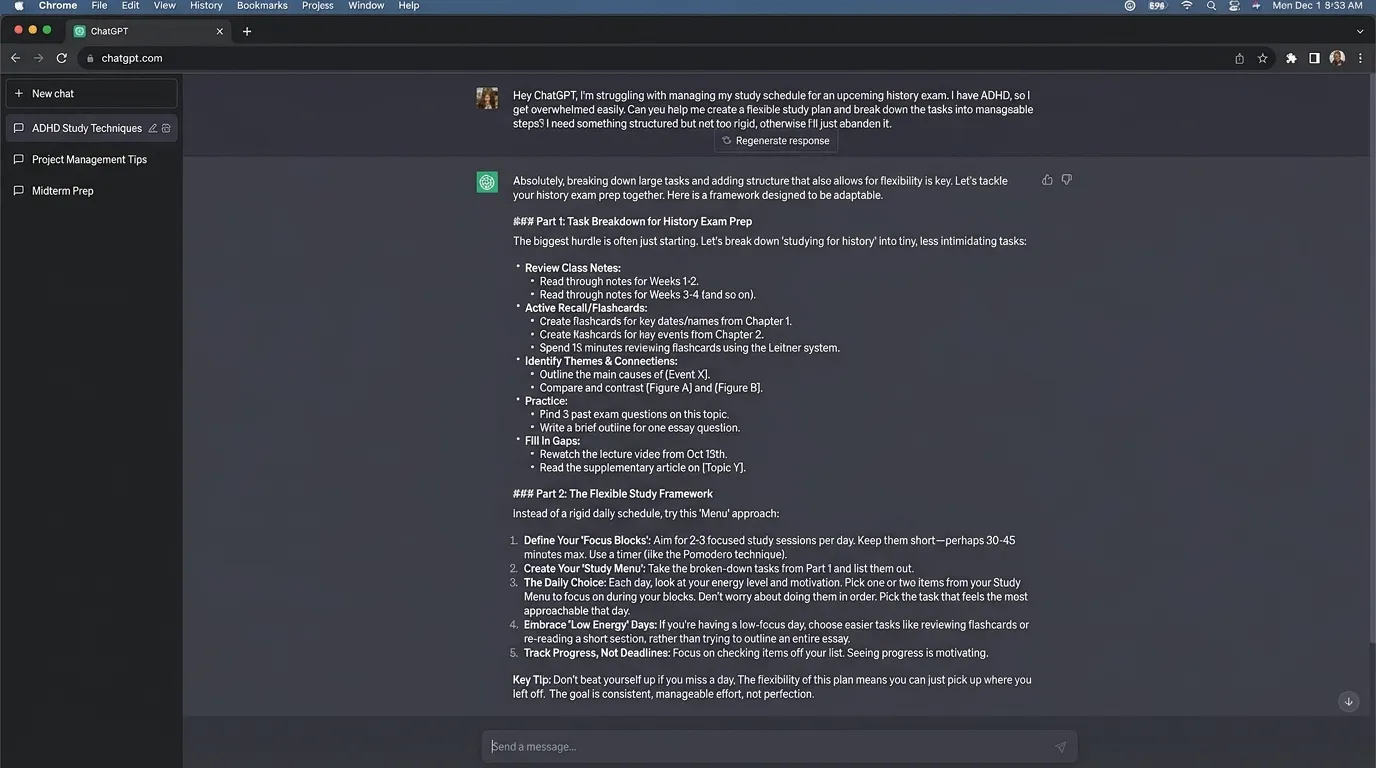
ChatGPT is one of the most useful tools for ADHD students because it can turn a messy, overwhelming assignment into a simple action plan. A student can paste an assignment prompt and ask ChatGPT to break it into steps, estimate how long each step might take, create a study schedule, explain hard concepts, generate practice questions, or rewrite confusing instructions in simpler language. CHADD’s article on AI and ADHD mentions ChatGPT as especially useful for understanding new concepts or practicing skills. (Chadd)
The best way to use ChatGPT for ADHD is not to ask, “Do my homework.” The better approach is to ask, “Help me understand what to do first,” “Break this into 10-minute steps,” or “Quiz me on this chapter one question at a time.” This makes ChatGPT a thinking partner instead of a shortcut. For ADHD students, the first step is often the hardest part. ChatGPT can lower the starting barrier by creating a “tiny first action” that feels possible.
A strong ADHD-friendly prompt looks like this:
“I have ADHD and this assignment feels overwhelming. Break it into small steps. Give me only the first three steps, each taking less than 10 minutes. After that, create a simple checklist.”
This kind of prompt creates structure without overloading the student with too much information at once.
3. Goblin Tools: Best AI Tool for Breaking Tasks Into Tiny Steps
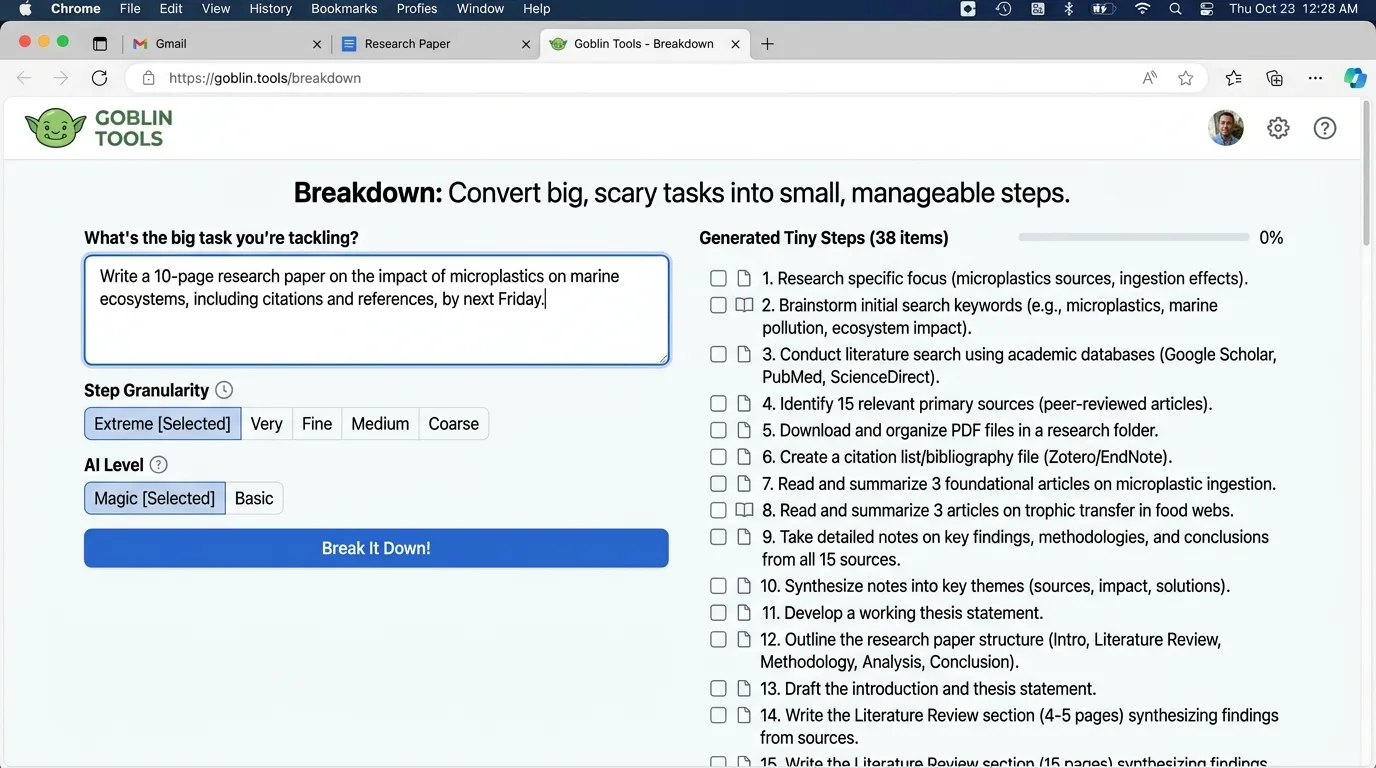
Goblin Tools is popular in ADHD communities because it focuses on executive function support. Its most useful feature is task breakdown. A student can enter something broad like “write my history essay,” and the tool can split it into smaller actions such as choosing a topic, finding three sources, writing a thesis, making an outline, drafting one paragraph, and checking citations.
This is powerful because ADHD students often understand the goal but struggle with the invisible steps between the goal and the finished work. “Study for biology” is vague and stressful. “Read pages 10–12, write five key terms, answer three practice questions, then take a five-minute break” is much easier to begin. CHADD’s article also references Goblin Tools as useful for creating study schedules and tracking progress. (Chadd)
We recommend Goblin Tools for students who freeze when tasks feel too large. It is especially useful for homework, chores, project planning, exam prep, and daily routines. The best practice is to keep the breakdown realistic. If the tool gives too many steps, students should ask it to simplify the list to only the next three actions.
4. Studley AI: Best ADHD Study Tool for Quizzes, Flashcards, and Active Recall
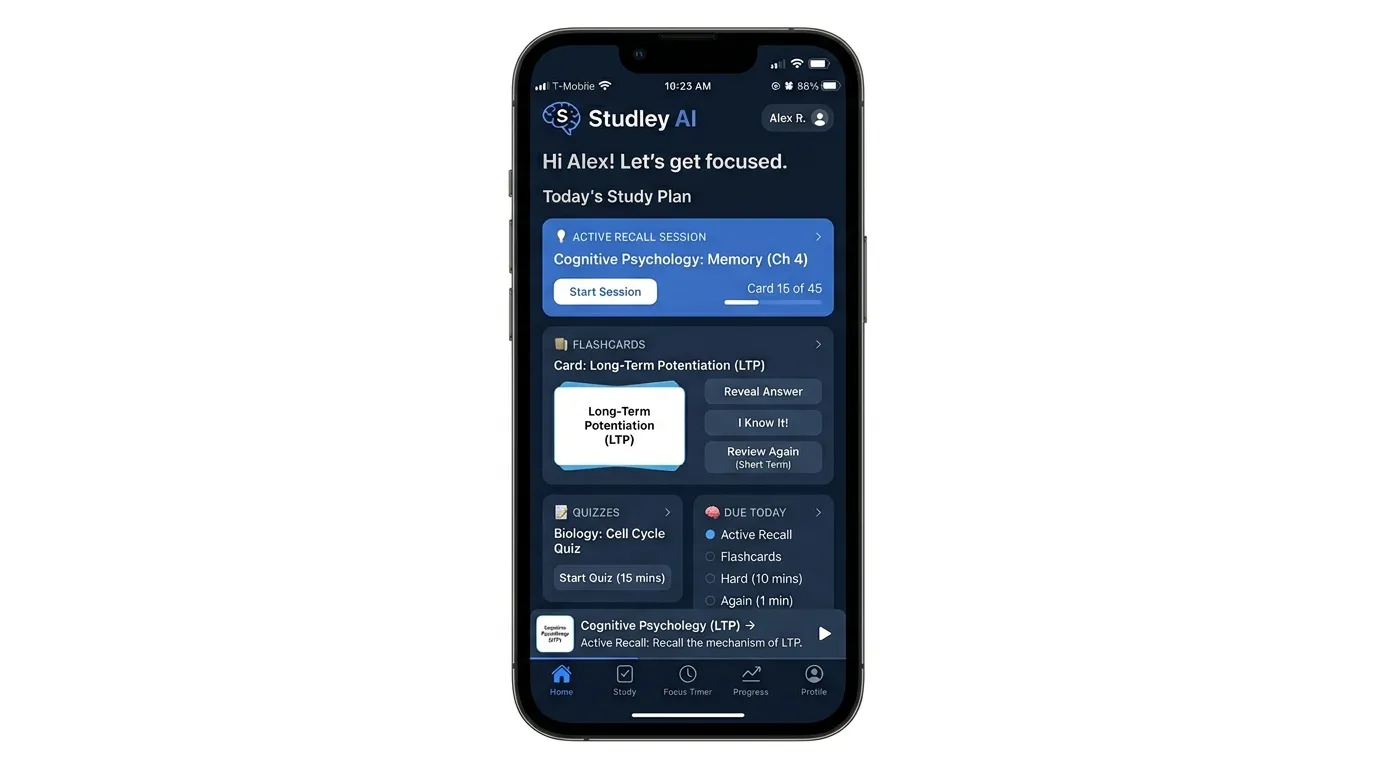
Studley AI is useful for ADHD students because it turns study material into more active formats. Its site says the tool can tailor quizzes, flashcards, written tests, fill-in-the-blanks, and tutor lessons using advanced algorithms and evidence-based techniques. (Studley) Its ADHD study tools article also focuses on tools designed to boost focus, manage time, and help college students stay on track. (Studley)
This matters because many ADHD students struggle with passive studying. Reading the same page again and again can feel boring, and boredom can quickly destroy attention. Active recall works better because it turns study into a challenge. Instead of staring at notes, students answer questions, test memory, and get feedback. Flashcards, mini quizzes, and fill-in-the-blank exercises also work well with short study sessions.
We recommend Studley AI for students who need exam prep support, especially when they have notes, slides, textbooks, or study guides but do not know how to turn them into practice. Studley’s study set page says students can browse more than 1,000 study sets or upload their own notes, slides, and textbooks to create study sets. (Studley)
5. Understood Assistant: Best AI Tool for ADHD Questions and Learning Differences
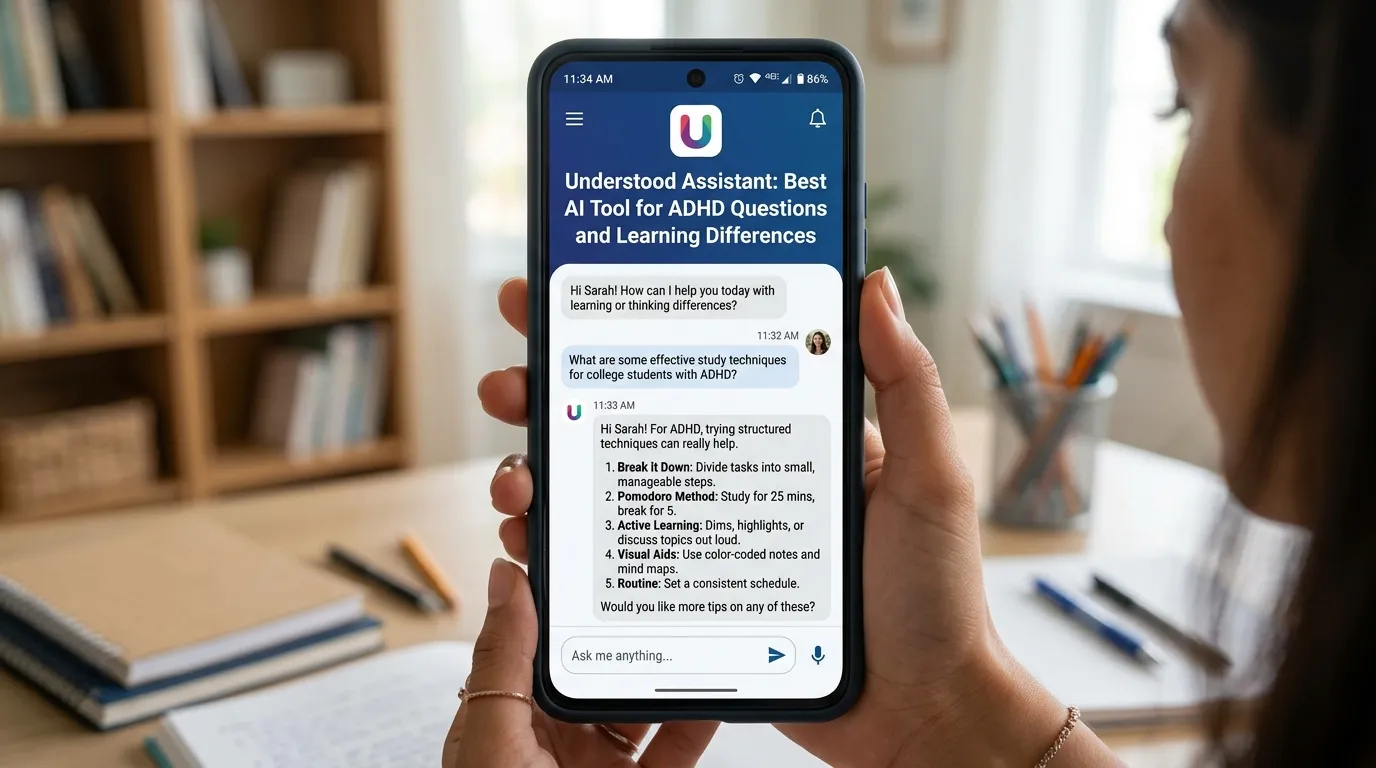
Understood Assistant is useful because it is designed around learning and thinking differences such as ADHD and dyslexia. Understood describes it as an AI-powered assistant trained by experts that gives tailored answers about learning and thinking differences. (Understood) This makes it especially helpful for parents, teachers, and students who need practical explanations rather than generic productivity advice.
For ADHD students, the tool can help explain why certain school tasks feel hard and what strategies might help. Parents can ask how to support homework routines. Teachers can ask how to make instructions clearer. Students can ask how to manage big assignments, focus struggles, or frustration with studying. Understood’s article emphasizes that AI tools do not replace the student’s brain; they make tasks easier to manage. (Understood)
We recommend Understood Assistant when the question is specifically about ADHD, dyslexia, executive function, accommodations, or learning support. It is not a replacement for a clinician, but it can be a helpful first stop for understanding practical strategies.
6. Notion AI: Best AI Organization System for ADHD Students
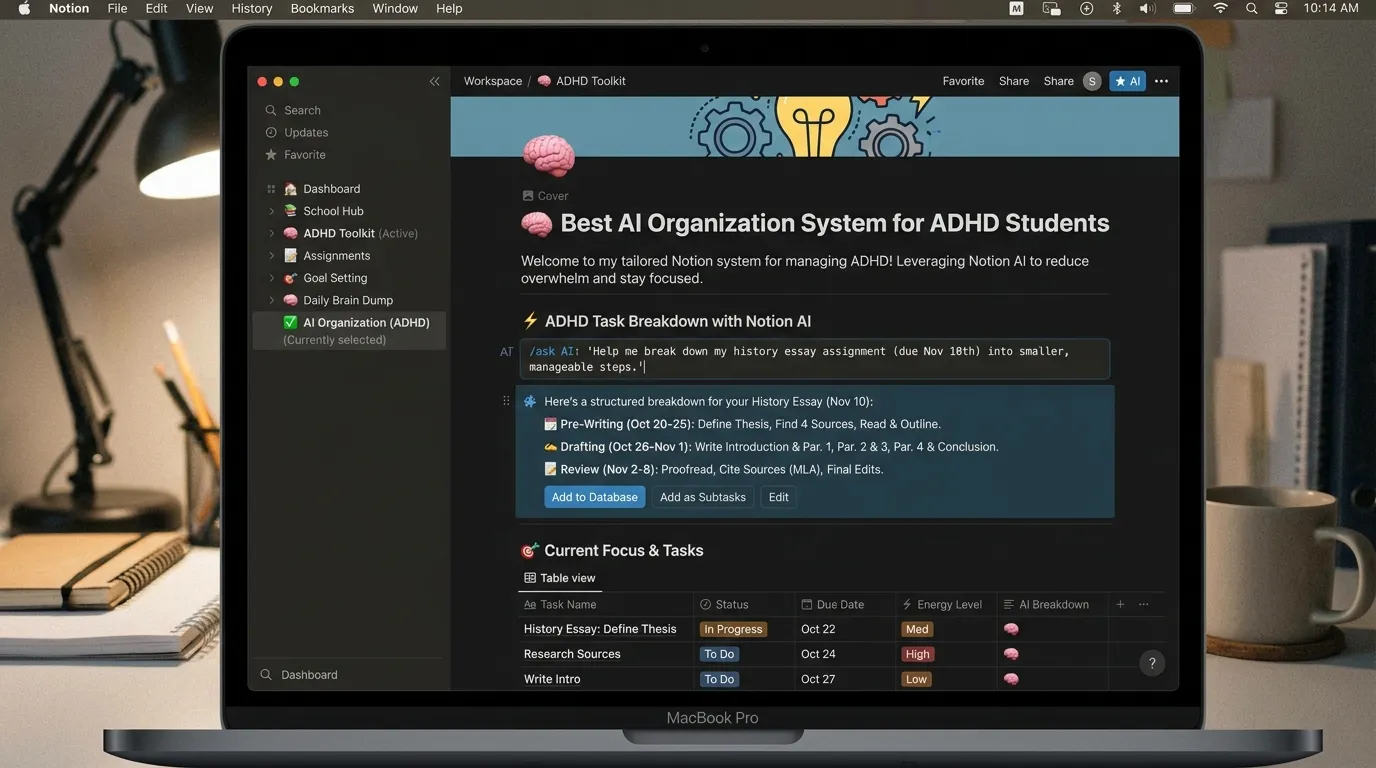
Notion AI is useful for ADHD students who need one place to organize classes, assignments, deadlines, notes, projects, and routines. The biggest ADHD benefit is structure. A student can create dashboards for weekly tasks, class notes, exam dates, reading lists, and project steps. Notion AI can summarize notes, rewrite unclear text, create checklists, and turn rough ideas into organized pages.
The challenge for ADHD students is that organization systems can become too complicated. A beautiful dashboard is useless if the student does not open it. We recommend keeping Notion simple: one weekly page, one assignment tracker, one notes area, and one “today” checklist. AI should reduce friction, not create another system to maintain.
A useful Notion AI workflow is: paste lecture notes, ask for a short summary, generate five review questions, then add the next study task to a checklist. This keeps the system connected to action rather than becoming a storage box for forgotten notes.
7. Quizlet AI Features: Best for Short, Repeatable Study Sessions
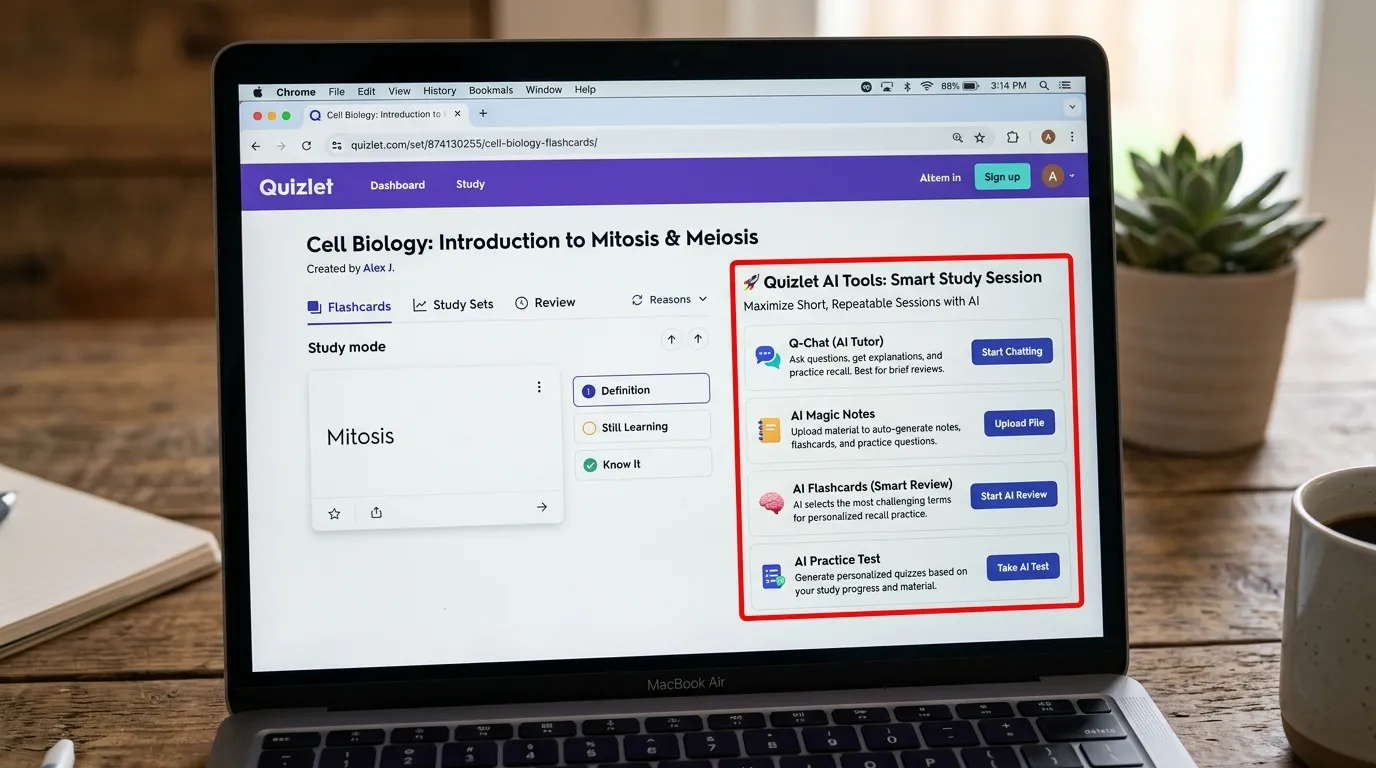
Quizlet and similar flashcard tools are useful for ADHD students because they support short, repeatable study sessions. ADHD students often do better with focused bursts than long, open-ended study blocks. Flashcards, practice tests, matching games, and quick review modes can make studying feel more manageable.
The main ADHD advantage is momentum. A student who cannot face a two-hour study session may still be able to do five minutes of flashcards. Once they begin, it is often easier to continue. AI-supported study tools can also generate flashcards from notes, which reduces the boring setup work that often prevents students from starting.
We recommend flashcard tools for vocabulary, science terms, history dates, formulas, definitions, and language learning. They are less effective for deep essay writing or complex problem-solving unless paired with explanation and practice.
8. Google Gemini and Microsoft Copilot: Best Everyday AI Productivity Tools for Students
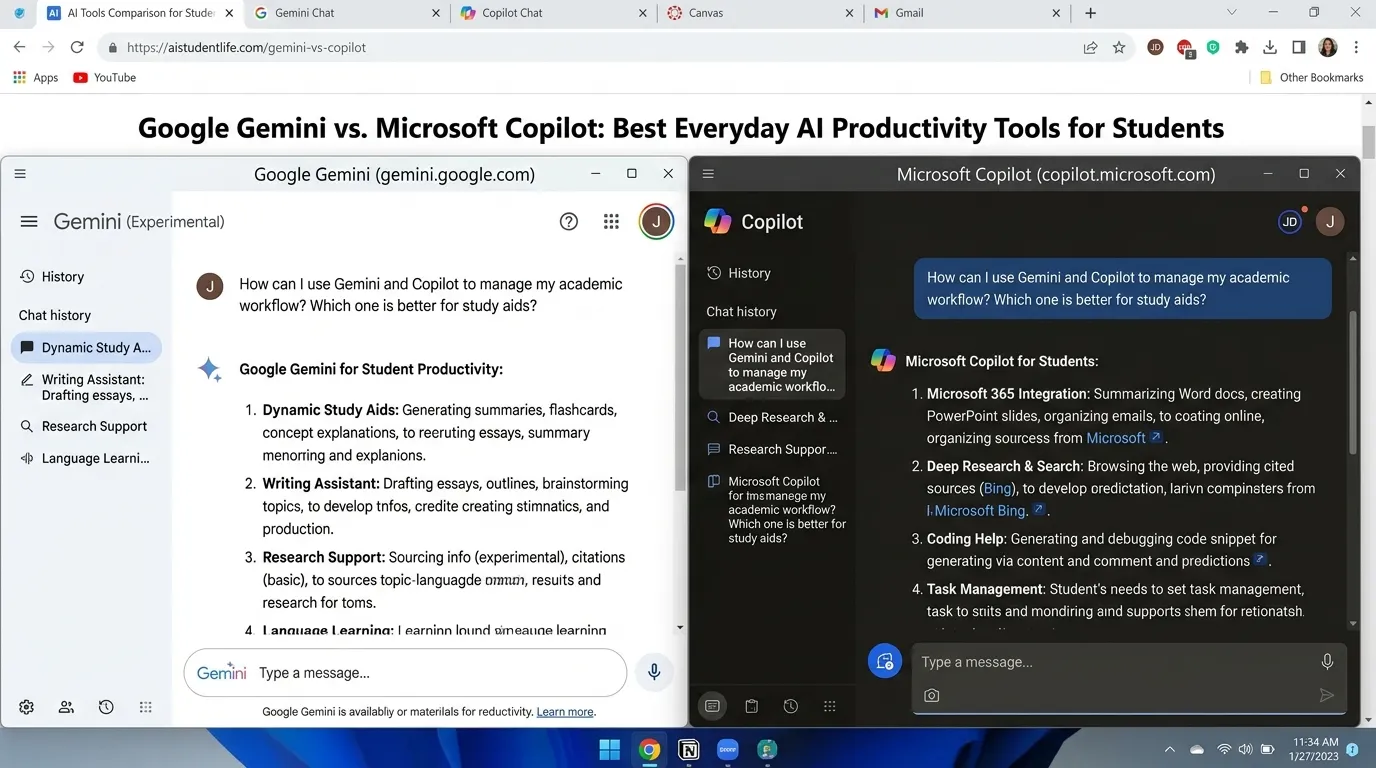
Google Gemini and Microsoft Copilot are useful because many students already work inside Google Docs, Gmail, Microsoft Word, PowerPoint, Excel, Teams, or OneNote. These tools can help summarize notes, draft outlines, rewrite paragraphs, plan projects, and create presentation content. For ADHD students, having AI inside familiar tools can reduce switching between apps, which is important because app-switching can become a distraction trap.
These tools are best for everyday school productivity. A student can ask for a summary of notes, a checklist for a project, a cleaner version of a paragraph, or a presentation outline. The key is to use AI to support thinking, not replace learning. Teachers and students should also follow school policies on AI use.
We recommend these tools for students who already use Google Workspace or Microsoft 365. They are especially helpful for writing support, note cleanup, email drafting, and organizing class material.
9. Otter.ai and AI Note Takers: Best for Lecture Notes and Working Memory Support
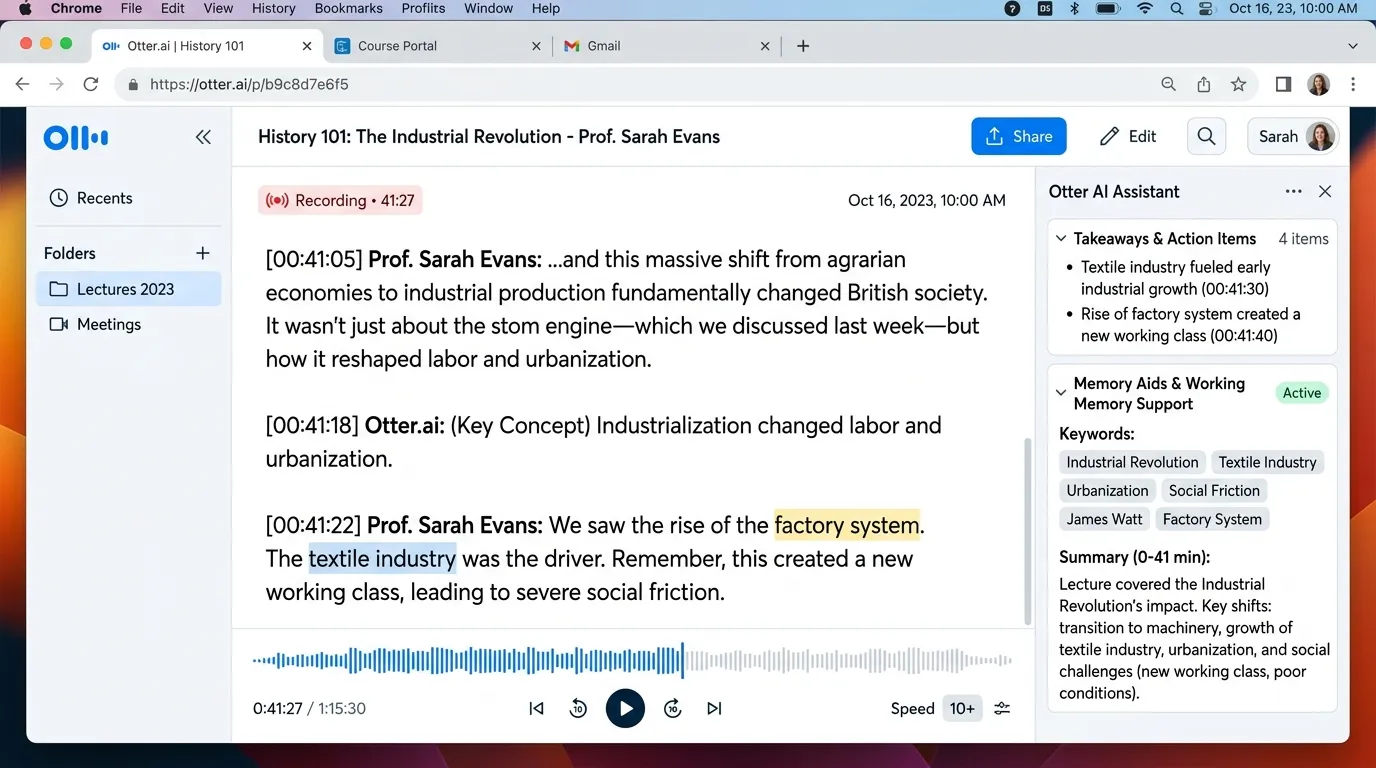
AI note takers can help ADHD students who struggle to listen, write, and process information at the same time. In class, a student may understand the teacher while listening but lose details when trying to take notes. AI note-taking tools can record, transcribe, summarize, and organize spoken information, reducing the pressure on working memory.
This does not mean students should stop paying attention. The best use is to combine listening with later review. After class, students can read the summary, highlight key points, and turn the transcript into flashcards or questions. AI note tools are especially helpful for college lectures, online classes, meetings, tutoring sessions, and group projects.
Students should always check school rules and local privacy laws before recording classes or other people. In many settings, permission is required.
10. Speechify and Text-to-Speech Tools: Best for Reading Support
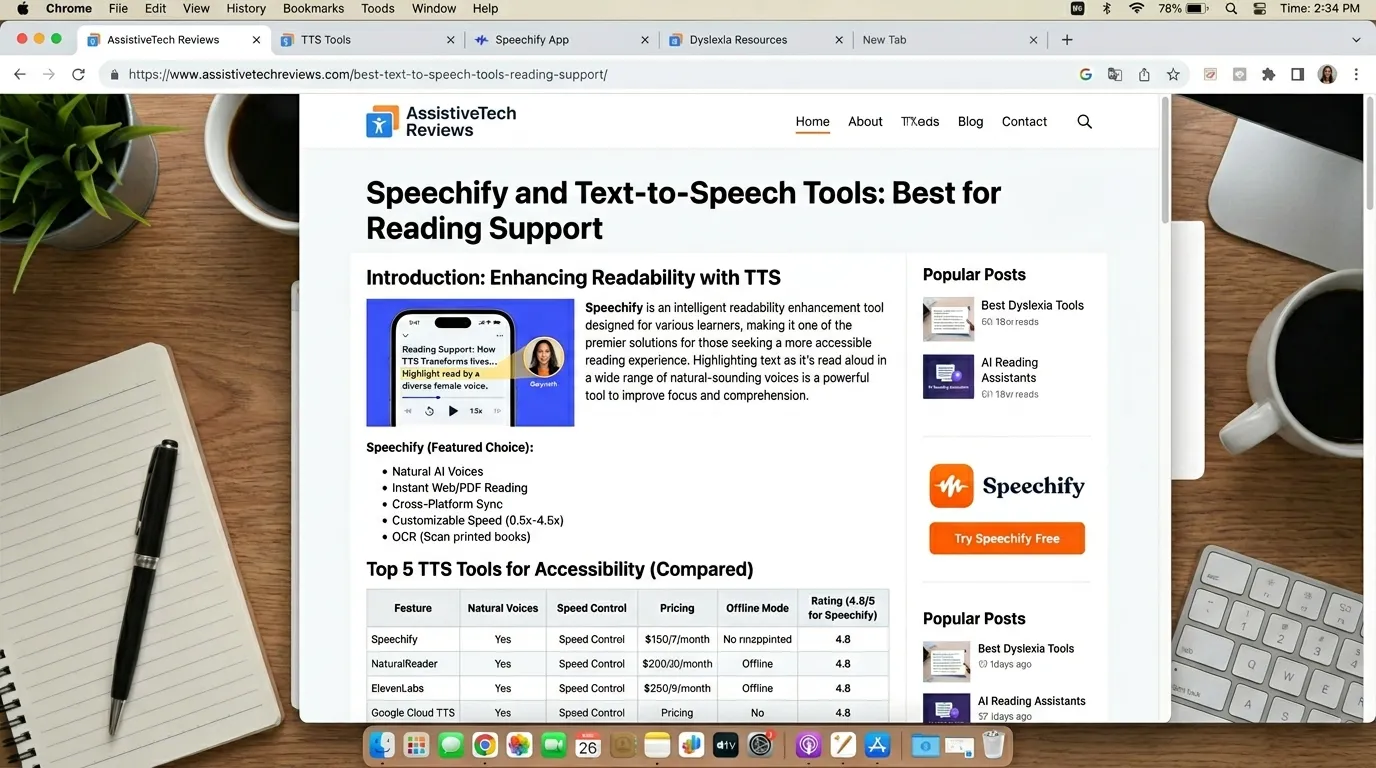
Text-to-speech tools are useful for ADHD students who struggle with long reading assignments. Listening to text can make reading less tiring and more engaging. Some students focus better when they read along while listening. Others use audio while walking, commuting, or doing light movement, which can help with attention.
Text-to-speech tools work especially well for textbook chapters, articles, essays, research sources, and long instructions. They can also help students catch errors in their own writing by hearing the text read aloud. For ADHD students who lose focus while reading silently, audio can provide another pathway into the material.
We recommend pairing text-to-speech with active study. Students should pause after each section, write one sentence about what they understood, and generate a few review questions. Listening alone is helpful, but listening plus recall is stronger.
Best AI Prompts for ADHD Students
| ADHD Challenge | Prompt to Use |
|---|---|
| Task feels overwhelming | “Break this assignment into steps that take 10 minutes or less.” |
| Hard to start | “Give me one tiny first step I can do in 5 minutes.” |
| Time blindness | “Create a realistic study schedule with breaks and buffer time.” |
| Forgetting instructions | “Rewrite these instructions as a simple checklist.” |
| Boring study material | “Turn these notes into a quiz with one question at a time.” |
| Essay planning | “Help me create an outline, but do not write the essay for me.” |
| Emotional frustration | “Help me make a calm restart plan for this task.” |
| Exam prep | “Make a 7-day revision plan using active recall and short sessions.” |
How Teachers Can Use AI to Support ADHD Students
Teachers can use AI to create clearer instructions, differentiated materials, chunked lessons, practice questions, visual summaries, rubrics, and personalized review activities. SchoolAI’s ADHD article emphasizes that teachers guide the AI experience while tools support chunking and attention-span differences. (SchoolAI) This is the right model: AI should help teachers support students, not remove teacher judgment.
A teacher might take a long worksheet and ask AI to create a simplified version with fewer instructions per page. They might turn a 45-minute lesson into three shorter learning blocks. They might create extension tasks for fast finishers and scaffolded tasks for students who need more support. AI can also help generate reminders, exit tickets, and quick comprehension checks.
The best teacher use of AI is practical and specific. Instead of asking, “Make this ADHD-friendly,” teachers can ask, “Rewrite these instructions at a 6th-grade reading level, divide them into numbered steps, add a checklist, and include one example.”
How Parents Can Use AI to Help ADHD Students at Home
Parents can use AI to create homework routines, morning checklists, bedtime routines, study plans, chore breakdowns, and calm scripts for difficult moments. Many ADHD struggles at home are not caused by laziness; they come from executive function overload. AI can help by making routines visible, predictable, and easier to start.
For example, instead of saying “clean your room,” a parent can ask AI to create a five-step room-cleaning checklist for a child with ADHD. Instead of arguing over homework, a parent can ask for a 25-minute plan with two short breaks. Instead of writing a long message to a teacher, a parent can ask AI to help draft a clear email about accommodations or homework struggles.
AI works best when it reduces shame. The goal is not to control the student. The goal is to create support around the student so tasks feel less impossible.
Safety, Privacy, and Responsible AI Use for ADHD Students
AI tools can be helpful, but they must be used responsibly. Students should not paste private school records, medical information, addresses, passwords, or sensitive personal details into random tools. Parents and teachers should check privacy policies, school rules, and age requirements before using AI with children.
AI can also make mistakes. It may give incorrect facts, weak study advice, or answers that sound confident but are wrong. This is especially important in health-related topics. ADHD support should be guided by qualified professionals when symptoms, medication, diagnosis, therapy, or accommodations are involved. AI can support organization and learning, but it should not replace doctors, psychologists, special education teams, or school counselors.
The safest approach is simple: use AI for structure, practice, summaries, and planning. Use humans for judgment, care, diagnosis, and important decisions.
Final Recommendation
The best AI tools for ADHD students in 2026 depend on the student’s biggest challenge. For classroom personalization, SchoolAI is one of the strongest teacher-guided options. For task breakdown and study planning, ChatGPT and Goblin Tools are highly useful. For exam prep, Studley AI and flashcard tools are strong choices. For ADHD-specific guidance, Understood Assistant is helpful. For organization, Notion AI can work well when kept simple. For lectures and reading, AI note takers and text-to-speech tools can reduce working-memory pressure.
The winning strategy is not to use every tool. We should build a small ADHD-friendly system: one tool for planning, one for studying, one for notes, and one for reading support. AI is most helpful when it makes the next step easier, smaller, and clearer.
Conclusion
AI tools can make school more manageable for ADHD students by turning overwhelming tasks into structured steps. They can help students start faster, study actively, remember instructions, manage time, and recover when they feel stuck. The best tools do not replace effort or support; they create scaffolding around the student so effort has somewhere to go.
In 2026, ADHD students, parents, and teachers have more options than ever. The key is to choose tools that support executive function, reduce overwhelm, and encourage independence. Used wisely, AI can become a practical learning companion: not a shortcut, not a cure, but a helpful bridge between intention and action.
FAQs
1. What is the best AI tool for ADHD students?
The best AI tool depends on the need. SchoolAI is strong for classroom personalization, ChatGPT is best for flexible study planning and task breakdown, Goblin Tools is excellent for executive function support, and Studley AI is useful for quizzes, flashcards, and exam prep.
2. Can AI help students with ADHD focus?
AI can help support focus by breaking tasks into smaller steps, creating timed study plans, simplifying instructions, generating reminders, and turning boring material into quizzes or flashcards. It does not cure ADHD, but it can reduce friction and make studying easier to start.
3. Is it safe for ADHD students to use AI tools?
AI tools can be safe when students, parents, and teachers use trusted platforms, avoid sharing sensitive personal data, follow school policies, and review AI-generated content carefully. Medical or diagnostic questions should always be handled by qualified professionals.
4. How can teachers use AI for ADHD students?
Teachers can use AI to create chunked lessons, simplified instructions, visual summaries, checklists, differentiated assignments, practice questions, and personalized review activities. The best approach keeps the teacher in control while AI supports preparation and personalization.
5. What AI prompt helps ADHD students start homework?
A useful prompt is: “I have ADHD and this homework feels overwhelming. Break it into small steps. Give me only the first three steps, each taking less than 10 minutes, and tell me exactly what to do first.”