
Best AI Tools for Political Science Students in 2026
Quick Summary
- The best AI tools for political science students help with research papers, policy briefs, lecture notes, debate prep, citations, news analysis, comparative politics, and exam revision.
- AI is useful for summarizing and organizing political information, but students must check sources, bias, facts, and context carefully.
- A strong political science AI toolkit includes one AI tutor, one source-based research tool, one note-taking tool, one citation manager, one fact-checking workflow, and one writing assistant.
Political science looks simple from the outside. “You just study politics, right?” Not exactly. Political science students deal with political theory, constitutions, public policy, international relations, comparative politics, political economy, elections, institutions, ideology, diplomacy, governance, human rights, and sometimes statistics too. Fun? Yes. Light reading? Absolutely not.
That is why the best AI tools for political science students are becoming so useful in 2026. These tools can summarize journal articles, explain theories, compare political systems, help draft policy briefs, organize notes, prepare debate arguments, check claims, and turn long readings into revision material.
What is an AI tool for political science students?
An AI tool for political science students is software that uses artificial intelligence to support tasks like research, note-taking, policy analysis, political theory explanation, citation management, news monitoring, and exam preparation.
Which AI tool is best for political science students?
For most students, ChatGPT is the best starting point because it can explain concepts, compare theories, create essay outlines, and help practice arguments. For source-based research, Perplexity, Elicit, Consensus, NotebookLM, Zotero, and Google Scholar are better choices.
Can political science students use AI ethically?
Yes. AI can be used ethically for brainstorming, summarizing, outlining, checking clarity, and creating study questions. It should not be used to invent citations, fake evidence, write full assignments without disclosure, or spread political misinformation. UNESCO’s guidance on generative AI in education says AI should support human learning and judgment, not replace them. (UNESCO)
What Are AI Tools for Political Science Students?
AI tools for political science students are apps, chatbots, research assistants, note-takers, citation managers, writing tools, and data tools that help students study politics more efficiently.
They can help with:
- Political theory
- Comparative politics
- International relations
- Public policy
- Governance
- Political economy
- Election analysis
- Constitutional law basics
- Human rights research
- Public administration
- Policy briefs
- Literature reviews
- Debate preparation
- News analysis
- Citation management
- Academic writing
A normal search engine gives you links. An AI research tool can summarize a report, compare arguments, and help you ask better questions. A note-taking AI can turn a long lecture into organized revision notes. A citation tool can save your sources before your bibliography becomes a disaster zone.
But political science has one big challenge: bias. Politics is not neutral territory. Every claim may have a source, context, ideology, method, and counterargument. AI can help, but it can also simplify complex debates too much.
So, the goal is not to let AI “decide” what is true. The goal is to use AI to organize information, then use your own political judgment to evaluate it.
Why Political Science Students Need AI Tools
Political science students need AI tools because the subject involves heavy reading, source comparison, argument building, and current information. A single assignment may require academic books, journal articles, think tank reports, news sources, government data, and lecture notes.
AI helps students manage that workload.
AI helps political science students with:
- Research paper planning
- Policy brief writing
- Literature review summaries
- Political theory comparison
- Debate argument mapping
- News and election analysis
- Citation organization
- Lecture note summaries
- Exam revision
- Fact-checking workflows
- Stakeholder analysis
- Public policy evaluation
AI is especially useful because political science requires comparing different perspectives. For example, a student may need to compare realism and liberalism in international relations, or Marxist and pluralist views of power, or presidential and parliamentary systems.
AI can create a table quickly. But the student still needs to decide whether the comparison is accurate and nuanced.
Pew Research Center has reported strong public concern about AI’s influence on elections and misinformation, including concern across political groups during the 2024 U.S. presidential campaign. That matters for political science students because AI is now part of the political environment they study, not just a study tool. (Pew Research Center)
Best AI Tools for Political Science Students in 2026
1. ChatGPT — Best Overall AI Tutor for Political Science
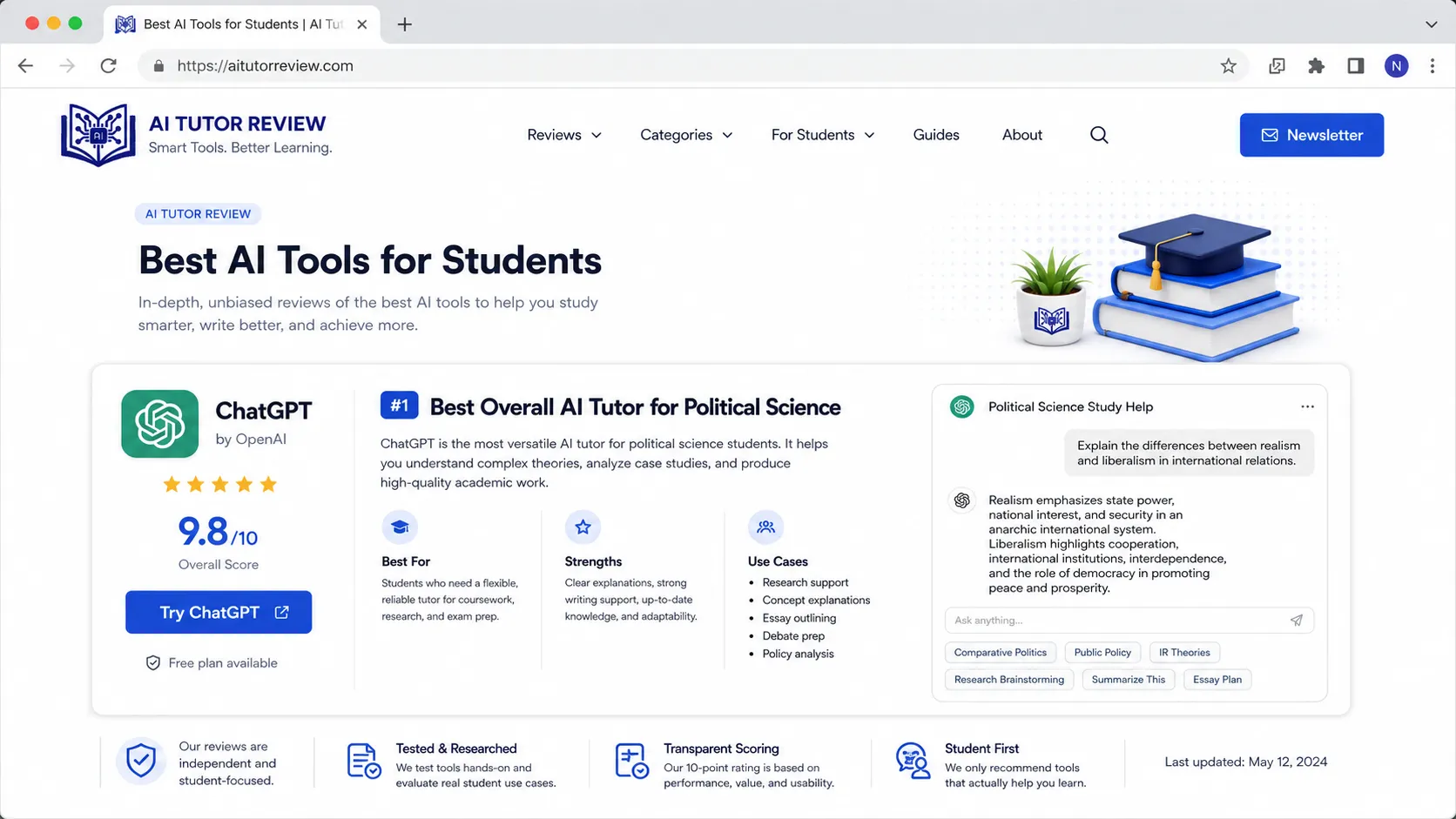
ChatGPT is one of the best AI tools for political science students because it can explain theories, compare political systems, generate essay outlines, create debate arguments, and simplify complex readings.
Best for
- Political theory explanations
- Essay outlines
- Debate preparation
- Policy brief structure
- Exam practice
- Comparing ideologies
- Summarizing concepts
- Explaining international relations theories
- Creating revision questions
- Simplifying dense text
Example prompt
Explain realism, liberalism, and constructivism in international relations. Use a simple table with assumptions, key thinkers, strengths, weaknesses, and one real-world example for each.
Why it helps
Political science readings can be abstract. ChatGPT can turn formal theory into clearer language.
For example, instead of saying:
Realism assumes an anarchic international system in which states prioritize survival.
It can explain:
Realism sees world politics like a neighborhood with no police force. Every state must protect itself because there is no world government strong enough to guarantee safety.
That explanation is easier to remember.
Weak point
ChatGPT can oversimplify political debates or give weak citations. Never trust it as your final source. Use it to understand, then verify with academic books, journal articles, official reports, and your course material.
Students who want a broader AI study approach can also read how students can use ChatGPT for study.
2. NotebookLM — Best for Political Science Lecture Notes and PDFs
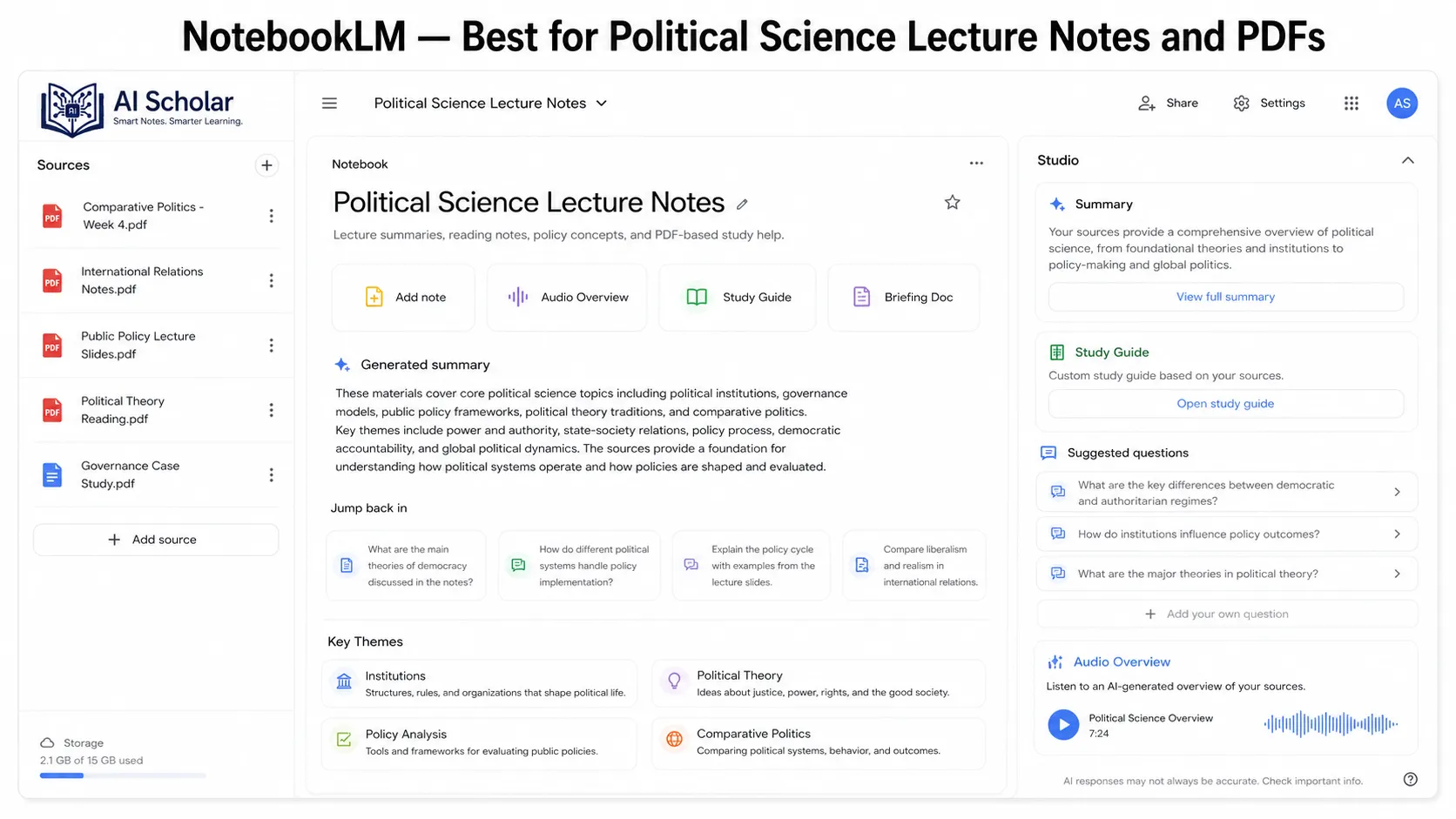
NotebookLM is excellent for students who want to study from their own material. You can upload lecture slides, class notes, research papers, policy reports, or book chapters and ask questions based on those sources.
Best for
- Summarizing political science PDFs
- Reviewing lecture notes
- Creating study guides
- Comparing assigned readings
- Preparing for exams
- Asking questions from class material
- Making policy brief notes
Example use
Upload your lecture slides on democracy and authoritarianism, then ask:
Create a revision guide from these notes. Include key definitions, theorists, examples, criticisms, and 15 exam questions.
Why it helps
Many AI tools answer from general knowledge. NotebookLM is useful because it focuses on the sources you provide. That helps your study output match your actual course.
This is very useful when your professor has a specific interpretation of a theory or expects certain readings to be used in exams.
Weak point
NotebookLM depends on your uploaded sources. If your notes are incomplete, it may not cover everything. It also should not replace reading the original text.
For students who study from recorded lectures or political documentaries, this guide on how to take notes from YouTube lectures using AI is also useful.
3. Perplexity — Best for Source-Based Political Research
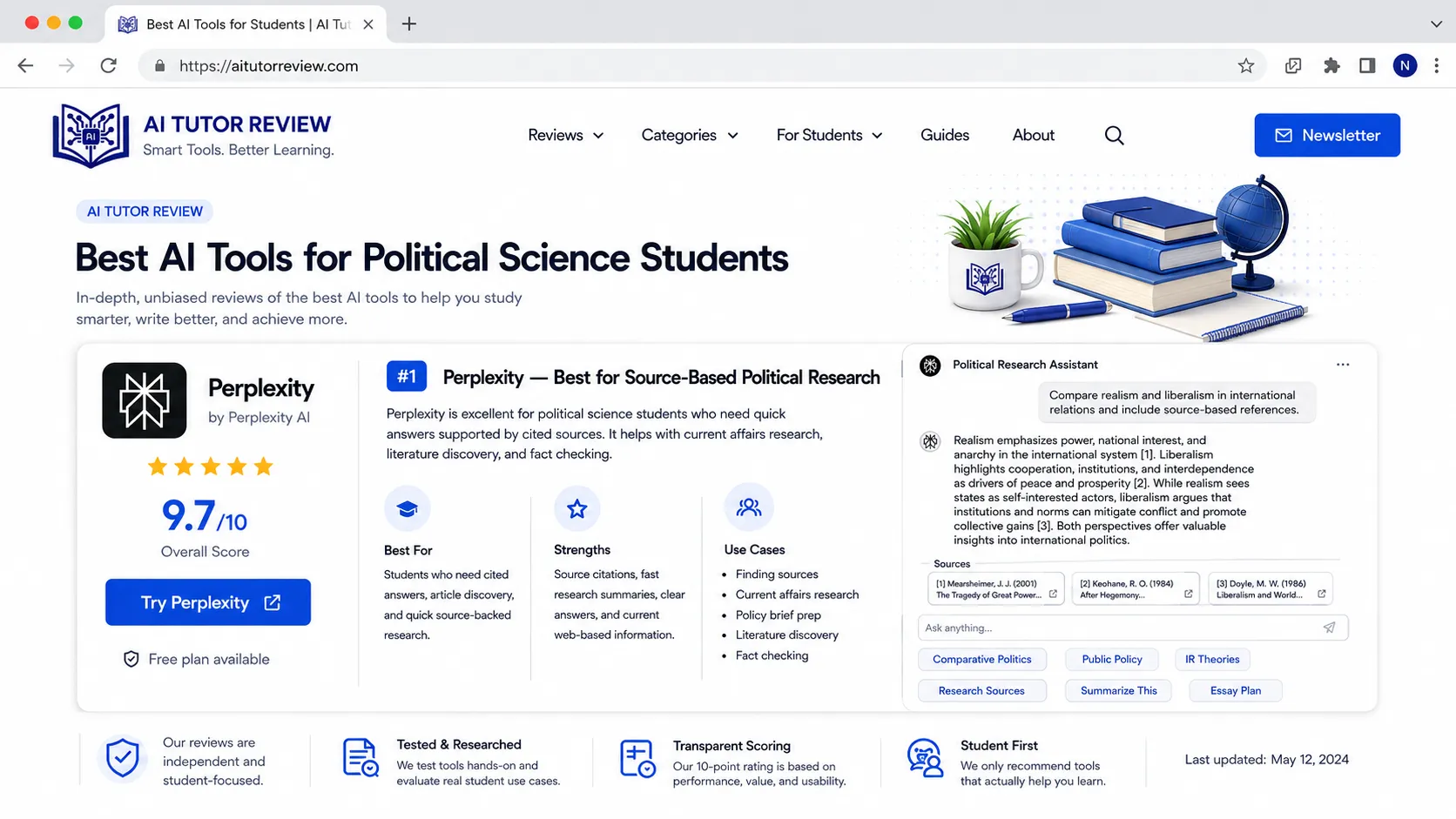
Perplexity is useful for political science students because it gives AI-generated answers with sources. It can help with current events, political definitions, policy debates, and background research.
Best for
- Source-backed answers
- Current political research
- Comparing policy arguments
- Finding reports
- Exploring political topics
- News background checks
- Understanding unfamiliar terms
Example prompt
Explain the main arguments for and against proportional representation. Use academic or institutional sources where possible.
Why it helps
Political science students often need sources, not just explanations. Perplexity can help you find starting points faster than scrolling through random search results.
It is especially helpful for topics like:
- Electoral systems
- Public policy
- International organizations
- Democracy indexes
- Climate politics
- Migration policy
- Political polarization
- Human rights reports
Weak point
A cited answer is not automatically correct. Open the sources. Check date, author, institution, and whether the source has a clear political bias.
4. Elicit — Best for Political Science Literature Reviews
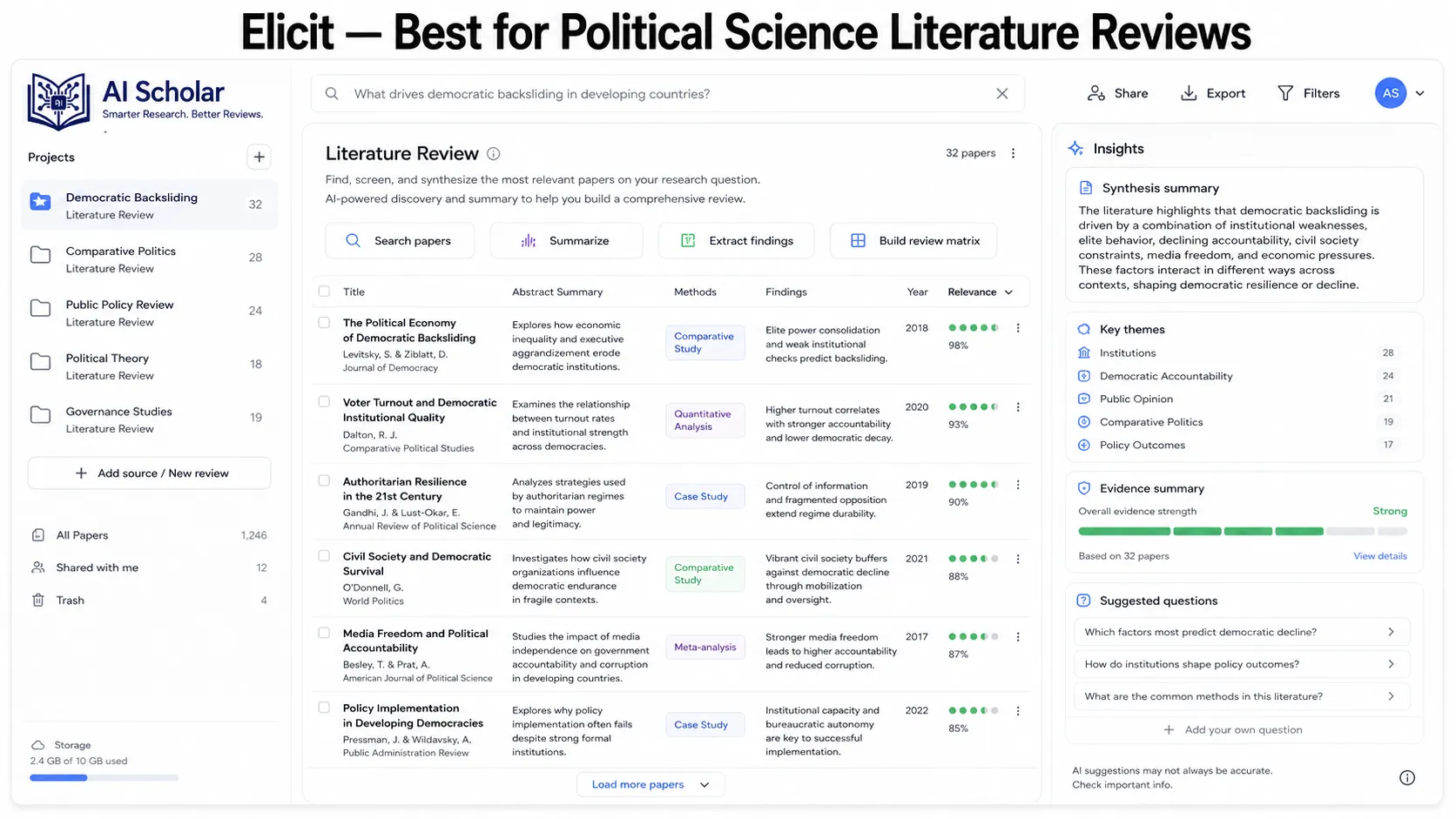
Elicit is a strong research assistant for students writing literature reviews, thesis proposals, or research papers. It helps find academic papers and summarize their key details.
Best for
- Literature reviews
- Research question planning
- Finding journal articles
- Comparing studies
- Identifying methods
- Summarizing findings
- Thesis preparation
Example prompt
Find academic papers on the relationship between social media use and political polarization. Summarize the research question, method, sample, findings, and limitations.
Why it helps
Political science research often involves long articles with abstract, theory, literature review, methodology, results, and discussion sections. Elicit helps students understand the structure faster.
It can help you spot:
- Main argument
- Research design
- Dataset
- Methodology
- Findings
- Limitations
- Future research gaps
Weak point
Never cite an AI summary without reading the paper. Political science arguments depend on nuance, method, and context.
5. Zotero — Best for Citations and Research Organization
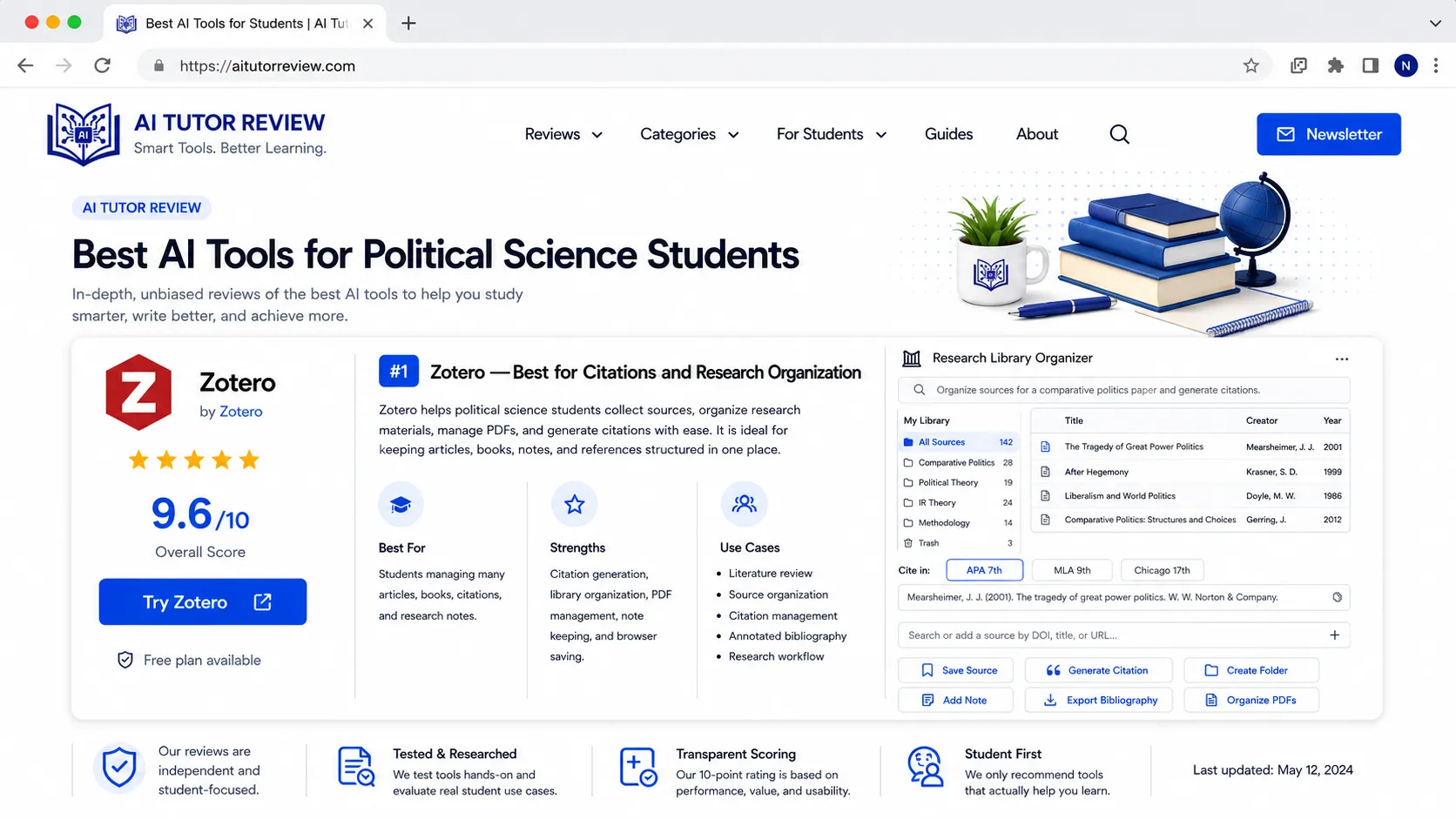
Zotero is one of the most useful tools for political science students. It helps collect, organize, and cite sources.
Best for
- Academic citations
- Bibliography management
- Research folders
- PDF organization
- Literature reviews
- Thesis writing
- APA, MLA, Chicago, and Harvard styles
Why it helps
Political science assignments often require many sources. Without a citation manager, your sources can quickly become a mess.
Zotero helps you save:
- Journal articles
- Books
- News articles
- Policy reports
- Government documents
- Think tank publications
- NGO reports
Student tip
Create folders like:
- Political theory
- Comparative politics
- International relations
- Public policy
- Human rights
- Research methods
- Thesis sources
Weak point
Citation tools can make mistakes. Always check the final bibliography format before submission.
6. Google Scholar — Best for Academic Political Science Sources
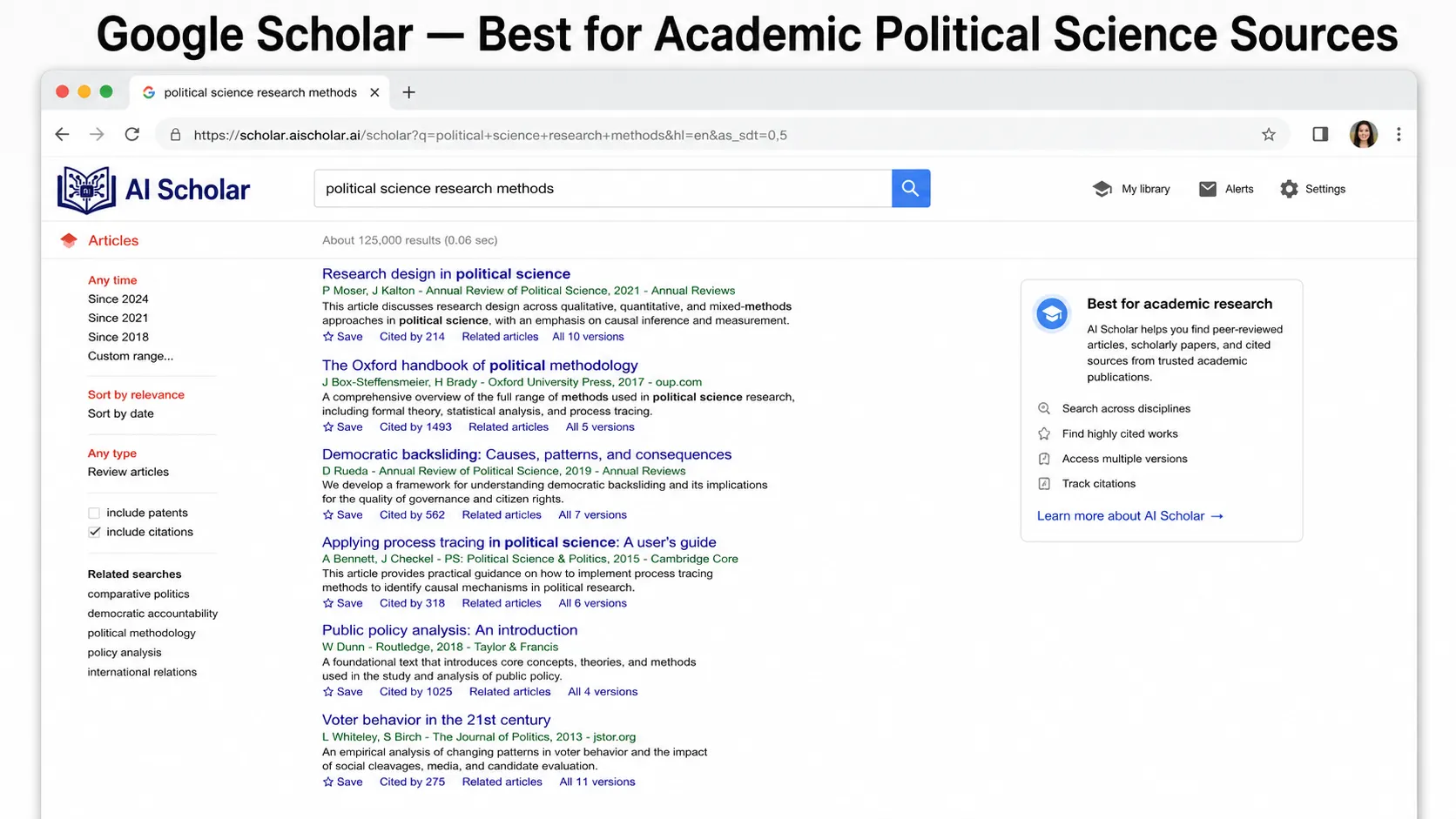
Google Scholar is not a typical AI tool, but it is essential for political science research. It helps students find scholarly articles, books, citations, and related research.
Best for
- Journal articles
- Academic books
- Citation tracking
- Related papers
- Literature review sources
- Finding authors and theories
Why it helps
Political science students should not rely only on blogs or news articles. Google Scholar helps you find stronger academic material.
Best use
Search with combinations like:
- “democratic backsliding” “social media”
- “electoral systems” “party fragmentation”
- “public policy implementation” “developing countries”
- “realism liberalism constructivism international relations”
- “political participation youth turnout”
Weak point
Google Scholar may show paywalled content. Use your university library, open-access versions, or institutional databases when possible.
7. Consensus — Best for Evidence-Based Political Questions
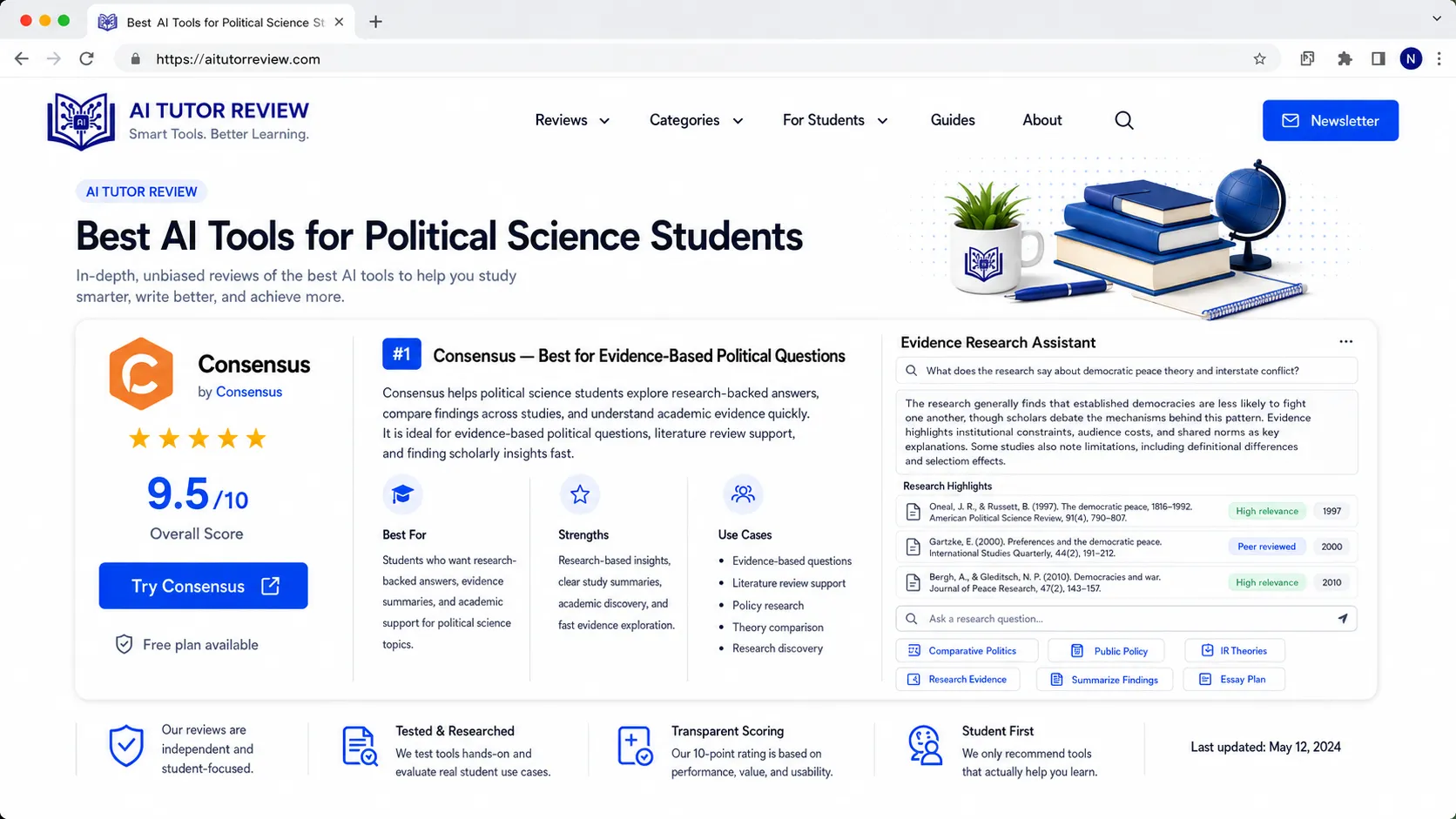
Consensus helps users find research-backed answers from academic papers. It is useful for questions where you need evidence rather than opinion.
Best for
- Evidence-based research
- Policy questions
- Social science studies
- Literature review starting points
- Academic claim checking
- Research summaries
Example question
Does ranked-choice voting increase voter satisfaction?
Why it helps
Political science students often face claims that sound true but need evidence. Consensus can help find studies related to those claims.
Weak point
Not every political question has one clear answer. Sometimes the evidence is mixed, context-specific, or method-dependent.
8. Claude — Best for Long Political Readings and Theory Comparison
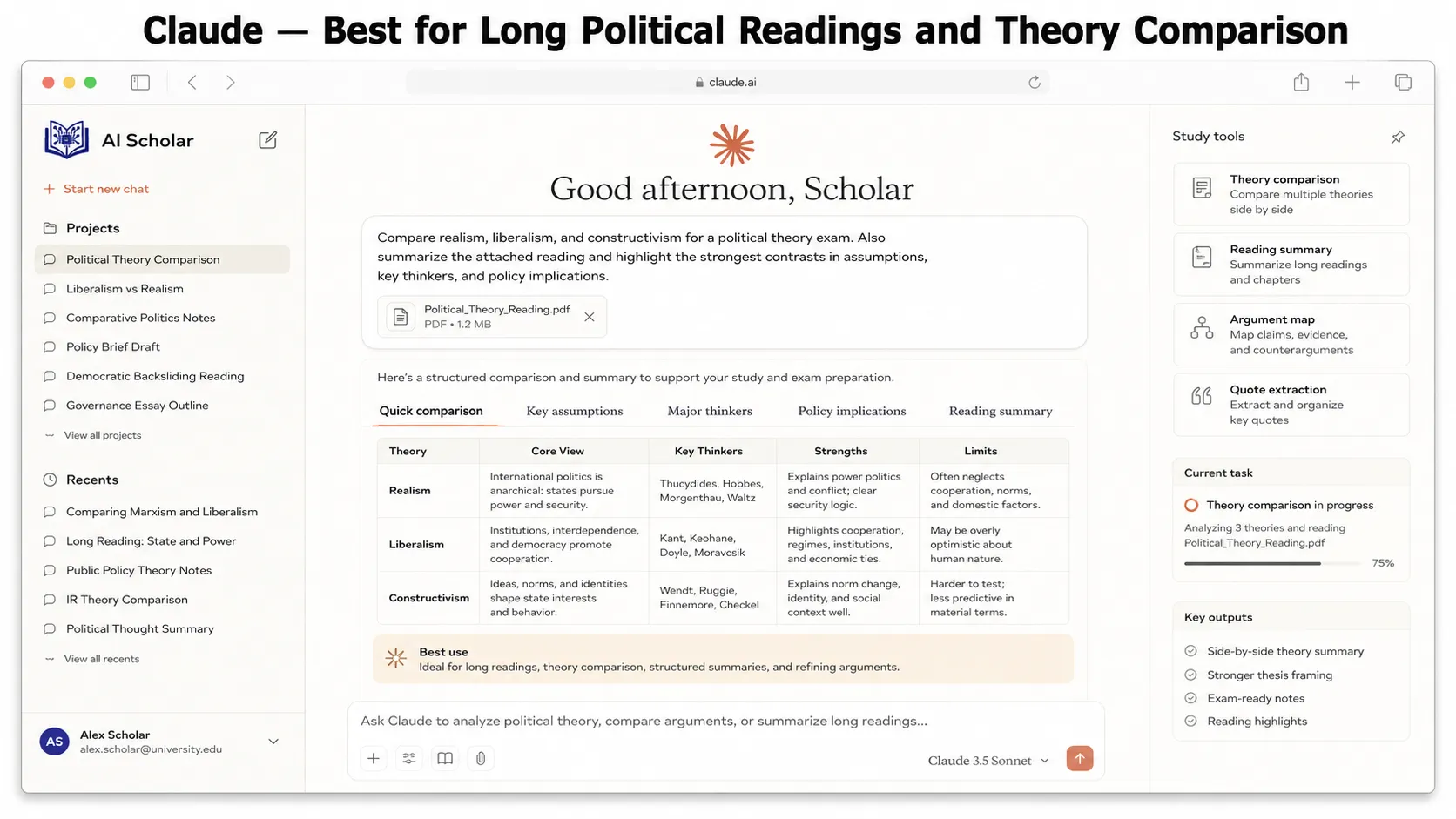
Claude is useful for working with long documents, dense theory, and structured writing tasks. It can help summarize political theory chapters, compare arguments, or create outlines for essays.
Best for
- Long document summaries
- Political theory comparison
- Essay planning
- Policy brief drafts
- Reading comprehension
- Debate preparation
- Ethical analysis
- Argument mapping
Example prompt
Compare Hobbes, Locke, and Rousseau on the social contract. Use a table with human nature, state of nature, role of government, freedom, and criticism.
Why it helps
Political theory can be difficult because authors use old language, abstract ideas, and long arguments. Claude can help break those into simpler parts.
Weak point
It can still make unsupported claims. Use it for understanding and structure, not for final authority.
Students doing deeper research can also read how to use Claude AI for study and research.
9. Mindgrasp — Best for Turning Political Science Notes Into Quizzes
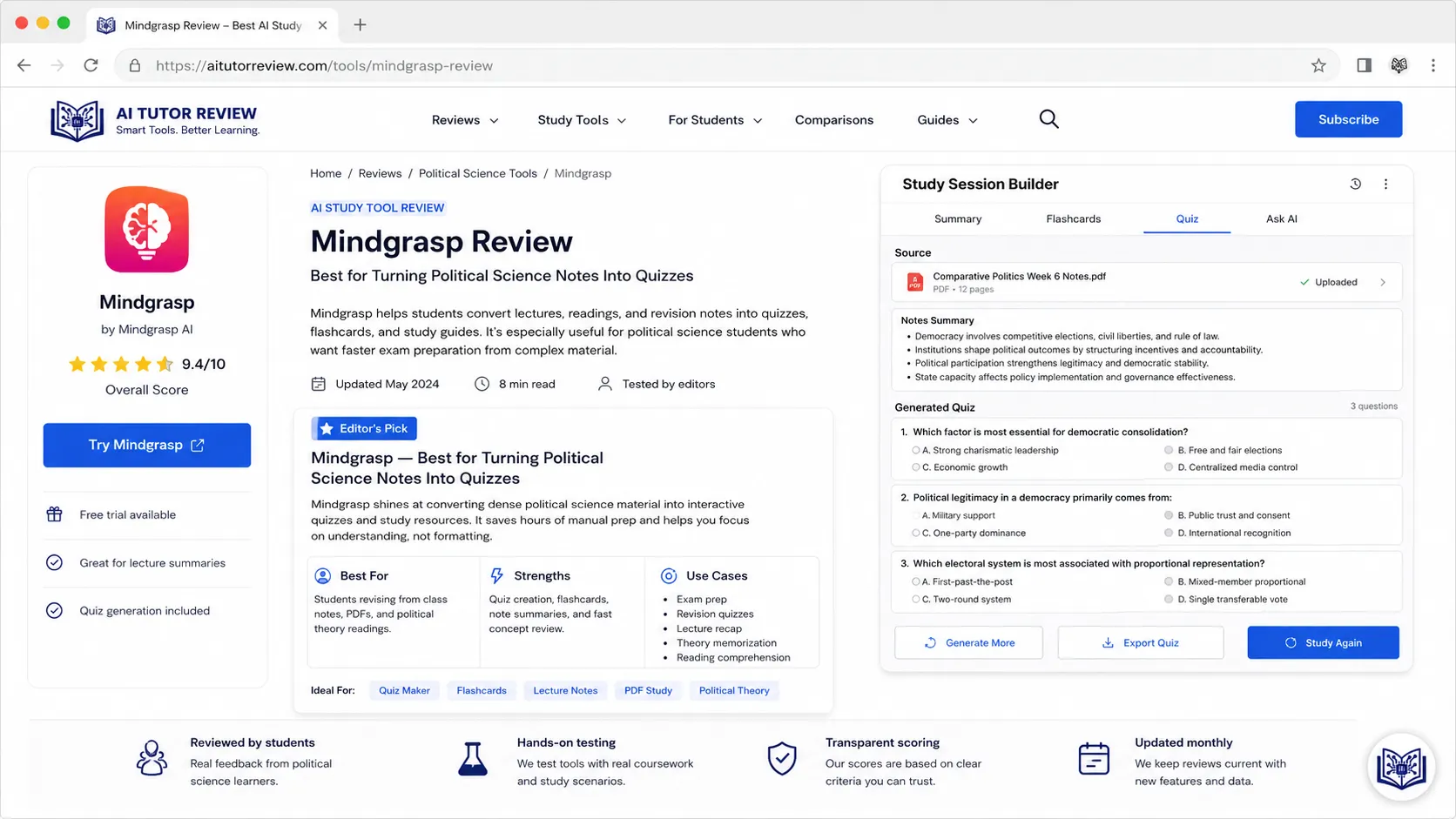
Mindgrasp helps turn notes, PDFs, videos, and readings into summaries, flashcards, quizzes, and study guides.
Best for
- Lecture summaries
- Flashcards
- Practice quizzes
- Exam revision
- Reading summaries
- Study guides
- Key term review
Why it helps
Political science has many terms students must remember:
- Sovereignty
- Legitimacy
- Federalism
- Separation of powers
- Civil society
- Electoral systems
- Soft power
- Hard power
- Political socialization
- Bureaucracy
- Policy cycle
- Democratic consolidation
Mindgrasp can turn these into flashcards and quizzes, which helps with active recall.
Weak point
AI-generated quizzes can be too basic. Ask for multiple levels: beginner, intermediate, and exam-style.
Students who like this method can also use how to convert notes into flashcards.
10. Otter.ai — Best for Lecture and Seminar Transcription
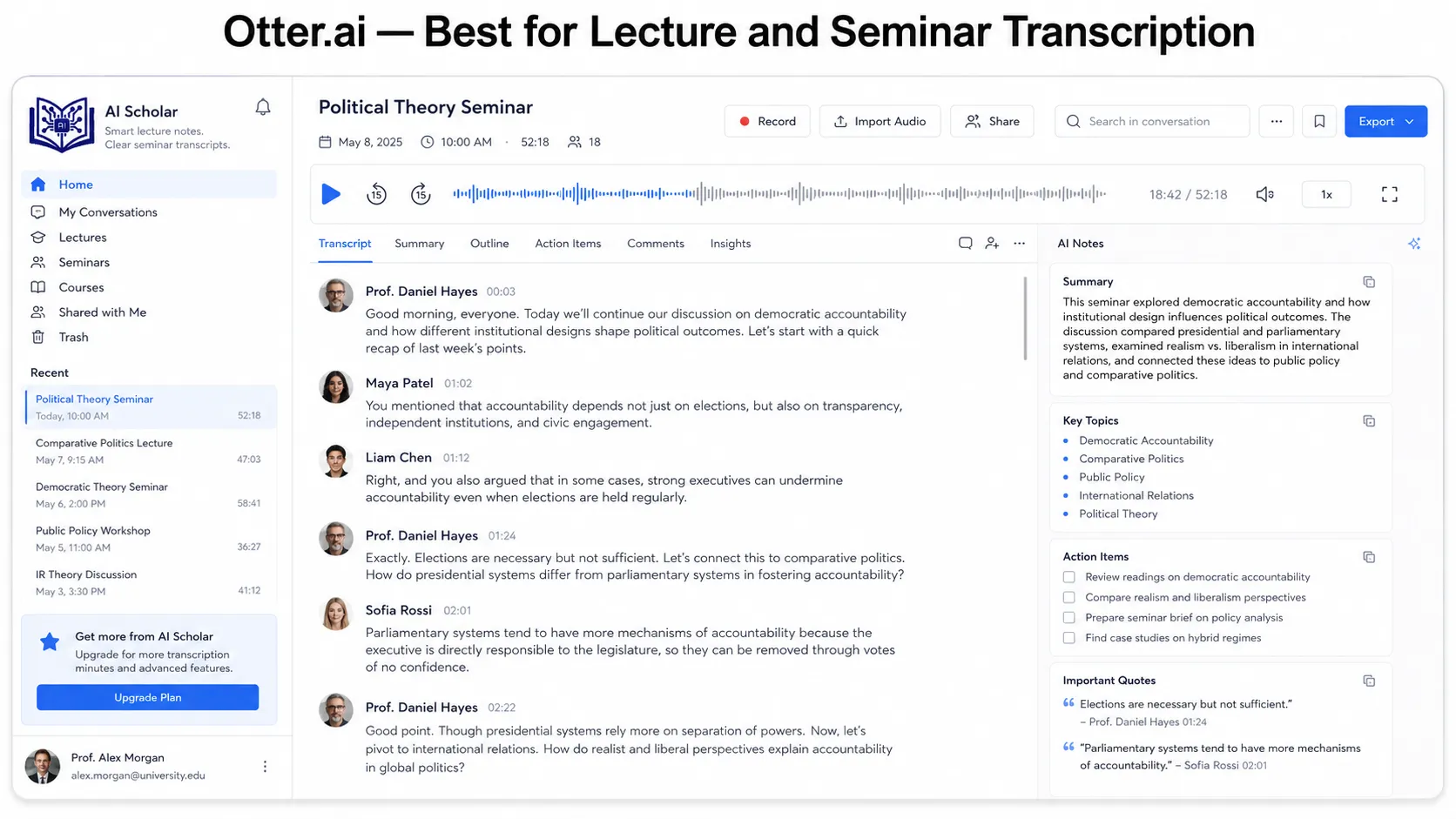
Otter.ai can record and transcribe lectures, seminars, interviews, and study group discussions.
Best for
- Lecture transcription
- Seminar notes
- Study group summaries
- Interview transcripts
- Revision notes
- Discussion review
Why it helps
Political science lectures often include names, dates, cases, theories, and examples. Missing one point can make the whole argument confusing.
A transcript helps you review later and turn spoken content into organized notes.
Important warning
Always get permission before recording lectures, interviews, or group discussions. This matters even more if the discussion includes political opinions or personal experiences.
Weak point
Transcripts can contain errors, especially with names, accents, political terms, and foreign policy vocabulary. Always review them.
11. Grammarly — Best for Political Science Essay Clarity
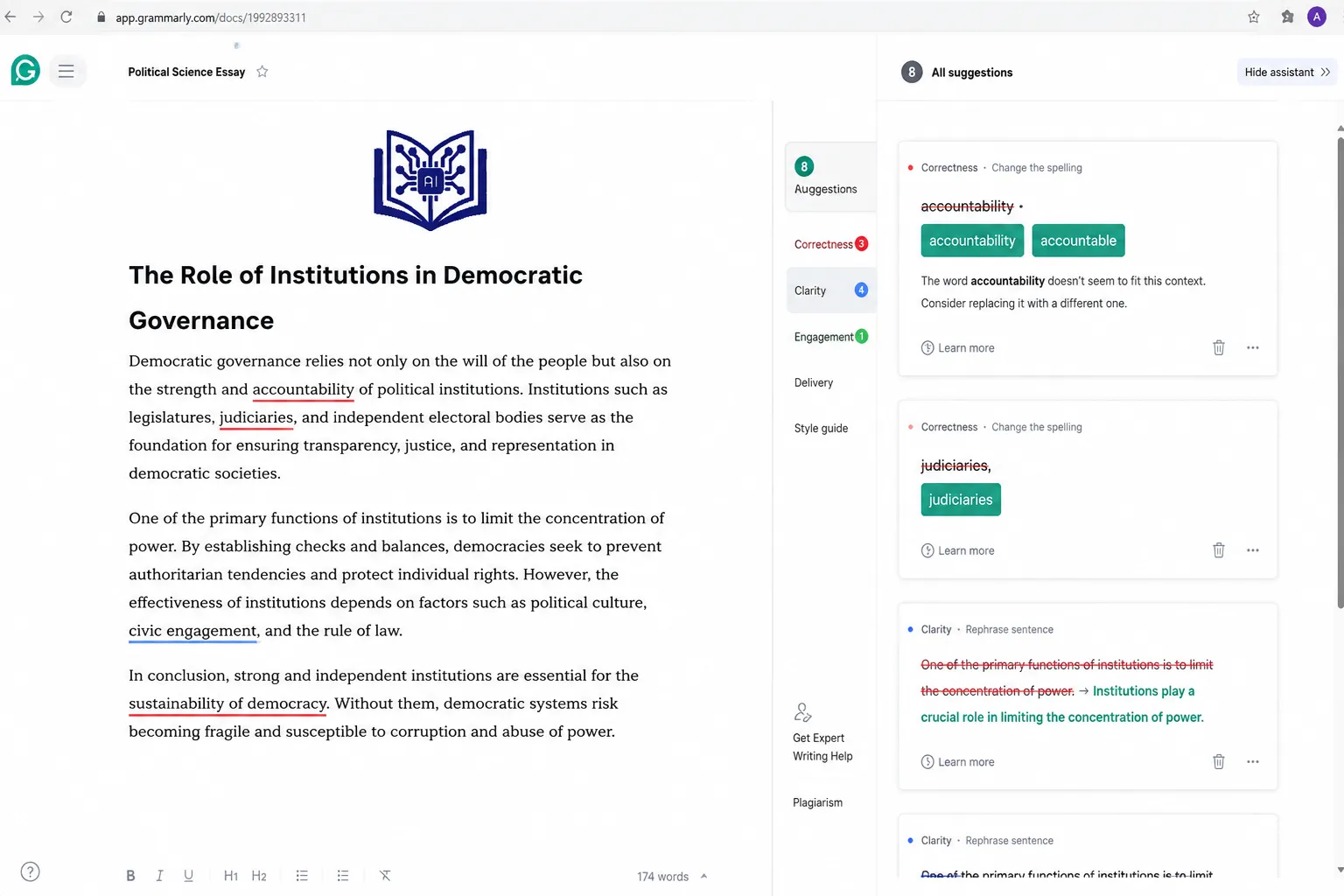
Grammarly helps improve grammar, clarity, tone, and sentence structure. This is useful for essays, policy briefs, research papers, and debate notes.
Best for
- Essay editing
- Policy brief clarity
- Grammar correction
- Academic tone
- Reducing wordiness
- Argument flow
- Email writing
Why it helps
Political science writing should be clear and careful. A strong argument can look weak if the writing is messy.
Weak sentence:
The government system is not good because it makes many problems in society and people don’t like it.
Better sentence:
The system faces criticism because it can weaken accountability and reduce public trust.
Clearer. Stronger. Less painful for your professor.
Weak point
Do not let grammar tools change your meaning. Political words can be sensitive. “Regime,” “government,” “state,” and “nation” do not always mean the same thing.
12. Notion AI — Best for Organizing Political Science Projects
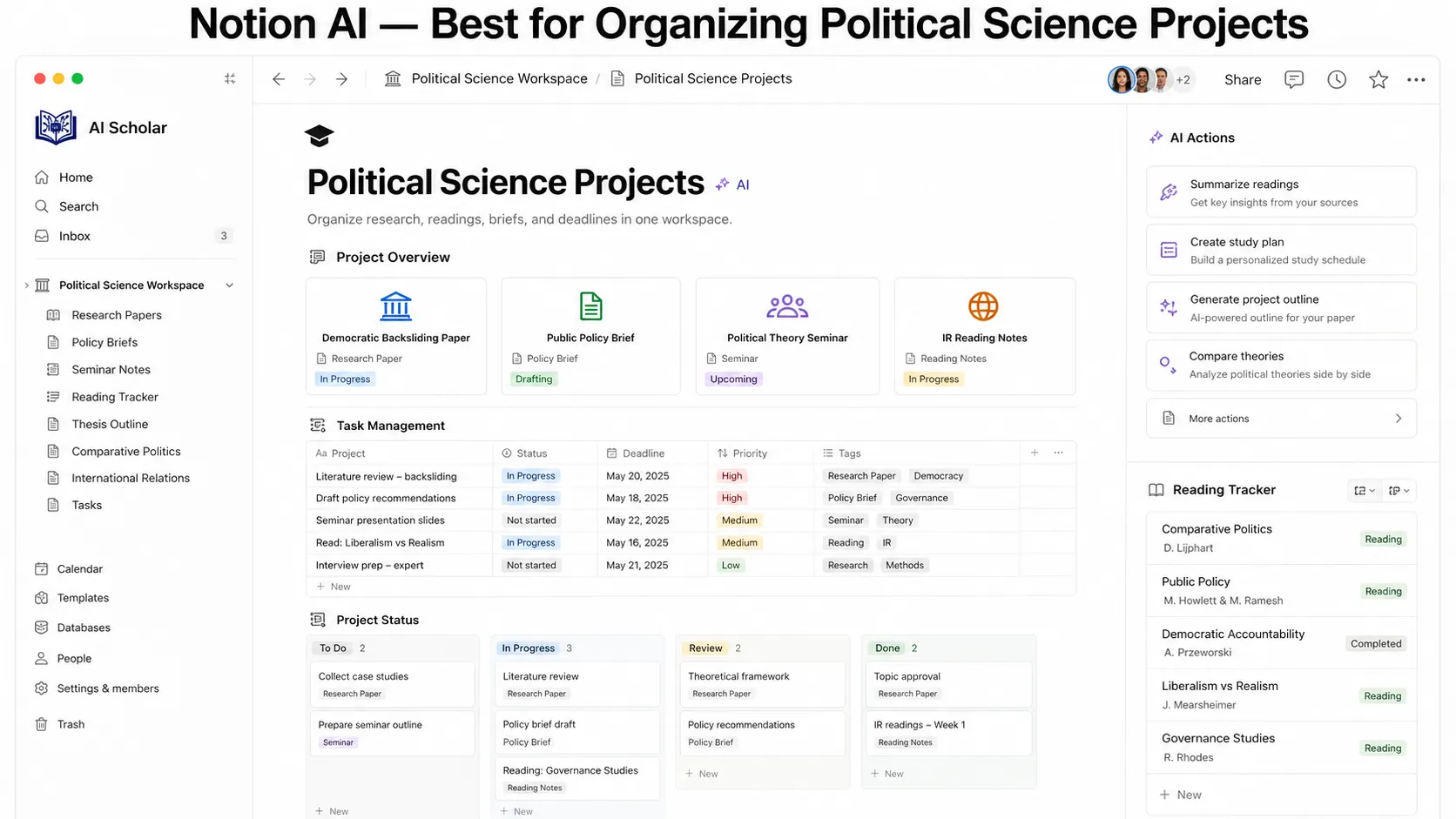
Notion AI helps organize notes, research, deadlines, readings, and project plans.
Best for
- Reading lists
- Essay planning
- Research databases
- Policy brief outlines
- Study schedules
- Class notes
- Exam revision boards
Why it helps
Political science students often handle many readings at once. Notion AI helps create a structured workspace.
Example workspace
Create pages for:
- Weekly readings
- Lecture notes
- Key theorists
- Research paper sources
- Essay outlines
- Policy brief drafts
- Debate arguments
- Exam questions
Weak point
Too much organization can become procrastination. A perfect Notion dashboard is not the same as studying.
13. Feedly AI — Best for Political News Monitoring
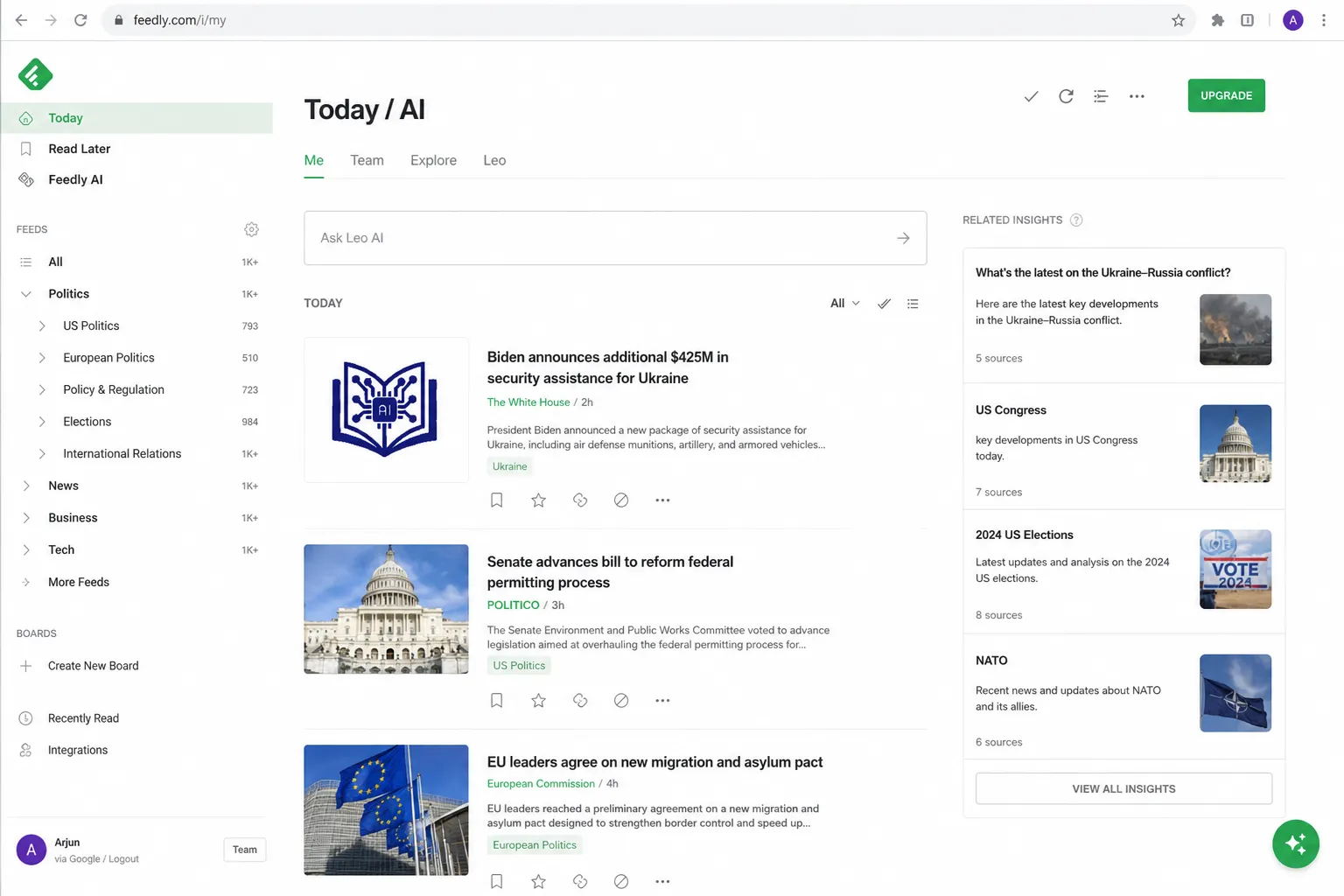
Feedly helps track news, policy updates, think tank reports, and topic-based feeds. For political science students, this is useful for current affairs and policy monitoring.
Best for
- News tracking
- Policy updates
- Think tank reports
- International relations monitoring
- Election news
- Public policy topics
- Current affairs research
Why it helps
Political science changes daily. A student writing about elections, conflict, diplomacy, climate policy, or technology regulation needs updated sources.
Feedly can help track trusted sources instead of relying only on social media feeds.
Weak point
News monitoring can become information overload. Choose a few trusted sources and organize them by topic.
14. Fact-Checking Tools — Best for Political Claims and Misinformation
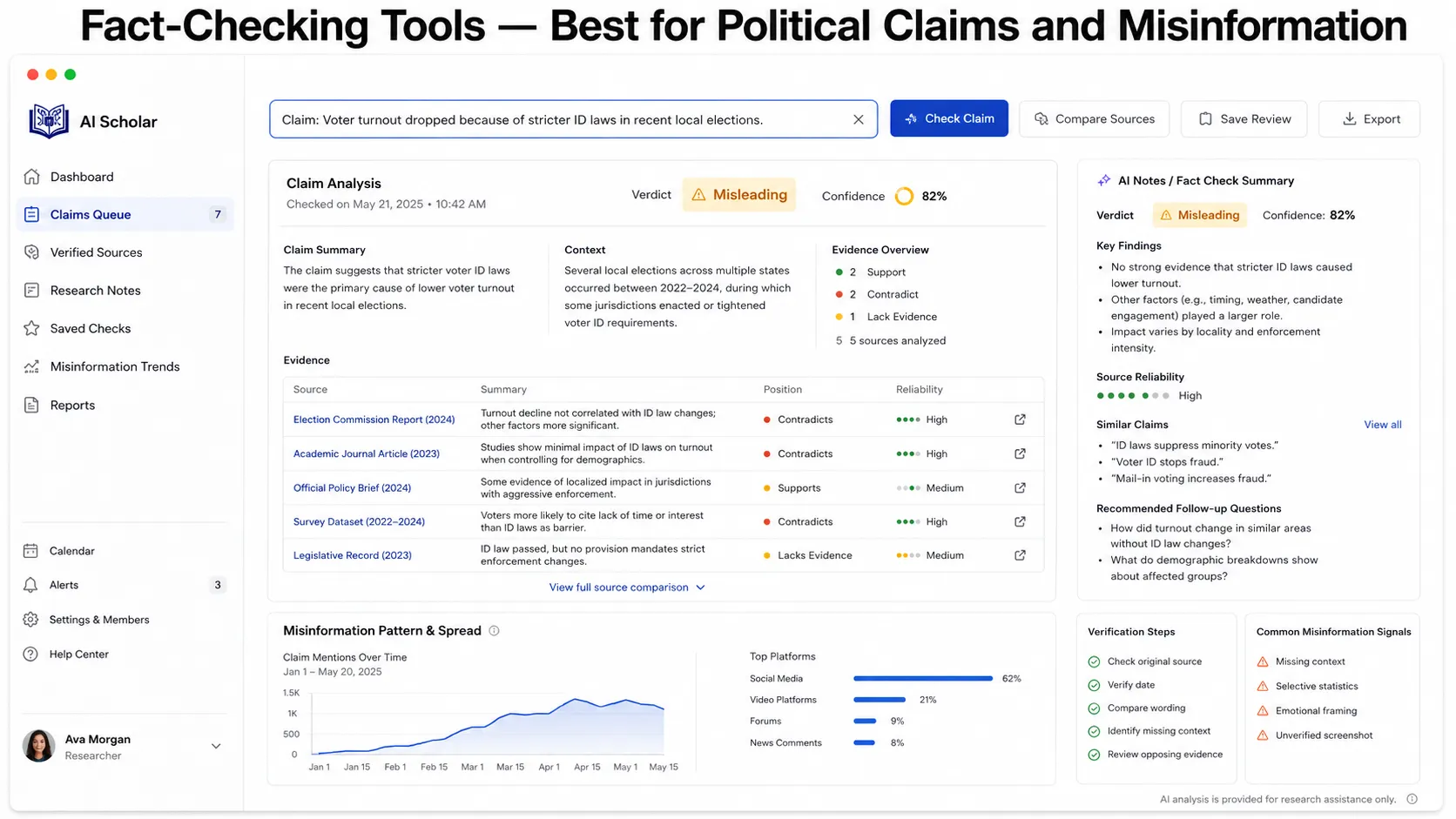
Political science students must learn how to check claims. AI can help collect information, but fact-checking tools and source evaluation are essential.
Useful fact-checking sources include:
- PolitiFact
- FactCheck.org
- Snopes
- Full Fact
- AP Fact Check
- Reuters Fact Check
Best for
- Checking political claims
- Misinformation analysis
- Election-related claims
- Speech verification
- Media literacy
- Debate preparation
Why it helps
Political claims spread fast. AI can repeat false claims if it pulls from bad information or lacks context.
Pew Research Center reported that misinformation at scale is a major concern around AI, with experts noting that AI can increase the speed and scale of misleading content. (Pew Research Center)
Weak point
Fact-checkers also have scope limits. They may not cover every country, local issue, or fresh claim. Use multiple sources when the issue is important.
15. Voyant Tools — Best for Political Text Analysis
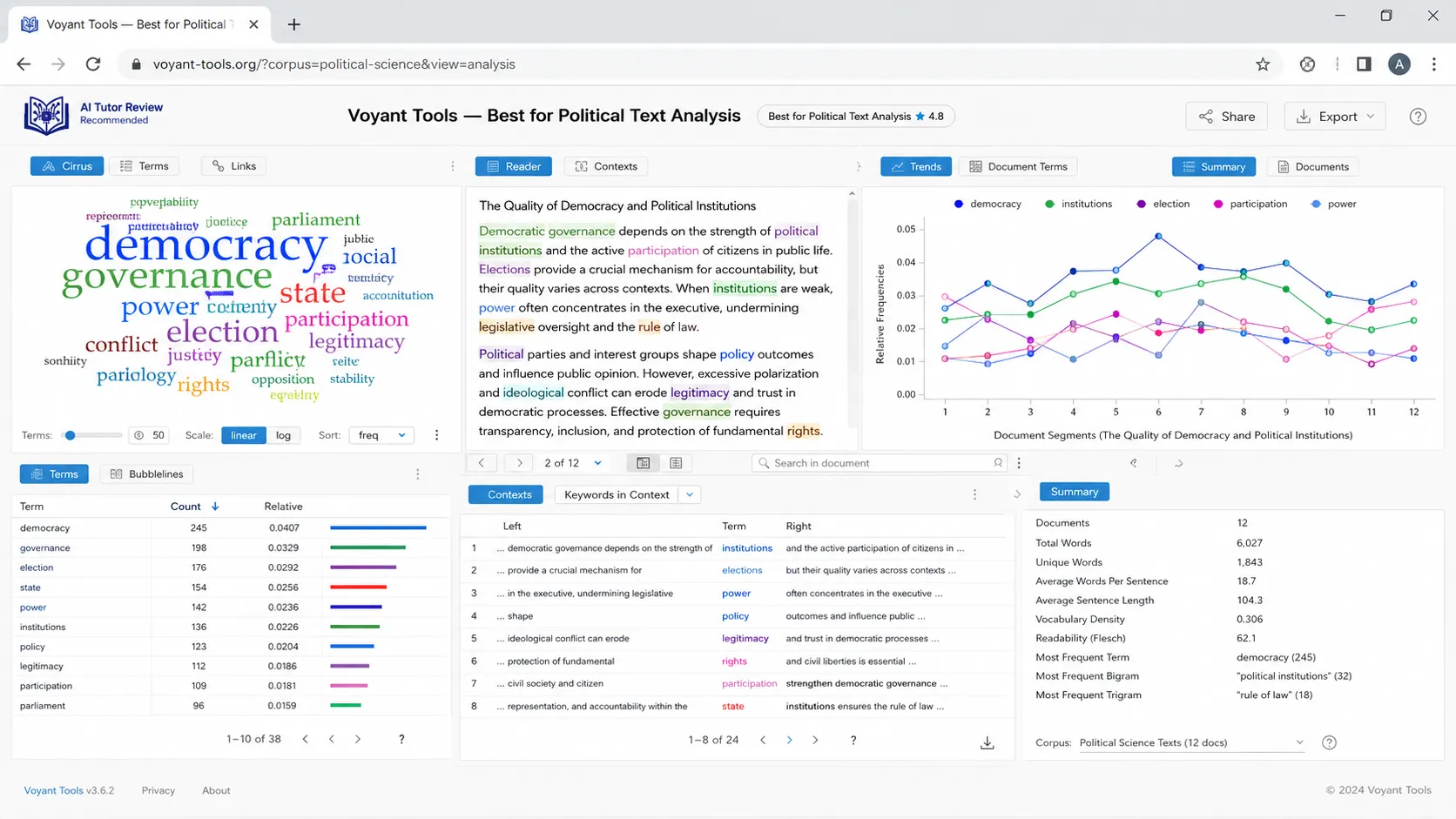
Voyant Tools is useful for students doing text analysis. It can analyze speeches, manifestos, debate transcripts, policy documents, and party platforms.
Best for
- Political discourse analysis
- Speech analysis
- Manifesto comparison
- Word frequency
- Theme discovery
- Text mining basics
- Qualitative research support
Example project
Compare two political speeches and analyze:
- Most frequent words
- Repeated themes
- Tone differences
- Policy focus
- Audience appeal
- Ideological framing
Why it helps
Political science is not only about reading opinions. Text analysis helps students study political communication more systematically.
Weak point
Word frequency does not equal meaning. Context matters. A word may appear often because it is being criticized, supported, or quoted.
How to Use AI for Political Science Without Cheating
AI can help political science students learn faster, but academic honesty matters.
Good uses of AI
Use AI to:
- Explain theories
- Summarize your own notes
- Create essay outlines
- Generate study questions
- Compare arguments
- Improve grammar
- Brainstorm research questions
- Prepare debate points
- Build policy brief structure
- Review your draft for clarity
Bad uses of AI
Avoid using AI to:
- Write full assignments and submit them as your own
- Invent citations
- Fake quotes
- Misrepresent sources
- Create propaganda
- Generate misleading political content
- Hide plagiarism
- Replace required readings
- Ignore your university’s AI policy
A University of Kentucky political science research guide advises students to consult instructors before using AI-generated content in coursework or research. That is practical advice because AI rules vary by class and university. (UK Libraries)
Simple rule
If AI helps you think better, it is a study tool. If AI thinks for you, it becomes a problem.
Best AI Prompts for Political Science Students
Here are practical prompts you can copy and edit.
For political theory
Explain Hobbes, Locke, and Rousseau in simple language. Compare their views on human nature, government, freedom, and social contract.
For comparative politics
Compare presidential and parliamentary systems. Include advantages, disadvantages, examples, and exam-style points.
For international relations
Explain realism, liberalism, and constructivism using one current global issue as an example.
For policy analysis
Create a policy brief outline on reducing youth unemployment. Include problem, background, policy options, stakeholders, trade-offs, and recommendation.
For debate prep
Create arguments for and against lowering the voting age to 16. Include evidence types I should look for and possible rebuttals.
For research papers
Help me create a research question about social media and political polarization. Give me 5 possible variables and 3 possible methods.
For source checking
Evaluate this source for political bias, credibility, author expertise, date, evidence quality, and possible missing perspectives.
For exam revision
Create 20 short-answer exam questions on democracy, authoritarianism, federalism, political parties, and electoral systems. Include model answers.
For literature review
Summarize this article using these headings: research question, theory, method, evidence, findings, limitations, and how it connects to my topic.
How to Choose the Right AI Tool for Political Science
The best tool depends on your task.
If you are a beginner
Start with:
- ChatGPT
- NotebookLM
- Mindgrasp
- Grammarly
- Zotero
Focus on understanding theories, organizing notes, and writing clearly.
If you are writing a research paper
Use:
- Google Scholar
- Elicit
- Consensus
- Zotero
- Perplexity
Focus on sources, methods, citations, and evidence.
If you are preparing for debates
Use:
- ChatGPT
- Claude
- Perplexity
- Fact-checking tools
- Notion AI
Focus on arguments, counterarguments, evidence, and rebuttals.
If you are studying current affairs
Use:
- Perplexity
- Feedly
- Reuters/AP/BBC-style news sources
- Fact-checking sites
- Government or NGO reports
Focus on source quality and date.
If you care about privacy
Be careful with:
- Political opinions
- Interview transcripts
- Personal data
- Activist information
- Survey responses
- Class discussion notes
- Sensitive research data
For safer tool choices, read privacy-first AI tools for students.
AI Study Workflow for Political Science Students
Here is a simple weekly workflow.
Day 1: Understand the topic
Use ChatGPT or Claude to explain the main concept.
Example:
Explain democratic backsliding in simple language with examples and warning signs.
Day 2: Read your assigned material
Use NotebookLM to summarize your lecture notes and readings. Do not skip the original reading.
Day 3: Build a source list
Use Google Scholar, Elicit, and Zotero to collect academic sources.
Day 4: Compare perspectives
Ask AI to create a comparison table, then check it against your readings.
Day 5: Create argument maps
Use AI to list arguments, counterarguments, evidence, and possible objections.
Day 6: Write your draft
Write the essay yourself. Use Grammarly or AI only to improve clarity and structure.
Day 7: Verify everything
Check citations, quotes, dates, claims, and political examples.
Students who want a complete learning routine can also read how to build an AI study system.
“`html
Common Mistakes to Avoid When Using AI
AI can support political science students, but it should be used carefully. Avoid these mistakes to protect your research quality, academic integrity, and political understanding.
Treating AI as politically neutral
AI tools are not perfectly neutral. They can reflect training data, prompt wording, source bias, and platform rules.
- What perspective is missing?
- What assumptions are being made?
- Which groups are affected?
- Is this Western-centric, state-centric, or elite-focused?
- Is there another ideological interpretation?
Using AI-generated citations
AI can invent books, journal articles, authors, page numbers, and quotes. Always verify citations in Google Scholar, your university library, or the original source.
Ignoring dates
Political facts change. Governments change. Laws change. Elections happen. Policies are amended. Use exact dates in your research.
Confusing summary with analysis
A summary says what happened. Analysis explains why it matters.
The party won the election.
AnalysisThe party’s victory may reflect economic dissatisfaction, opposition fragmentation, and higher turnout among younger voters.
Relying on one source
Political science needs multiple perspectives. Use academic sources, official data, credible news, and opposing arguments.
Entering sensitive political data
Do not paste private interviews, activist lists, survey responses, or identifiable political opinions into AI tools without consent and proper privacy protection.
Letting AI write your argument
AI can outline. You must argue. Your professor wants to see your reasoning, not a polished paragraph with no original thought.
Best practice: Use AI as a study assistant, not as your final writer. Always check facts, verify sources, and add your own political analysis.
Mini Project Ideas for Political Science Students
Here are strong project ideas you can build with AI support.
Beginner projects
- Compare presidential and parliamentary systems
- Create a political ideology revision guide
- Analyze one election manifesto
- Summarize a major political theory book chapter
- Build flashcards for key political terms
Intermediate projects
- Compare two countries’ electoral systems
- Analyze voter turnout trends
- Write a policy brief on education reform
- Track media framing of one political issue
- Compare foreign policy strategies of two states
Advanced projects
- Study democratic backsliding indicators
- Analyze speeches using text analysis
- Compare think tank reports on climate policy
- Build a dataset of election results
- Analyze misinformation during an election campaign
Best project format
For each project, include:
- Research question
- Background
- Sources used
- Method
- Key findings
- Limitations
- Alternative interpretations
- Conclusion
- Bibliography
This structure makes your work look academic, not like random notes pasted from a chatbot.
FAQ
What are the best AI tools for political science students?
The best AI tools for political science students include ChatGPT, NotebookLM, Perplexity, Elicit, Zotero, Google Scholar, Consensus, Claude, Mindgrasp, Otter.ai, Grammarly, Notion AI, Feedly, fact-checking tools, and Voyant Tools.
Can AI help with political science essays?
Yes. AI can help brainstorm topics, create outlines, explain theories, compare arguments, and improve clarity. Students should write the final essay themselves and verify all sources.
Is ChatGPT good for political science?
ChatGPT is useful for explaining theories, generating study questions, comparing concepts, and preparing debate points. It is not reliable enough for final citations, facts, or current political claims without verification.
Can AI be used for policy analysis?
Yes. AI can help structure policy briefs, identify stakeholders, compare policy options, and list trade-offs. Students must still verify evidence and consider political, legal, economic, and ethical context.
What AI tool is best for political science research papers?
Elicit, Perplexity, Google Scholar, Consensus, and Zotero are strong tools for research papers. Use them to find, organize, and evaluate sources.
Is using AI for political science assignments cheating?
It depends on your course policy. Using AI for brainstorming, outlining, and revision may be allowed. Submitting AI-written work as your own or using fake citations can be considered cheating.
Conclusion
The best AI tools for political science students in 2026 can make research, writing, and exam preparation much easier. ChatGPT helps explain theories. NotebookLM organizes your notes. Perplexity and Elicit support research. Zotero manages citations. Claude helps with long readings. Mindgrasp creates quizzes. Fact-checking tools protect you from weak claims. Voyant Tools helps with text analysis.
But political science needs more than quick answers. It needs evidence, context, history, ideology, source checking, and careful judgment. AI can help you move faster, but it cannot replace your responsibility to think critically.
Use AI as a research assistant, not a political authority. Ask better questions. Compare sources. Check facts. Build arguments. And never forget: in politics, the most confident answer is not always the correct one.
About Prof. Irfan
About Prof. Irfan
Prof. Irfan is an AI in education researcher and former classroom teacher. He helps educators and students integrate AI tools ethically and effectively. His work focuses on practical AI study systems, responsible classroom use, research skills, and career-ready digital learning for modern students.