
Best AI Tools for Digital Marketing Students in 2026
Quick Summary
- The best AI tools for digital marketing students help with SEO, content writing, social media posts, ads, email marketing, analytics, keyword research, and campaign planning.
- Students should learn AI tools as part of a full marketing workflow, not just use them to generate random captions.
- A smart student toolkit includes one AI writing tool, one SEO tool, one design tool, one analytics tool, one email tool, and one project management tool.
Digital marketing is not just posting “Buy Now!” on Facebook and hoping the internet claps. Real digital marketing includes SEO, content strategy, paid ads, analytics, branding, email marketing, customer journeys, landing pages, A/B testing, and conversion tracking.
That’s why the best AI tools for digital marketing students are so useful in 2026. They help students practice real marketing tasks faster: writing ad copy, finding keywords, planning campaigns, designing posts, analyzing data, and building portfolio projects.
What is an AI marketing tool?
An AI marketing tool is software that uses artificial intelligence to help with marketing tasks such as content creation, audience research, SEO, social media scheduling, email writing, ad optimization, and analytics.
Which AI tool is best for digital marketing students?
For most students, ChatGPT is the best starting point because it can help with strategy, copywriting, campaign planning, and learning. But for practical marketing work, students should also learn tools like Canva, Semrush, Surfer SEO, HubSpot, Grammarly, Buffer, Google Analytics, and Jasper.
Will AI replace digital marketers?
AI will not replace good digital marketers, but it will replace weak marketing habits. Students who learn AI, analytics, strategy, and creativity together will have a major advantage.
Salesforce’s State of Marketing report is based on insights from nearly 4,500 marketers and focuses heavily on AI, data, and personalization, which shows how central AI has become in modern marketing teams. (Salesforce) IBM also explains that generative AI can support marketing teams by automating repetitive tasks like product descriptions and customer feedback summaries, helping people focus on higher-value work. (IBM)
What Are AI Tools for Digital Marketing Students?
AI tools for digital marketing students are apps that help learners practice marketing tasks faster and better. These tools can write, design, research, analyze, summarize, predict, and automate.
They can help students with:
- SEO keyword research
- Blog writing
- Social media captions
- Ad copywriting
- Email campaigns
- Landing page ideas
- Competitor research
- Customer personas
- Content calendars
- Analytics reports
- A/B testing ideas
- Marketing presentations
- Portfolio projects
A few years ago, students had to learn each part slowly and manually. That is still useful, but AI gives students a shortcut to practice more. It’s like having a marketing assistant who works fast, never complains, and sometimes confidently gives a terrible idea. So yes, use it — but check it.
Here’s a simple example.
A digital marketing student named Hamza wants to promote a small local bakery. Without AI, he might spend hours thinking of captions, keywords, ad angles, and email ideas. With AI, he can ask for a buyer persona, 20 Instagram captions, a 7-day content plan, Google Ads headlines, and a landing page outline in one study session.
But the real learning starts after that. He must ask: Which idea is actually good? Which one fits the brand? Which one will convert? That judgment is what turns a student into a marketer.
Why Digital Marketing Students Need AI Tools
Digital marketing has become faster, more competitive, and more data-driven. Businesses want marketers who can create content, understand tools, read analytics, and make decisions quickly.
AI helps students learn those skills in a practical way.
AI tools help students learn:
- Content marketing
- Search engine optimization
- Social media marketing
- Email marketing
- Paid advertising
- Marketing analytics
- Customer segmentation
- Conversion optimization
- Brand messaging
- Campaign automation
A SurveyMonkey marketing report found that 88% of marketers use AI in their day-to-day roles, which means AI is no longer a “future skill.” It is already part of marketing work. (SurveyMonkey)
For students, this means one thing: learning digital marketing without AI is like learning driving without understanding traffic signals. You may move, but you won’t move smartly.
Best AI Tools for Digital Marketing Students in 2026
1. ChatGPT — Best Overall AI Tool for Marketing Students
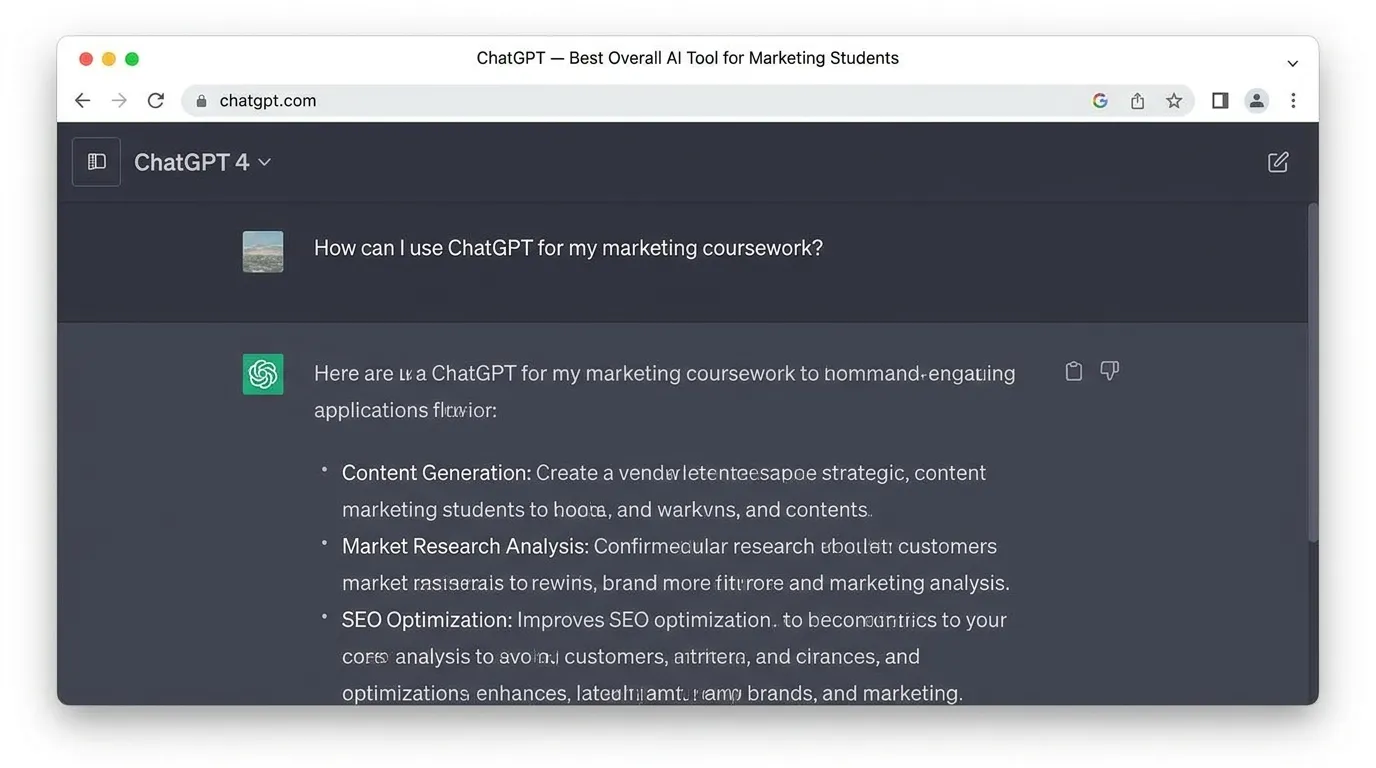
ChatGPT is one of the best AI tools for digital marketing students because it can help with almost every marketing task. It can explain concepts, generate ideas, write copy, create content calendars, build buyer personas, and review campaign plans.
Best for
- Marketing strategy
- Content ideas
- Ad copywriting
- SEO outlines
- Social media captions
- Email marketing drafts
- Customer persona creation
- Campaign planning
- Competitor analysis frameworks
- Learning marketing concepts
Example prompt
Act as a digital marketing teacher. Create a 30-day content marketing plan for a small fitness gym. Include Instagram posts, blog topics, email ideas, and ad copy angles.
Why it helps
ChatGPT is useful because it teaches and creates at the same time. A student can ask:
- What is a sales funnel?
- How do Facebook ads work?
- What is the difference between SEO and PPC?
- How do I write a landing page?
- How do I create a buyer persona?
Then the student can immediately practice.
Weak point
ChatGPT can produce generic marketing copy if your prompt is weak. “Write an ad” will usually give boring output. A better prompt includes audience, product, pain point, tone, platform, and goal.
For students who want to use AI properly for learning, this guide on how students can use ChatGPT for study is a good related resource.
2. Canva AI — Best for Social Media Designs and Creatives
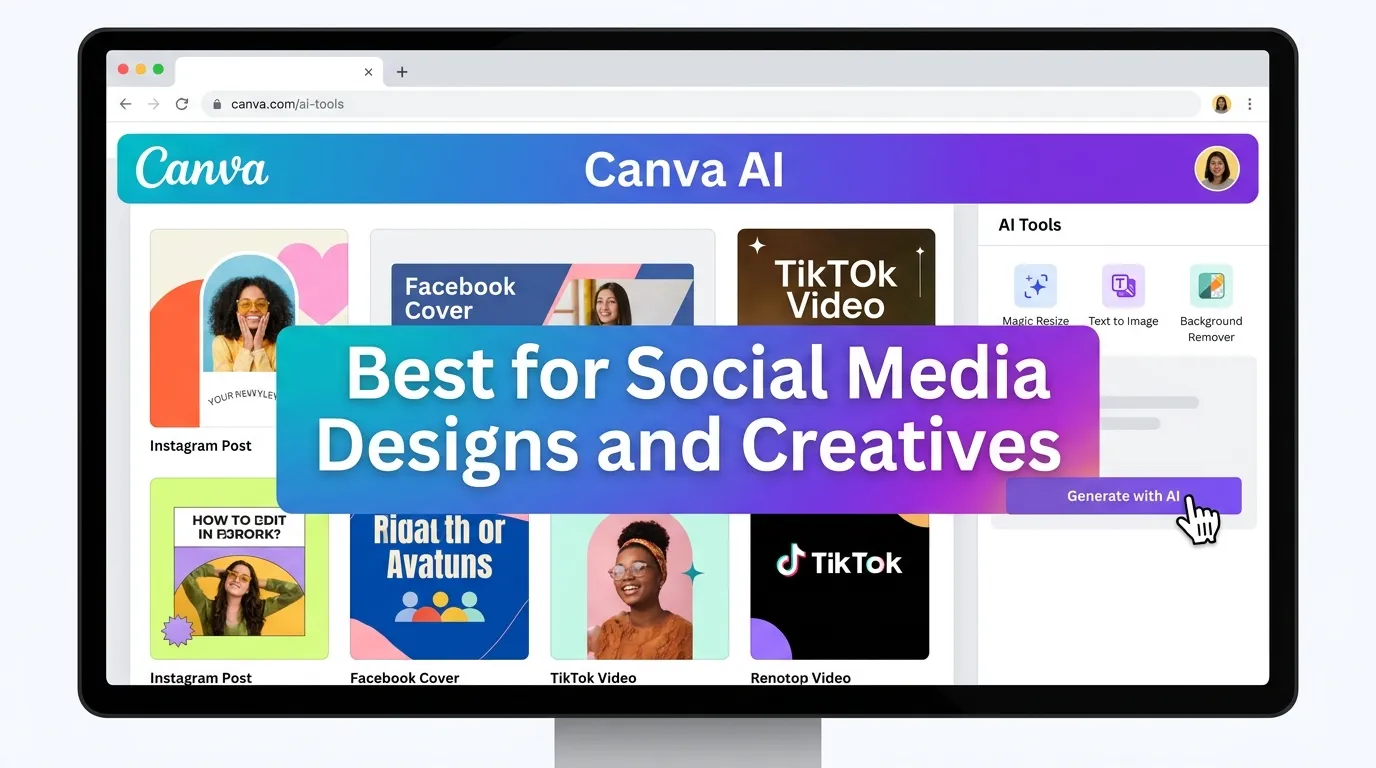
Canva AI is perfect for students who want to create social media posts, ad creatives, thumbnails, presentations, banners, and brand kits.
Digital marketing is visual. A good caption with a bad design still looks weak. Canva helps students create professional-looking visuals even if they are not expert designers.
Best for
- Instagram posts
- Facebook ad creatives
- YouTube thumbnails
- TikTok covers
- LinkedIn carousels
- Marketing presentations
- Brand kits
- Infographics
- Product promotion banners
Why it helps
Students can use Canva AI to turn rough ideas into designs quickly. For example, a student working on a restaurant campaign can create:
- A menu promotion post
- A story ad
- A discount banner
- A carousel about best-selling items
- A customer review graphic
- A brand color palette
Pro tip
Don’t use templates exactly as they are. Change fonts, colors, spacing, and image style. Otherwise, your design may look like every other student’s project.
Weak point
Canva makes design easy, but it can also make students lazy. Learn basic design rules: contrast, spacing, hierarchy, alignment, and brand consistency.
3. Semrush — Best for SEO and Competitor Research
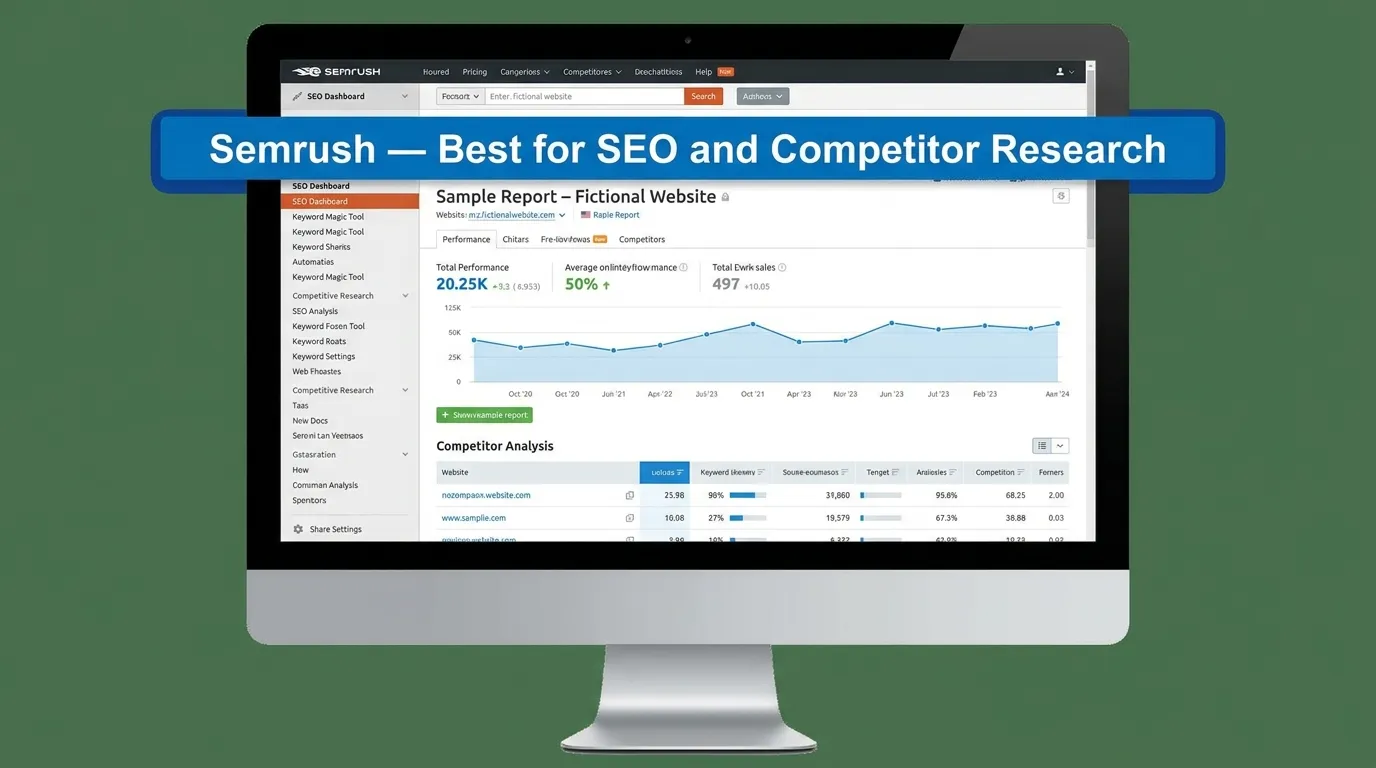
Semrush is one of the strongest tools for SEO learning. It helps students understand keyword research, competitor analysis, backlink data, content gaps, and search visibility.
Best for
- Keyword research
- Competitor analysis
- SEO audits
- Backlink analysis
- Content gap research
- Blog topic planning
- Search intent analysis
- Website traffic estimates
Why it helps
SEO is hard to learn only from theory. You need to see real keywords, real competitors, and real ranking difficulty.
With Semrush, students can practice questions like:
- Which keywords does this website rank for?
- What content topics are missing?
- Which pages get traffic?
- What keywords are low competition?
- What backlinks does a competitor have?
Student exercise
Pick a small business website and find:
- 10 keyword opportunities
- 5 competitor pages
- 3 blog post ideas
- 2 landing page improvements
- 1 backlink strategy
That one exercise teaches more than five generic SEO videos.
Weak point
Semrush can feel expensive and advanced for beginners. Students can start with free trials, limited reports, or free SEO tools first.
4. Surfer SEO — Best for SEO Content Optimization
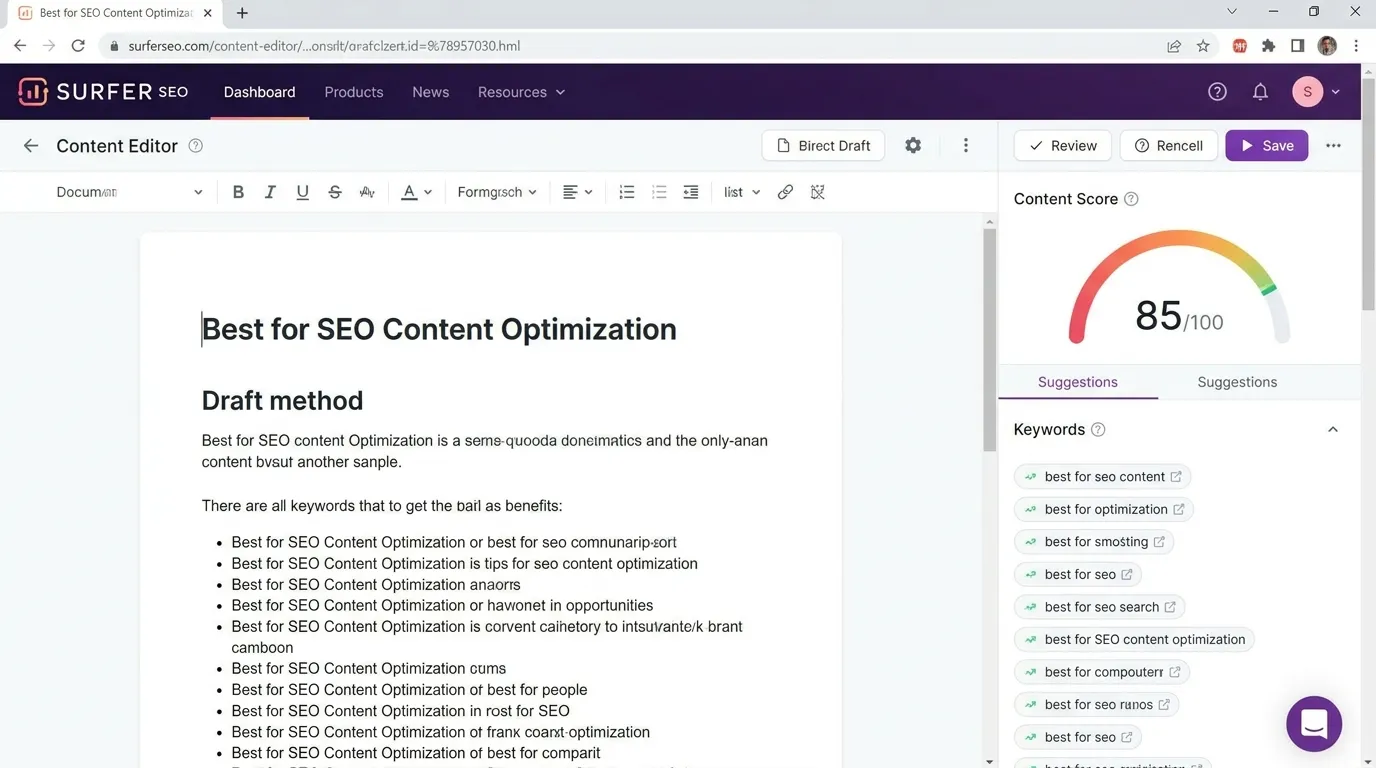
Surfer SEO helps students write content that is optimized for search engines. It gives guidance on keywords, headings, content length, terms to include, and competitor-based structure.
Best for
- Blog optimization
- SEO content briefs
- On-page SEO
- Semantic keywords
- Content scoring
- Competitor content analysis
Why it helps
Many students write blogs like essays. SEO writing is different. It needs headings, search intent, keyword placement, readability, internal links, and helpful answers.
Surfer SEO helps students understand how top-ranking pages are structured. It teaches them that SEO is not just “add keyword 20 times.” It is about matching search intent better than competitors.
Weak point
Don’t write only for the score. A green score does not always mean a great article. The content still needs human examples, original insight, and a clear angle.
Students working on educational websites can also learn from this guide on AI content tools for teachers, especially for content planning and structure.
5. Google Analytics 4 — Best for Marketing Data Skills
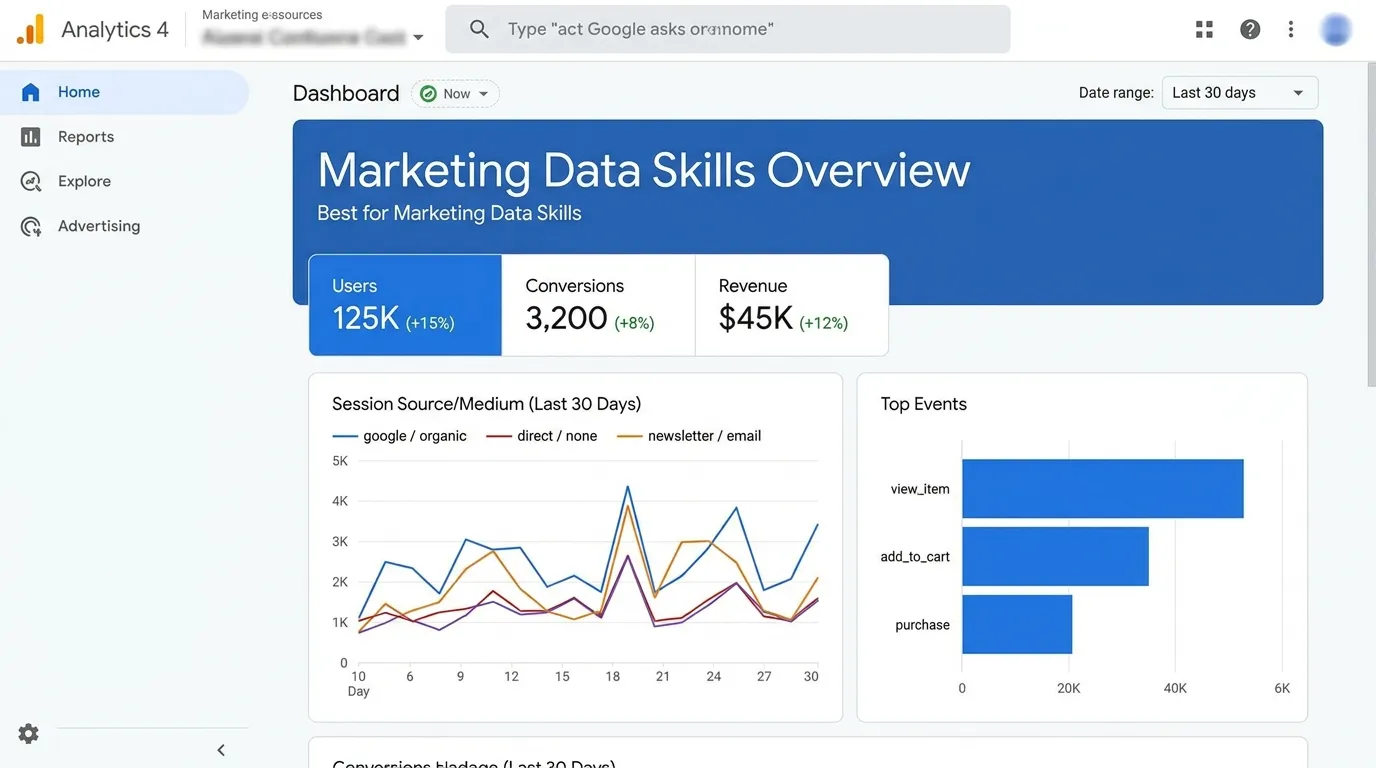
Google Analytics 4, often called GA4, is not a typical AI writing tool, but it is essential for digital marketing students. It helps track website traffic, user behavior, events, conversions, and campaign performance.
Best for
- Website analytics
- Traffic source tracking
- Conversion tracking
- User behavior analysis
- Campaign measurement
- Funnel analysis
- Reporting
Why it helps
A digital marketer who cannot read data is just guessing with confidence.
GA4 helps students answer important questions:
- Where is traffic coming from?
- Which page gets the most visitors?
- Which campaign brings conversions?
- How long do users stay?
- Which device do users use?
- Where do users drop off?
Student exercise
Create a simple website or blog. Connect GA4. Then track:
- Page views
- Traffic sources
- Click events
- Form submissions
- Best-performing pages
Even a small practice project can become a strong portfolio piece.
Weak point
GA4 has a learning curve. Students should start with basic reports before advanced event tracking.
6. HubSpot AI — Best for CRM and Email Marketing Practice
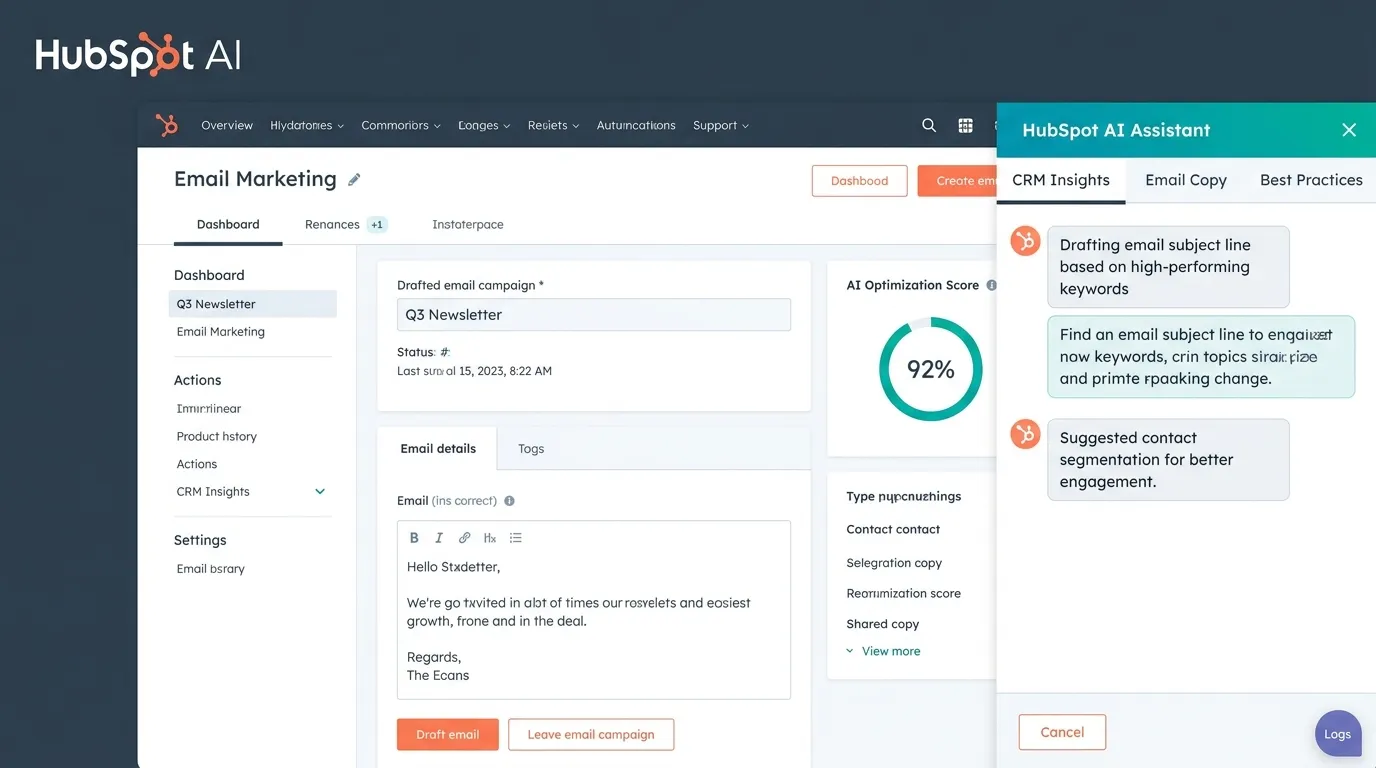
HubSpot is useful for students who want to learn customer relationship management, email marketing, lead nurturing, landing pages, and automation.
Best for
- CRM practice
- Email campaigns
- Lead generation
- Landing pages
- Marketing automation
- Customer journey mapping
- Sales funnel learning
Why it helps
Many students learn social media first, but businesses care about leads and customers. HubSpot helps students understand what happens after someone clicks an ad or fills a form.
You can practice building:
- A lead capture form
- A welcome email
- A follow-up sequence
- A simple CRM pipeline
- A landing page
- A newsletter campaign
Weak point
HubSpot can feel big at first. Start with free CRM, forms, and email basics before exploring automation.
7. Grammarly — Best for Clear Marketing Writing
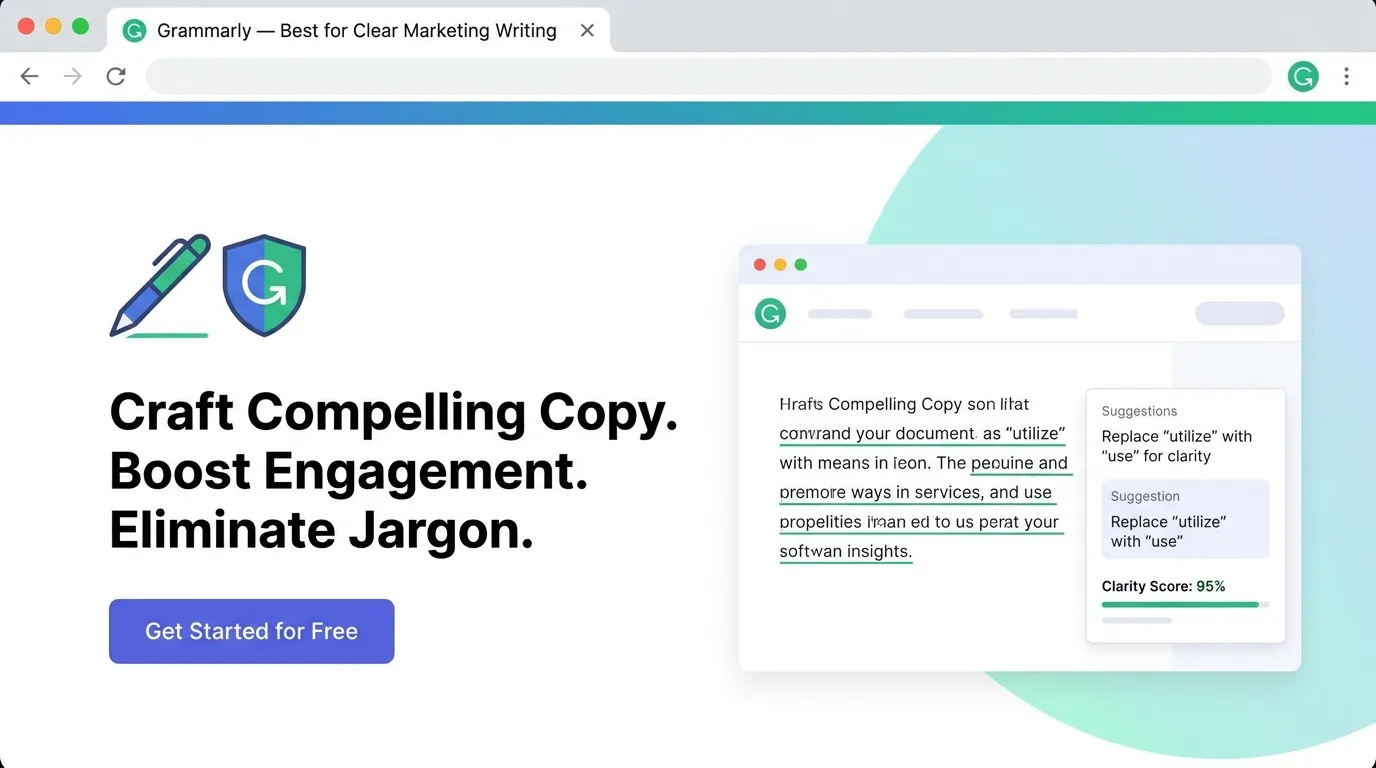
Grammarly helps students improve writing clarity, grammar, tone, and readability. In digital marketing, clear writing is money. Confusing writing kills clicks.
Best for
- Blog editing
- Email copy
- Social media captions
- Ad copy
- Landing page text
- Professional communication
- Portfolio writing
Why it helps
Marketing copy should be simple and sharp. Grammarly helps remove awkward wording and grammar mistakes.
For example:
Weak copy:
Our product is very best and useful for people who want good results in business.
Better copy:
Grow your business faster with simple tools that help you reach more customers.
Weak point
Do not accept every suggestion blindly. Sometimes grammar tools remove personality. Marketing writing should be clean, but not robotic.
8. Jasper — Best for Long-Form Marketing Copy
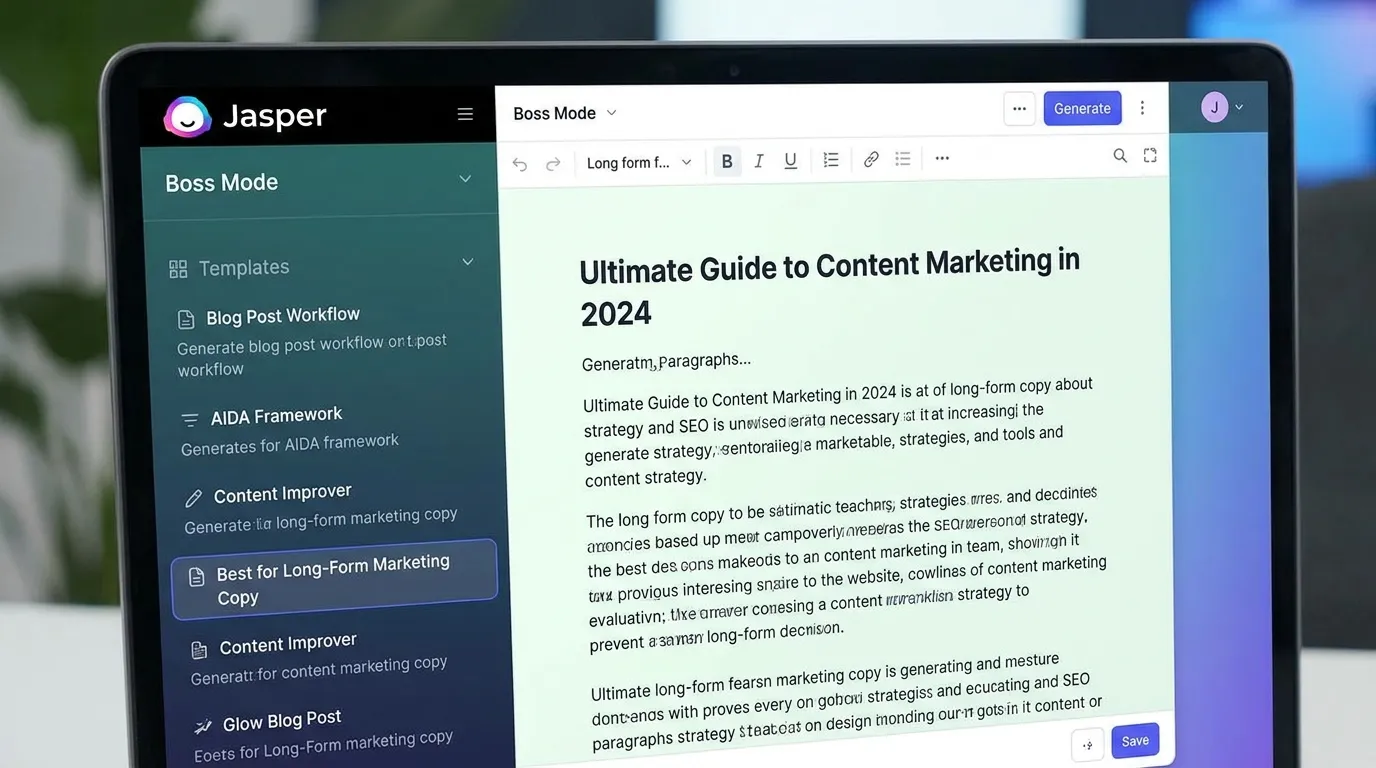
Jasper is a popular AI writing tool built for marketing teams. It can help students write blog posts, ads, product descriptions, emails, and campaign copy.
Best for
- Long-form content
- Brand voice practice
- Ad campaigns
- Product descriptions
- Email copy
- Blog writing
- Landing page drafts
Why it helps
Jasper is useful when students want to practice professional marketing workflows. It can help build content around brand tone, audience, and campaign goals.
Weak point
Like all AI writing tools, Jasper can produce copy that sounds polished but empty. Students should add original examples, customer pain points, proof, and brand personality.
9. Buffer AI — Best for Social Media Scheduling
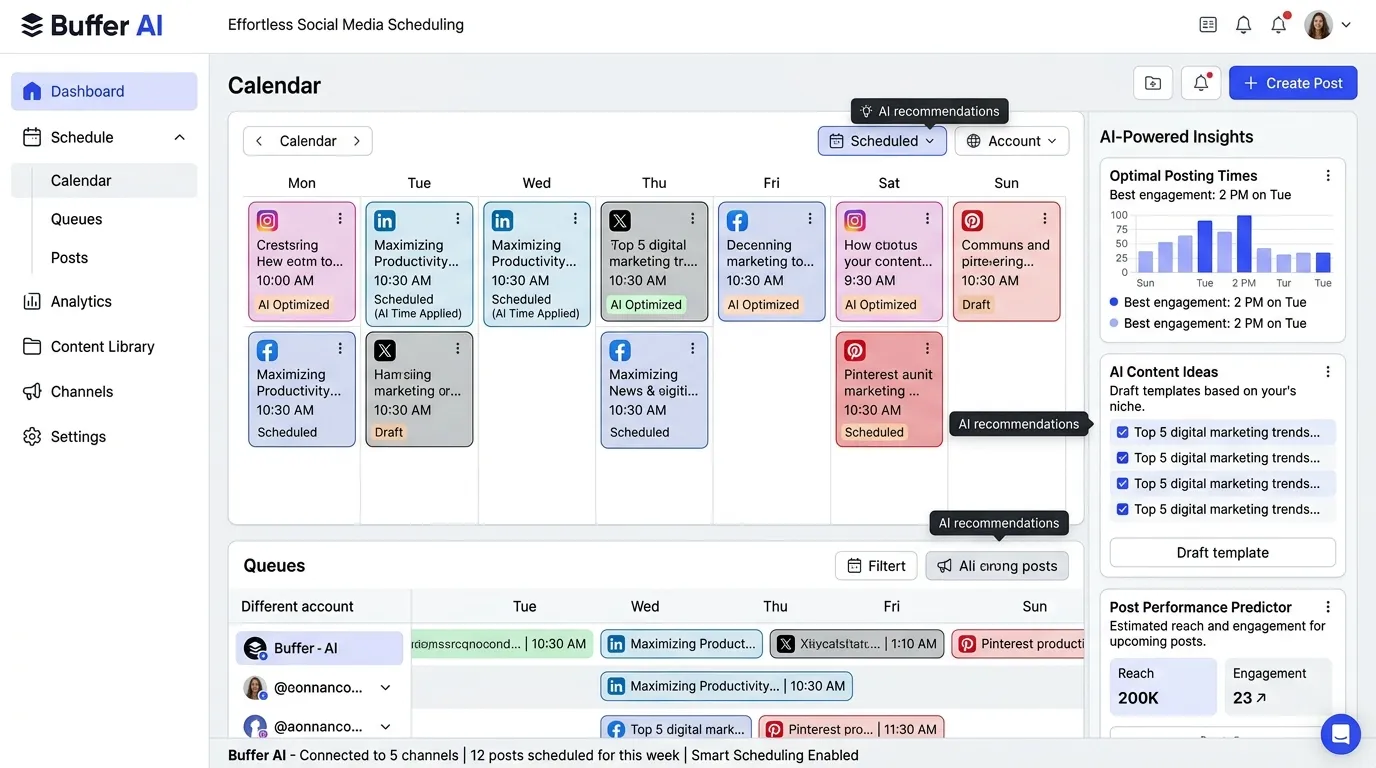
Buffer helps students plan, schedule, and manage social media content. Its AI features can help create captions, repurpose posts, and generate ideas.
Best for
- Social media planning
- Content scheduling
- Caption writing
- Post repurposing
- Multi-platform posting
- Social media calendars
Why it helps
Digital marketing students should learn that social media is not random posting. It needs planning.
A simple weekly structure could be:
- Monday: Educational post
- Tuesday: Customer problem
- Wednesday: Product tip
- Thursday: Testimonial
- Friday: Offer
- Saturday: Behind the scenes
- Sunday: Weekly recap
Buffer helps organize that workflow.
Weak point
Scheduling tools don’t fix weak strategy. If the message is wrong, posting it at the perfect time won’t save it.
10. Copy.ai — Best for Quick Marketing Copy Ideas
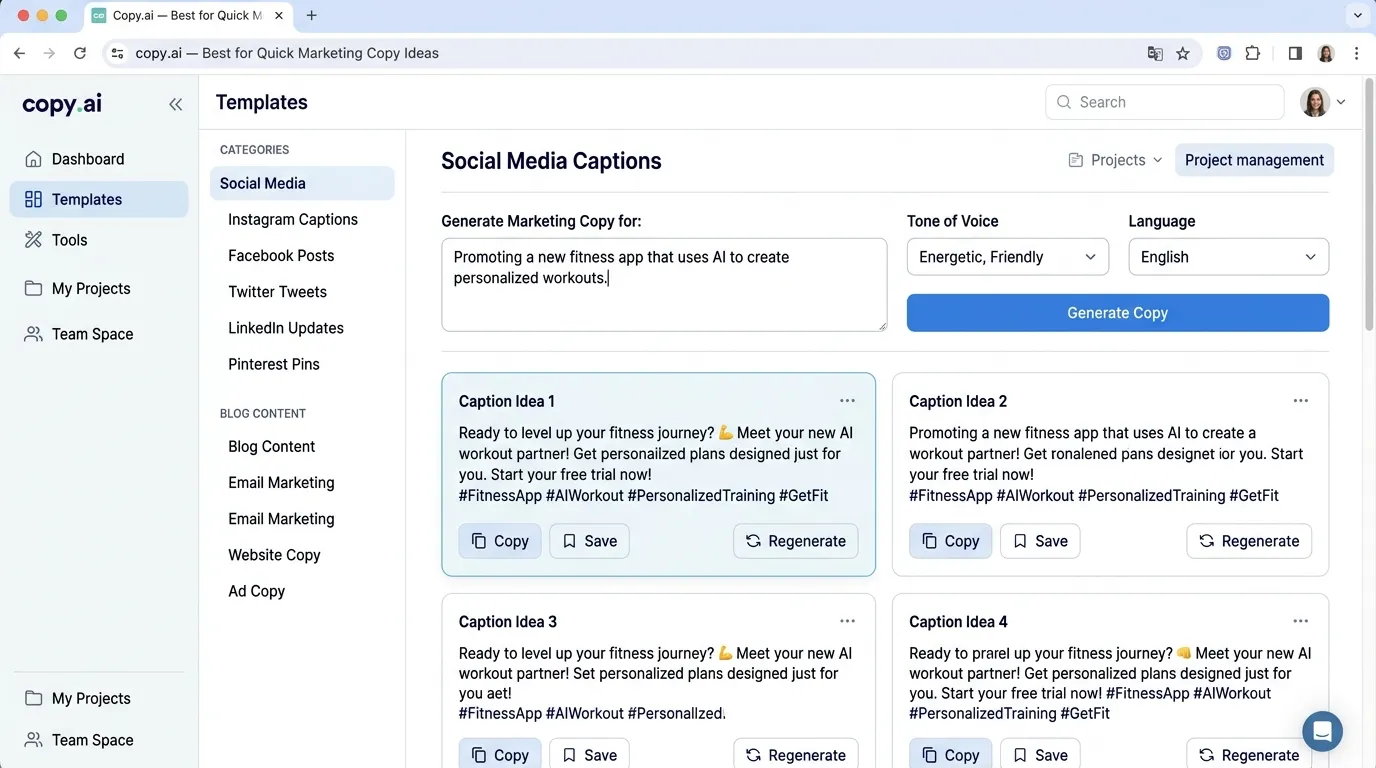
Copy.ai is useful for quick copywriting ideas. Students can use it for product descriptions, ad headlines, captions, email subject lines, and campaign angles.
Best for
- Short-form copy
- Ad headlines
- Product descriptions
- Social captions
- Email subject lines
- Brainstorming hooks
Why it helps
Sometimes the hardest part is getting started. Copy.ai gives students multiple options quickly, so they can compare and improve.
Example use
Ask for:
20 Facebook ad headlines for a local car carrier service targeting people moving between cities.
Then review which headlines are clear, specific, and benefit-focused.
Weak point
Some outputs may sound too salesy. Students should edit for trust and local context.
11. Notion AI — Best for Marketing Planning and Organization
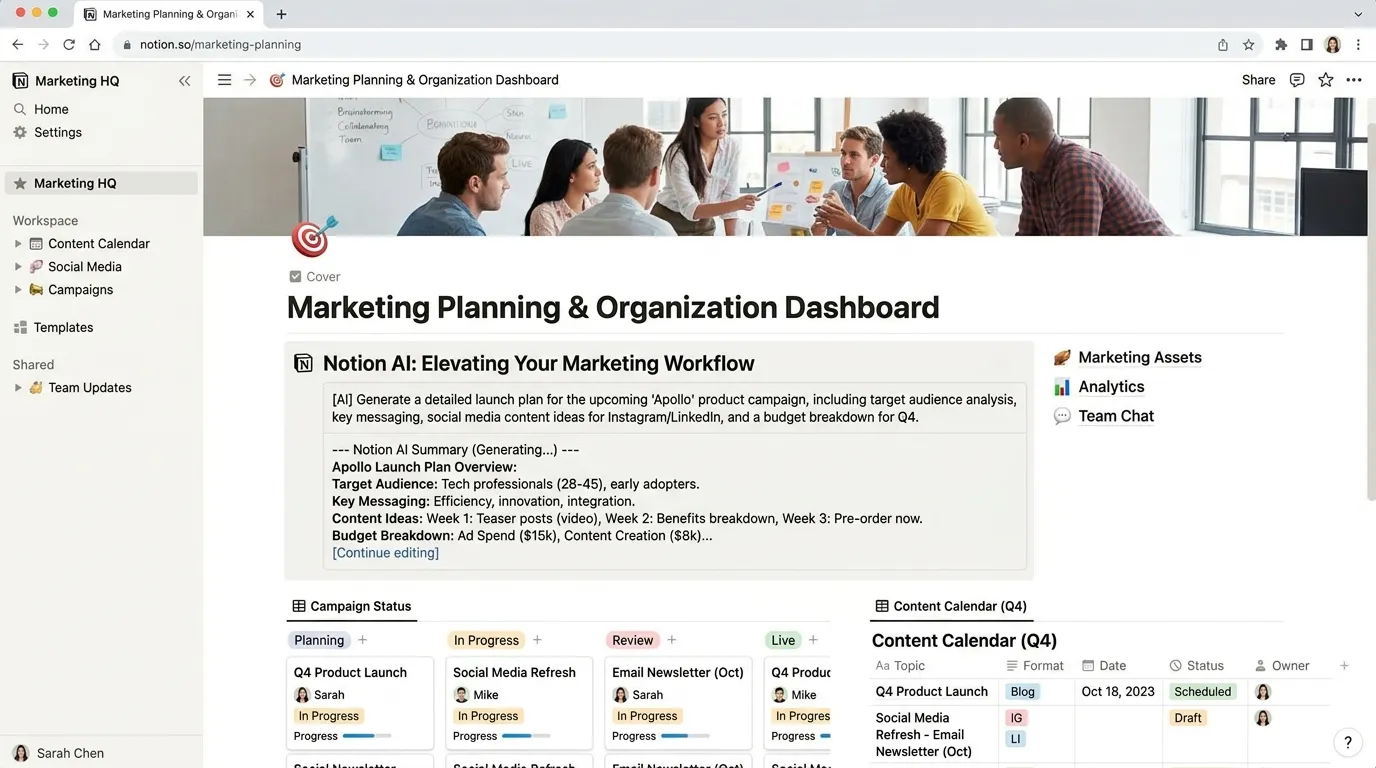
Notion AI is useful for organizing marketing projects, content calendars, campaign notes, client briefs, and student portfolios.
Best for
- Content calendars
- Campaign planning
- Task management
- Marketing notes
- Portfolio organization
- Research summaries
- Meeting notes
Why it helps
Marketing work can become messy. You may have keywords in one file, captions in another, designs in Canva, analytics screenshots somewhere else, and deadlines in your head. That is how campaigns die quietly.
Notion AI helps students keep everything in one place.
Student workspace idea
Create pages for:
- Brand brief
- Buyer personas
- Keyword research
- Content calendar
- Ad copy
- Design links
- Analytics report
- Final portfolio case study
Weak point
Too much organization can become procrastination. Keep your workspace simple.
12. Looker Studio — Best for Marketing Reports and Dashboards
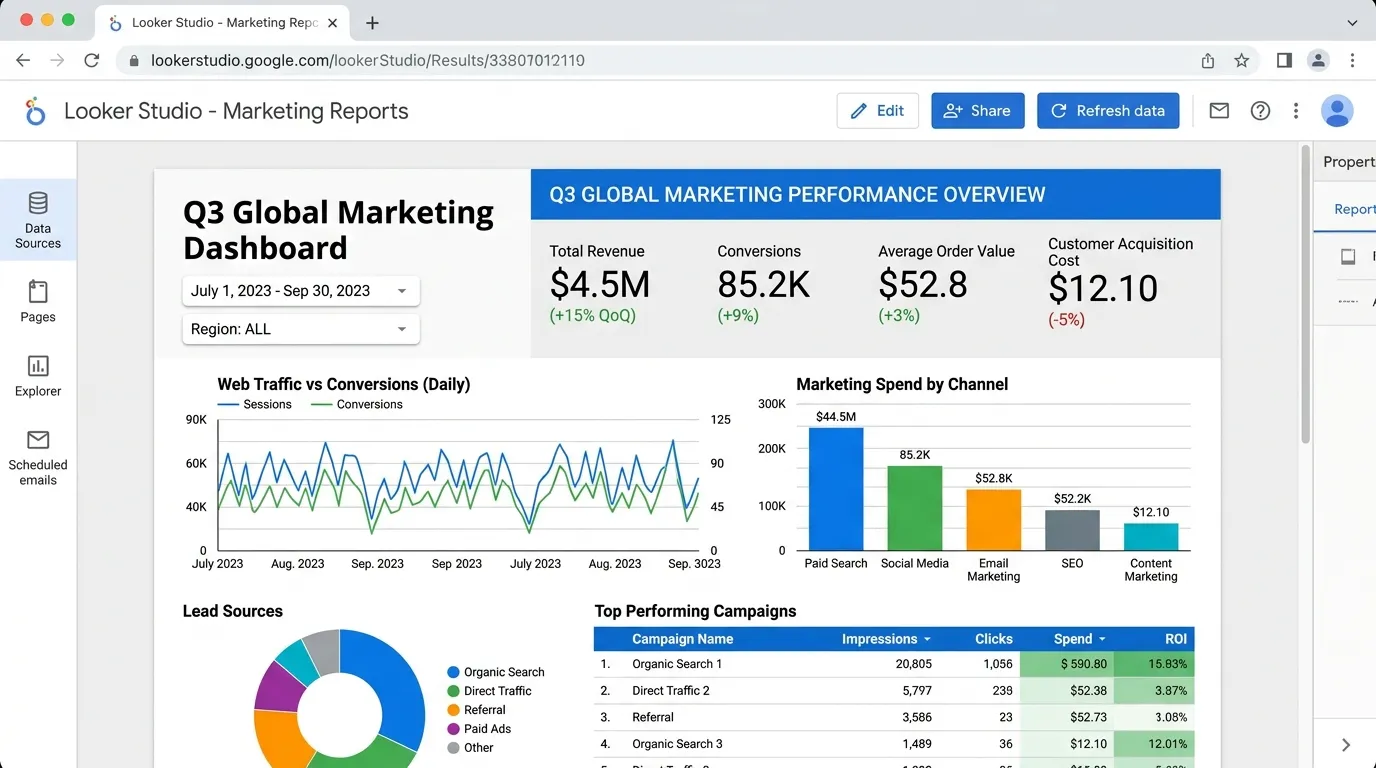
Looker Studio helps students create dashboards and visual reports. It can connect with tools like Google Analytics, Google Ads, and spreadsheets.
Best for
- Marketing dashboards
- Campaign reports
- Website performance reports
- Data visualization
- Client-style reporting
- Portfolio projects
Why it helps
A good marketer must explain results clearly. Looker Studio helps students turn messy data into readable dashboards.
Example report sections
- Traffic overview
- Top channels
- Best pages
- Conversions
- Campaign performance
- Recommendations
Weak point
A dashboard is only useful if it answers a business question. Don’t make charts just because they look nice.
13. Meta Ads Manager AI Features — Best for Paid Social Practice
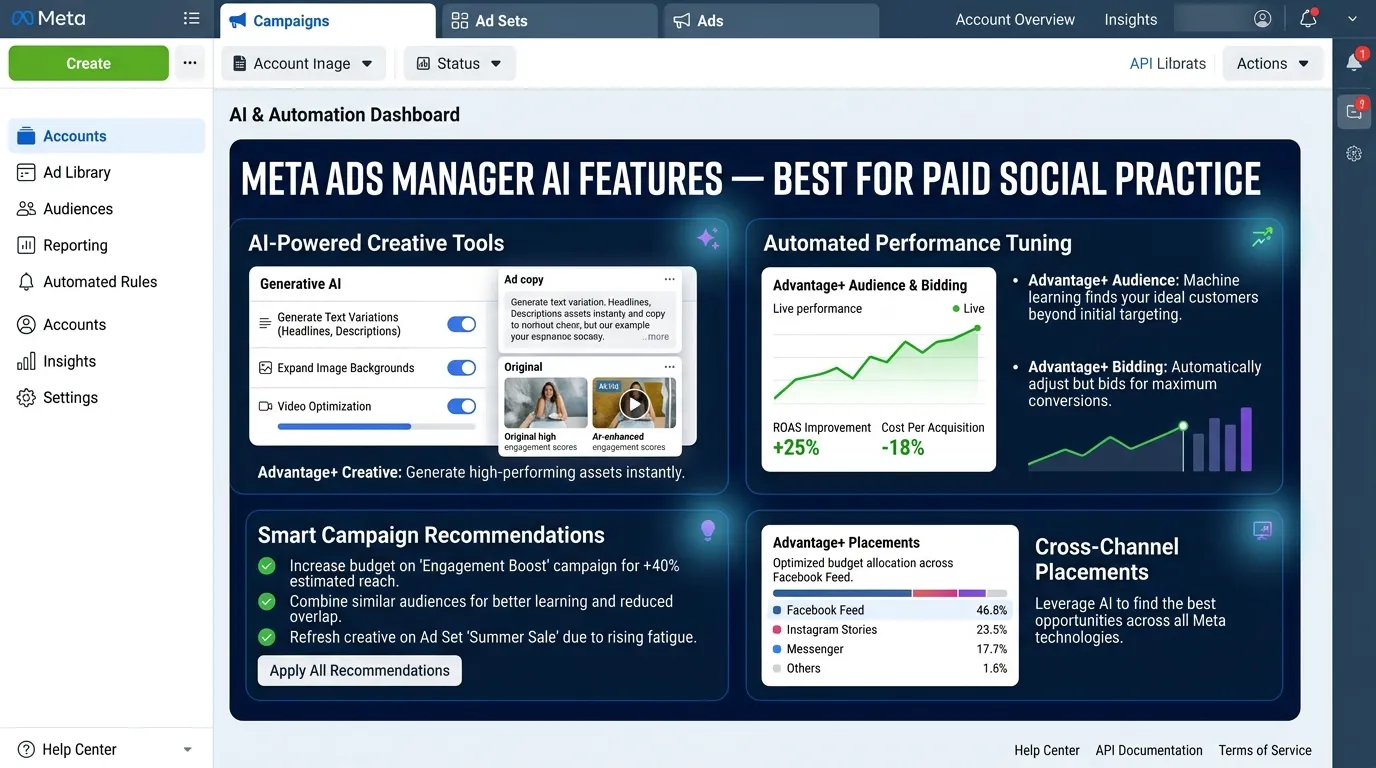
Meta Ads Manager is important for students who want to learn Facebook and Instagram advertising. AI features inside ad platforms can help with targeting, creative testing, placements, and performance optimization.
Best for
- Facebook ads
- Instagram ads
- Campaign objectives
- Audience testing
- Creative testing
- Lead generation campaigns
- Retargeting basics
Why it helps
Many students say they know digital marketing, but they have never created a real ad campaign structure. Meta Ads Manager teaches practical skills:
- Campaign objective
- Ad set budget
- Audience
- Placement
- Creative
- Copy
- Call to action
- Results
Weak point
Do not trust automatic settings blindly. AI optimization works better when the marketer understands the goal.
14. Mailchimp AI — Best for Email Marketing Beginners
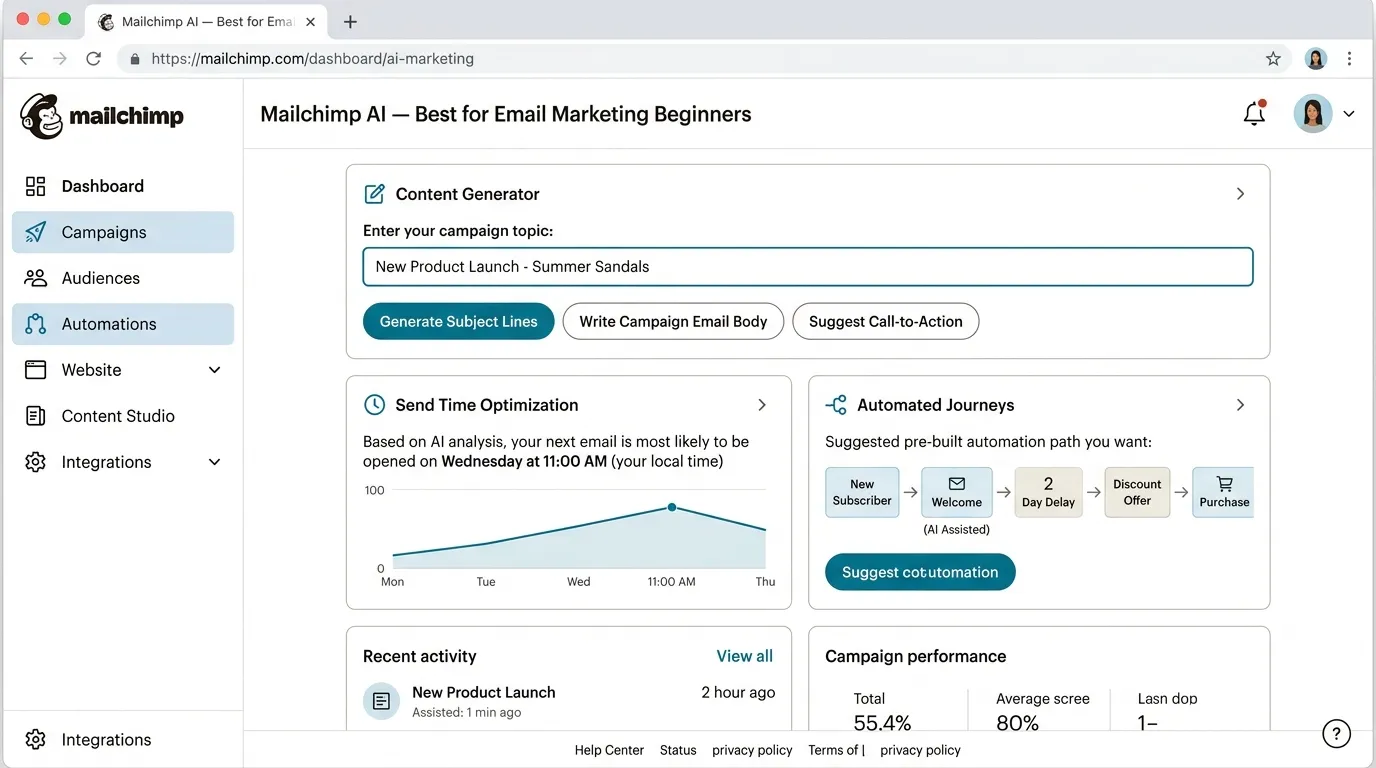
Mailchimp helps students learn email marketing, audience lists, newsletters, automation, and campaign performance.
Best for
- Email newsletters
- Welcome sequences
- Subject lines
- Audience segments
- Email templates
- Campaign reports
Why it helps
Email marketing is still one of the most valuable digital marketing skills. Social media gets attention, but email often drives repeat sales.
Students can practice:
- Welcome email
- Discount campaign
- Product launch email
- Abandoned cart email
- Newsletter
- Re-engagement email
Weak point
Email tools need good audience data. If the list is poor, even the best AI subject line won’t help.
15. AnswerThePublic — Best for Content Ideas and Search Questions
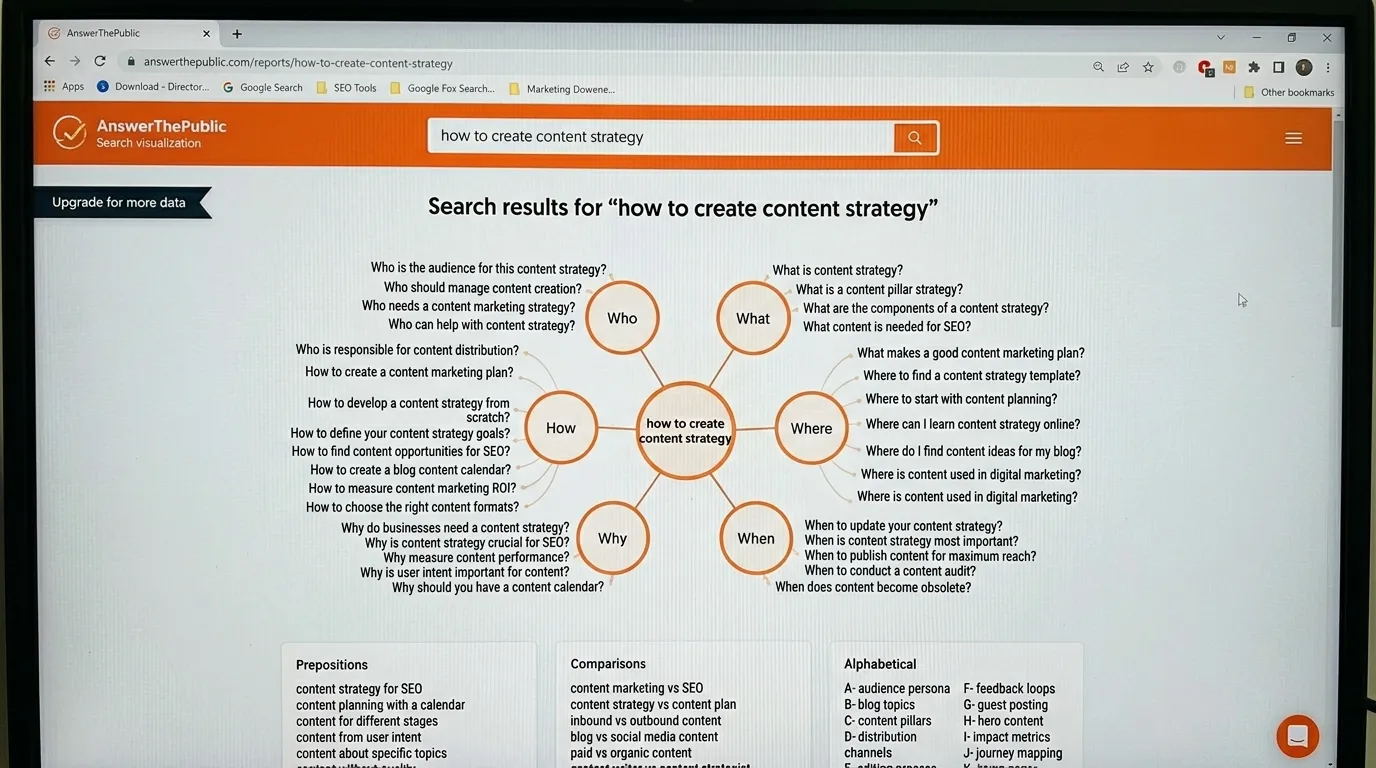
AnswerThePublic helps students find questions people ask online. This is useful for SEO, blog topics, YouTube ideas, and social content.
Best for
- Blog ideas
- FAQ sections
- Search intent research
- Content planning
- YouTube topic ideas
- Customer question research
Why it helps
Good marketing starts with real questions. AnswerThePublic helps students stop guessing and start listening.
For example, for “digital marketing,” people may ask:
- How does digital marketing work?
- Is digital marketing hard?
- What skills are needed?
- Can AI do digital marketing?
- How do beginners start?
Each question can become a blog post, video, carousel, or email topic.
Weak point
Question tools show ideas, not full strategy. Students still need to judge which topics match business goals.
How to Use AI Tools for Digital Marketing Practice
The best way to learn AI marketing tools is to build small projects. Don’t just watch tutorials. Create campaigns.
Project 1: Local business campaign
Choose a local business, such as:
- Restaurant
- Gym
- Furniture shop
- Salon
- Car carrier service
- Real estate agency
- Online clothing store
Then create:
- Buyer persona
- 10 social posts
- 3 Facebook ads
- 5 Google ad headlines
- 1 landing page outline
- 1 email sequence
- 1 analytics report template
Project 2: SEO blog plan
Pick a niche and create:
- 20 keywords
- 5 blog titles
- 1 pillar article outline
- 3 supporting articles
- Meta descriptions
- Internal link plan
- FAQ section
Project 3: Social media content calendar
Use AI to create a 30-day plan with:
- Educational posts
- Promotional posts
- Reels ideas
- Story ideas
- Engagement questions
- Testimonials
- Offers
Project 4: Portfolio case study
Turn your work into a case study:
- Problem
- Goal
- Audience
- Strategy
- Tools used
- Sample creatives
- Sample copy
- Expected KPIs
- Lessons learned
This is what employers and clients want to see. Not “I know Canva.” Show them what you built with Canva.
Students who want a complete learning structure can also read this guide on how to build an AI study system.
Best AI Prompts for Digital Marketing Students
Here are useful prompts you can copy and edit.
For buyer personas
Create a buyer persona for a small online clothing store targeting women aged 20–35 in Pakistan. Include goals, pain points, objections, buying triggers, and best social platforms.
For SEO keyword research
Give me 30 SEO keyword ideas for a blog about beginner digital marketing. Group them by search intent: informational, commercial, transactional, and navigational.
For content calendar
Create a 30-day Instagram content calendar for a local bakery. Include post type, caption idea, hook, CTA, and design suggestion.
For ad copy
Write 10 Facebook ad headlines and 5 primary text options for a car transport service. Audience: people moving from Islamabad to Karachi. Tone: trustworthy and professional.
For landing page copy
Create a landing page outline for an online course about digital marketing for beginners. Include headline, subheadline, benefits, social proof, FAQ, and call to action.
For email marketing
Write a 5-email welcome sequence for new subscribers interested in learning digital marketing. Keep the tone friendly and beginner-friendly.
For analytics
Explain this campaign report like a digital marketing teacher. Tell me what improved, what failed, and what I should test next.
For portfolio building
Turn this student marketing project into a professional portfolio case study. Include goal, strategy, tools used, sample work, and results section.
How to Choose the Right AI Marketing Tool
Not every student needs every tool. Start with your goal.
If you want to learn SEO
Choose:
- Semrush
- Surfer SEO
- AnswerThePublic
- Google Search Console
- ChatGPT
If you want to learn social media marketing
Choose:
- Canva AI
- Buffer
- ChatGPT
- Meta Ads Manager
- Notion AI
If you want to learn paid ads
Choose:
- Meta Ads Manager
- Google Ads
- ChatGPT
- Canva AI
- Looker Studio
If you want to learn content marketing
Choose:
- ChatGPT
- Jasper
- Grammarly
- Surfer SEO
- Notion AI
If you want to learn analytics
Choose:
- GA4
- Looker Studio
- Google Sheets
- HubSpot
- ChatGPT
If you want free or beginner-friendly tools
Start with:
- ChatGPT free plan
- Canva free plan
- Google Analytics
- Google Trends
- AnswerThePublic free searches
- Buffer free plan
- Grammarly free plan
Students looking for no-cost options can also explore this guide on free AI tools with no signup.
Common Mistakes Students Should Avoid
Mistake 1: Using AI only for captions
AI can do much more than captions. Use it for research, strategy, audience analysis, email flows, landing pages, SEO briefs, and reports.
Mistake 2: Copying AI output without editing
AI copy often sounds generic. Add:
- Local context
- Real benefits
- Customer pain points
- Proof
- Brand voice
- Clear CTA
Mistake 3: Ignoring analytics
Marketing without analytics is just posting and praying. Learn GA4, Meta Ads results, CTR, CPC, CPA, conversions, bounce rate, and engagement rate.
Mistake 4: Choosing tools before strategy
Don’t ask, “Which tool should I use?” first. Ask:
- What is the goal?
- Who is the audience?
- What is the offer?
- What action do we want?
- How will we measure success?
Then choose the tool.
Mistake 5: Not checking privacy
Be careful with customer data, client details, email lists, and private business information. Don’t paste sensitive data into random AI tools.
For privacy-focused learning, students can read this related guide on privacy-first AI tools for students.
Mistake 6: Thinking AI replaces creativity
AI can generate ideas, but creativity comes from understanding people. Great marketing is not just “content.” It is timing, emotion, trust, offer, and audience fit.
AI Marketing Workflow for Students
Here is a simple workflow you can use for practice projects.
Step 1: Research the audience
Use ChatGPT to create buyer personas. Use Google Trends and AnswerThePublic to find questions.
Step 2: Plan the campaign
Use Notion AI to organize goals, platforms, content, deadlines, and KPIs.
Step 3: Create content
Use ChatGPT or Jasper for copy. Use Canva AI for design.
Step 4: Optimize for SEO
Use Semrush or Surfer SEO for keywords, headings, and search intent.
Step 5: Schedule content
Use Buffer or a similar tool to plan social media posts.
Step 6: Track performance
Use GA4, Meta Ads Manager, HubSpot, or Looker Studio.
Step 7: Improve
Ask AI to review results and suggest tests:
- New headline
- New audience
- New offer
- New creative
- New CTA
- New landing page section
This workflow teaches real marketing thinking. It also gives students portfolio projects they can show to clients or employers.
FAQ
What are the best AI tools for digital marketing students?
The best AI tools for digital marketing students include ChatGPT, Canva AI, Semrush, Surfer SEO, Google Analytics 4, HubSpot AI, Grammarly, Jasper, Buffer, Copy.ai, Notion AI, Looker Studio, and Mailchimp AI.
Which AI tool is best for learning SEO?
Semrush is one of the best tools for learning SEO because it helps with keyword research, competitor analysis, backlinks, and content gaps. Surfer SEO is also useful for on-page content optimization.
Can students use AI for social media marketing?
Yes. Students can use AI for social media captions, content calendars, post ideas, hashtag research, design suggestions, and scheduling. Canva AI and Buffer are especially useful for social media practice.
Is ChatGPT enough for digital marketing?
ChatGPT is a strong starting tool, but it is not enough by itself. Students should also learn analytics, SEO tools, design tools, ad platforms, and CRM tools.
Are AI marketing tools free?
Some AI marketing tools offer free plans or free trials. ChatGPT, Canva, Grammarly, Google Analytics, Google Trends, Buffer, and AnswerThePublic have free or beginner-friendly options, though advanced features may require payment.
Will AI replace digital marketing jobs?
AI may reduce repetitive marketing tasks, but it will not replace skilled marketers who understand strategy, data, creativity, branding, and customer behavior. Students who learn AI tools early will be better prepared for marketing careers.
Conclusion
The best AI tools for digital marketing students in 2026 are not just tools for writing captions. They help students learn the full marketing process: research, strategy, content, design, SEO, email, ads, analytics, and reporting.
Start with ChatGPT for learning and planning. Use Canva AI for visuals. Practice SEO with Semrush and Surfer SEO. Learn data with GA4 and Looker Studio. Use HubSpot or Mailchimp to understand email and customer journeys. Then organize everything in Notion AI and turn your work into portfolio projects.
AI will not make you a great marketer automatically. But if you use it to practice real campaigns, ask better questions, test ideas, and understand data, it can speed up your learning in a big way.
Use AI as your assistant, not your brain. The best marketers in 2026 will be the ones who combine AI speed with human strategy, creativity, and common sense.
About Prof. Irfan
About Prof. Irfan
Prof. Irfan is an AI in education researcher and former classroom teacher. He helps educators and students integrate AI tools ethically and effectively. His work focuses on practical AI study systems, responsible classroom use, and career-ready digital skills for modern learners.