
Best AI Tools for Data Science Students in 2026
Quick Summary
- The best AI tools for data science students help with Python, SQL, statistics, machine learning, data cleaning, exploratory data analysis, visualization, research papers, and portfolio projects.
- AI can speed up data science learning, but students still need to understand datasets, assumptions, model evaluation, bias, and business context.
- A smart student toolkit includes one AI coding assistant, one notebook tool, one data visualization tool, one research assistant, one SQL helper, and one project portfolio platform.
Data science sounds exciting until you open a messy CSV file and discover 14 date formats, missing values, duplicated columns, strange outliers, and a column named final_final_REAL_version2. Welcome to the club.
That’s why the best AI tools for data science students are so useful in 2026. These tools can help you write Python code, clean datasets, explain statistics, build machine learning models, create charts, summarize research papers, debug notebooks, and prepare portfolio projects.
What is an AI tool for data science students?
An AI tool for data science students is software that uses artificial intelligence to support data science tasks such as coding, data cleaning, exploratory data analysis, machine learning, SQL queries, visualization, documentation, and research.
Which AI tool is best for data science students?
For most students, ChatGPT is the best starting tool because it can explain concepts, write sample Python code, debug errors, and guide projects. For hands-on notebooks, Google Colab, Kaggle Notebooks, Deepnote, Jupyter AI, GitHub Copilot, and Cursor are strong options.
Can AI replace learning data science?
No. AI can help with code and explanations, but it cannot replace statistical thinking, data judgment, feature understanding, model evaluation, and problem-solving. Stanford HAI’s 2025 AI Index describes AI as a fast-moving field with major technical and economic influence, which makes AI literacy important for students, not optional. (Stanford HAI)
What Are AI Tools for Data Science Students?
AI tools for data science students are apps, assistants, coding tools, notebooks, search tools, and analytics platforms that help students learn and practice data science faster.
They can support tasks like:
- Python programming
- SQL query writing
- Data cleaning
- Exploratory data analysis
- Data visualization
- Machine learning
- Deep learning
- Natural language processing
- Feature engineering
- Model evaluation
- Research paper summaries
- Dashboard creation
- Portfolio project planning
- Technical writing
A normal tutorial may show you one clean example. Real data is not clean. It has missing values, odd labels, strange formats, and numbers that make you question reality.
AI can help students understand what to do next. It can suggest cleaning steps, explain error messages, write starter code, generate visual ideas, or help turn a project into a portfolio case study.
But here’s the important part: AI should not become your brain. In data science, the code is only part of the work. The real skill is asking better questions, understanding the data, choosing the right method, checking assumptions, and explaining results clearly.
Why Data Science Students Need AI Tools
Data science students need AI tools because the field mixes several difficult skills at once. You need programming, statistics, math, databases, machine learning, communication, and domain understanding.
That’s a lot. No wonder students sometimes feel like they’re learning five degrees at once.
AI helps data science students with:
- Python and R coding
- SQL queries
- Data preprocessing
- EDA reports
- Missing value handling
- Outlier detection
- Feature engineering
- Machine learning models
- Model comparison
- Visualization ideas
- Research summaries
- Technical documentation
- Portfolio storytelling
Google’s Colab documentation describes notebooks as a way to combine executable code and rich text in one document, and its AI features can help generate, explain, debug, and transform code in real time. That makes notebook-based AI especially useful for data science learning. (Google for Developers)
IBM explains that generative AI can create text, images, audio, video, and software code from prompts. For students, this means AI can help generate code, explain workflows, and draft documentation — but the student still needs to verify the logic. (IBM)
Best AI Tools for Data Science Students in 2026
1. ChatGPT — Best Overall AI Tutor for Data Science Students
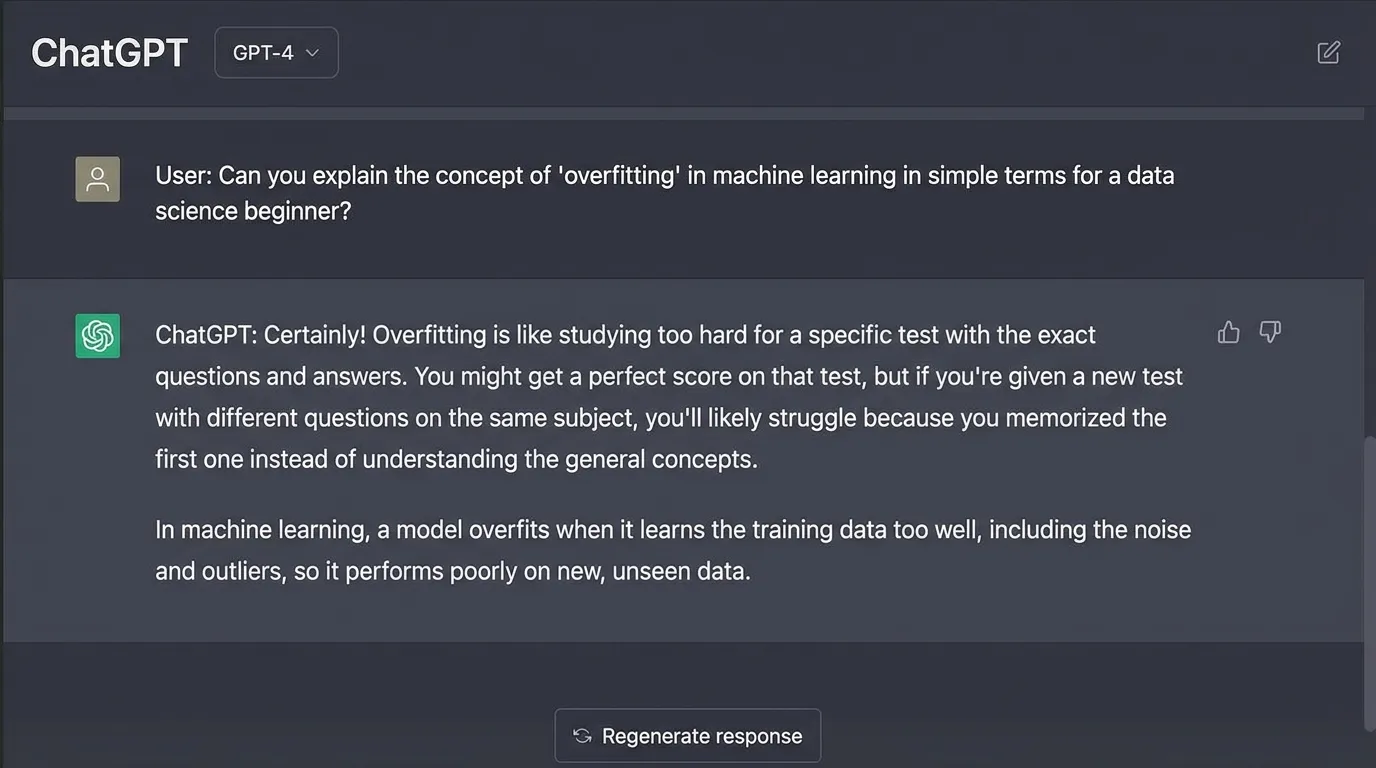
ChatGPT for Data Science Students
ChatGPT is one of the best AI tools for data science students because it can explain concepts, write Python examples, debug errors, create project ideas, review notebooks, simplify statistics, and help students prepare for interviews.
Why ChatGPT Helps
Data science students often get stuck between theory and code. ChatGPT can connect both by explaining concepts in simple words, showing practical examples, and helping students understand why a method is used.
Best For
- Python explanations
- SQL query help
- Statistics concepts
- Machine learning basics
- Data cleaning ideas
- EDA planning
- Model evaluation explanations
- Debugging code
- Portfolio project planning
- Interview preparation
What Students Can Learn
ChatGPT can support students across the full learning journey, from basic Python and SQL to machine learning, statistics, portfolio projects, notebook reviews, and interview prep.
Use ChatGPT Like a Tutor
Students can ask ChatGPT to explain a concept, show a Python example, describe when to use the method, and create practice questions for active learning.
Example prompt:
“Act as a data science tutor. Explain logistic regression in simple words, show a Python example, explain when to use it, and give me 5 practice questions.”
This type of prompt helps students learn both the theory and the code instead of memorizing definitions without understanding how they work in real projects.
Technical definition
Logistic regression estimates the probability of a binary outcome.
Easier explanation
Logistic regression is used when the answer is yes/no, true/false, spam/not spam, pass/fail, or churn/not churn. It predicts probability, then turns that probability into a class.
Weak Point to Remember
ChatGPT can produce code that runs but uses the wrong method. Always check the logic, assumptions, limitations, and evaluation approach before trusting the answer.
- Why this method?
- What assumptions does it make?
- What are the limitations?
- How should I evaluate it?
- What could go wrong?
2. Google Colab — Best AI Notebook for Python and ML Practice
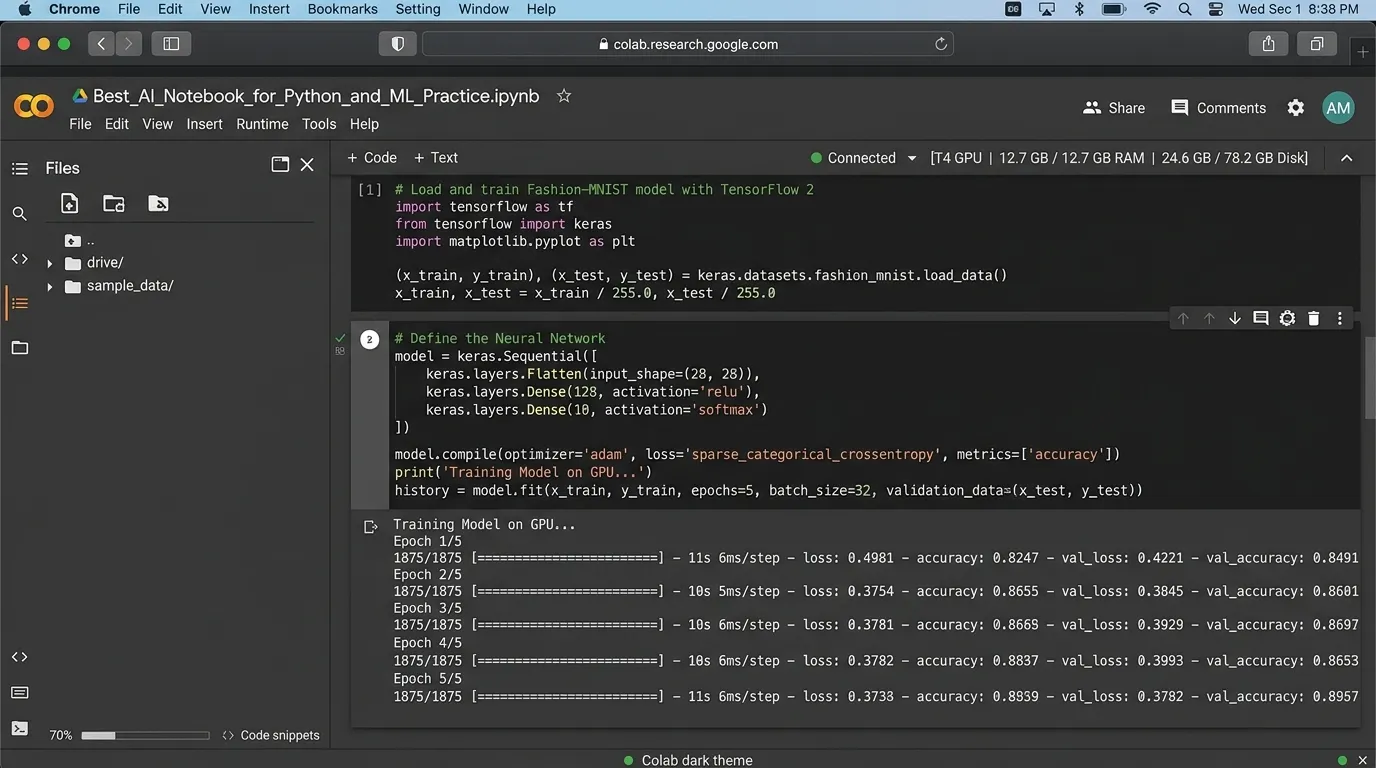
Google Colab for Data Science Students
Google Colab is one of the most useful tools for data science students. It lets you write and run Python notebooks in the browser without heavy setup, making it easier to practice coding, analysis, machine learning, and deep learning projects.
Why Google Colab Helps
Many beginners struggle before they even start data science. Installing Python, setting up environments, fixing package conflicts, and managing notebooks can waste hours. Google Colab removes much of that friction so students can open a notebook, write code, run cells, add text, and share their work.
Best For
- Python practice
- Pandas and NumPy
- Data cleaning
- Machine learning
- Deep learning
- Jupyter-style notebooks
- Sharing projects
- GPU and TPU experiments
- AI-assisted coding
What Students Can Practice
Colab is useful for learning Python-based data science because students can combine code, notes, outputs, charts, images, and explanations in one notebook.
Build Practical Data Science Projects
Google Colab is ideal for student projects because it combines executable code, rich text, visual outputs, and shareable notebooks in one browser-based workspace.
Use Colab to build:
- Student performance prediction
- House price prediction
- Customer churn model
- Sentiment analysis
- Sales dashboard
- Image classification
- Movie recommendation system
Useful Feature for Students
Google’s developer page explains that Colab lets users combine executable code and rich text in one document, including images, HTML, LaTeX, and more. It also highlights AI coding support for generating, explaining, debugging, and transforming code.
Weak Point to Remember
Colab notebooks can become messy. Use headings, markdown notes, comments, and clear section order. A clean notebook should look like a story that explains the problem, process, results, and conclusion — not just a code dump.
3. Kaggle Notebooks — Best for Datasets and Competitions
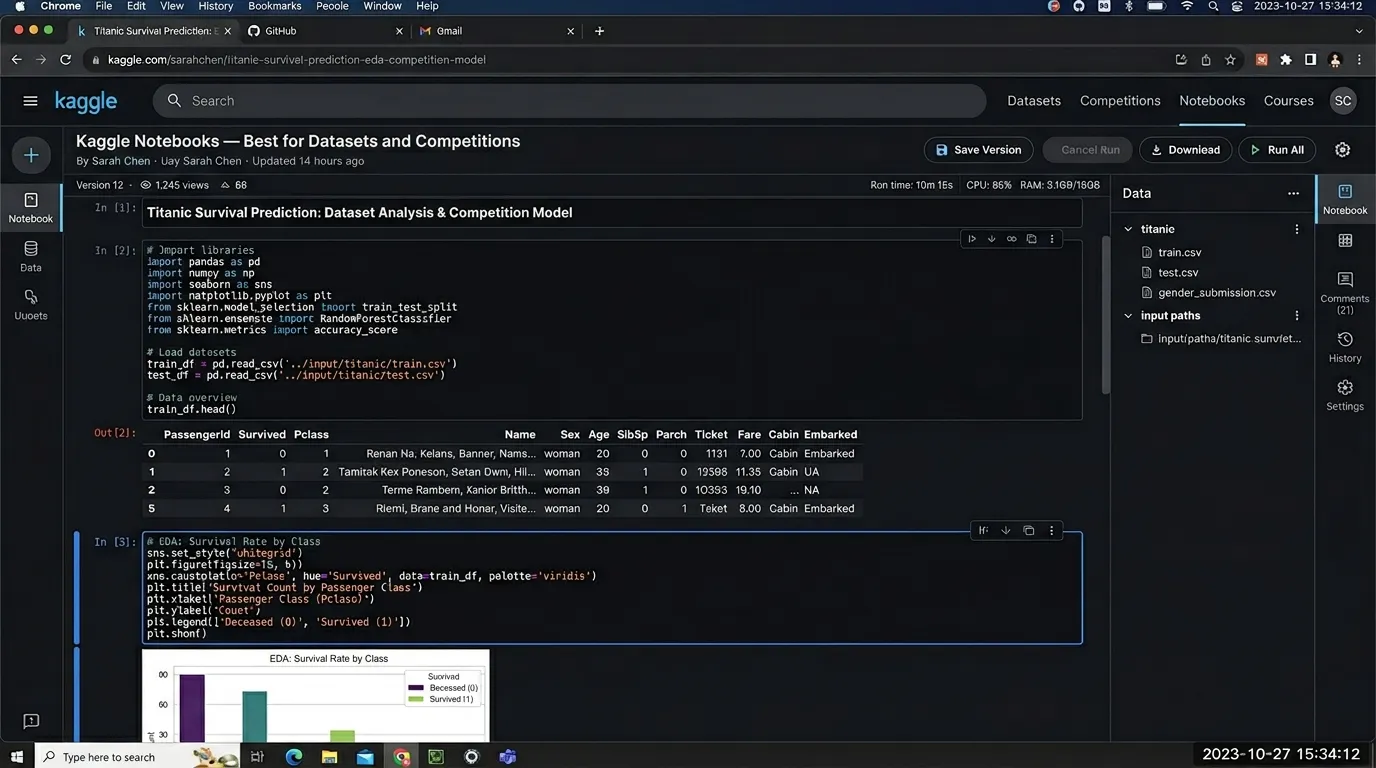
Kaggle for Data Science Students
Kaggle is a must-know platform for data science students. It gives access to datasets, notebooks, competitions, discussions, and public code examples, helping students practice on more realistic data science problems.
Why Kaggle Helps
Many students say, “I know machine learning,” but they only trained a model on a perfect classroom dataset. Kaggle exposes students to real-world datasets, public notebooks, messy problems, and different approaches from other learners.
Best For
- Real-world datasets
- Data science competitions
- Public notebooks
- Portfolio practice
- EDA examples
- Machine learning workflows
- Learning from other students
Dataset Categories
Students can explore datasets from many domains and practice cleaning, visualization, machine learning, and storytelling on practical topics.
Study Notebooks, Don’t Just Copy Them
Kaggle is powerful when students use it to learn thinking patterns. Instead of copying top notebooks, study how experienced learners clean data, create features, choose charts, test models, and evaluate performance.
You can find datasets on:
- Finance
- Healthcare
- Education
- Sports
- E-commerce
- Climate
- Social media
- Images
- Natural language processing
Ask these questions when studying notebooks:
Use public notebooks as learning material. Focus on the reasoning behind each step, not only the final score or copied code.
- How did they clean the data?
- Which features did they create?
- What charts did they use?
- Why did they choose that model?
- How did they evaluate performance?
Weak Point to Remember
Kaggle competitions can make students focus too much on leaderboard scores. Real data science also needs explainability, ethics, business value, clear communication, and models that work responsibly outside a competition environment.
4. GitHub Copilot — Best Coding Assistant for Data Science Projects
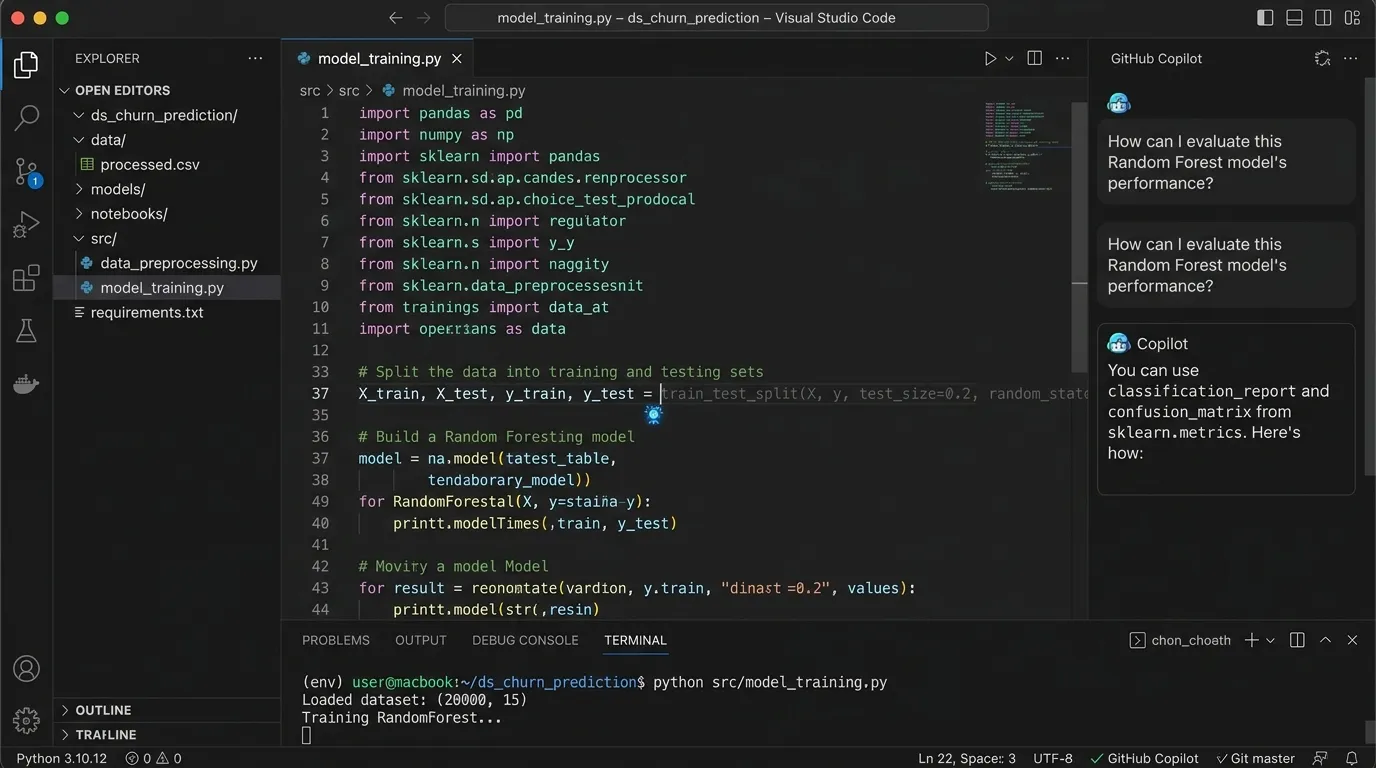
GitHub Copilot for Data Science Students
GitHub Copilot helps students write code inside their editor. It can suggest Python functions, SQL queries, data cleaning steps, comments, unit tests, and repetitive code patterns used in data science projects.
Why GitHub Copilot Helps
Data science code often includes repeated patterns such as reading CSV files, cleaning columns, grouping data, plotting charts, splitting train/test data, training models, and evaluating metrics. Copilot can speed up these routine tasks.
Best For
- Python code suggestions
- Pandas workflows
- SQL query writing
- Function generation
- Code comments
- Unit tests
- Repetitive code
- Data pipeline scripts
What Students Can Speed Up
Copilot can help students write common data science code faster while they focus on understanding the logic, checking outputs, and improving their workflow.
Use Copilot as a Learning Assistant
Copilot should help students move faster, but it should not replace learning. The best method is to use suggestions carefully, test them, understand them, and rewrite the logic yourself later.
Data science code often includes:
- Reading CSV files
- Cleaning columns
- Grouping data
- Plotting charts
- Splitting train/test data
- Training models
- Evaluating metrics
Use this workflow:
- Write your goal in a comment.
- Let Copilot suggest code.
- Read each line carefully.
- Run it on a small sample.
- Check the output manually.
- Ask why it works.
- Rewrite it yourself later.
Weak Point to Remember
Copilot can make students dependent. For exams, interviews, and skill practice, turn it off and practice from scratch. Use it to speed up learning, not to avoid learning the fundamentals.
5. Cursor — Best AI Code Editor for Data Science Projects
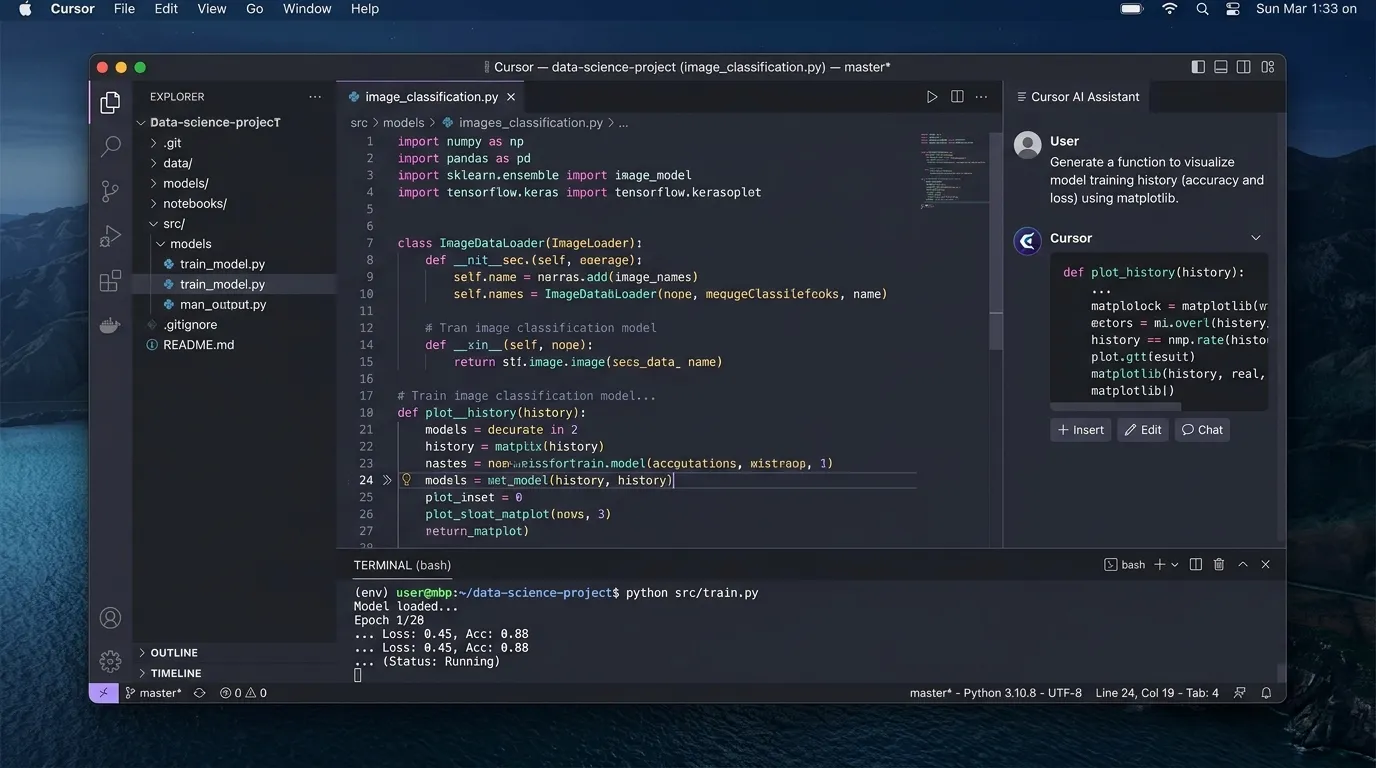
Cursor for Data Science Students
Cursor is an AI-powered code editor that can help with full projects. It is useful when your data science project has multiple scripts, notebooks, data files, documentation, saved outputs, and a dashboard or app structure.
Why Cursor Helps
A beginner notebook is usually one file. A real data science project often has folders, scripts, models, documentation, dependencies, and outputs. Cursor can help students understand, improve, and organize that complete project structure.
Best For
- Debugging project files
- Explaining codebases
- Refactoring Python scripts
- Building data apps
- Creating project structure
- Writing README files
- Improving code quality
What Students Can Improve
Cursor can help students move from a simple notebook to a clean portfolio-ready project with organized files, readable code, useful documentation, and better project structure.
Organize Real Data Science Projects
Cursor can help students understand how a complete data science project should be structured, documented, and prepared for portfolio, GitHub, or recruiter review.
A real project may include:
- data/ folder
- notebooks/ folder
- src/ scripts
- models/ folder
- requirements.txt
- README file
- dashboard app
- saved outputs
Example Prompt
“Review this data science project structure. Tell me what files are missing, how to organize it better, and how to make it portfolio-ready.”
Weak Point to Remember
Cursor can edit many files quickly. Use Git before major changes so you can track edits, compare versions, and safely undo mistakes. AI can improve your project, but you should review every file before committing changes.
6. Jupyter AI — Best for AI Inside Jupyter Notebooks
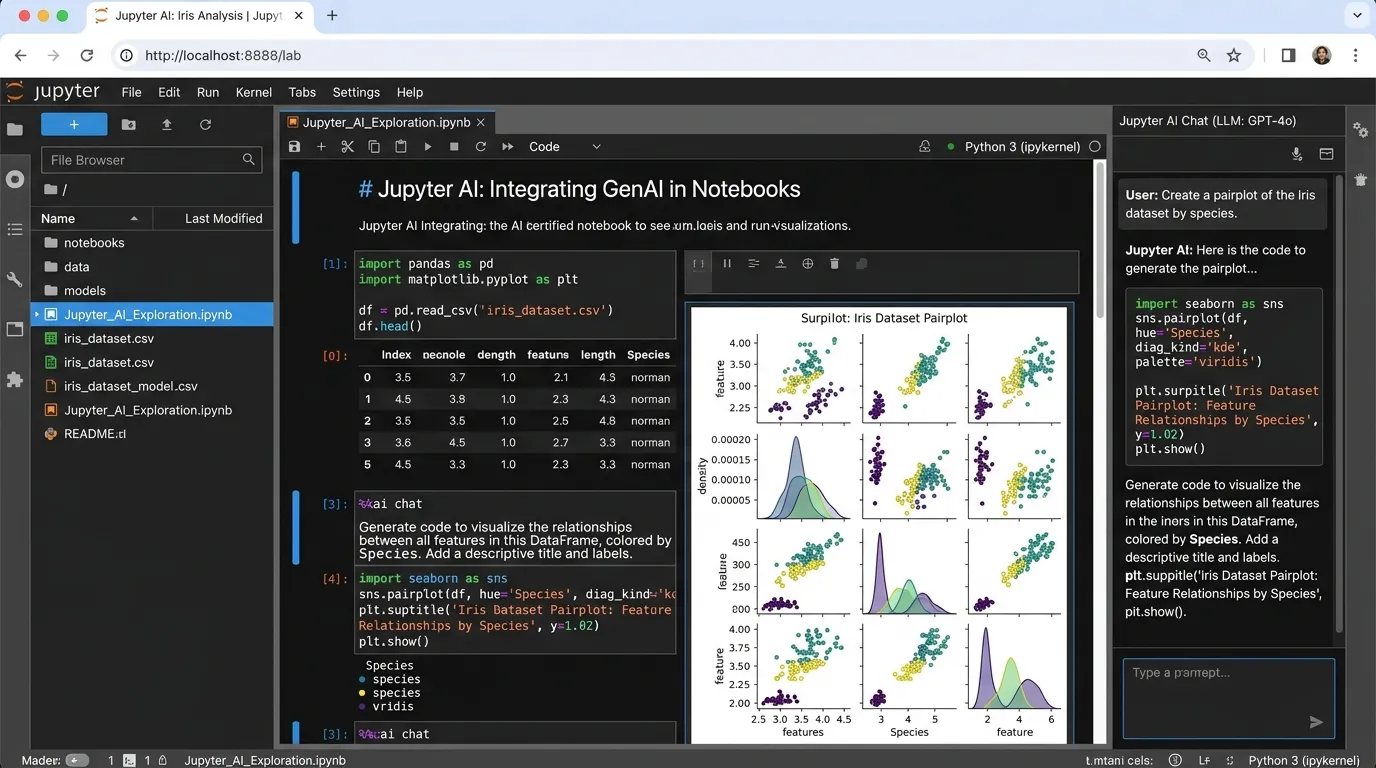
Jupyter AI for Data Science Students
Jupyter AI brings generative AI features into Jupyter notebooks. It is useful for students already learning through notebooks because it supports code explanation, debugging, markdown generation, data analysis assistance, and documentation inside the same workspace.
Why Jupyter AI Helps
Data science students spend a lot of time in notebooks. Having AI help inside the notebook reduces switching between tools and helps students write, explain, debug, and document their analysis more smoothly.
Best For
- Notebook-based AI help
- Code explanation
- Markdown generation
- Data analysis assistance
- Error debugging
- Chart suggestions
- Documentation inside notebooks
What Students Can Do
Jupyter AI can support students while they work inside notebooks, helping them understand code, improve analysis, create explanations, and document their thinking clearly.
Ask for Help While You Work
Jupyter AI helps students stay inside their notebook environment while getting support for coding, cleaning, plotting, modeling, and writing clear markdown summaries.
You can ask for:
- Code explanation
- Cleaning suggestions
- Plot ideas
- Model comparison
- Markdown summaries
- Error fixes
Best Use Case for Students
Jupyter AI is especially useful when students are building notebooks for assignments, exploratory data analysis, machine learning practice, or final-year projects where code, visuals, explanations, and conclusions need to stay together.
Weak Point to Remember
Notebook AI tools should not replace understanding. A notebook should show your thinking process, not just AI-generated code cells. Always explain why you used a method, what the result means, and what limitations exist.
7. Deepnote AI — Best Collaborative Data Science Workspace
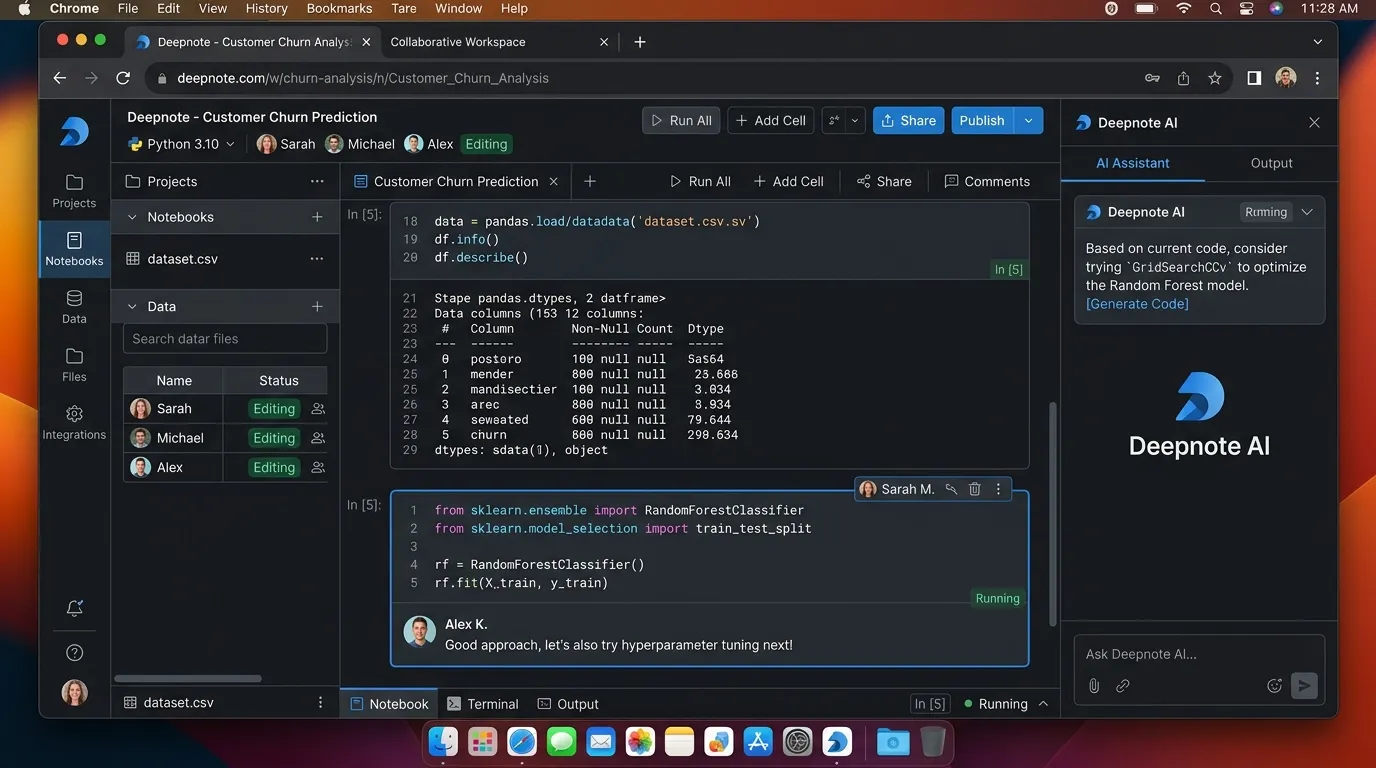
Deepnote for Data Science Students
Deepnote is a collaborative notebook platform for data work. It is useful for students working on group projects, research projects, class assignments, and team-based analysis where multiple people need to work together in one organized space.
Why Deepnote Helps
Data science is often teamwork. One student cleans data, another builds charts, another trains models, and another writes the report. Deepnote helps keep collaboration organized with shared notebooks, comments, dashboards, and review workflows.
Best For
- Team notebooks
- Collaborative analysis
- Data projects
- Dashboard sharing
- SQL and Python workflows
- Comments and reviews
- Class projects
What Students Can Learn
Deepnote helps students practice real collaborative data science work by combining notebooks, documentation, comments, dashboards, and shared analysis in one place.
Organize Team Data Projects
Deepnote can support a complete student project workflow, from uploading the dataset to assigning tasks, building charts, training models, discussing results, and sharing the final dashboard or report.
Example workflow includes:
- Upload dataset
- Assign EDA tasks
- Add markdown notes
- Build charts
- Discuss findings
- Train models
- Export report
- Share dashboard
Best Use Case for Students
Deepnote is especially useful for class projects, final-year projects, research assignments, and group analytics work where students need a clean space to combine code, notes, visuals, comments, and final outputs.
Weak Point to Remember
Students still need version control and clear roles. Collaboration tools do not fix unclear teamwork. A good group project still needs task ownership, deadlines, naming rules, documentation, and regular review.
8. DataRobot — Best for Learning AutoML Concepts
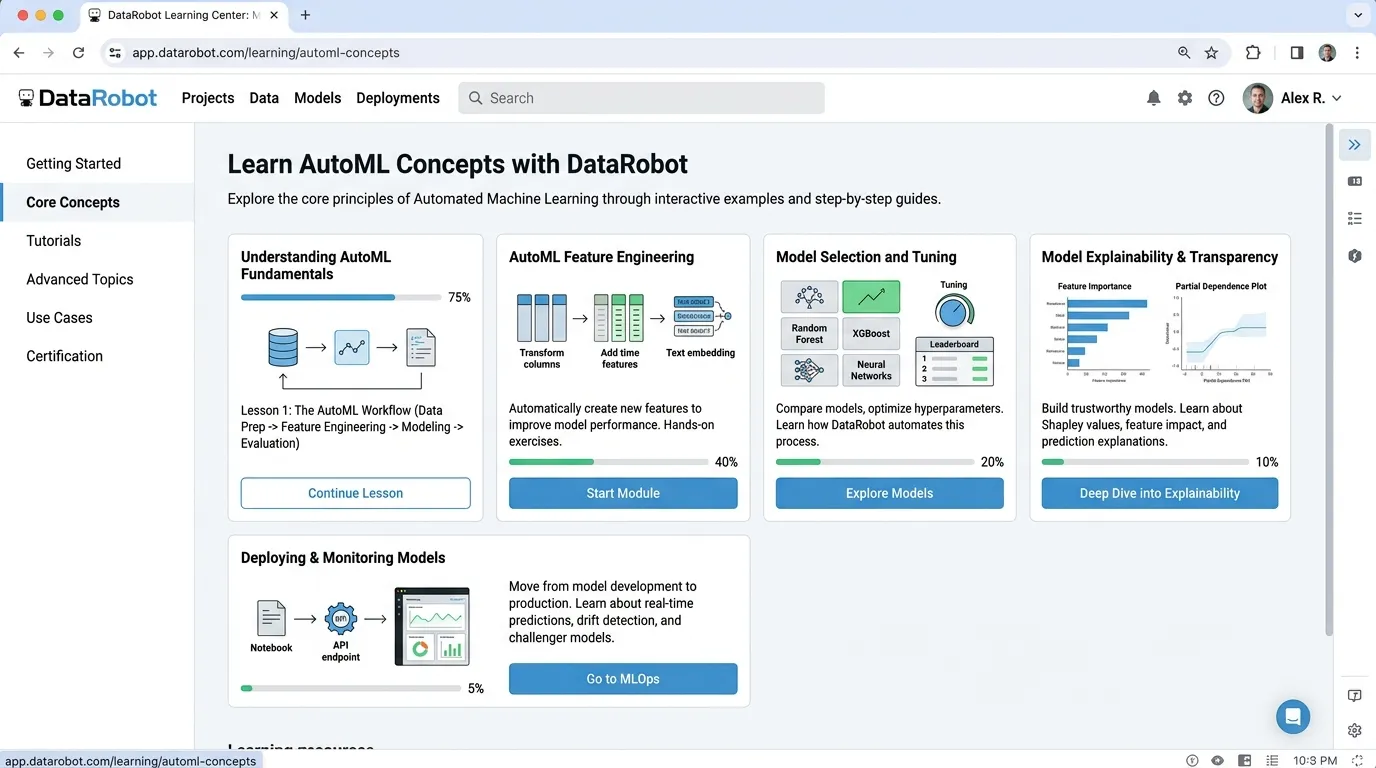
DataRobot for Data Science Students
DataRobot helps students understand AutoML, model selection, training, evaluation, and deployment ideas. It is useful for learning how machine learning workflows can be accelerated while still requiring careful review and interpretation.
Why DataRobot Helps
Students should not depend only on AutoML, but they should understand it. Many companies use AutoML tools to speed up modeling workflows, compare models, and move from experiments toward business-focused machine learning.
Best For
- AutoML learning
- Model comparison
- Feature importance
- Predictive modeling
- Business-focused ML
- Model lifecycle understanding
What Students Can Learn
DataRobot can help students see how different models perform on the same dataset and understand why model evaluation, explainability, and monitoring matter.
Go Beyond “Which Model Won?”
AutoML can rank models, but students should focus on understanding why a model performs well, whether it is reliable, and how it would behave in real-world use.
Ask these questions:
- Why did this model perform better?
- Is it overfitting?
- Which features matter most?
- Is the model explainable?
- Would this model be fair in real life?
- How would we monitor it after deployment?
Best Use Case for Students
DataRobot is valuable when students want to practice model comparison, predictive modeling, feature importance, and business-focused machine learning. It helps students think about the complete model lifecycle instead of only writing training code.
Weak Point to Remember
AutoML can hide the details. Students still need to learn algorithms manually, understand data preprocessing, choose the right metrics, detect overfitting, and explain why a model is suitable for a real-world problem.
9. Dataiku — Best for End-to-End Data Science Workflow
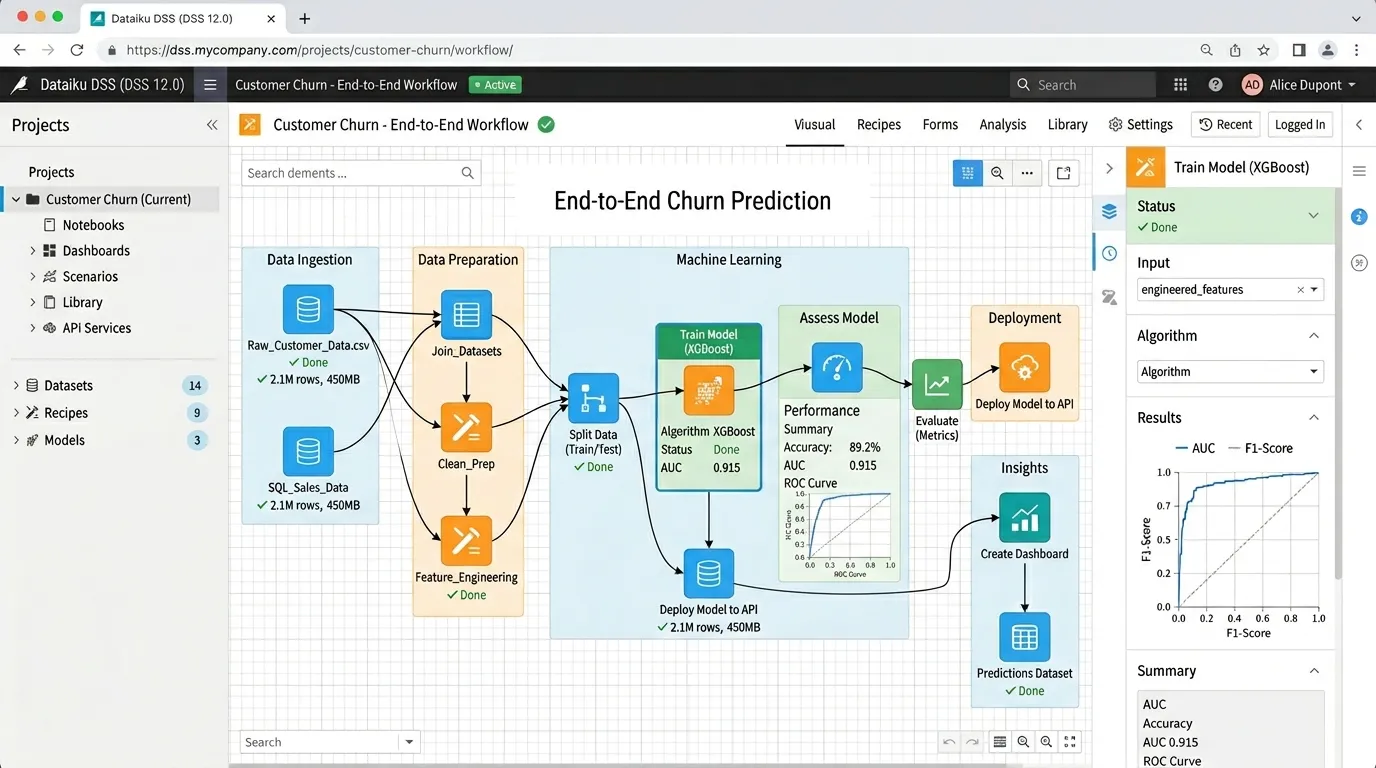
Dataiku for Data Science Students
Dataiku is a platform for data preparation, machine learning, automation, and collaboration. It is useful for students who want to understand enterprise-style data workflows beyond simple notebooks and individual experiments.
Why Dataiku Helps
Many students learn isolated tasks: one notebook for cleaning, one model, and one chart. Real companies need repeatable workflows. Dataiku helps students understand how data projects move from preparation to modeling, sharing, and monitoring.
Best For
- Data preparation
- Visual workflows
- Machine learning pipelines
- Team collaboration
- Model management
- Business analytics
- Enterprise data science
What Students Can Learn
Dataiku helps students understand how professional teams organize data projects, automate workflows, compare model results, and share insights with business users.
Understand the Full Data Pipeline
Dataiku helps students think beyond one notebook by showing how real data science projects are prepared, trained, compared, shared, and monitored in a repeatable way.
A broader pipeline includes:
- Import data
- Clean data
- Prepare features
- Train models
- Compare results
- Share insights
- Monitor outcomes
Best Use Case for Students
Dataiku is useful for students who want to understand how enterprise data science teams work together on repeatable workflows, business analytics projects, and machine learning pipelines that need structure, documentation, and monitoring.
Weak Point to Remember
Dataiku may feel advanced for beginners. Students should start with Python, notebooks, Pandas, SQL, and basic machine learning first. After building a strong foundation, platforms like Dataiku become easier to understand and more valuable.
10. Tableau AI — Best for Data Visualization and Storytelling
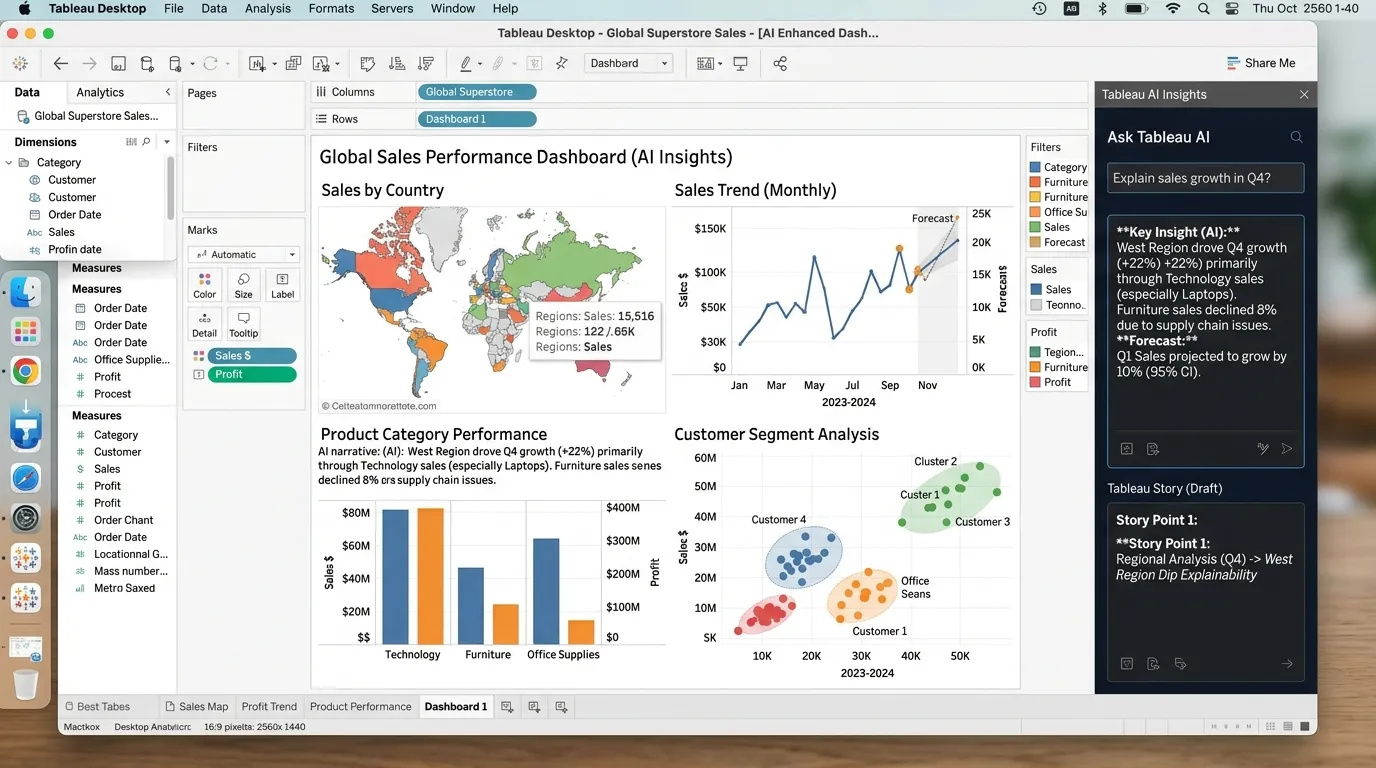
Tableau for Data Science Students
Tableau is widely used for dashboards and business intelligence. Its AI features can support data exploration, insights, and visualization workflows, helping students turn complex data into clear and interactive reports.
Why Tableau Helps
A data scientist who cannot explain results clearly is like a chef who cooks great food but serves it in a shoe box. Presentation matters. Tableau helps students turn data into clear visuals, dashboards, and stories that people can understand.
Best For
- Dashboards
- Data visualization
- Business intelligence
- Interactive reports
- Data storytelling
- Exploratory analysis
- Executive summaries
What Students Can Learn
Tableau helps students practice visual communication, dashboard design, exploratory analysis, and business intelligence reporting for real-world analytics roles.
Build a Complete Dashboard
Students can use Tableau to build a professional dashboard that explains important metrics, trends, comparisons, and recommendations in a clear visual format.
Your dashboard should include:
- Key metrics
- Filters
- Trend charts
- Category comparison
- Geographic view if useful
- Short insight summary
- Recommendations
Best Use Case for Students
Tableau is especially useful when students want to present their data science results to non-technical people. It helps convert analysis into visuals that managers, clients, and recruiters can understand quickly.
Weak Point to Remember
A beautiful dashboard can still be misleading. Always choose charts that match the data, use clear labels, avoid confusing visuals, and make sure the insight is supported by the actual numbers.
11. Power BI Copilot — Best for Business Analytics Students
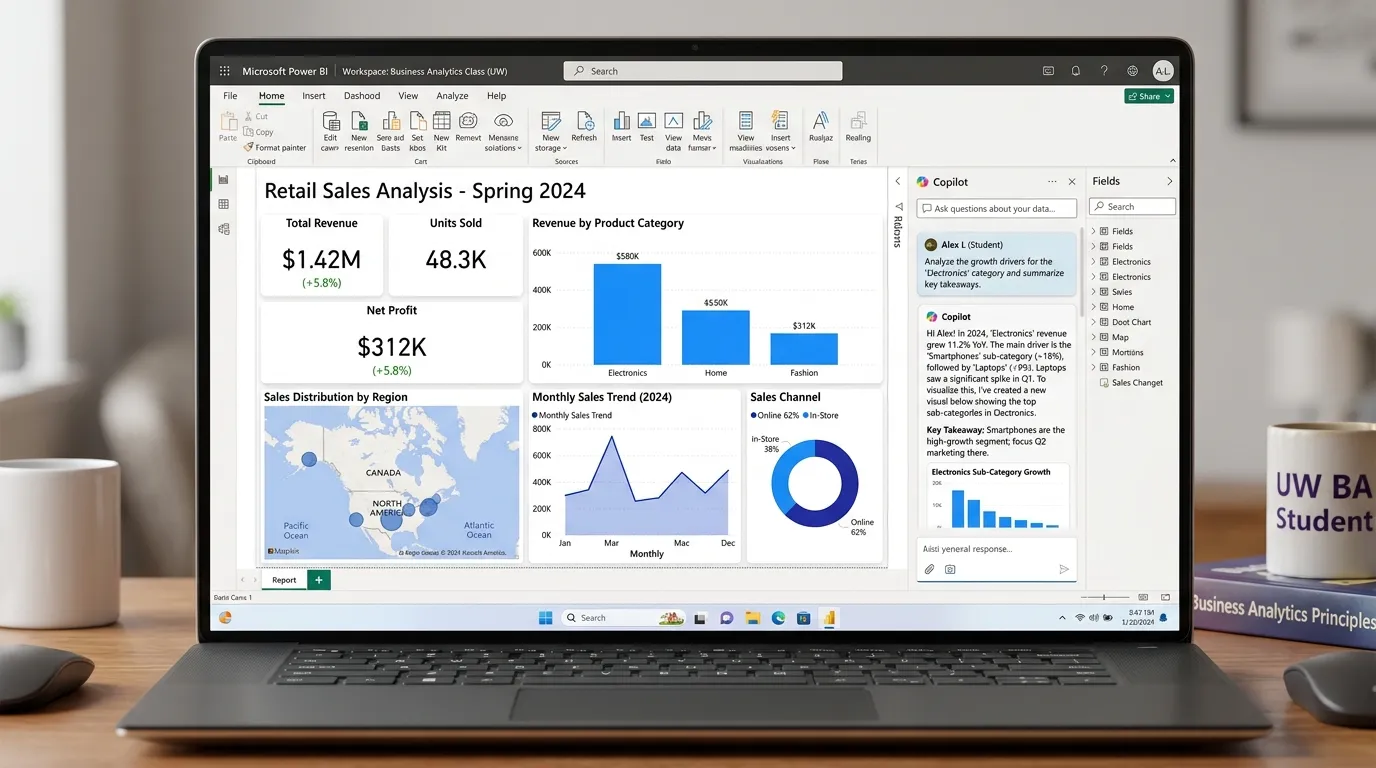
Power BI Copilot for Data Science Students
Power BI is another strong business intelligence tool. Copilot features can help with report creation, DAX measures, summaries, and data exploration, making it useful for students who want to build business analytics skills.
Why Power BI Helps
Many data science jobs involve business analytics. Power BI helps students learn how companies track performance, create dashboards, monitor KPIs, and turn raw data into clear business reports.
Best For
- Business dashboards
- DAX help
- Report summaries
- Data modeling
- KPI dashboards
- Business analytics portfolios
What Students Can Learn
Power BI helps students practice business reporting, dashboard design, KPI tracking, and data storytelling for real-world analytics roles.
Build Business Analytics Projects
Students can use Power BI to create practical portfolio dashboards that show business performance, trends, comparisons, and decision-focused insights.
You can build dashboards for:
- Sales performance
- Customer retention
- Student results
- Inventory
- Marketing campaigns
- HR analytics
- Finance reports
Best Use Case for Students
Power BI is especially useful for students who want to apply data science in business environments, where managers need simple dashboards, performance summaries, and clear visual reporting instead of complex notebooks.
Weak Point to Remember
Power BI needs data modeling knowledge. Students should learn relationships, measures, filters, clean data structure, and proper dashboard design. Copilot can assist, but it cannot replace understanding how the data model works.
12. Perplexity — Best for Source-Based Data Science Research
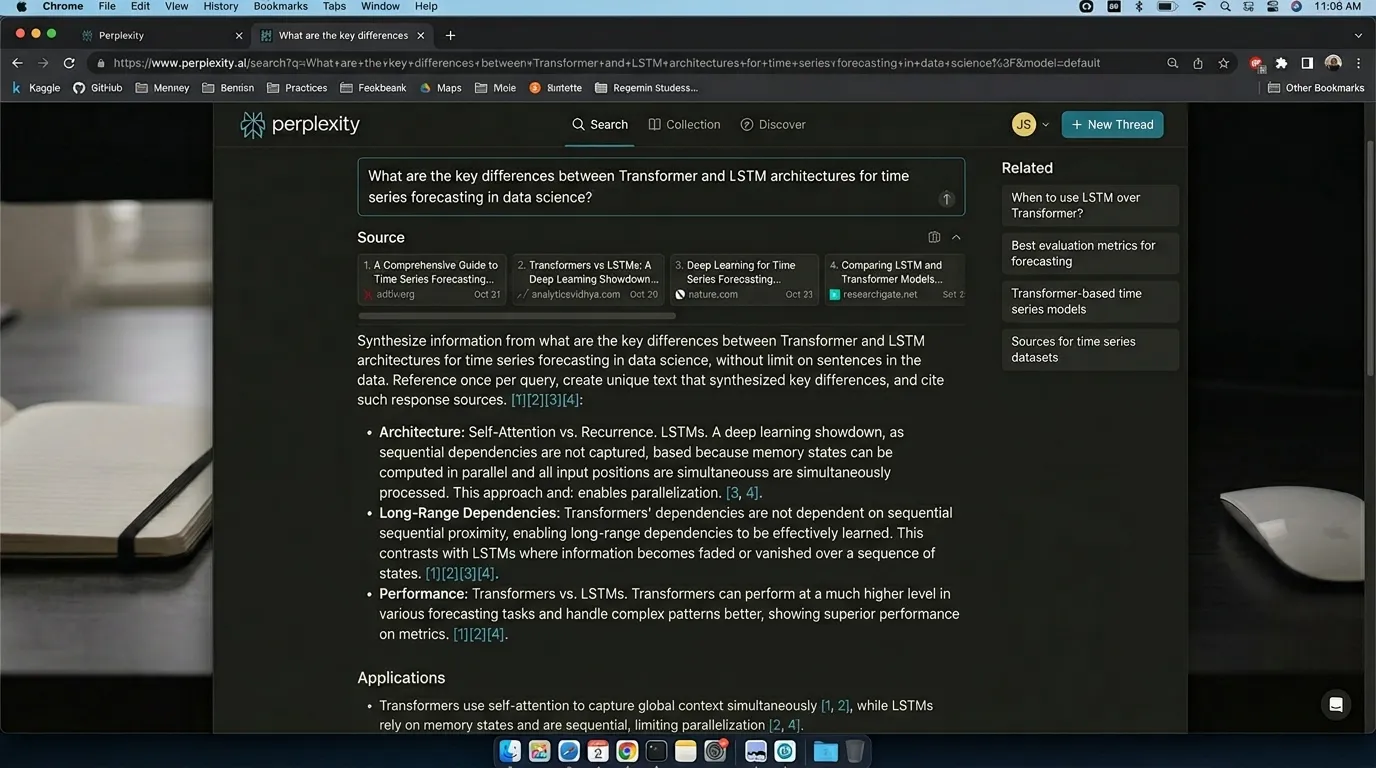
Perplexity for Data Science Students
Perplexity is useful for researching data science concepts, tools, papers, and current trends with sources. It helps students explore technical topics while checking where the information comes from.
Why Perplexity Helps
Data science changes quickly. A library, model, or best practice can change within months. Perplexity helps students find more current information than old tutorial pages and compare ideas using source-backed answers.
Best For
- Source-backed explanations
- Research summaries
- Tool comparisons
- ML concept research
- Finding documentation
- Understanding new libraries
What Students Can Research
Perplexity can help students quickly understand modern data science topics, compare tools, and discover official documentation or reliable learning resources.
Compare Tools with Sources
Students can use Perplexity to compare machine learning tools, libraries, and methods while asking for strengths, weaknesses, and supporting sources.
Example query:
“Compare XGBoost, LightGBM, and CatBoost for tabular data. Include strengths, weaknesses, and sources.”
This type of query is useful when choosing a model for a project, writing a comparison section, or understanding which algorithm fits a dataset better.
Weak Point to Remember
Always check the cited sources. For coding tasks, official documentation is usually better than random blogs. Use Perplexity for research support, but verify technical details before applying them in serious projects.
13. Elicit — Best for Data Science Research Papers

Elicit for Data Science Students
Elicit helps students find and summarize academic papers. It is useful for data science, machine learning, artificial intelligence, and research-based projects where students need to understand existing work before building their own solution.
Why Elicit Helps
Research papers are dense and difficult to understand quickly. Elicit can help students identify the main research question, dataset, method, results, limitations, and future work from academic papers.
Best For
- Literature reviews
- Research paper summaries
- Method comparison
- Finding related work
- Thesis planning
- Academic writing
Useful For These Topics
Elicit is helpful when students need to search, compare, and understand papers related to technical and research-heavy subjects.
Understand Research Papers Faster
Elicit can help students break down academic papers into important parts, making it easier to compare studies and plan a strong research-based project.
Elicit can help identify:
- Research question
- Dataset used
- Method
- Results
- Limitations
- Future work
Best Use Case for Students
This is especially useful when writing a final-year project proposal, thesis plan, academic assignment, or literature review because it helps students organize related work and understand how previous studies solved similar problems.
Weak Point to Remember
Never cite an AI summary without reading the paper yourself. AI can miss important limitations, misunderstand technical details, or oversimplify the findings. Always verify the original source before using it in academic writing.
14. PandasAI — Best for Natural Language Data Analysis
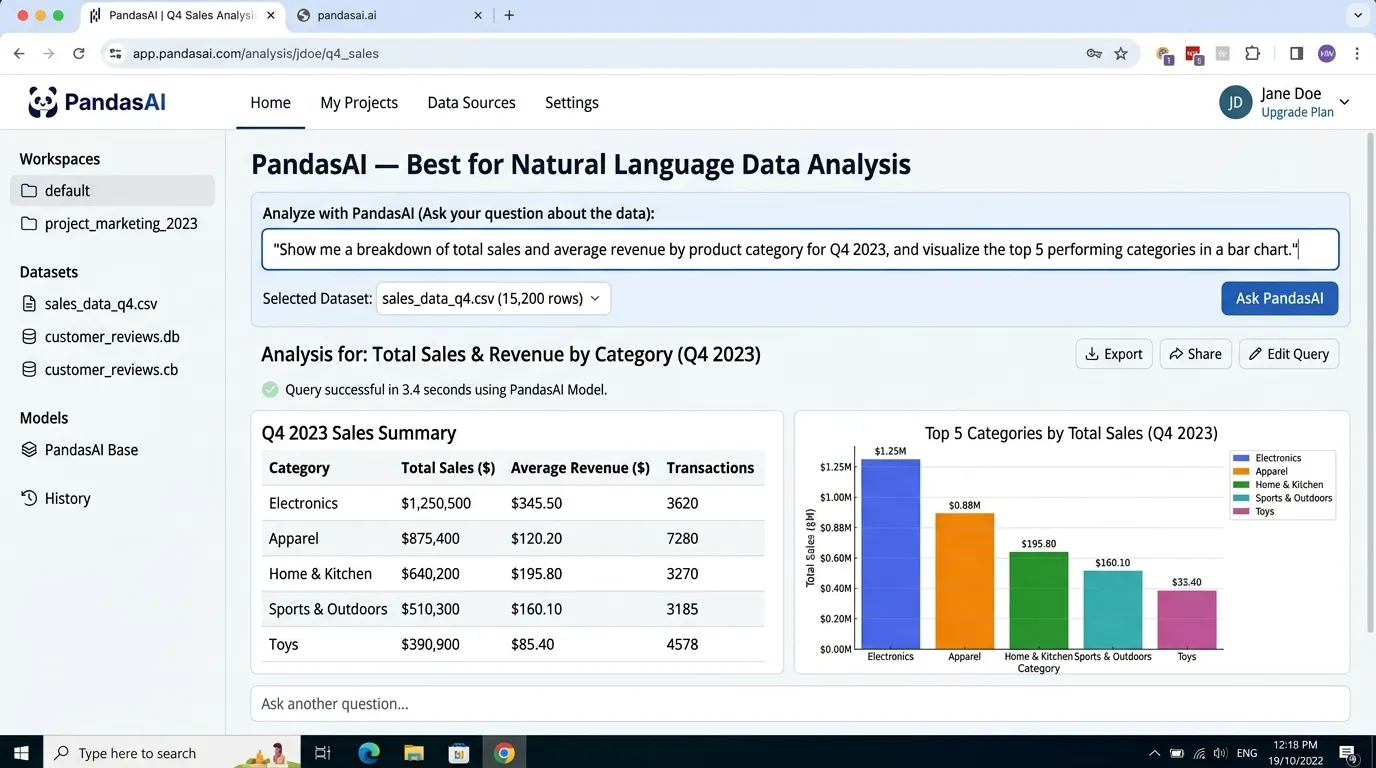
PandasAI for Data Science Students
PandasAI allows users to interact with data using natural language. It can help generate analysis code, ask questions about data, create visual outputs, and support beginner-friendly exploratory data analysis.
Why PandasAI Helps
Instead of manually writing every line of code, students can ask questions in plain English and use PandasAI to generate the code needed to analyze datasets, explore patterns, and create charts faster.
Best For
- Quick dataset exploration
- Natural language queries
- Pandas code generation
- EDA assistance
- Chart creation
- Beginner-friendly analysis
What Students Can Do
PandasAI can help students move from simple questions to useful analysis by converting natural language prompts into data exploration steps.
Ask Your Dataset a Question
A student can ask a business or data question in natural language, and the tool can help generate the Pandas code needed to find the answer.
Example question:
“Which product category has the highest average sales?”
PandasAI can help translate this question into analysis code, calculate the average sales by category, and support chart creation for better understanding.
Weak Point to Remember
Students must still check the generated code. Natural language questions can be ambiguous, and the tool may misunderstand the dataset, column meanings, filters, or analysis goal. Always verify the output before using it in a project.
15. Julius AI — Best for Fast Data Analysis and Charts
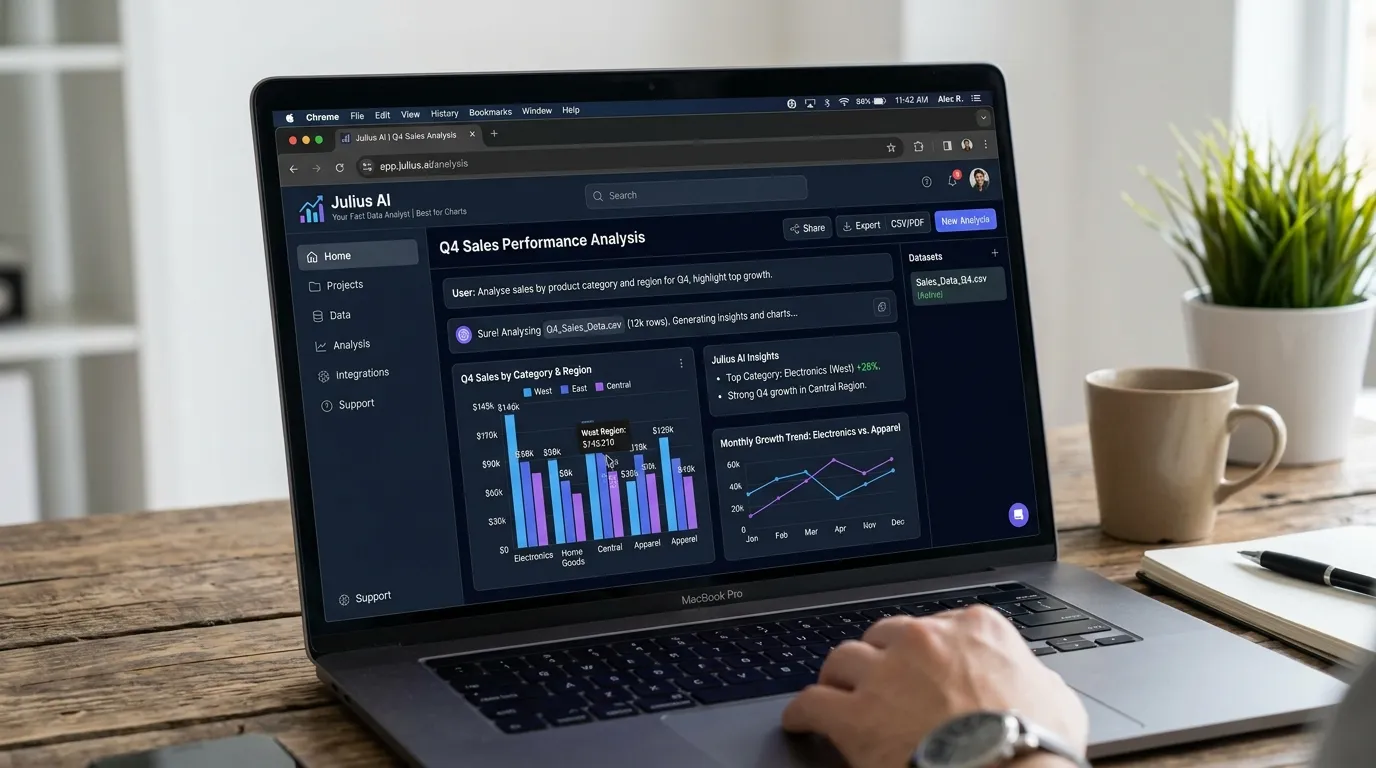
Julius AI for Data Science Students
Julius AI helps students analyze datasets, create quick charts, and understand patterns without spending too much time setting up a full notebook environment. It is useful for fast exploration, spreadsheet insights, and beginner-friendly data analysis.
Why Julius AI Helps
Not every data science task needs a full notebook. Sometimes students just need to explore a dataset quickly, ask questions in simple language, and understand the main trends, categories, relationships, and missing values.
Best For
- CSV analysis
- Spreadsheet insights
- Quick charts
- Summary statistics
- Beginner-friendly EDA
- Business data questions
What Students Can Do
Julius AI can support early-stage data exploration by helping students summarize, visualize, and question their datasets before moving into deeper analysis.
Ask Questions About Your Dataset
Students can use Julius AI to ask simple data questions and quickly understand important patterns before writing full Python or SQL analysis.
Julius can help answer:
- What are the top categories?
- Are there missing values?
- Which trend is increasing?
- Which variable has the strongest relationship?
- What chart should I use?
Weak Point to Remember
Julius AI is helpful for quick exploration, but for serious projects students should still learn Python, SQL, statistics, data cleaning, and proper analytical methods. AI can speed up the process, but it should not replace core data science skills.
16. Hugging Face — Best for NLP and Machine Learning Models
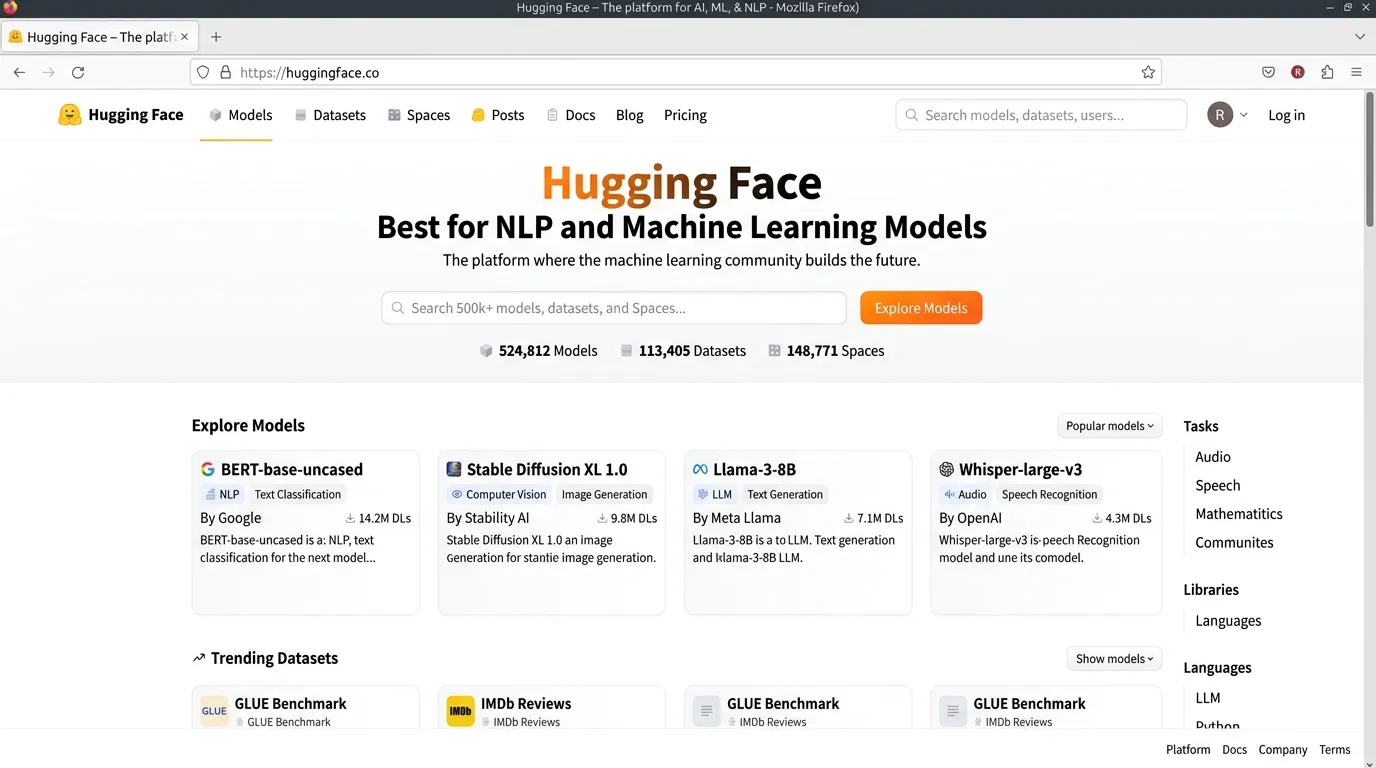
Hugging Face for Data Science Students
Hugging Face is one of the most important platforms for modern machine learning students. It gives access to models, datasets, demos, and libraries that help students understand how real AI systems are built, tested, and deployed.
Why Hugging Face Matters
Students interested in AI and machine learning need to understand modern model ecosystems. Hugging Face makes it easier to explore pre-trained models, experiment with datasets, build demos, and practice real-world AI workflows.
Best For
- NLP models
- Transformers
- Model demos
- Datasets
- Fine-tuning practice
- AI app prototypes
- Model deployment basics
What Students Can Explore
Hugging Face helps students test and understand different AI tasks using ready-made models and datasets.
Build a Sentiment Analysis App
Create a simple app using a pre-trained model that predicts whether text is positive, negative, or neutral. This is a practical beginner project for learning real AI workflows.
Explain these points in your project:
- What dataset was used
- What the model predicts
- Where the model may fail
- What bias risks exist
- How users should interpret the results
Weak Point to Remember
Pre-trained models are powerful, but students must understand their limitations, bias, and evaluation. Never treat model output as automatically correct without testing and reviewing the results.
How to Use AI for Data Science Without Cheating
AI can help data science students learn faster. But it can also make students skip the hard parts. That is risky because data science skill comes from practice.
Good uses of AI
Use AI to:
- Explain Python errors
- Suggest EDA steps
- Generate practice datasets
- Create SQL examples
- Review your notebook
- Explain statistics
- Suggest visualizations
- Write README drafts
- Create project checklists
- Help interpret model metrics
Bad uses of AI
Avoid using AI to:
- Submit generated projects you don’t understand
- Fake analysis results
- Invent datasets or citations
- Hide poor methodology
- Skip statistical reasoning
- Ignore bias and fairness
- Copy notebooks from others
- Use private data carelessly
Simple rule
If AI helps you understand the data, it’s a learning tool. If AI hides the fact that you don’t understand the data, it’s a problem.
This matters because data science affects real decisions: hiring, loans, healthcare, education, marketing, and public services. A bad model is not just a bad grade. In real life, it can harm people.
Best AI Prompts for Data Science Students
Use these prompts to study and build projects.
For learning a concept
Explain overfitting and underfitting in simple words. Use a student exam example, then show how they appear in machine learning.
For data cleaning
Review this dataset structure and suggest a data cleaning plan. Include missing values, duplicates, outliers, data types, and inconsistent labels.
For EDA
Create an exploratory data analysis checklist for a customer churn dataset. Include charts, summary statistics, and questions to answer.
For Python debugging
I’m getting this Python error in pandas. Explain what it means, why it happened, and how to fix it without rewriting my whole notebook.
For SQL practice
Give me 20 SQL practice questions for a sales database. Include beginner, intermediate, and advanced levels.
For machine learning
Help me choose a machine learning model for predicting house prices. Compare linear regression, random forest, XGBoost, and neural networks.
For model evaluation
Explain accuracy, precision, recall, F1-score, ROC-AUC, RMSE, and MAE with simple examples.
For project portfolio
Turn this data science project into a portfolio case study. Include problem, dataset, cleaning steps, EDA, model, results, limitations, and future improvements.
For responsible AI
Identify bias and fairness risks in this machine learning project. Suggest ways to test and reduce those risks.
How to Choose the Right AI Tool for Data Science
The best tool depends on your goal.
If you are a beginner
Start with:
- ChatGPT
- Google Colab
- Kaggle
- Mindgrasp or NotebookLM
- Julius AI
Focus on Python, data cleaning, and simple charts.
If you want to build ML projects
Use:
- Google Colab
- Kaggle Notebooks
- GitHub Copilot
- Cursor
- Hugging Face
Focus on model training, evaluation, and documentation.
If you want to learn business analytics
Use:
- Tableau
- Power BI
- Julius AI
- Google Sheets
- Looker Studio
Focus on dashboards and storytelling.
If you want to do research
Use:
- Elicit
- Perplexity
- Google Scholar
- Zotero
- Claude or ChatGPT
Focus on papers, methods, and citations.
If you want privacy-focused learning
Be careful with:
- Personal data
- Client data
- Medical or financial records
- Private company datasets
- API keys
- Research data with identifiers
For privacy-focused student tools, you can read privacy-first AI tools for students.
AI Study Workflow for Data Science Students
Here is a simple weekly workflow you can follow.
Day 1: Learn the concept
Use ChatGPT or Claude to understand the topic.
Example:
Explain decision trees with a simple example and show how splitting works.
Day 2: Practice code
Use Google Colab or Kaggle to write code manually. Avoid AI autocomplete for the first attempt.
Day 3: Clean a dataset
Pick a messy dataset and practice:
- Missing values
- Duplicates
- Outliers
- Data types
- Feature names
- Category labels
Day 4: Explore and visualize
Create charts and write insights. Don’t just make graphs. Explain what they mean.
Day 5: Train and evaluate a model
Try a simple model first. Then compare with another model.
Day 6: Ask AI to review
Ask AI:
Review my notebook for mistakes, unclear logic, missing evaluation, and weak explanations.
Day 7: Document and publish
Upload your project to GitHub or Kaggle. Write a clear README.
Students who want a full learning routine can also read how to build an AI study system.
Common Mistakes to Avoid
Data science students can grow faster by avoiding these common mistakes in Python, data cleaning, machine learning, visualization, ethics, and portfolio building.
Starting with advanced ML too early
Many students jump into neural networks before understanding missing values, train-test split, and basic statistics. That is like trying to fly a plane before learning how to ride a bicycle.
- Python basics
- Pandas and NumPy
- Data cleaning and visualization
- Statistics and simple models
- Then move to deep learning
Trusting AI-generated code blindly
AI code can run and still be wrong. A working script does not always mean the logic, assumptions, or results are correct.
- Dataset shape and column names
- Wrong target column
- Incorrect train/test split
- Overfitting and bad metric choice
- Missing preprocessing and unclear assumptions
Ignoring data leakage
Data leakage happens when your model uses information it would not have in real life. It can make your score look amazing and your model useless.
“Check this workflow for possible data leakage.”
Using accuracy for every problem
Accuracy is not always enough. For imbalanced datasets, other metrics may explain model performance much better.
- Precision
- Recall
- F1-score
- ROC-AUC
- PR-AUC
Making charts without insight
A chart is not an insight. Good data science explains what happened, why it happened, and what action it suggests.
Sales increased in March.
Sales increased in March after the discount campaign, mainly among returning customers, which suggests the offer worked better for existing buyers than new visitors.
Forgetting ethics and bias
Data science is not only technical. Models can be biased because data reflects past decisions, missing groups, or unfair patterns.
- Who is missing from the data?
- Who could be harmed?
- Is the target variable fair?
- Are sensitive features involved?
- Can the result be explained?
Not building a portfolio
Certificates are useful, but projects prove skill. A strong portfolio shows that you can solve real problems, explain your process, and communicate results clearly.
- Clean notebooks
- Clear explanations
- Screenshots and visuals
- Project limitations
- Simple conclusions
Pro Tip for Data Science Students
Learn the basics deeply, use AI as an assistant, verify every result, and build practical projects that clearly show your thinking, process, and final insights.
Mini Project Ideas for Data Science Students
Here are portfolio projects students can build with AI support.
Beginner projects
- Student marks analysis
- Sales dashboard
- Movie ratings analysis
- Weather data visualization
- YouTube comments sentiment
- Simple expense tracker analysis
Intermediate projects
- Customer churn prediction
- House price prediction
- Loan approval analysis
- Employee attrition prediction
- Product recommendation system
- Marketing campaign performance analysis
Advanced projects
- Fake news classification
- Image classification
- Time series forecasting
- NLP chatbot evaluation
- Resume screening bias analysis
- Credit risk model fairness check
Best project format
For each project, include:
- Problem statement
- Dataset source
- Data cleaning steps
- EDA charts
- Key insights
- Model selection
- Evaluation metrics
- Limitations
- Future improvements
- GitHub link
This structure helps your project look professional, not like a random notebook saved at 2 a.m.
FAQ
What are the best AI tools for data science students?
The best AI tools for data science students include ChatGPT, Google Colab, Kaggle Notebooks, GitHub Copilot, Cursor, Jupyter AI, Deepnote, DataRobot, Dataiku, Tableau AI, Power BI Copilot, Perplexity, Elicit, PandasAI, Julius AI, and Hugging Face.
Which AI tool is best for Python data science?
Google Colab is one of the best tools for Python data science because it runs in the browser and supports notebook-based coding. ChatGPT, GitHub Copilot, Cursor, and Jupyter AI are also useful for Python help.
Can AI clean datasets automatically?
AI can suggest or generate cleaning steps, but students should review every change. Data cleaning depends on context, and automatic cleaning can remove useful information or create errors.
Is ChatGPT good for data science?
Yes, ChatGPT is useful for explaining statistics, writing Python examples, debugging code, generating project ideas, and reviewing notebooks. However, students must verify code, assumptions, and results.
Can AI help with machine learning projects?
Yes. AI can help plan ML workflows, choose models, explain metrics, create code, and review results. It should not replace understanding of data, features, evaluation, and limitations.
What is the best free AI tool for data science students?
Useful free or beginner-friendly tools include ChatGPT free plan, Google Colab, Kaggle Notebooks, Perplexity, Google Sheets, Hugging Face, and some free features in coding assistants.
Conclusion
The best AI tools for data science students in 2026 can make learning faster, more practical, and less confusing. ChatGPT helps explain concepts. Google Colab and Kaggle make hands-on practice easier. GitHub Copilot and Cursor support coding. Jupyter AI and Deepnote improve notebook workflows. Tableau AI and Power BI help with dashboards. Elicit and Perplexity support research. Hugging Face opens the door to modern machine learning.
But AI is not a replacement for data thinking. The best data science students still know how to clean data, ask good questions, choose the right model, avoid leakage, check bias, evaluate results, and explain insights.
Use AI as your assistant, not your autopilot. Build projects, document your work, publish your notebooks, and learn from every messy dataset. That is how you turn AI tools into real data science skill.
About Prof. Irfan
About Prof. Irfan
Prof. Irfan is an AI in education researcher and former classroom teacher. He helps educators and students integrate AI tools ethically and effectively. His work focuses on practical AI study systems, responsible classroom use, and career-ready digital skills for modern learners.