
Best AI Grading Tools for Teachers (2026 Guide)
According to a study by McKinsey & Company, teachers spend an average of 5–7 hours per week on grading—time that could be redirected toward lesson planning and one-on-one student support. Research from Queen Mary University of London’s EduMark AI project shows that AI-powered grading tools can reduce marking time by 50–60% while maintaining consistency and providing more detailed feedback.
I remember those late nights grading essays by hand, struggling to maintain consistent feedback across 150 submissions. After testing dozens of platforms, I’ve found that the best AI grading tools for 2026 do more than just assign scores—they provide personalized feedback, detect plagiarism, integrate with learning management systems, and even grade handwritten work. Whether you’re a K-12 teacher drowning in essays or a university professor managing hundreds of STEM assignments, these AI assessment tools can transform your workflow.
As an education technology researcher who has spent years testing grading platforms, I’ve evaluated each tool based on accuracy, ease of use, LMS integration, and data security. Below, I share the top solutions to help you reclaim your evenings and weekends.
Table of Contents
Why AI Grading Tools Are Transforming Education
The shift from manual grading to AI-assisted assessment is here. Automated grading software doesn’t just save time—it improves the quality of feedback students receive. When I first started teaching, I would spend entire weekends grading papers. Now, with the right tools, I can provide better feedback in a fraction of the time.
Key Benefits of AI Grading Tools
- Time Savings: AI grading tools can finish in minutes what might take you hours—regardless of assignment type or class size. Students get feedback quickly, and you get hours back in your day.
- Consistency: No matter how many papers it grades, AI doesn’t get grading fatigue. All work is graded consistently based on your chosen rubric and feedback settings. This was a game-changer for my large lecture classes.
- Streamlining for Large Classes: Even simple grading becomes a huge time-sink for large classes, but AI can handle 300 submissions in nearly the same time it takes to grade three.
- More Time for High-Value Work: With an AI grader in your toolkit, time spent grading can shift to higher-impact work like lesson planning and providing one-on-one student support.
- Evidence-Based Results: The EduMark AI project at Queen Mary University found that AI grading not only saved time but also produced higher consistency in grade distributions and better rubric alignment compared to manual marking alone.
For educators looking to further streamline their workflow, our guide on AI classroom management tools for teachers offers additional strategies for integrating technology in educational settings. I’ve personally used several of these tools and seen dramatic improvements in classroom efficiency.
Key Features to Look for in AI Grading Software
A graduate-level philosophy professor will have different needs from an AI grading tool than a second-grade teacher. Through my testing, I’ve identified essential features that every teacher should consider:
- Accuracy: The tool must reliably evaluate student work based on your prescribed criteria. I’ve rejected several tools that couldn’t handle nuanced responses.
- Compatibility: Support for various assignment types—multiple-choice quizzes, open-ended essays, complex STEM assignments, and handwritten work.
- Customization: Ability to tailor rubrics and feedback settings to your preferences. The best tools let you train the AI on your grading style.
- LMS Integration: Seamless connection with Google Classroom, Canvas, Schoology, or other platforms. This saved me hours of manual grade entry.
- Data Security: FERPA-compliant protection for student data. This is non-negotiable in my book.
- Handwriting Recognition: OCR technology for grading paper-based submissions. I was skeptical at first, but modern tools are remarkably accurate.
Best AI Grading Tools for 2026
After extensive testing of dozens of platforms, here are the top AI grading tools I recommend—each offering something unique to streamline your assessment workflow. I’ve personally used most of these in classroom settings or beta testing environments.
| Tool Name | Best For | Free Plan? | LMS Integration | Official Link |
|---|---|---|---|---|
| CoGrader | Personalized feedback with AI that learns your style | 100 submissions/month | Google Classroom, Canvas, Schoology | Visit CoGrader |
| Jotform AI Quiz Generator | Creating & auto-grading quizzes from any source | Yes | Jotform Tables | Visit Jotform |
| Marking.ai | Grading handwritten & digital submissions | 6 submissions | Limited | Visit Marking.ai |
| MagicSchool | All-in-one AI platform with 80+ tools | Yes (generous) | Multiple | Visit MagicSchool |
| SwiftGrade | Speed grading with camera scanning | Free tier | Export to LMS | Visit SwiftGrade |
| Kangaroos AI | Essay feedback for large classes | Limited | Limited | Visit Kangaroos AI |
| SnapGrade | Quick rubric-based feedback | Limited | Limited | Visit SnapGrade |
| EssayGrader | Essay evaluation with plagiarism detection | 25 essays/month | Google Classroom | Visit EssayGrader |
| Gradescope | Handwritten & code assignments | Contact sales | Canvas, Blackboard, Moodle | Visit Gradescope |
| Class Companion | Iterative grading with AI tutoring | Free for teachers | Dashboard only | Visit Class Companion |
CoGrader – Best for Personalized Feedback
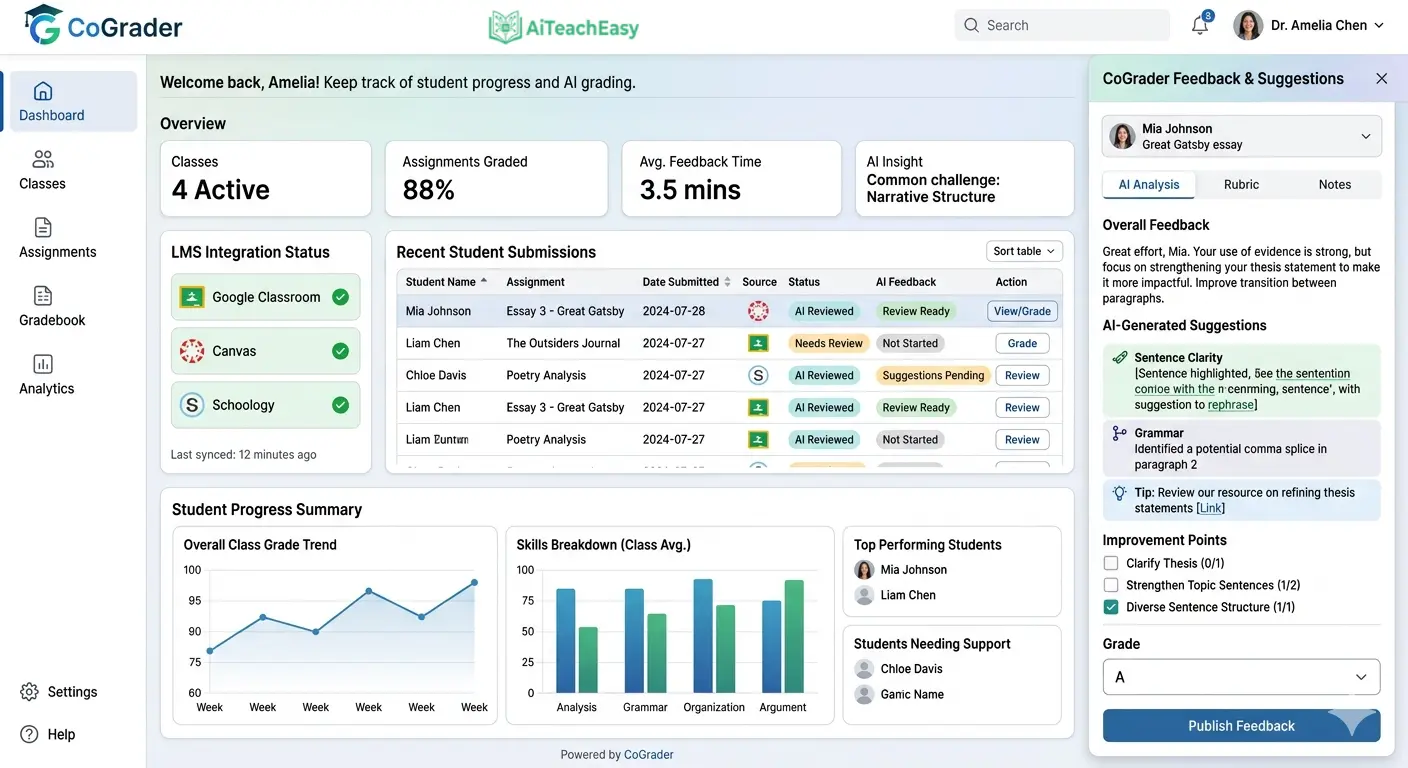
CoGrader positions itself as an AI teaching assistant, and after using it extensively, I can see why. It’s not designed to just slap a grade on a paper—it generates rich, personalized feedback aligned with your rubric and instructions. When I first trained it on my grading style, I was shocked at how accurately it mimicked my feedback patterns.
- Pros: AI that learns your grading style; direct Google Classroom integration; feedback quality and tone customization; FERPA-compliant; used by over 1,000 schools nationwide.
- Cons: Requires upfront training time for each new assignment; limited LMS integrations beyond major platforms.
- Best For: Teachers who want detailed, personalized feedback that sounds like their own voice.
- Key Feature: You manually grade a few examples to train the AI, then CoGrader provides detailed, constructive comments that sound remarkably like you.
For students who need help with their assignments before submission, I always recommend pairing this with our list of best free AI homework helper tools for students . The combination creates a complete feedback loop.
Pricing: Free plan for up to 100 submissions per month; paid plans start at $15/month for 350 submissions.
Jotform AI Quiz Generator – Best for Quiz Creation
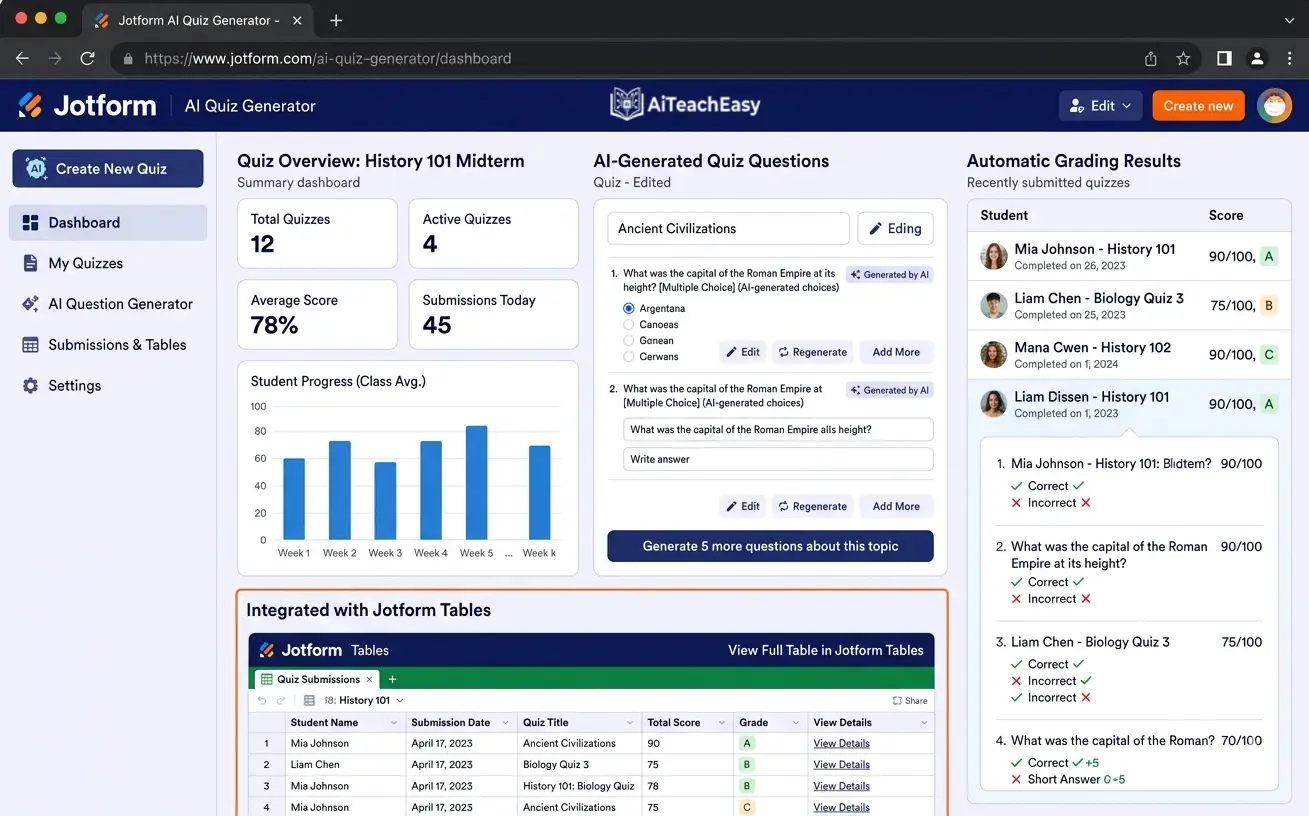
Creating effective quizzes can be just as time-consuming as grading them. Jotform’s AI Quiz Generator completely streamlines the quiz-making process. I’ve used it to create weekly quizzes from my lecture notes in under a minute.
- Pros: Generate quizzes from prompts, documents, links, or even scanned documents; automatic grading and results analysis in Jotform Tables; multiple question types.
- Cons: Not for subjective, open-ended assignments; limited to objective question types.
- Best For: Teachers who need to create and grade quizzes quickly.
- Key Feature: Upload a document or paste a link, and the AI pulls out key information and formats it into a quiz. When students submit, scores are automatically calculated and recorded.
Pricing: Free plan available; advanced AI features in paid tiers.
Marking.ai – Best for Handwritten Submissions
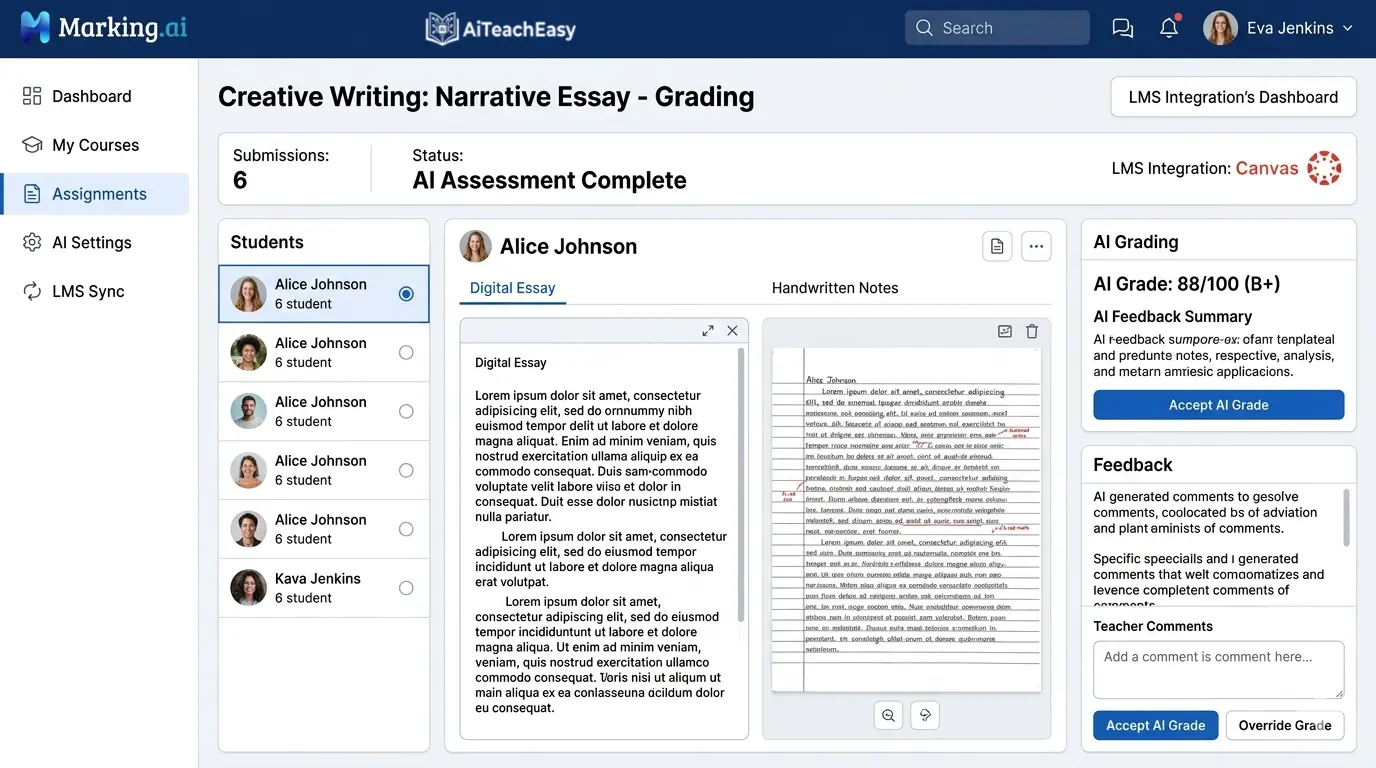
Marking.ai is engineered for efficiency, focusing on delivering in-depth feedback on written work with impressive speed. What caught my attention during testing was its ability to accurately read and assess handwritten submissions—something many tools struggle with.
- Pros: Reads handwritten submissions accurately; provides in-depth, rubric-aligned feedback; feedback can be shared directly with students.
- Cons: User interface is less polished than some competitors; free plan limited to only six submissions.
- Best For: Educators who use a mix of digital and paper-based assessments.
- Key Feature: Scan and upload handwritten essays—the platform quickly returns detailed, rubric-based feedback. I tested this with some notoriously messy student handwriting and was impressed.
Pricing: Free plan for up to 6 submissions; paid plans start at $29/month for 90 submissions.
MagicSchool – Best All-in-One AI Platform
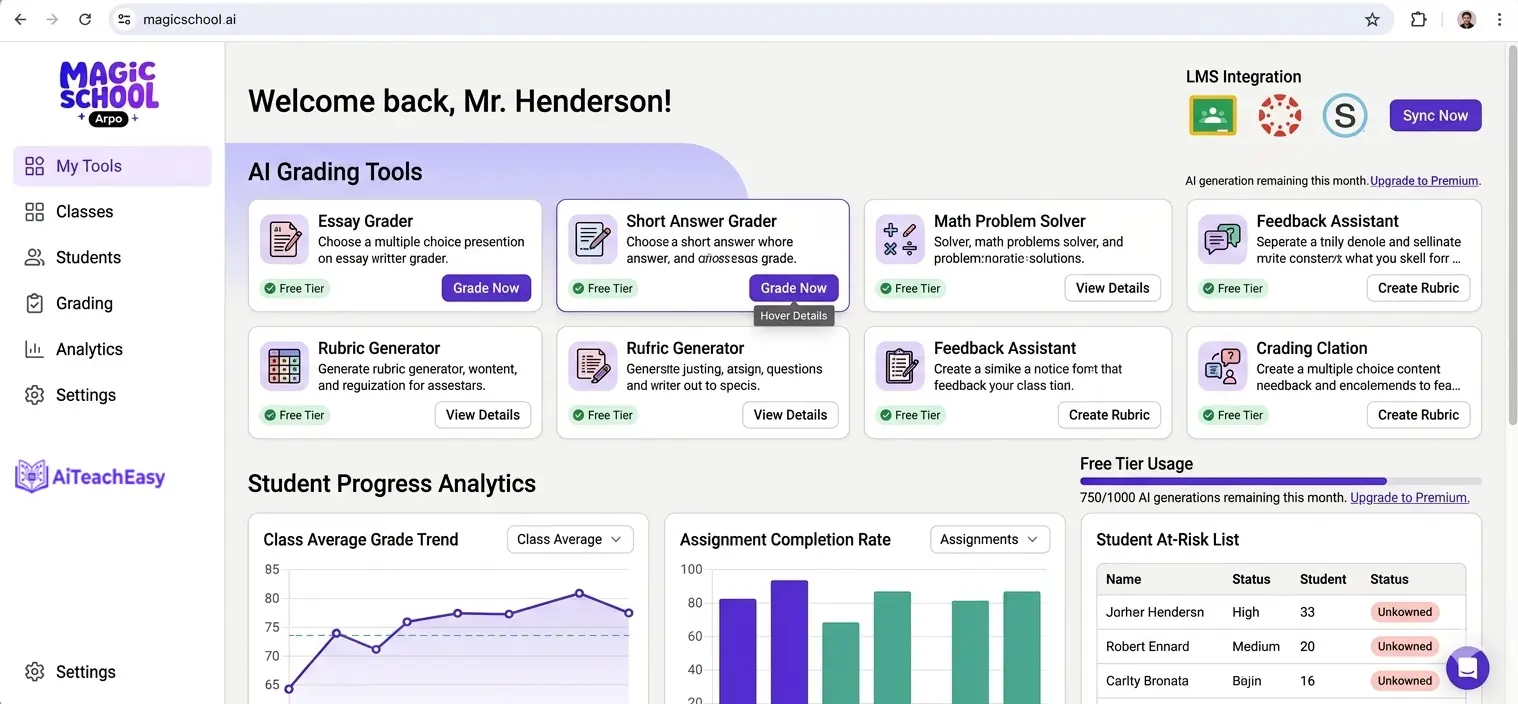
MagicSchool is less of a single-purpose AI grading tool and more of a comprehensive AI assistant for educators with over 80 different tools. I’ve spent hours exploring its capabilities, and it keeps surprising me.
- Pros: Comprehensive suite of AI tools; highly customizable, teacher-centric design; generous free plan; can speak prompts instead of typing—great for busy teachers.
- Cons: Not a fully automated grading system; grading features may not be as specialized as dedicated platforms.
- Best For: Teachers who want an all-in-one solution for grading, lesson planning, and communication.
- Key Feature: Use the Rubric Generator to create detailed rubrics in seconds, then paste student work into the Writing Feedback tool for instant, rubric-aligned comments.
Pricing: Generous free plan includes access to all 80+ features; paid plans start at $99.96/year.
SwiftGrade – Best for Speed
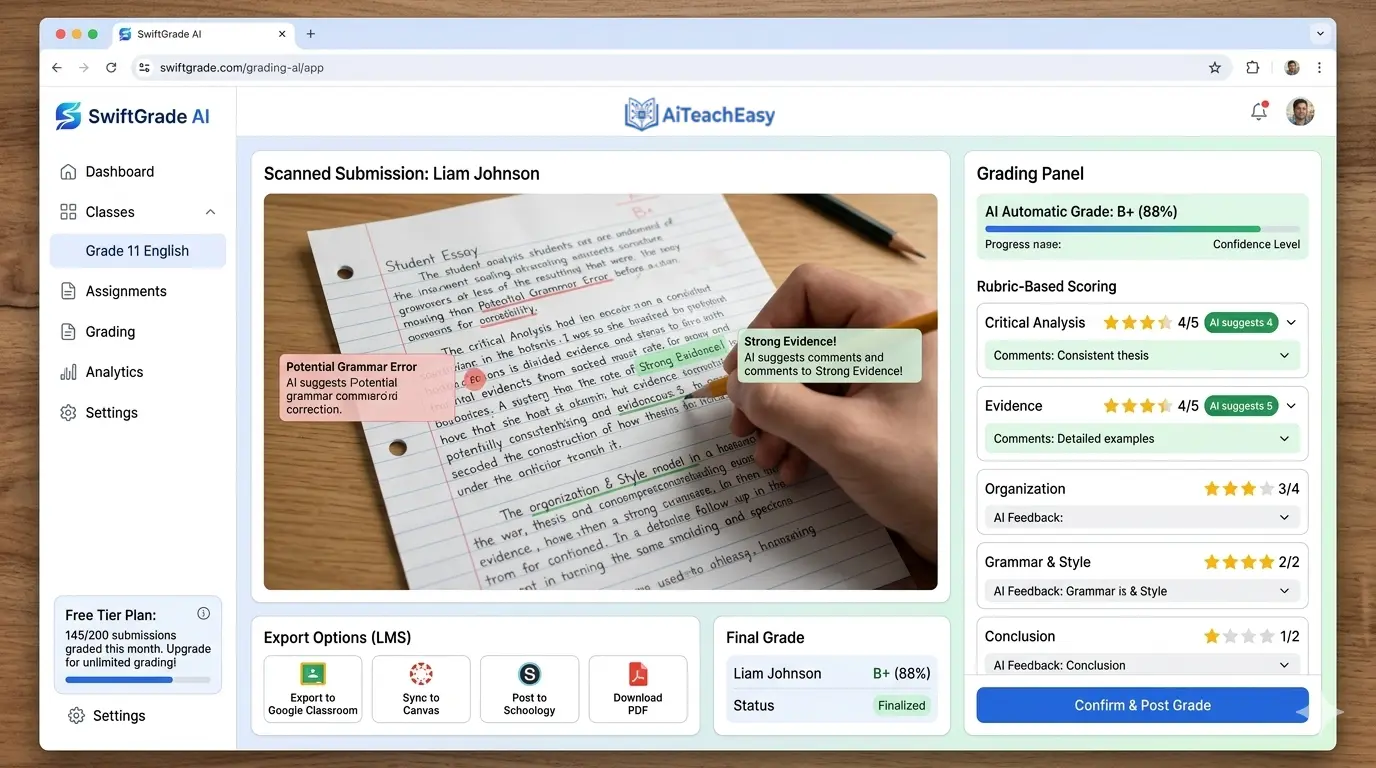
SwiftGrade is built on ChatGPT and saves you time grading both paper and online assessments with remarkable speed. When I first saw it grade 20 papers in under 40 seconds, I had to run the test multiple times to believe it.
- Pros: Auto-scan student papers without clicking the shutter; rapid grading—20 papers in under 40 seconds; grades fill-in-the-blank, numeric, math, multiple-choice, and essays; supports rubric grading; handles complex math notation.
- Cons: iOS only; requires printed answer sheets for paper assessments.
- Best For: Teachers who need to grade large volumes of mixed-format assessments quickly.
- Key Feature: Grades math answers with equivalence—knows that y = 4x/2 is the same as y = 2x; auto-groups similar answers so you can give feedback to entire groups at once. This feature alone saved me hours on math assignments.
Pricing: Free tier available.
Kangaroos AI – Best for Essay Feedback in Large Classes
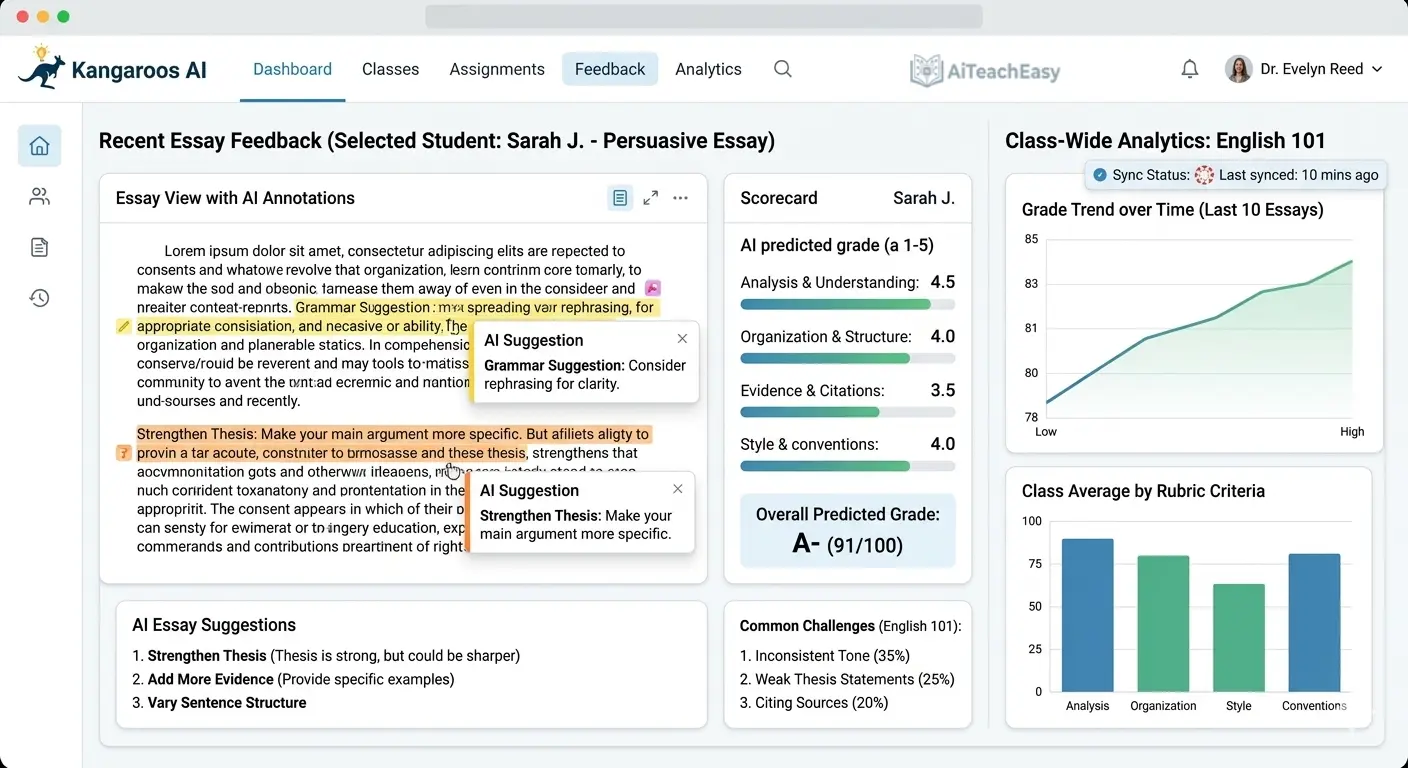
Kangaroos AI is a powerful tool dedicated to grading written assignments, balancing both speed and depth. I used this for a large introductory course with 200+ students, and it was a lifesaver.
- Pros: Bulk assignment uploads; rubric-aligned feedback with text-based evidence; generates summary feedback and suggested scores; incredibly fast and consistent.
- Cons: Requires a well-structured rubric to be effective; not ideal for non-text assignments.
- Best For: Teachers managing large classes with frequent essay assignments.
- Key Feature: Upload an entire set of sample essays, and the AI returns detailed feedback for each in minutes, with specific examples from the text to support each point. The consistency across 200 essays was far better than what I could achieve manually.
Pricing: Limited free plan; paid plans start at $16/month based on grading volume.
SnapGrade – Best for Quick Rubric-Based Feedback
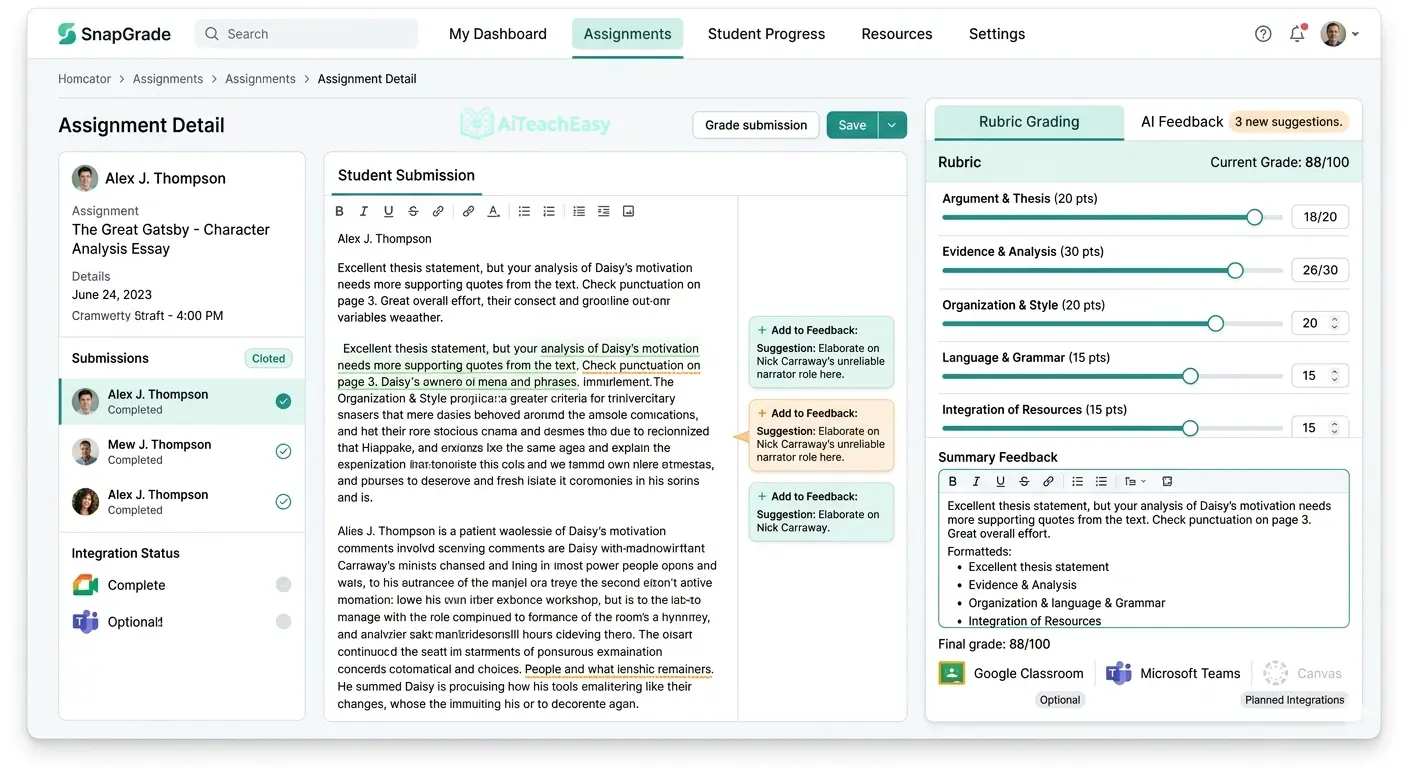
SnapGrade is designed to make rubric-based grading faster and more consistent without taking the teacher completely out of the loop. I appreciate tools that enhance my workflow rather than replacing my judgment.
- Pros: AI-powered alignment with any existing rubric; instant feedback and suggested scores; supports handwritten assignments; easy to use.
- Cons: Lacks deep analytics; not a fully automated online grader.
- Best For: Teachers who want to speed up rubric-based grading while maintaining oversight.
- Key Feature: Upload your existing rubric and a student’s assignment—the AI provides instant, rubric-aligned feedback and a suggested score. I found this particularly useful for providing consistent feedback on weekly short-answer assignments.
Pricing: Limited free plan; Personal plan £4.99/month; Classroom plan £29.99/month.
EssayGrader – Best for Essay Evaluation
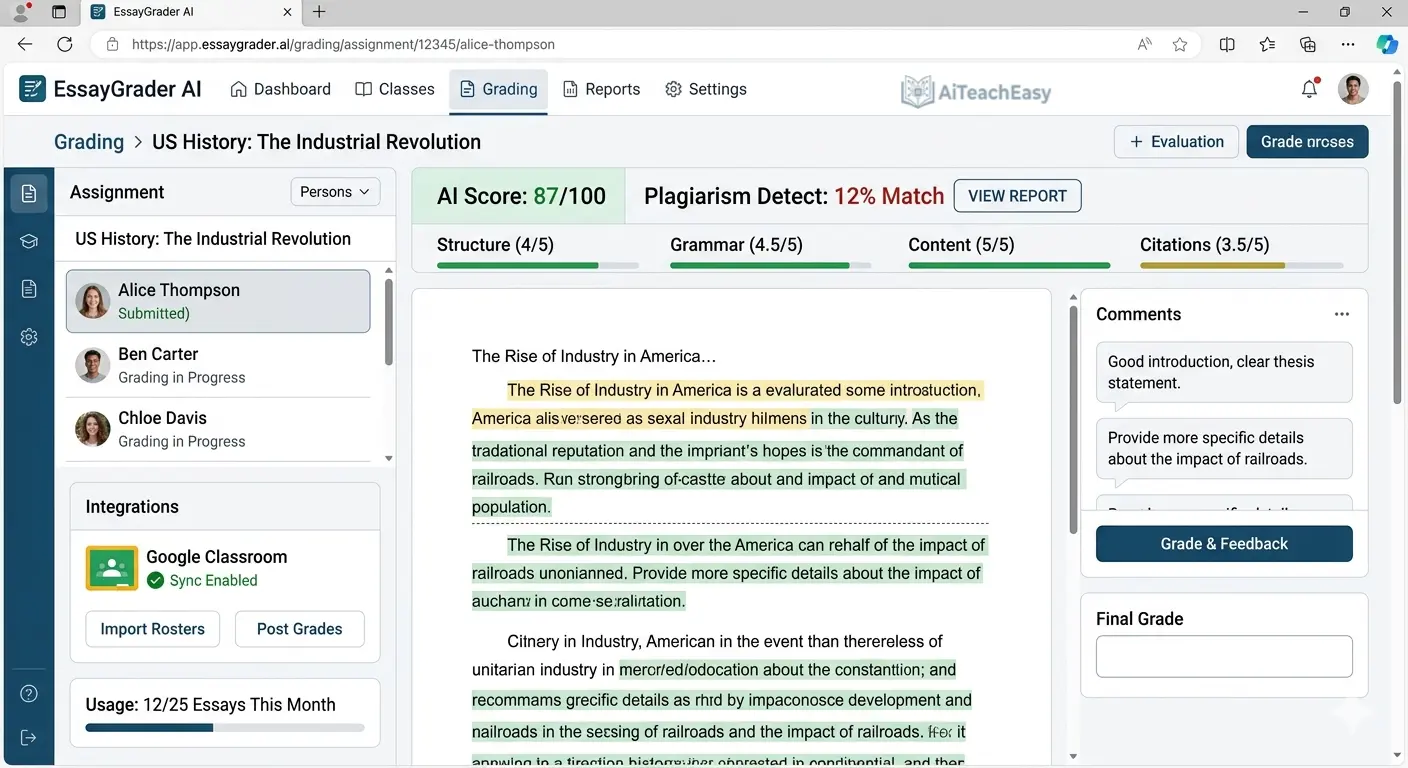
EssayGrader is purpose-built for evaluating essays, using AI to analyze student writing across multiple dimensions. As someone who teaches writing-intensive courses, this became one of my most-used tools.
- Pros: AI analysis of essay structure and argumentation; custom rubric alignment; plagiarism detection; batch grading support.
- Cons: Not ideal for creative or narrative writing; limited to essay-style assignments.
- Best For: English teachers and writing instructors who need to grade large numbers of essays.
- Key Feature: Particularly good at identifying thesis statements and checking if supporting paragraphs are relevant. It caught structural issues I might have missed during marathon grading sessions.
Pricing: Free plan for up to 25 essays (1,000 words each); Lite plan starts at $6.99/month.
Gradescope – Best for Handwritten & Code Assignments
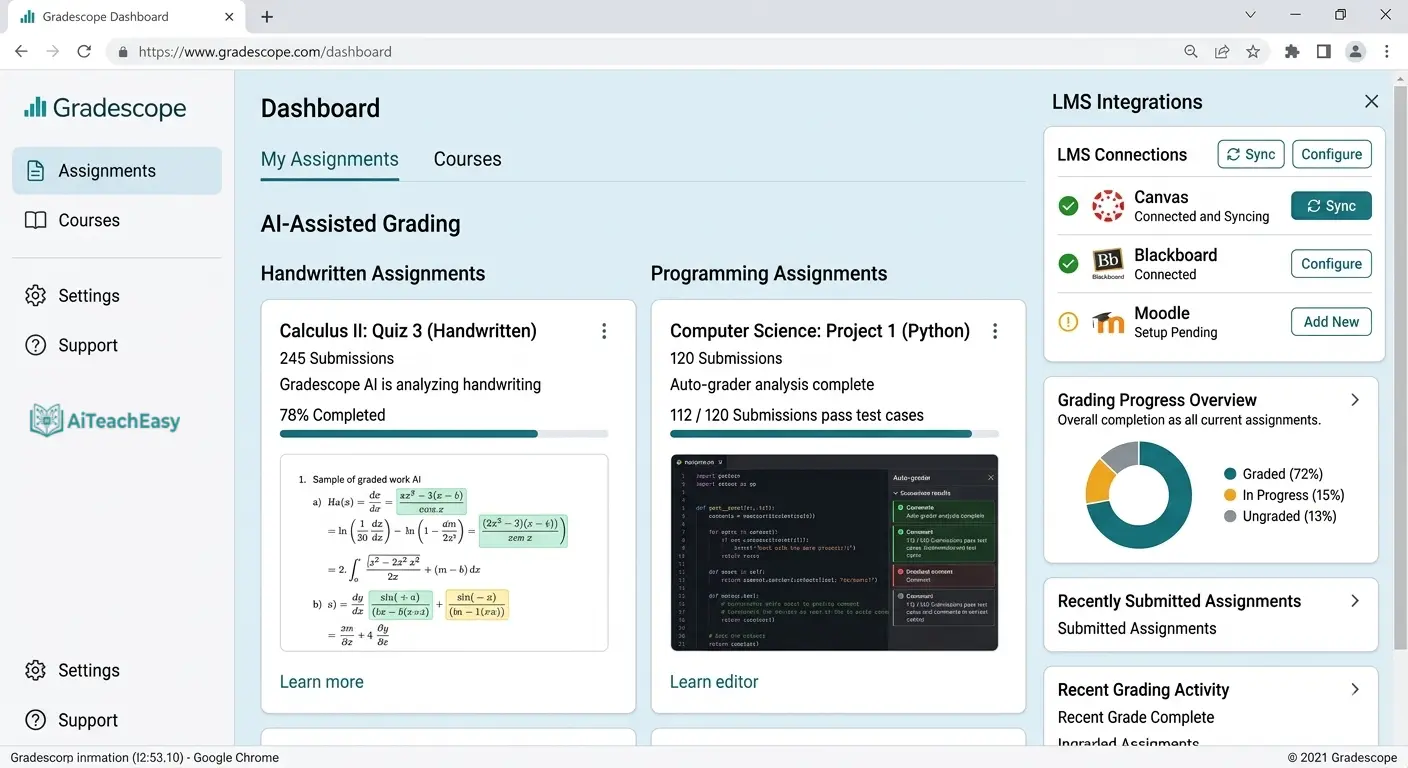
Gradescope solves the challenge of grading large numbers of handwritten, digital, or code-based assignments efficiently. At the university level, this tool is practically indispensable.
- Pros: AI-assisted answer grouping for batch grading; dynamic rubrics; detailed analytics; integrates with major LMS platforms.
- Cons: Requires instructor oversight for ambiguous responses; initial rubric setup learning curve.
- Best For: University professors and high school teachers handling mixed-format assignments.
- Key Feature: Upload scanned student solutions—Gradescope uses AI to detect similar answers and group them for batch grading, then applies rubrics consistently across all submissions. For coding assignments, it can even run automated tests.
Pricing: Institutional license or per-student fees; free trials sometimes available.
Class Companion – Best for Iterative Grading
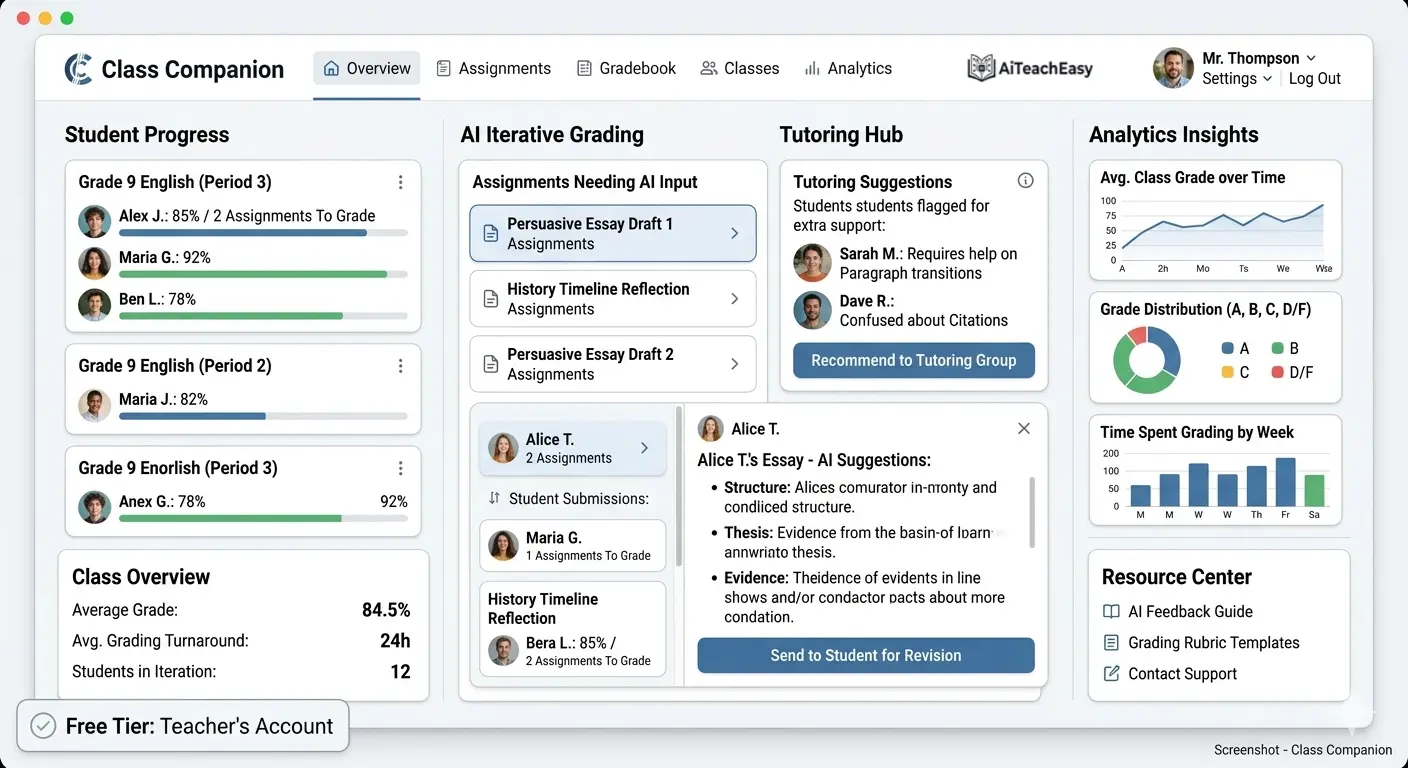
Class Companion was one of the most unique AI graders I tested—it’s designed to provide feedback before an assignment is actually submitted. This flips the traditional grading model on its head.
- Pros: AI-powered feedback during drafting; teacher dashboard to monitor progress; promotes student ownership; free for teachers.
- Cons: Requires student buy-in; not a fully automated system for final submissions.
- Best For: Teachers who want to emphasize the learning process over final product grading.
- Key Feature: Students interact with an AI tutor that provides instant, personalized feedback on drafts, creating an iterative loop that empowers revision and improvement. I watched students revise their work 5-6 times based on AI feedback before ever submitting to me.
Pricing: Free for teachers.
How AI Grading Tools Handle Different Assignment Types
Through my testing, I’ve seen how modern AI grading tools have evolved to handle diverse assessment formats. Each type requires different capabilities:
Multiple-Choice and Objective Questions
Tools like Jotform AI Quiz Generator and SwiftGrade excel at instantly scoring objective questions. They can even handle math equivalence—recognizing that “4x/2” equals “2x”. This was a pleasant surprise when I first tested it with algebra problems.
Essays and Open-Ended Responses
CoGrader, Kangaroos AI, and EssayGrader analyze argument structure, evidence use, and organization. They provide rubric-aligned feedback with specific examples from the text. In my experience, CoGrader’s feedback was the most human-like.
Handwritten Submissions
Marking.ai and SwiftGrade use OCR technology to read and assess handwritten work. The latest innovation is vision-enabled grading, which can now analyze fillable PDFs, PDFs with images, JPEGs, PNGs, and even static GIFs. I tested Marking.ai with some notoriously messy student handwriting and was genuinely impressed.
STEM and Mathematical Assignments
SwiftGrade handles units, scientific notation, equations, fractions, roots, and integrals. Advanced tools use different AI models for different subjects—GPT-4o for mathematical accuracy, Gemini for cost-effective conceptual grading.
Code Assignments
Gradescope supports code-based assignments, allowing instructors to grade programming work efficiently. It can even run automated tests against student submissions.
How to Choose the Right AI Grading Tool
After years of testing these tools in real classroom settings, here’s my personal decision framework based on your specific needs:
- Want personalized feedback that sounds like you? Choose CoGrader—it learns your grading style and the feedback feels authentically yours.
- Need to grade handwritten work? Choose Marking.ai or SwiftGrade for OCR capabilities. I’ve found Marking.ai particularly accurate with varied handwriting.
- Teaching large classes with frequent essays? Choose Kangaroos AI for bulk uploads and consistent feedback across hundreds of submissions.
- Want an all-in-one solution? Choose MagicSchool for grading plus lesson planning and communication tools. It’s become my daily driver for planning.
- Creating quizzes regularly? Choose Jotform AI Quiz Generator for instant quiz creation from any source. I use this weekly.
- University setting with mixed formats? Choose Gradescope for handwritten, digital, and code assignments. It’s the standard in higher ed for good reason.
- Emphasize the learning process? Choose Class Companion for iterative feedback before submission. My students loved this approach.
Most tools offer free plans, so I recommend experimenting to find what fits your workflow. Remember to prioritize tools that respect student data privacy—look for FERPA compliance. Our guide on privacy-first AI tools for students offers additional guidance on data protection that I’ve found invaluable.
For teachers managing grades and report cards, our student result sheet generator can help streamline final grade calculations and report generation. I built this tool specifically because I was tired of Excel formula errors breaking my grade sheets.
The Future of AI Grading: What’s Coming in 2026
Based on my conversations with developers and my own testing of beta features, AI grading technology continues to evolve rapidly. Here’s what I’m most excited about:
- Vision Capabilities: Grading assistants now support images, diagrams, and fillable PDFs—not just text. I’ve tested beta versions that can grade geometry proofs from photos.
- Dual AI Engines: Advanced tools use different AI models for different subjects—GPT-4o for mathematical accuracy, Gemini for cost-effective conceptual grading. This specialization improves accuracy dramatically.
- Hybrid Models: The EduMark AI project champions “AI + educator oversight” workflows that maintain academic integrity while maximizing efficiency. This is the approach I advocate for.
- Integration with Study Tools: AI grading is increasingly connecting with student-facing tools. For example, our guide on best AI tools for exam preparation shows how students can prepare better, making grading more about progress than punishment.
For teachers who also need to help students with memorization, our best AI tools for memorization guide offers complementary strategies. I’ve seen great results when combining effective studying with efficient grading.
Conclusion: Best AI Grading Tools for 2026
The landscape of educational assessment is being transformed by artificial intelligence. After years of testing these tools in real classroom settings, I can confidently say that whether you need automated grading software for multiple-choice quizzes, AI essay graders for written assignments, or tools that can handle handwritten submissions, there’s a solution designed for your needs.
The best AI grading tools in 2026 combine proven educational principles with cutting-edge technology to deliver unprecedented efficiency and feedback quality. From CoGrader’s personalized approach that learns your grading style to SwiftGrade’s lightning-fast scanning that processes 20 papers in under 40 seconds to Gradescope’s comprehensive platform for university settings, teachers at every level can find a solution that fits their workflow.
By incorporating these platforms into your routine, you can reduce grading time by half, provide more consistent feedback, and focus on what truly matters—supporting your students’ learning journey. I’ve reclaimed my weekends and actually enjoy giving feedback now because it’s less about drudgery and more about meaningful interaction.
Remember, study optimization applies to teaching too. With the right AI assessment tools, you can achieve better work-life balance while maintaining high educational standards. I’ve seen firsthand how these tools transform overwhelmed teachers into empowered educators.
For additional classroom support, I regularly use and recommend these resources:
- Best free AI note takers – Help students capture lectures more effectively
- AI tools for student retention – Improve long-term learning outcomes
- Free AI tools no signup – Quick classroom tools without registration friction
- Browser-based AI tools for students – Accessible tools for any device, no installation needed
- AI tools for special needs students – Inclusive education support that actually works
- Best free AI presentation tools – Help students create better presentations
- Best free AI resume builders – Support career-ready students
- Free offline CGPA calculator – Quick grade calculations without internet access
About the Author
Professor Irfan is an AI tools researcher and founder of AI Teach Easy, where I review AI tools that help students learn faster and teachers work smarter. I’ve spent the last three years testing educational technology to find practical applications for modern classrooms, with a strong focus on privacy-first AI tools for students . Before founding AI Teach Easy, I was a classroom teacher who experienced the pain of manual grading firsthand—which is why I’m so passionate about these tools.