
Free AI Tools No Signup: Best 2026 List
The Ultimate Guide for Students
No account, no email, no payment required — these free AI tools work instantly in your browser.

As a student, I know how overwhelming assignments, projects, and research can get. Between juggling lectures, study sessions, and deadlines, it often feels like there aren’t enough hours in the day. That’s why discovering free AI tools with no signup required completely changed the way I work. Imagine finishing a 15-page essay in under an hour, converting lecture PDFs into editable Word files in seconds, or even generating graphics for your presentations without ever creating an account. It sounds like a dream, but these tools make it possible.
Over the past few months, I’ve experimented with a variety of AI tools for students — from writing assistants and essay generators to PDF converters and image editors. Tools like TinyWow and ToolBaz have become my go-to for drafting essays and summarizing complex topics. For instance, I recently used TinyWow’s Paragraph Writer to turn a dense research article into a clear, student-friendly summary, saving hours of reading. Meanwhile, ToolBaz helped me brainstorm and outline a group project report in just a few clicks.
Beyond writing, these AI tools also streamline tasks like creating visual aids, editing PDFs, or generating videos for class presentations. I’ve used AI-powered background removers and image generators to make my slides look professional without spending hours in design software. The best part? There’s no signup, no email verification, and no hidden fees — I can jump straight into using the tool and get results immediately.For students who want to save time, reduce stress, and produce high-quality work, leveraging these free AI tools no signup is a total game-changer. In this guide, I’ll walk you through the best AI tools for writing, research, visuals, and more, sharing my personal experiences so you can use them effectively in your student life.
This guide only includes safe, student-friendly AI tools and does not cover adult, harmful, or privacy-violating tools.
Why Free AI Tools Without Signup Are a Game-Changer for Students
For a student, deadlines are often my biggest challenge. Papers, projects, and presentations pile up, leaving little time to breathe. That’s where free AI tools without signup become a lifesaver. Instant access means I don’t waste time creating accounts or verifying emails — I can dive straight into my work, whether it’s drafting an essay or summarizing research articles. For tight deadlines, this convenience is priceless.
Another huge benefit is privacy protection. As a student, I handle sensitive materials like personal notes, graded assignments, and research sources. Using AI tools that don’t require email accounts or signups gives me peace of mind knowing my data isn’t stored on a server or shared with third parties. I can focus on learning, not worrying about privacy issues.
Time-saving is perhaps the most noticeable advantage. Before discovering AI tools, I spent hours on repetitive tasks like rewriting paragraphs, checking grammar, or condensing long texts. Now, tools like AI essay writers and AI paragraph writers allow me to complete these tasks in minutes. I remember struggling to summarize a 20-page research paper last semester — it took almost half a day. Using an AI paragraph writer, I condensed the same content into clear, concise points in under 10 minutes.
The difference is incredible.From editing essays to creating study notes, these AI tools handle repetitive work efficiently, giving me more time to focus on understanding concepts, preparing for exams, or working on creative projects. For students looking to manage workloads smarter and faster, leveraging AI essay writers and AI paragraph writers without signing up isn’t just convenient — it’s a game-changer.
Top Free AI Tools for Writing Assignments
Essay and Article Writing Tools

Writing essays and articles is one of the most time-consuming parts of student life. That’s why I rely on AI essay writers and AI paragraph writers to streamline the process. Tools like Essay Writer, Article Writer, Paragraph Writer, and Paragraph Completer allow me to generate structured, high-quality content in minutes — no signup needed.
For example, I recently had a psychology essay due in a single evening. Normally, it would take me hours to research, outline, and write. Using Essay Writer, I drafted the entire essay in just 20 minutes. Then, I refined each section with Paragraph Completer, making sure every argument flowed smoothly and logically. It felt like having a personal writing assistant by my side.
One key step I never skip is running the content through an AI Humanizer. While AI generates excellent text, humanizing it ensures the essay sounds natural, professional, and plagiarism-free. I noticed that small adjustments in tone and sentence structure make my essays read like I actually wrote them — not like a machine did.
Whether it’s a short article for class, a long research paper, or even brainstorming ideas for assignments, these AI tools save me hours of repetitive work. With AI essay writers, AI paragraph writers, and the AI Humanizer, I can focus on understanding my course material and improving my grades rather than stressing over formatting or rewriting sentences. For more AI tools for students, check out my complete guide.
For students juggling multiple subjects, tight deadlines, and extracurricular commitments, these tools aren’t just convenient — they’re essential. Leveraging AI writing tools effectively can transform how you handle assignments, helping you produce better, faster, and more polished work. For additional help with study efficiency, explore these best free AI note takers.
Rewriting and Summarizing Tools
I am a student and one of the biggest challenges is condensing massive research into digestible notes or rewriting content without losing meaning. That’s where AI summarizers and AI rephrasers become lifesavers. Tools like Sentence Rewriter, Content Summarizer, Article Rewriter, and Content Paraphraser help me save hours on projects and assignments.
For instance, during my history project last semester, I had a 15-page research paper that needed to be condensed into key points for a presentation. Using Content Summarizer, I turned it into 5 concise bullet points in just a few minutes. Then, I polished some paragraphs with Sentence Rewriter to ensure they sounded professional and clear. It felt like having a dedicated research assistant who never complains and works instantly. These rewriting and summarizing tools not only save time but also improve the clarity of my work.
With AI rephrasers, I can take dull, repetitive sentences and make them engaging without worrying about plagiarism. This is especially useful when juggling multiple assignments across subjects — I can focus on understanding the content instead of getting bogged down in endless rewriting.
Citation & Grammar Tools
No matter how well I understand a topic, poor grammar or inconsistent tone can hurt my grades. That’s why I always use AI grammar fixers and other AI writing tools like Grammar Fixer, Tone of Voice, and Meta Description Generator. These tools help me polish every sentence, ensuring my essays, reports, and assignments are clean, professional, and submission-ready.
For example, before submitting my English assignment last semester, Grammar Fixer caught subtle mistakes I had overlooked — misplaced commas, awkward phrasing, and inconsistent tense. It not only corrected my grammar but also suggested improvements to make my writing more engaging. Using these AI tools has given me confidence that my assignments reflect both my understanding and my best writing.
By combining rewriting, summarizing, and grammar tools, students like me can handle heavy workloads more efficiently. Whether it’s refining content, summarizing research, or ensuring error-free writing, these AI tools provide an edge that no student should ignore.
AI Tools to Manage PDFs and Research Notes

Managing lecture notes, research papers, and project data can be overwhelming, especially when deadlines are tight. That’s where free PDF tools and AI file tools come in, helping students stay organized and save hours of manual work.
PDF Editing and Conversion
One of my favorite ways to streamline research is with AI PDF editors. Tools like Edit PDF, PDF to Word, Merge PDF, JPG to PDF, and Extract Text from Image make handling documents effortless. For example, I recently had a stack of scanned lecture notes that I needed for a group assignment. Using PDF to Word, I converted all the notes into editable documents in minutes — a huge time saver that let me focus on writing instead of retyping everything.
Merging multiple PDFs for a research project is just as easy. With Merge PDF, I combined readings, lecture slides, and reference papers into a single file, making it simpler to review and annotate. And when I need to extract text from images — like charts or handwritten notes — the AI-powered Extract Text from Image feature does it instantly, preserving accuracy and saving me from hours of typing.These free PDF tools aren’t just convenient; they protect student privacy by avoiding account sign-ups, which is a huge plus for anyone who wants fast access without sharing personal info.
File Organization Tools
When working with datasets or project files, staying organized is key. That’s where AI file tools shine. Tools like Split CSV, Split Excel, Excel to PDF, and XML to Excel help me manipulate and manage data efficiently.
For my data science project last semester, I had multiple large Excel sheets that needed splitting and merging. Using Split Excel and Excel to PDF, I organized all my datasets in minutes — tasks that would have taken hours manually. These tools also make converting between formats, like XML to Excel, seamless, which is perfect for research assignments requiring clean, structured data.For students handling research notes, assignments, or complex datasets, these student AI tools are a game-changer. They not only save time but also reduce errors, allowing us to focus on understanding the material and producing high-quality work.
AI Tools for Presentations and Visual Projects
Creating visually appealing presentations and projects can be a major time sink for students. Fortunately, AI presentation tools and AI design tools have completely transformed the way I handle visual assignments, making it faster and easier to produce professional-quality slides, images, and infographics
Image Editing and Creation
When I need custom visuals for a presentation or project, I rely on AI image generator tools like AI Image Generator, Background Remover, Restore Photos, Profile Photo Maker, Remove Person from Photo, Remove Objects Photo, Resize Dimensions, Increase Image Resolution, and Compress.
For example, I recently had to prepare slides for my marketing class. Using the AI Image Generator, I created unique visuals tailored to my content. Then, with the Background Remover, I removed distracting backgrounds from stock photos and replaced them with cleaner, more professional designs. I also used Resize Dimensions and Increase Image Resolution to make sure my images looked sharp on the big screen. The entire process, which would normally take hours in traditional design software, was completed in less than 30 minutes. These AI photo editor tools not only save time but also allow students to experiment creatively without expensive software or technical expertise.
Infographics and Diagrams

Data visualization is another area where AI shines. Venngage AI Tools are my go-to for turning complex research or statistics into clean, professional-looking infographics and diagrams.
For my psychology research project, I had over 50 survey results that needed to be presented clearly. Using Venngage, I transformed raw data into colorful charts and diagrams that made my findings easy to understand and visually engaging. It not only improved the quality of my presentation but also impressed my professor with the professional layout.
AI Infographic Generators
- Visual AI – Infographics Maker — Create professional infographics in seconds from simple text or prompts. Designed specifically for students, creators, and professionals who want high-quality visuals without the design overhead. Fast processing with high-quality exports ready for presentations and reports.
- Canva AI Infographic Generator — Canva’s Magic Design AI creates auto-generated layouts from your content, with thousands of templates and design assets. The platform now offers specialized AI infographic generation that turns data and text into visually engaging formats. Perfect for students creating comprehensive visual projects.
- Venngage AI Infographic Maker — Combines smart chart recommendations with professional infographic templates. The platform analyzes your data and suggests effective visualization types while maintaining clean, academic-appropriate aesthetics. Includes collaborative editing for group projects and high-resolution exports for research papers.
- Gamma AI — An AI-powered platform that creates presentations, infographics, and documents in seconds without coding or design skills. Its web-native visual style is particularly effective for creating visually cohesive academic projects.
Visual Enhancement Tools
- Napkin AI — Creates mind maps and graphic organizers to help visualize complex concepts and research connections. Particularly useful for brainstorming essay structures or mapping literature reviews.
- Jeda.ai — A multimodal generative visual AI workspace that turns raw data into stunning infographics and dashboards. Maps strategies as crystal-clear visual diagrams and creates visual notes and mind maps. Educators report student engagement increases of up to 95% when using these tools.
- Infogram — Creates interactive infographics and charts with real-time data integration. Particularly valuable for online presentations and research reports where audience engagement matters. Embed codes work directly with learning management systems.
- Piktochart AI — Converts text prompts into professional infographics, reports, and presentations. The AI analyzes your content and suggests appropriate visual layouts, color schemes, and data representations.
Specialized Data Visualization
- Flourish — Creates beautiful data visualizations and interactive charts without coding. Templates specifically designed for storytelling with data — perfect for research presentations and data-heavy assignments.
- Datawrapper — Easy chart and map creation tool favored by data journalists. Creates clean, publication-quality visualizations that can be embedded directly into research papers or presentations.
- Plotly Chart Studio — Professional-grade graphing capabilities for advanced students working with complex datasets. Wide range of scientific and statistical chart types with detailed customization. Publication-quality exports for thesis work.
By combining the AI summarizers and rephrasers you mentioned earlier — like Sentence Rewriter, Content Summarizer, and Article Rewriter — with grammar and tone tools such as Grammar Fixer and Tone of Voice assistants, and finally AI image and infographic creators like Visual AI and Canva AI, you create a complete academic workflow.
Research suggests students using AI visualization tools see measurable improvements in both efficiency and outcomes — one study found exam scores rose by 9.8% while analysis time dropped by 40.2% when students integrated these tools into their workflow.
The entire process — from condensing a 15-page research paper into key points with Content Summarizer, to polishing the writing with Sentence Rewriter and Grammar Fixer, to creating custom visuals with AI Image Generator and infographics with Visual AI — transforms what once took days into a streamlined, hours-long process.
For students juggling multiple assignments across subjects, this integrated AI toolkit means you can focus on understanding content and developing ideas, rather than getting bogged down in mechanical tasks. Whether it’s refining text, summarizing research, ensuring error-free writing, or creating publication-ready visuals, these tools provide an edge that no student should ignore.
AI Tools for Video Projects
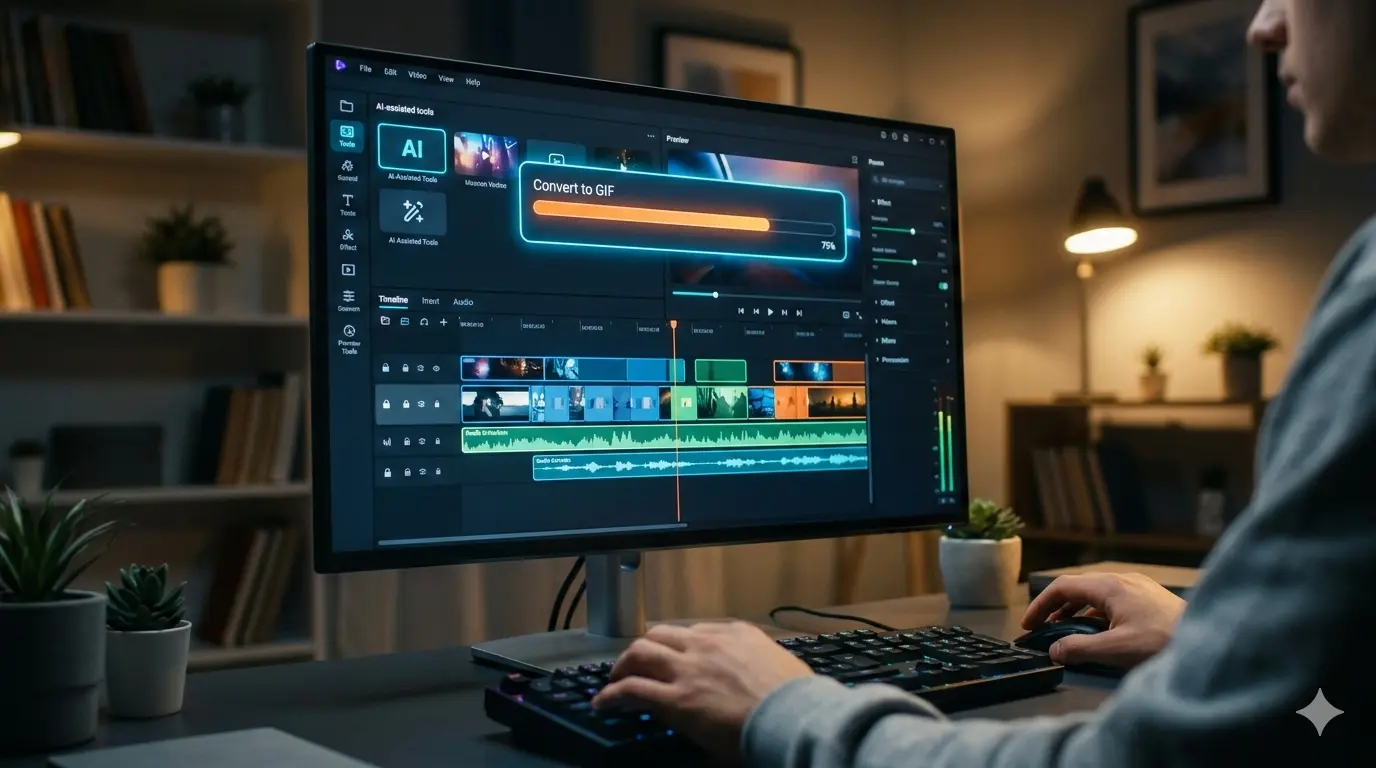
Working on video projects can feel overwhelming, especially with tight deadlines. Luckily, AI video tools make it so much easier for students like me.
Video Editing Tools
I love using Compress Video, Trim Video, MP4 to MP3, and Video to GIF. Just last week, I turned a 5-minute class project video into a short GIF for my social media post using Video to GIF. It was super fast, and it looked really good!
These AI video editor tools save me so much time. I can cut out unnecessary parts, make big videos smaller, or even get the audio from a video without needing complicated software. They’re perfect for school presentations, assignments, or creative projects when I don’t have hours to spend editing.
Using these tools lets me focus on the ideas and content instead of getting stuck on technical stuff. Honestly, I don’t know how I managed before these tools — they really make student life easier.
⚡ Tips for Using AI Tools Effectively as a Student
Using AI study tools can save so much time, but I’ve learned a few tricks that make them even better.
Start with Clear Prompts
Instead of saying, “Write about photosynthesis,” I type:
"Write a 300-word essay on photosynthesis with examples of real-life applications."
The AI gives me exactly what I need, and I don’t waste time editing.
Build Your Prompt Library
I save effective prompts in a simple text file. That way, I can reuse them for future projects without thinking too much. It’s like having my own personal AI study guide!
Time Your Usage
I work during off-peak hours – early morning or late night. Free tools slow down when everyone is online, so this simple trick makes a big difference in speed.
Combine Multiple Tools
I often start with a Content Summarizer to condense research, then use an AI Essay Writer to draft, and finally run it through an AI Humanizer for a natural, plagiarism-free finish.
My Secret Workflow
This combination has made my assignments much faster and more professional:
First I condense research, then draft the essay, and finally humanize it for that natural, personal touch.
These small habits have completely changed how I study. With the best AI tools for students, I can finish essays, research projects, and presentations faster while keeping everything organized and high-quality.
My Personal Experience Using AI Tools for Studying

As a student, I’ve tried many ways to make studying easier, but using free AI tools for students has completely changed my workflow. For my assignments, I used TinyWow to summarize long PDFs and convert lecture notes into Word documents — it saved me hours of manual reading. For writing essays, ToolBaz and NanoGPT became my go-to AI assignment helpers. I drafted essays in minutes that would normally take me hours to finish.
When working on group projects or presentations, I relied on AI image generators and background removers to create professional-looking slides without spending all night on design. Even for research, PDF editing tools and file organization AI tools helped me quickly extract key points and manage multiple documents.
The time I saved meant less stress during tight deadlines. I was able to submit assignments on time, focus on understanding concepts rather than formatting or rewriting, and even improve my grades. Honestly, I never thought AI could make studying this much easier — it’s like having a personal assistant that works 24/7 and never complains.If you’re a student struggling to keep up with essays, projects, or presentations, exploring AI assignment helper tools is a game-changer. From writing and summarizing to designing visuals, these tools let you focus on learning instead of getting stuck in repetitive tasks.
🛡️ Privacy and Safety Tips for Students Using AI Tools
Stay safe while using AI tools – I’ve learned these habits to protect my personal information and data.
Protect Your Personal Info
I never share my full name, ID numbers, or passwords when using AI tools. It’s better to stay safe.
Use Tools with Local Storage
I prefer AI tools that save data on my own device instead of sending everything to the cloud.
Check GDPR & Privacy Policies
I always choose safe AI tools for students that clearly explain how they handle data.
Think Before Uploading
For research or assignments with confidential info, I avoid using online tools that might store my files.
Stay Alert for Suspicious Links
Only use official AI platforms and avoid random websites promising free services.
My Golden Rule
If an AI tool asks for too much personal information or seems too good to be true, I don’t use it. Trust your instincts – your data is valuable.
Remember: You’re in Control
The best AI tools work for you – not the other way around. By following these privacy tips, you can use AI confidently while keeping your personal information safe. No tool is worth compromising your data.
Conclusion: How AI Tools Can Transform Your Student Life

As a student, I’ve tried so many ways to make my study life easier, and honestly, free AI tools with no signup have been a game-changer. From writing essays with AI essay writers, summarizing notes with AI summarizers, to creating presentations, infographics, and even videos, these tools save me hours every week.
Using AI for research and projects means I spend less time stuck on repetitive tasks and more time understanding the material. I’ve even built my own workflow: I start with an AI paragraph writer, polish the content with an AI humanizer, and then turn visuals into eye-catching slides with AI image generators. It’s like having a personal assistant for every part of my student life.
I encourage every student to try multiple AI tools and see which ones fit their style best. Mixing tools not only makes assignments faster but also keeps learning fun. Remember, the key is to experiment, save your favorite prompts, and build a workflow that works just for you.So, don’t wait—start using these free AI tools today and see how much time you can save while improving your grades and reducing stress. With the right AI tools for students, studying becomes easier, faster, and even enjoyable!
❓ Frequently Asked Questions
Everything students ask me about using AI tools for studying, writing, and projects.
Q1: Can AI tools do my homework for me?
A: AI tools can’t replace learning, but they speed up tasks like drafting essays or summarizing notes. I always review their suggestions to fully understand the material.
Q2: Are free AI tools safe for students?
A: Yes, if you use tools that don’t require signups and follow GDPR or local storage policies. I avoid sharing personal info to stay safe.
Q3: Which AI tool is best for essay writing?
A: I use TinyWow ToolBaz or NanoGPT. Starting with an Essay Writer and refining with AI Humanizer works best.
Q4: How do I combine multiple AI tools effectively?
A: I summarize research first, draft essays, then polish with grammar and humanizer tools. This workflow saves hours and improves quality.
Q5: Can AI help with presentations and projects?
A: Yes! Tools like AI Image Generators and Venngage make slides and charts professional quickly.
Q6: Are AI tools useful for exam preparation?
A: Definitely. I use summarizers and content planners to create quick revision guides and focus on key points.
Q7: Do AI tools improve my writing skills?
A: Yes, if you edit their suggestions. I learned better essay structure and grammar using AI paragraph and grammar tools.
Quick tip: Bookmark this page! I update these FAQs regularly as I discover new AI tools and workflows.